
Becoming An Amazon Associate
If you have a phone you can do this!


So you're thinking of becoming an Amazon Associate but unsure how. Well thankfully for you I'll be able to keep this short, sweet and to the point in about six hundred or so words. I will lead with a disclaimer I am not affiliated with Amazon nor am I being endorsed to write this post, now that we got that out of the way let’s begin. The first step of course is to just begin, literally that easy. Start up your local web browser or type into your Google search bar on your phone “Amazon Associates LogIn” that’s it or you can go to https://affiliate-program.amazon.com/. Hint if you happen to use Google then your link should be your second on the list scrolling down. Secondly you will want to create an account, now no worries, if you already have an Amazon account for shopping for all your favorite people or even just yourself you can use your personal account to set up shop. After you log in and have created your profile you are already ninety percent of the way done. You will see that Amazon will let you know that you have to have at least three separate sales within a one hundred and eighty day period. I hope you are still following along because step 3 involves linking your bank account which after entering your bank info you will be set up to get paid. The final step is choosing your products and what you are able to sell, and what your commission will be on each product. As far as the items you are able to sell, well fortunately you have the entire Amazon store at your disposal, the best part is no drop shipping or sending out packages or even handling any product whatsoever. As I stated this is one hundred percent free to sign up for, free to get links and free to sell and all you have to do is copy and paste links. Now after you have signed up for the Amazon Associate you will have the option in the mobile app to share your Associate’s code or a regular code, word to the wise share your Associate’s code every time, Amazon tracks your clicks through that link as well as any items bought off of that link whether it was the item shared or not. If you are not in the mobile app and you are signed into the website via your mobile browser or web browser on your laptop or desktop, then all you have to do is search for the item you would like a code for. When you have your item picked then you will have a few different options for links. You have standard HTML links, as well as shortened versions of the same link. There are also links to work into your line of source code for all my website builders and coders. Once you have the links it’s all up to your imagination on how you would like to keep earning your money. You can share the links with family and friends or if you are even the slightest bit tech savvy, and really who isn’t nowadays then you can set up your own website or use a website builder from the many online that you can use. I advise doing your very own research to decide which option is best for you. But that’s about all there is to it folks. So in a short summary wrapping it all up, search or copy and paste the link in this piece to your web browser or typing into Google, create an account, link your bank account and share links. It's that easy folks. I hope you enjoyed my first piece in the help section, if you enjoyed this shoot me a message. I aim to do more pieces like this sharing tips and tricks to how I am able to work remotely and at my own pace doing what I love and enjoying all the time I can with my family.
About the Creator
Keep reading
More stories from Will Besaw and writers in Journal and other communities.
Transformation Reloaded
I'll be no longer using this site to continue to write a blog or continue with updates. This will be the last one and will entail all future plans in regards to this page as well as my other social platforms. I'm a creator at heart and have been informed most of my life of my gift with the pen. So I will be using it to write about topics that I care about as well as doing pieces on the charities that I support and have shared their links across my socials. For my vocal page that means some difficult topics may be discussed, but I will find a way to leave resources and tools to help any cope with any triggers that may come of it. Some topics that will be covered are addiction, mental health, abuse, trafficking, as well as those who are actively fighting against as well as ways in which you can help. I will be doing away with the updates of the blog and this will be the last one in this entry. My socials will be geared towards raising awareness for these topics and sharing my content. I will be streaming three days a week and will be sharing content related to the game I will be playing. I have been growing my gaming library and going through some changes as well as upgrading some tech. I have also been working a lot of hours at my day job. Which has been changing schedules a bit. I will still focus on streaming when I can but I will no longer be setting myself to a schedule, I have found it too difficult to keep to with my personal, and work life balance and the nature of my work. During my streams I will be in my voice chat in my discord so keep a look out. I don't wish to record those who don't wish to be so I will not have any voiceovers. But my discord will be a line for any of my followers to use as well as a place for them to gather. I am also going to be done with personal life updates on here. By the start of next year I will have another page on here as a travel blog with all my adventures that I am planning for my little and I, as well as any that I take for work. As far my twitch goes as it grows I may add more content such as cooking tutorials and watch parties. My TikTok will be used for when I am able to go live, so once you see my posting more there be prepared for an adventure sure to follow. YouTube will showcase my past streams, gaming music videos, or as my page grows any requested cooking tutorials. Facebook and Twitter will be the same as TikTok with promoting my twitch. With being on the go so much and a gamer, I will be switching between games on my Chromebook as well as mobile games that I play such as; a variety of games on Xbox game pass, NVIDIA Geforce for starters, Epic games is in the works as I have Kingdom Hearts 1-3 in my library, for mobile I play Dragon ball Legends, Pokemon GO, COD Warzone, One Piece Bounty Rush, Diablo Immortal, Hime's Quest, Fairy Tail Fierce Fight, MHA Strongest Hero, Mario Kart, all pretty actively and all by the same moniker of Yfns96. As always I am working towards being able to pursue my dream of being a stay at home Dad to show my daughter that you can really do whatever you want to do with the skills you have. I don't have any monetized pages as the piece is being written, so I appreciate you taking your time to read this. I would also appreciate if you took some more time to give some of my other pieces of work a read as well, as I do receive earnings just by you reading this for free. So there we go I'm coming back, and still with purpose, as always in the great words of my inspired online persona Excelsior!
By Will Besaw2 years ago in Journal
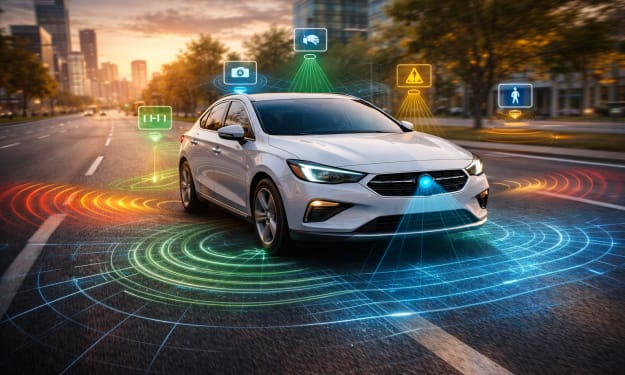
Automotive Sensors Market: Why Cars Are Getting Smarter
You merge onto the highway. From the corner of your eye, a notification flashes. A gentle beep reminds you that a vehicle is approaching in your blind spot. Behind the wheel, your reflexes are ready. Ahead, your vehicle’s sensors are watching.
By james robert6 days ago in Journal



Comments
There are no comments for this story
Be the first to respond and start the conversation.