
5 Nearshoring Tools & Software For Working With Nearshore Teams
ch

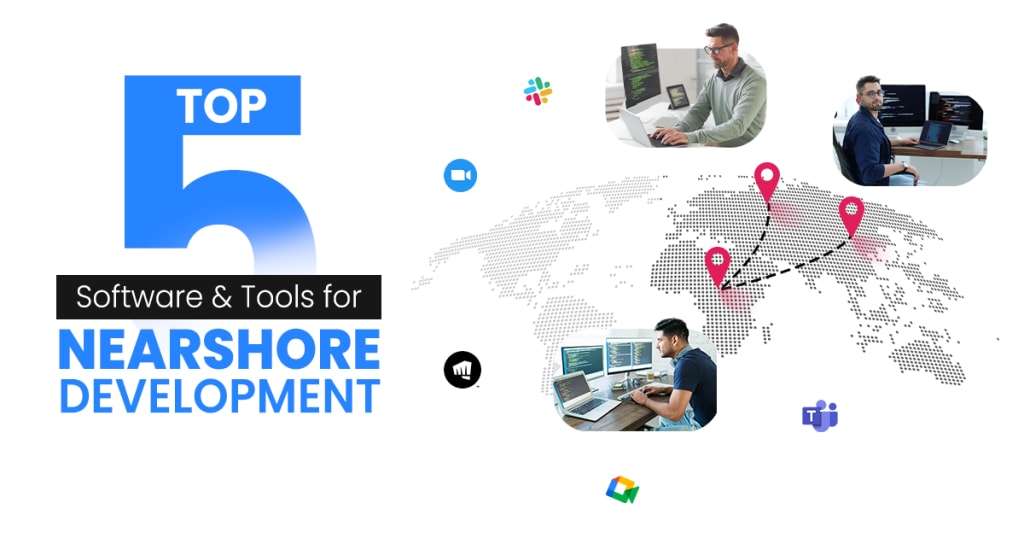
Nearshoring is an approach to outsourcing business processes or services to companies in nearby countries. It offers many benefits, including a larger talent pool and similar time zones at work. While businesses are tapping into nearshoring, there is reduced cost and enhanced efficiency.
On the contrary, managing teams across borders presents challenges like time zone differences, cultural barriers, and communication gaps. That’s when the right tools and software come into play, which can be the key to success for nearshore working teams. Providing smooth communication for effective project management, these tools can help you to overcome geographical barriers and ensure seamless connectivity and productivity.
So, if you want to enhance your nearshore team’s efficiency, you should check out this article, which will guide you with the best five nearshore tools and software to help your team achieve goals with maximum productivity.
Top 5 Nearshoring Tools For Seamless Collaboration
Communication platforms, security software, storage solutions, and project management tools are critical for managing nearshore teams and maintaining productivity across borders. Let’s see the top 5 nearshoring tools and software solutions that help collaborate and enhance effectiveness in nearshore teams.
1. Slack:
Slack is a powerful tool for team messaging that plays a vital role in collaboration. It helps you connect with everything you need to work, no matter where you are. This AI-powered platform associated with work brings all the conversations, apps, and customers to one place simultaneously. About 80% of Fortune 100 companies use Slack Connect to work with their partners and customers, making communicating in countless ways from one place possible. Integration with mobile app development solutions enables better collaboration.
Benefits
- Your team members can get real-time, instant feedback.
- It can easily share documents and all types of files.
- It's highly customizable and integrable.
2. Teams by Microsoft
Microsoft’s Teams is also considered one of the best and most reliable nearshoring tools, facilitating real-time collaboration, communication, and project management across dispersed teams. With Teams, you can get video and audio conferencing in one place with an easier approach.
It is an excellent alternative to Slack. Microsoft Teams provides a one-stop solution for messaging, conferencing, and collaboration. With Teams, you can have the best collaboration features, enhancing your team's productivity.
Teams enables real-time coauthoring, a unique functionality that allows multiple users to edit and simultaneously work on the same document. Also, features like Teams Connect, instant translation, private channels, and Loop make the work processes of nearshore teams easier.
Benefits
- Enhanced video conferencing tool for meetings.
- An all-in-one, convenient solution for teamwork.
- Higher reliability with higher uptime.
3. Zoom
As a video conferencing and communication tool, Zoom seems to be a potential one for nearshore operations. This is also an all-in-one solution that involves phone, team chat, whiteboard, meetings, and more features. Many companies use Zoom as their video conferencing tool for communication among their team members.
With Zoom’s AI Companion, there is reimagination for teamwork, enhanced customer relationships, and a seamless user experience with a choice of third-party integrations.
Benefits
- Great intuitive design makes an easy-to-use layout for the users.
- It offers a recording feature for both audio and video.
- Supports a larger number of audiences, up to 1000 individuals.
4. Google Meet
This seems to be a great tool for nearshoring that helps teams increase their productivity through video communication. Being a good alternative to Zoom, Meet possesses some amazing features like call recording, call hold, polls, breakout rooms, and others.
With its integration with Google Workspace, there is an easier setup for the Google accounts, making meeting schedules convenient and listed on Google Calendar. It allows invites and also allows for collaboration in real time.
Benefits
- Wider accessibility to Google Workspace functionalities like Gmail, Calendar, Drive, and Sheets.
- Has easier installation while being a browser-based application.
- Subscription plans are quite affordable.
5. Riot
This is basically a cybersecurity awareness platform for nearshore operations that enhances security by providing various tools for phishing, real-time data breaches, and cybersecurity training. This helps in strengthening the security infrastructure of your nearshore teams.
Also said to be a leading employee security posture management platform, Riot helps in incorporating cybersecurity culture into your team. This lets you spot security threats in real time when employees appear in data breaches and warns them accordingly.
Benefits
- Offer cybersecurity courses to employees for a better understanding.
- Possess unlimited users to add on the platform.
- Transfer CSV files for security compliance
How Nearshoring Software Helps Project Management?
Managing projects across different time zones and cultures is sometimes challenging for organizations, but at that time, nearshoring software plays a crucial role in establishing a smoother and more seamless activity. Let’s see how nearshoring software and tools help project management.
Enhanced Collaboration & Communication: Nearshoring tools like Slack, Zoom, and Microsoft Teams enable real-time messaging and video calls that ensure seamless collaboration and communication instead of time differences. This leads to more cohesiveness and allows everyone to be on the same page.
Faster Integration With In-House: Integrating nearshore with in-house teams speeds up operations compared to offshore teams. Shared time zones, cultural alignment, and similar work practices led to much quicker onboarding, improved collaboration, and efficient communication. The nearshoring tools help in streamlining task management, enable real-time communication modes, and also ensure a smooth project tracking system.
Minimized Cultural & Language Barriers: With nearshoring tools and software, teams in nearby countries lead to better understanding and smoother communication. Choosing nearshore in businesses allows developers to work in similar cultural aspects and work ethics, thus making a more cohesive environment.
Workflow Automation & Task Orientation: Nearshoring software and tools help automate routine tasks and workflows. As a result, these tools help assign tasks to the right people, set deadlines, and track their completion. Automating tasks allows users to minimize the risk of missing deadlines, ensuring great project execution.
Cost Effectiveness: Cost reduction is one of the apparent benefits of nearshore software development. With the lower labor costs in near-shore locations, nearshoring offers a much more cost-effective solution.
What You Should Look For In Nearshoring Tools
While choosing the perfect nearshoring tools, it is important to consider effective collaboration and project management as priorities. Here are some features to consider in nearshoring.
- User-Friendly Interface
- Real Time Communication
- Other Tools Integration
- Project Management Systems
- Security & Data Protection
- Scalability & Cost
Conclusion
It can be concluded that nearshoring offers a powerful and reliable solution for the nearshore teams who are looking to collaborate effectively in nearby regions. By utilizing the right tools for project management, collaboration, and communication, companies can now overcome geographical complexities, streamlining the process and enhancing overall productivity.
Nearshore software and tools like Slack, Teams, Meet, Zoom, and Riot are invaluable for better communication and project management for the nearshore teams. These tools give a competitive edge, allowing for faster decision-making and fewer errors in operations. So, if you are exploring nearshoring tools, understanding the nearshore software development process helps teams work more effectively and adapt to a fast-paced, competitive environment.
About the Creator
Sofia Murphy
I am Sofia Murphy, a mobile apps consultant. I voluntarily write blogs on mobile apps architecture, design, UI/UX, product engineering, and programming languages.
Keep reading
More stories from Sofia Murphy and writers in Journal and other communities.
How E-Learning Apps Are Transforming Education in 2025
In the educational space, e-learning has been revolutionizing the learning process, thus creating some significant results. Nowadays, you don’t have to rely on chalkboards and classrooms for learning. E-Learning apps give your greater freedom to learn at any time and from anywhere.
By Sofia Murphy 9 months ago in Journal
The goals I did not achieve
Every writing goal I made for the year is a wash. It has been this way for a while, but I think it's important to be open about my failures and the reality of how life can get in the way. This is especially true considering the several times I have posted on Vocal about my writing goals, how I was changing my approach, and where I was hoping to be for the upcoming year. I will probably do that again in a couple months, but for now, it is time to acknowledge where I am today.
By Kay Husnick25 days ago in Journal
The Phoenix from the Ashes:
Toxic relationships, in their myriad forms, are insidious vines that can slowly strangle the life out of individuals, leaving them emotionally depleted, psychologically bruised, and often struggling to understand how they ended up entangled in such a destructive web. Whether romantic, familial, or platonic, these relationships are characterized by patterns of manipulation, control, disrespect, and a consistent lack of empathy. Escaping their grasp can be a grueling process, but it's a journey that ultimately leads to profound self-discovery and lasting personal growth. The lessons learned from overcoming toxic relationships are invaluable, shaping our understanding of ourselves, our boundaries, and what we truly deserve in life.
By Wilson Igbasi3 days ago in Journal




Comments
There are no comments for this story
Be the first to respond and start the conversation.