
The Best Monitor Arms and Mounts
Ergonomic Upgrades That Transform Your Desk Into a Healthier, More Productive Workspace


A few weeks ago, I sat at my desk after a long day of editing photos and writing. My shoulders were tense, my neck stiff, and my monitor felt like it was sitting at a slightly wrong angle no matter how many times I nudged it. It wasn’t that I didn’t tryI stacked books, adjusted the chair, even balanced my laptop on a shoebox once. The result? An uneven, wobbly, and definitely not ergonomic setup that left me frustrated.
That’s when I realized: monitor arms and mounts aren’t just “office accessories.” They’re like the backbone of a productive, healthy workspace. If your screen sits too low, your posture pays for it. If it’s too high, your eyes strain. And if it’s totally unmovable, you’re basically chained to one position. With so much of our lives happening in front of screens, these little pieces of gear can literally decide whether you end the day with energy or end it rubbing your shoulders in pain.
In this guide, I’ll share the best monitor arms and mounts I’ve tested and researched after weeks of trying, adjusting, and sometimes even cursing at different models. Whether you’re setting up a home office, upgrading your gaming rig, or just tired of that wobbly stand your monitor came with, this review will give you an honest breakdown pros, cons, little surprises, and all.
Oh, and a quick personal touch: one of these arms I actually got as a birthday gift from my sister (she knew I complained way too much about my desk). That alone reminded me how much thought can go into picking the right mount.
Product Reviews
1. Ergotron LX Desk Mount Arm
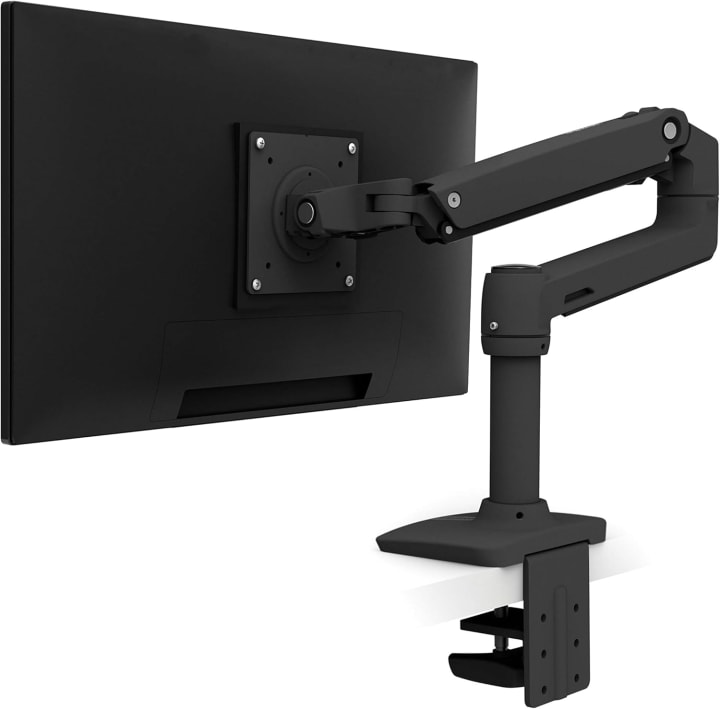
I’ll start with one of the most recommended arms in the industry: the Ergotron LX Desk Mount Arm. This one feels premium the moment you set it up. It’s not just about looks its gas-spring mechanism is so smooth that adjusting the monitor feels like sliding on air.
For someone like me who constantly switches between sitting and standing, the flexibility here is priceless. I could tilt, pan, rotate, and lift without worrying about wobble.
Summary of Ergotron LX
The Ergotron LX is a reliable, flexible, and premium-feeling arm for everyday office or creative work. A bit pricey, but worth it.
Strengths:
Premium build, smooth adjustments, long-lasting design
Weaknesses:
Higher price point, setup takes patience
2. AmazonBasics Premium Single Monitor Arm
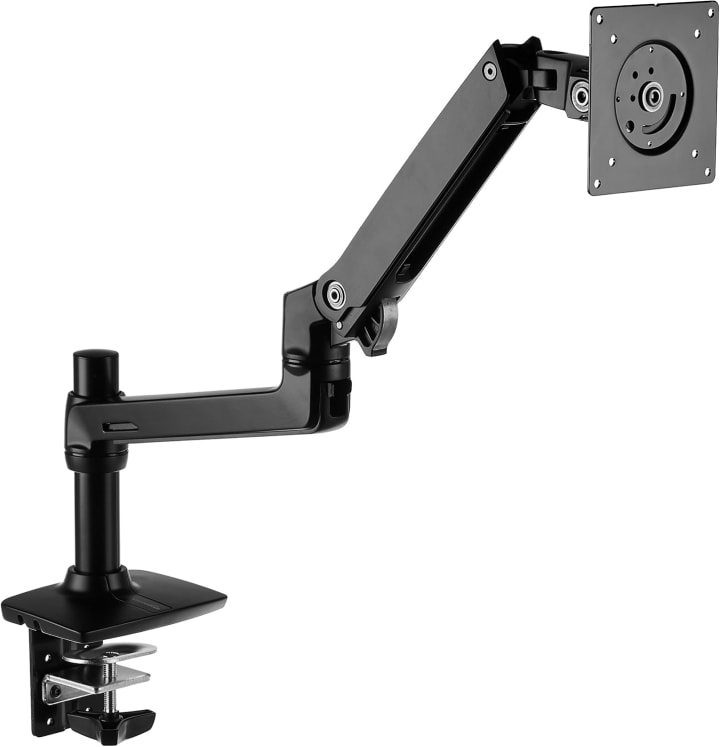
Surprisingly, AmazonBasics nailed it with this one. The AmazonBasics Premium Arm feels almost like a cousin to the Ergotron LX (and, fun fact, they’re often said to share a similar design base). For half the price, it offers smooth movement, decent cable management, and strong build quality.
I’ve been using this on my secondary desk, and honestly, for a “budget” arm, it doesn’t feel budget at all. It handled my 27-inch monitor without slipping.
Summary of AmazonBasics Premium
An affordable alternative that still delivers flexibility and durability. Perfect for budget-conscious buyers.
Strengths:
Affordable, sturdy, smooth movement
Weaknesses:
Slightly bulkier design, fewer finish options
3. HUANUO Dual Monitor Stand
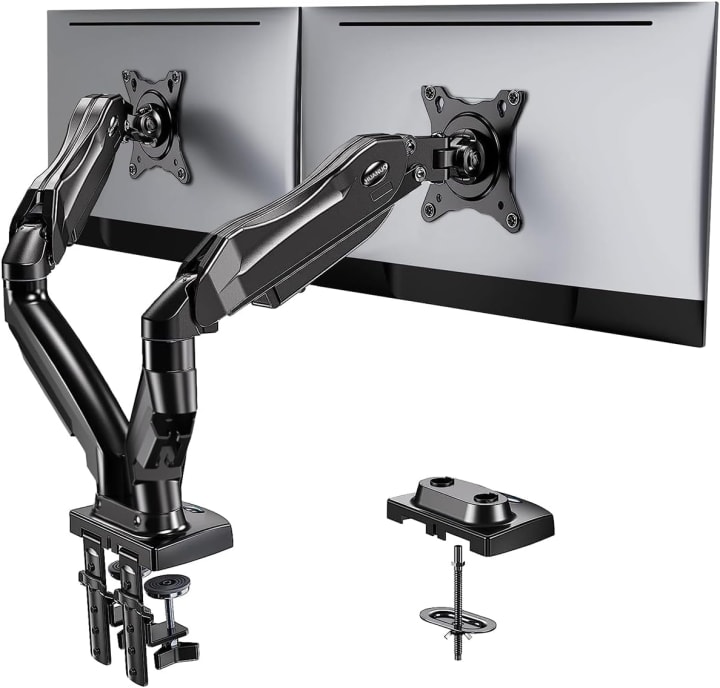
Now, for those who love dual setups, the HUANUO Dual Monitor Stand is a lifesaver. I tested this after getting it on sale for under $100, and it completely changed how I multitask. Two monitors floating neatly above the desk? Chef’s kiss.
It holds up to 27-inch screens, has independent movement for each arm, and honestly, the cable clips kept my messy wires in check. It wasn’t as buttery-smooth as Ergotron, but at this price, it’s pretty unbeatable.
Summary of HUANUO Dual Monitor Stand
A budget-friendly, space-saving solution for dual monitor lovers. Great value for the price.
Strengths:
Affordable dual setup, solid build, decent adjustments
Weaknesses:
Slight stiffness, best suited for medium-sized monitors
4. Mount-It! Triple Monitor Desk Mount
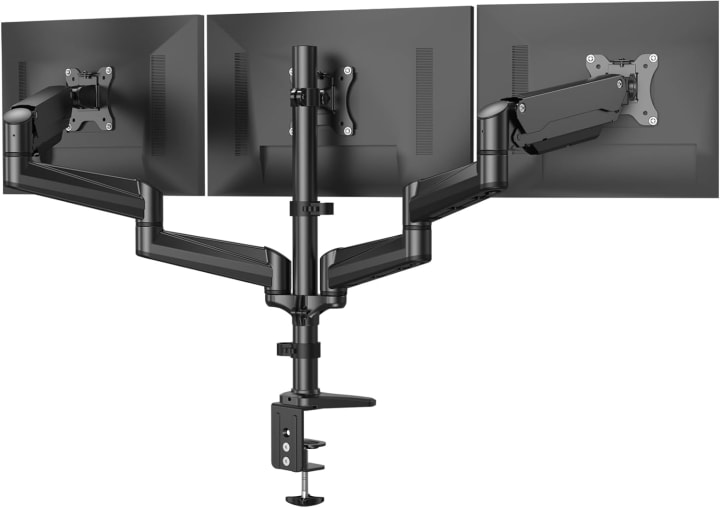
Gamers and traders this one’s for you. The Mount-It! Triple Monitor Desk Mount is a beast. I tried this with three 24-inch monitors, and while setting it up felt like wrestling an octopus, the result was insanely immersive.
The steel build is no joke, and the adjustability across three arms makes it versatile. However, it does require a sturdy desk (my IKEA tabletop wasn’t thrilled).
Summary of Mount-It! Triple Monitor
Heavy-duty mount for gamers and professionals who thrive on multiple displays.
Strengths:
Holds three monitors, strong steel build, customizable angles
Weaknesses:
Bulky setup, desk compatibility issues
5. VIVO Wall Mount Monitor Arm
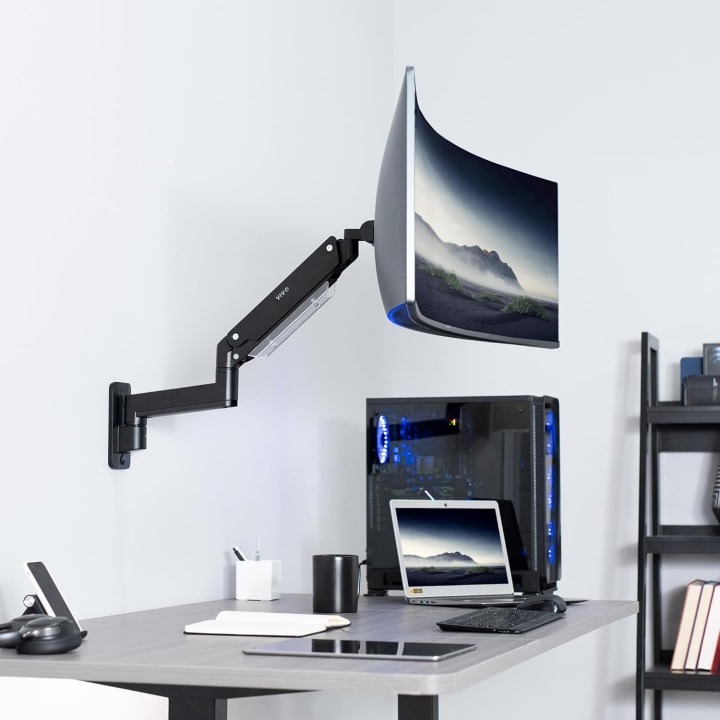
If you’re short on desk space, the VIVO Wall Mount Arm is the simplest fix. I installed this in a small office corner, and suddenly the entire desk was clutter-free.
It doesn’t offer the extreme flexibility of desk arms, but if you’re after a clean, minimalist look, this one shines. Plus, installation was quicker than expected (just make sure you know your wall type stud vs. drywall matters!).
Summary of VIVO Wall Mount
Minimalist, affordable wall-mount solution with solid performance.
Strengths:
Saves desk space, clean look, affordable
Weaknesses:
Limited flexibility, depends on wall setup
Quick Tips for Shopping
When shopping for a monitor arm or mount, keep these in mind:
Weight capacity Always match the arm with your monitor’s weight. Too light? It won’t hold. Too heavy? It might sag.
Compatibility Check VESA patterns (like 75x75mm or 100x100mm). Without that, no arm will fit.
Adjustability Look for tilt, swivel, height range, and rotation if you like portrait mode.
Desk or wall mount? Desk arms clamp or grommet mount, while wall mounts save desk space.
Cable management Some arms have neat channels for hiding wires. Makes a huge difference.
Build quality Steel or aluminum arms last much longer than cheap plastic.
Quick Picks Section
Best Overall: Ergotron LX Desk Mount Arm smooth, premium, and reliable.
Best Budget Pick: AmazonBasics Premium Arm excellent performance at half the price.
Best for Dual Monitors: HUANUO Dual Monitor Stand affordable and practical.
Best Triple Setup: Mount-It! Triple Monitor Mount a powerhouse for multi-taskers.
Best Wall Option: VIVO Wall Mount Arm minimalist and space-saving.
1. Are monitor arms worth it?
Yes. They improve posture, free up desk space, and make multitasking more efficient. Over time, they can reduce neck and shoulder strain.
2. Can any monitor fit on an arm?
Not exactly. You’ll need to check your monitor’s VESA compatibility and weight. Most modern monitors are VESA-compliant.
3. Do monitor arms damage desks?
Not if installed properly. Desk clamp arms are safe on sturdy desks, while wall mounts depend on correct wall installation.
4. Can I use a monitor arm for ultrawide monitors?
Yes, but only heavy-duty arms (like Ergotron HX) can handle the weight and size of ultrawides.
5. Do they come with cable management?
Many do. Models like the Ergotron LX and AmazonBasics Premium have built-in channels to hide wires.
Summary
Monitor arms and mounts aren’t just “extras”they’re game-changers for productivity, posture, and desk space. From premium models like the Ergotron LX to budget-friendly options like AmazonBasics or HUANUO, there’s a solution for every setup and budget.
Sure, some require patience during installation (and maybe a few curse words along the way), but the result is a healthier, more flexible workspace. Honestly, once you try one, going back to the factory stand feels impossible.
You can find all of these models easily on Amazon, often with discounts, quick shipping, and return options if it doesn’t fit your setup.

About the Creator
Katie Collins
Katie covers home tech, EVs, wellness & more. She aims to help people make smart buying choices & reach life goals.
Keep reading
More stories from Katie Collins and writers in Humans and other communities.
Best Mac Monitor
A few months ago, I realized that my MacBook’s screen just wasn’t cutting it anymore. Working on spreadsheets, video editing, and occasional gaming felt cramped on that sleek but small display. Honestly, it was frustrating ’d been struggling to focus for hours, my eyes were sore, and colors looked off, especially during design projects. I knew I needed a monitor upgrade, but finding the best Mac monitor was trickier than I expected. With so many options claiming “perfect for Mac,” I was overwhelmed and wanted something that would actually make a difference.
By Katie Collins5 months ago in Humans
Thief In The Night
To the thief in the night that took and replicated what once was mine: Honestly, I feel kind of bad for you. It’s funny, because we hardly know each other. I only know of you through the magazines you’ve written and the broadcasts you have televised in the past — as well as through the public mentions of you from your show business connections there.
By Snarky Lisa8 days ago in Humans




Comments
There are no comments for this story
Be the first to respond and start the conversation.