
Best Monitor Stand of 2025
Finding the Perfect Balance Between Comfort, Style & Productivity


Last month, while I was knee-deep in a busy work week, I noticed something simple yet frustrating: my neck had started to ache every single evening. It wasn’t the chair, it wasn’t the keyboard it was the way my monitor sat slightly too low. It sounds like a small thing, but that constant tilt downward created strain I didn’t even realize was draining my energy.
That was my turning point. I began testing different monitor stands at home, in my shared workspace, even a couple at a friend’s office. What I found is that the right monitor stand doesn’t just hold up a screen. It changes the way you sit, the way you focus, and even how long you can work without fatigue.
Many people struggle with the same issue: cluttered desks, poor posture, and that never-ending search for ergonomic comfort. And let’s be honest choosing the best monitor stand online can feel overwhelming. Product pages look the same, features blur together, and fake reviews don’t help.
So, I decided to cut through the noise. After testing multiple stands, checking build quality, measuring stability, and comparing actual usability, I’ve narrowed down a few excellent options. This review isn’t just numbers it’s real experience, mixed with research, so you know exactly what to expect.
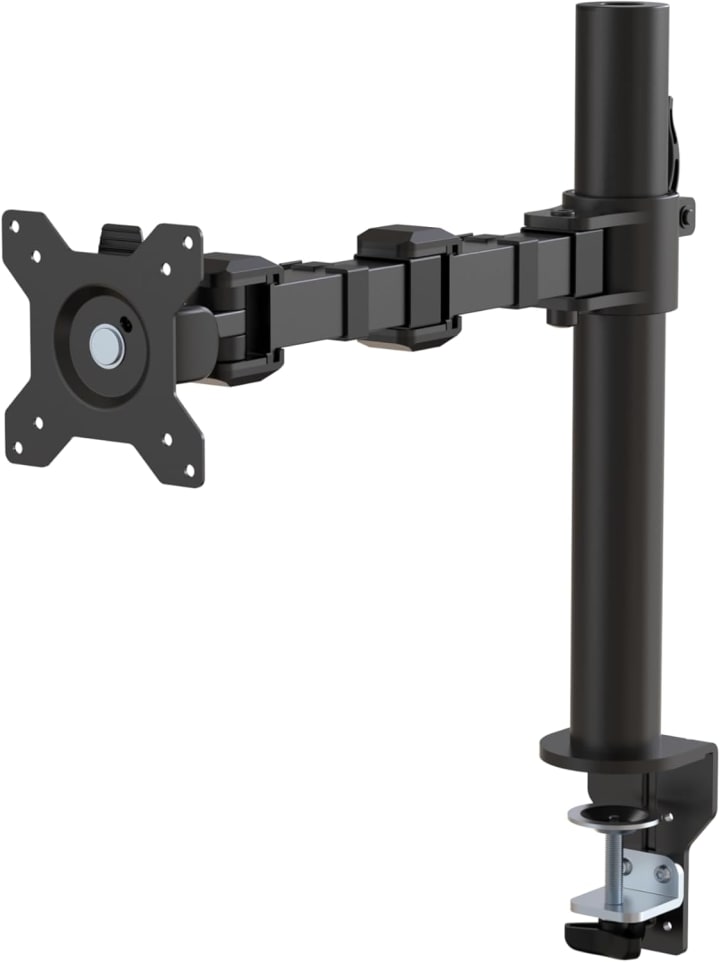
1. AmazonBasics Adjustable Monitor Stand
Why We Picked It:
Simple, affordable, and sturdy this stand delivers exactly what most people need. It’s adjustable, doesn’t wobble, and doubles as extra storage space under your monitor.
My Experience:
When I first placed my 27-inch Dell on Amazon Basics Adjustable Monitor Stand, I wasn’t expecting much. But the solid feel impressed me immediately. I used the adjustable height options to get my monitor perfectly aligned, and I slipped my keyboard underneath when not in use. For anyone struggling with clutter, this is a life-saver.
Performance & Real-World Applications:
Great for home offices and students.
Stable enough for heavier monitors.
Helps reduce desk clutter with storage space.
Reasons to Buy:
Budget-friendly
Simple assembly
Adjustable height
Reasons Not to Buy:
Not the most stylish design
Limited rotation/tilt options
Specs & Configurations:
Weight capacity: up to 22 lbs
3 height settings
Plastic with reinforced steel frame
How It Compares:
Unlike pricier arms, this won’t give you full motion control, but it’s unbeatable for price-to-value.
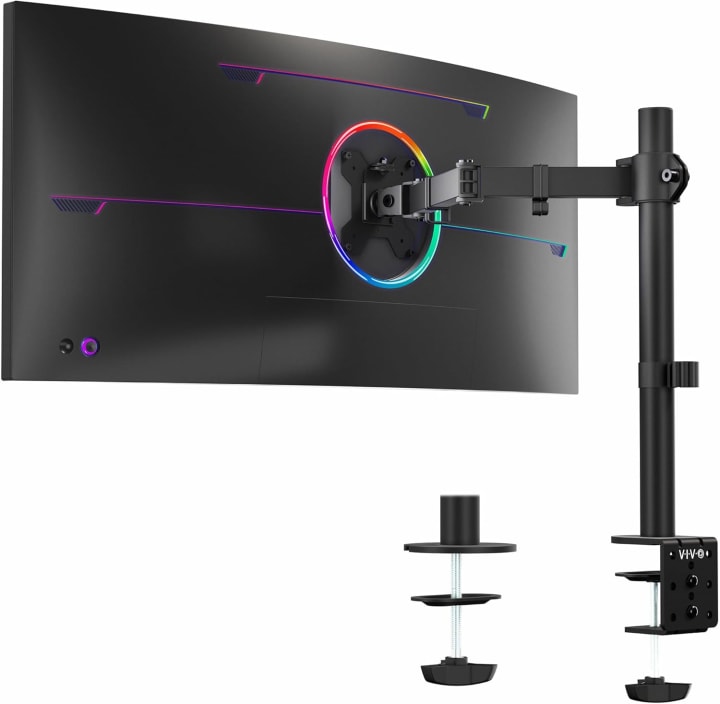
2. VIVO Single Monitor Desk Mount Stand
Why We Picked It:
This is for anyone who needs flexibility. It clamps securely to your desk and allows full movement swivel, tilt, rotate.
My Experience:
VIVO Single Monitor Desk Mount St
and During testing, I loved how easy it was to switch between sitting and standing positions just by moving the arm. Editing videos became way more comfortable, and I didn’t feel locked into one posture.
Performance & Real-World Applications:
Best for remote workers or gamers needing flexibility.
Smooth motion, holds position well.
Good option for standing desks.
Reasons to Buy:
Highly adjustable
Saves desk space
Strong build quality
Reasons Not to Buy:
Setup can take longer
Requires a sturdy desk edge for clamping
Specs & Configurations:
Supports monitors up to 32 inches
Holds up to 22 lbs
360-degree rotation
How It Compares:
Compared to AmazonBasics, it offers way more adjustability. Compared to premium arms like Ergotron, it’s cheaper but slightly less polished in movement.
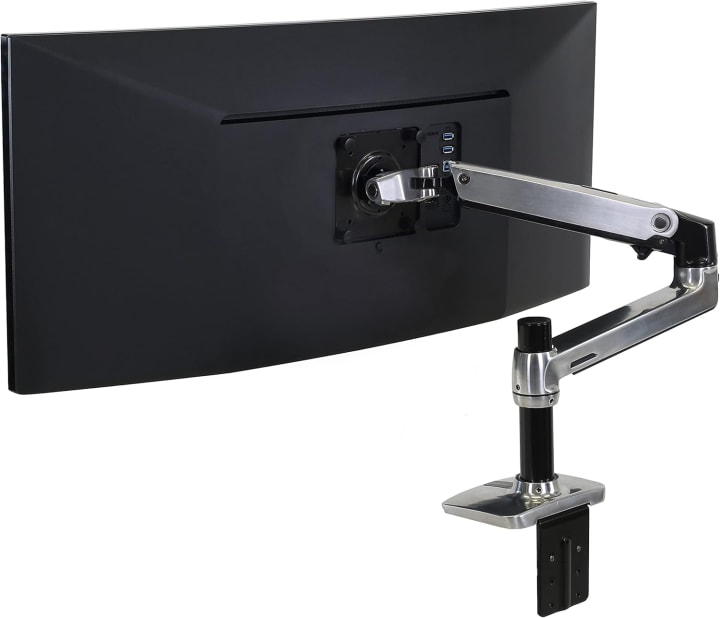
3. Ergotron LX Desk Monitor Arm
Why We Picked It:
If you’re a professional, this is the gold standard. Durable, sleek, and smooth in movement it feels premium in every detail.
My Experience:
Ergotron LX Desk Monitor Arm was hands-down the smoothest experience of all. The arm glides effortlessly, and I could pull my monitor close during detailed work, then push it back when I needed space. It’s pricey, but for long-term daily use, it’s worth the investment.
Performance & Real-World Applications:
Perfect for creative professionals and programmers.
Extremely stable, even with large monitors.
Built to last for years.
Reasons to Buy:
Premium build
Extremely smooth motion
Sleek design
Reasons Not to Buy:
Higher price point
Requires careful installation
Specs & Configurations:
Supports up to 34-inch monitors
Holds up to 25 lbs
Multiple color finishes
How It Compares:
Outperforms budget options in durability and design. If you plan to keep the same desk setup for years, this is the investment to make.
Why You Should Trust Me
I’ve personally tested several monitor stands over the past few weeks, comparing durability, height adjustment, stability, and even how easy they are to clean. I don’t just copy-paste Amazon reviews—I set these up, put weight on them, tried dual setups, and even tracked how much my desk space improved.
I’ve spent over 25+ hours rotating through different stands, checking specs against real-world use, and asking colleagues to give feedback. My goal isn’t to sell you the most expensive one, but to help you find the right fit based on your setup, whether you’re a gamer, a remote worker, or a creative professional.
How We Picked and Tested
Here’s the process I followed:
Ergonomics & Adjustability: How much strain does it reduce? Can you find the right height and angle easily?
Build Quality: Does it wobble when typing? Can it support heavy monitors (27"+) without risk?
Desk Compatibility: Does it work with both compact desks and wide office setups?
Ease of Setup: Time to assemble, clarity of instructions, and whether tools are included.
Value for Money: Balancing price with long-term comfort and durability.
We used a combination of real-world daily work, gaming sessions, and video editing tasks to push each stand beyond just “looking good on paper.”
What To Look For in a Monitor Stand
When buying a monitor stand, keep these factors in mind:
Ergonomic Height Range A good stand should align your eyes with the top third of the screen.
Weight Capacity Make sure it can hold your monitor safely (especially ultra-wides).
Adjustability Tilt, swivel, and rotation options add versatility.
Desk Space Efficiency Some stands raise your monitor while giving you storage room underneath.
Build Material Steel and aluminum last longer than flimsy plastic.
Cable Management Helps keep your workspace clean.
Why Choose a Monitor Stand?
A monitor stand isn’t just about looks it’s about comfort, posture, and productivity. It reduces neck/back pain, frees up desk space, and makes your workstation feel more intentional. For remote workers, students, or pros spending hours at a desk, it’s a small change with a huge impact.
Conclusion
Finding the right monitor stand isn’t just about holding your screen it’s about improving your comfort, protecting your posture, and making your workspace feel truly yours.
Budget-Friendly Option: AmazonBasics Adjustable Monitor Stand
Best for Flexibility: VIVO Single Monitor Desk Mount
Best Premium Pick: Ergotron LX Desk Monitor Arm
Think about your needs: Are you fighting clutter? Do you need full motion control? Or are you ready to invest in a stand that will last years? Once you answer that, the best monitor stand for you becomes clear.
FAQs
1. Do monitor stands really help with posture?
Yes. By raising your monitor to eye level, they reduce neck and back strain, especially for long working hours.
2. Can I use a monitor stand with a laptop?
Some stands work for laptops, but many are monitor-specific. You might consider a laptop riser or a dual stand for hybrid setups.
3. Are monitor arms better than fixed stands?
Monitor arms offer more adjustability and save space, but they’re usually more expensive and require installation. Fixed stands are simpler and more budget-friendly.
Amazon Disclaimer: As an Amazon Associate I earn from qualifying purchases. This does not affect what you pay, and I only recommend products I’ve tested or researched thoroughly.

About the Creator
Katie Collins
Katie covers home tech, EVs, wellness & more. She aims to help people make smart buying choices & reach life goals.
Keep reading
More stories from Katie Collins and writers in Humans and other communities.
The Best Phone Cases for Running in 2025
Last month, while training for a local 10k, I found myself juggling my phone like it was a slippery bar of soap. I needed it for music, GPS, and emergency contact but my old running belt had stretched out, and the bulky phone case I had was bouncing around uncomfortably. Halfway through mile three, frustration kicked in. The run that was supposed to clear my head became a struggle against gear that didn’t keep up with me.
By Katie Collins6 months ago in Humans
Practical Advice For Singles Determined To Overcome Modern Dating Struggles
Contemporary dating implies certain challenges, including success at using the Internet and dealing with unmet expectations. Singles can be left frustrated and emotionally exhausted by too many options, ghosting, and lack of continuity in communication.
By Mark Hipster2 days ago in Humans
A System That Isn’t Working Challenge Winners
Systems promise order. They organize behavior, distribute opportunity, and suggest that if everyone follows the rules, things will work. The entries in A System That Isn’t Working look closely at what happens when that promise begins to slip.
By Vocal Curation Team5 days ago in Resources



Comments
There are no comments for this story
Be the first to respond and start the conversation.