
Understanding Morse code: Benefits of using a translator
Benefits of using a translator

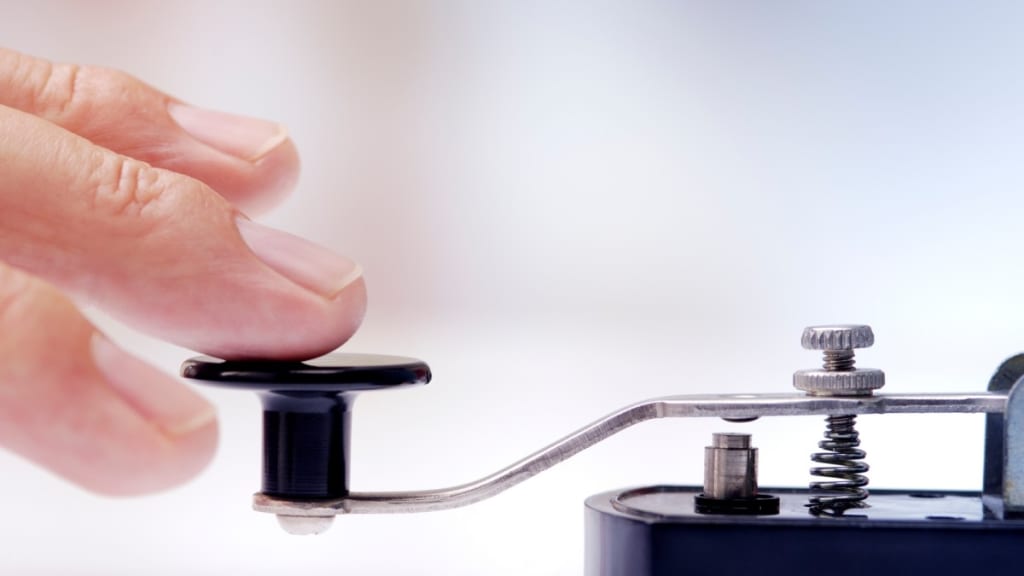
Morse code has been a vital communication tool for over a century, offering a simple yet effective way to send messages. Even today, learning and using Morse code can be a valuable skill. However, understanding it by ear or sight alone can be challenging for beginners. This is where a Morse translator becomes incredibly useful. In this article, we’ll explore what Morse code is, its benefits, and how a translator can help you easily convert text to Morse code.
What is Morse code?
Morse code is a method of encoding letters, numbers, and symbols using sequences of short and long signals, often referred to as "dots" and "dashes." This code was originally designed for telecommunication, allowing operators to send messages over long distances using sound or light signals. Each letter or number is represented by a unique pattern of dots and dashes, making it a straightforward yet powerful form of coded language.
Why learn Morse code?
Morse code has a variety of uses, even in our modern, digital world. Some common reasons to learn Morse code include:
Emergency situations: Morse code is still used in emergency settings because it can be communicated through sound, light, or even touch, making it useful when other methods are unavailable.
Historical and cultural value: Many people enjoy learning Morse code to connect with history, as it has been used for important military and aviation communications.
Unique skill development: Learning Morse code improves cognitive skills, memory, and even typing speed as you get more familiar with encoding and decoding messages.
The challenges of learning Morse code
While Morse code is a useful skill, learning it can be challenging. Memorizing the unique dot and dash combinations for each letter and number takes time and practice. Additionally, interpreting Morse code by ear or sight alone can be daunting, especially for beginners. This is where tools like a Morse translator come in handy, making it easy to convert text to Morse code and vice versa.
Benefits of using a Morse translator
1. Easy conversion from text to Morse code
A Morse translator can instantly convert plain text into Morse code, saving you time and effort. Simply type in your message, and the translator will provide the correct sequence of dots and dashes. This makes it ideal for beginners or anyone who needs to quickly translate messages without memorizing every character.
2. Decoding Morse code into text
In addition to converting text to Morse code, translators can decode Morse code back into readable text. This is especially useful for interpreting incoming messages, or for students who want to check their work as they learn. By using a translator, you can ensure accuracy and better understand the structure of Morse code.
3. Accessibility in emergencies
Morse translators are valuable in emergency scenarios, where quick and clear communication is crucial. With a translator on hand, anyone can easily convert emergency messages into Morse code, which can then be transmitted via sound, light, or tapping. In situations where verbal communication is not possible, Morse code can be a literal lifesaver, and a translator makes it accessible to anyone.
4. Learning aid for Morse code practice
Using a Morse translator as a study tool can help you build fluency in Morse code. By comparing your manual attempts at encoding and decoding with the results from the translator, you’ll quickly learn the correct patterns. Over time, this practice will enhance your Morse code skills, making it easier to send and receive messages without assistance.
How to use a Morse translator
Step 1: Input your message
To use a Morse translator, simply type or paste the text you want to convert. Most online translators or apps will have a text box where you can enter your message.
Step 2: Convert text to Morse code
After inputting the text, click on the “Translate” or “Convert” button. The translator will instantly display the message in Morse code, using dots and dashes.
Step 3: Practice interpreting Morse code
You can also reverse the process by entering Morse code patterns and converting them back into text. This is a great way to test your understanding and learn Morse code more effectively.
Top uses for Morse translators today
For hobbyists and enthusiasts
Many people enjoy learning Morse code as a hobby. Using a translator makes it easy to practice, experiment, and communicate in Morse code without needing years of experience.
For emergency preparedness
Morse code is still relevant for emergency preparedness. With a Morse translator, you can quickly convert essential messages into code, which can be transmitted through light or sound if needed.
For amateur radio operators
Radio operators often use Morse code to communicate over long distances. A translator helps them accurately decode messages, making sure they understand each transmission clearly.
Choosing the right Morse translator
When selecting a Morse translator, it’s best to choose one that is user-friendly, accurate, and easily accessible on both computers and mobile devices. Many online translators are free, offering instant conversion with minimal setup. Whether you’re using a translator app or a website, make sure it provides clear and accurate translations for both encoding and decoding.
Conclusion
Learning Morse code has its challenges, but with a Morse translator, the process becomes easier and more accessible. Translators allow you to quickly convert text to Morse code and decode messages back into plain text. They are invaluable for beginners, hobbyists, and anyone interested in adding Morse code to their skillset. With the added benefits of emergency use and historical value, learning Morse code with a translator is both practical and rewarding.
About the Creator
Keep reading
More stories from Cullen Johns and writers in History and other communities.
Comprehensive Guide to Kitchen Duct Cleaning in Bridgwater
Proper maintenance of kitchen ventilation systems is essential for businesses in the food and hospitality industry. Whether it’s a bustling restaurant or a commercial kitchen in Bridgwater, keeping the kitchen ducts and extraction hoods clean ensures safety, hygiene, and compliance with regulations. In this guide, we delve into the significance of kitchen duct cleaning Bridgwater, the benefits of extraction hood cleaning, and why All Commercial Cleaning is your go-to service provider.
By Cullen Johnsabout a year ago in History
Stanislav Kondrashov Oligarch Series: Echoes of Influence in Southern Italy
Oligarchy isn’t always written into the laws of a country. Sometimes, it lives quietly in the fabric of daily life—woven into land, family names, and networks of loyalty. Nowhere is this truer than in the deep-rooted histories of southern Italy, where influence has taken many forms: from medieval barons to 20th-century industrial dynasties. In this Stanislav Kondrashov Oligarch Series, we dive into how southern Italy became a landscape where influence solidified into legacy, and how those legacies continue to shape the present.
By Stanislav Kondrashovabout 10 hours ago in History
Vlad Țepeș
Vlad Țepeș: Sovereignty Written in Blood History remembers kings by their victories, saints by their sacrifices, and tyrants by their cruelties. Vlad Țepeș is remembered by all three and understood by none. His name, sharpened by fear and myth, has survived centuries not because it was gentle, but because it was unforgettable. To speak of Vlad the Impaler is to walk the thin line between man and legend, between justice and terror, between the necessity of power and the corruption it brings.
By Xbox Accountabout 4 hours ago in History




Comments
There are no comments for this story
Be the first to respond and start the conversation.