
React Native Text-to-Speech AI Implementation Guide for 2026
Discover how to choose and implement the best AI TTS solutions for 2026, comparing top providers like OpenAI, Google Cloud, and Amazon Polly.


Voice interaction in mobile apps is no longer a gimmick. By 2026, users expect hyper-realistic, emotionally intelligent voices, not the robotic tones of the past. This shift from basic text-to-speech to advanced AI is completely changing app experiences. This guide gives you a clear path for your React Native Text-to-Speech AI integration. You’ll learn how to select a provider and implement a voice that feels truly human.
Why AI Text to Speech is Essential for Modern React Native Apps
The standard for in-app voice has changed dramatically. Simple narration is out. Expressive, context-aware audio is in. Modern AI allows your app to communicate with nuance, making it more accessible and engaging. This isn't just about reading text aloud anymore; it's about creating a genuine connection with your audience.
The Evolution of Voice Experience in 2026 Think about it: voices can now convey excitement, concern, or joy. This is possible through state-of-the-art neural TTS models that go beyond simple pronunciation. For your app, this means you can provide a more immersive experience for storytelling, deliver more effective instructions, or offer more empathetic user support. Users don't just hear information; they feel it.
Selecting Your AI TTS Provider for 2026
Choosing the right provider is your first major decision. The market has moved past simple libraries. You are now choosing between powerful cloud-based AI engines, each with its own strengths. Your choice will define the quality and capabilities of your app's voice.
Deep Dive into OpenAI's Latest Voice APIs
OpenAI has become a major player with its highly natural and conversational voice models. They are often the easiest to get started with, providing high-quality audio with minimal setup. Their APIs are great for projects that need realistic, human-like speech for dynamic content. They focus on simplicity and quality, which is ideal for startups and individual developers.
Google Cloud TTS and Amazon Polly for Enterprise
Solutions For applications that need scale, reliability, and extensive customization, Google Cloud Text-to-Speech and Amazon Polly are the go-to choices. They offer a massive library of voices across many languages and accents. You can also fine-tune audio details like pitch and speaking rate with precision. These services are built for enterprise-level demands, including high-volume requests and strict performance requirements.
Preparing Your React Native Project for AI TTS
Before you write any TTS-specific code, you need to set up your project correctly. A clean setup prevents headaches later on. This involves managing dependencies and, most importantly, securing your API keys. A well-organized project makes integrating and maintaining voice features much easier.
Installing Dependencies and API Key Configuration
You'll need a way to make network requests to your chosen AI provider. A library like Axios is a common choice. You will also need a library to play the audio that the API sends back. For this, react-native-sound or expo-av are excellent options.
Here's the kicker: never hardcode your API keys directly in your app's code. Use environment variables (e.g., via a .env file and a library like react-native-dotenv) to keep them secure. This protects your credentials and makes it simple to switch between development and production keys.
Step-by-Step AI Text to Speech Integration
With your project prepared, you can now connect to the AI service. The process generally involves two main steps. First, you send text to the API. Second, you receive and play the audio data. It's a straightforward flow that unlocks powerful voice capabilities.
Sending Text to Your Chosen AI Service
This is typically an asynchronous function that makes a POST request to the provider's API endpoint. You'll send the text you want to convert, along with configuration options like the desired voice, language, and speaking speed. Your API key will be included in the request headers for authentication.
Playing Back AI-Generated Audio in Your App
The API will respond with audio data, often as a Base64 encoded string or a direct audio file stream. Your app then needs to handle this data. You’ll decode it if necessary and use a library like react-native-sound to play it through the device's speakers. You should also add loading indicators and error handling to create a smooth user experience.
Customizing AI Voices for a Natural User Experience
The default voice is just the beginning. The real power of AI TTS lies in customization. Fine-tuning the voice to match your brand and user context is what separates a good app from a great one. You can now control emotional tone, accents, and multiple languages with incredible precision.
Fine-Tuning Voice Qualities, Accents, and Emotional
Tone Modern AI APIs allow you to do more than just pick a voice. You can adjust the pitch, speed, and volume. Some advanced services, drawing on trends in emotional TTS, even let you specify an emotional style like "cheerful" or "empathetic." This allows your app's voice to adapt its delivery based on the content.
Supporting Multilingual AI TTS in React Native
Global apps require robust multilingual support. The best AI providers can handle dozens of languages. A key trend for 2026 is "code-switching," where the TTS engine can seamlessly switch languages mid-sentence. This is perfect for educational apps or content for multilingual audiences. You can implement this by specifying the language for each text segment you send.
Best Practices and Troubleshooting for 2026
Integrating a powerful AI service comes with its own set of challenges. Focusing on performance, error handling, and ethical design from the start will ensure your voice features are reliable and responsible. A proactive approach here is far better than fixing problems after launch.
Optimizing Performance and Handling API Errors
Cloud-based AI TTS introduces network latency. The bottom line? You need to manage this to avoid delays. You can cache common audio responses to reduce API calls. For near-instant feedback, look into the trend of on-device or Edge AI, which processes TTS directly on the user's phone for certain tasks. Always wrap your API calls in try-catch blocks to gracefully handle network failures or API errors.
It's also important to consider the ethical side. Be transparent with users about the use of AI-generated voices. If you are exploring voice cloning features, user consent is non-negotiable. For more details on building secure apps, you can check out our guide on React Native security.
Frequently Asked Questions
What's the biggest difference between traditional TTS libraries and modern AI APIs?
The key difference is realism. Traditional libraries often use on-device synthesis that can sound robotic. Modern AI APIs from providers like OpenAI or Google use complex neural networks in the cloud to generate incredibly lifelike, expressive, and natural-sounding speech.
Can I run AI TTS offline in a React Native app?
Yes, this is becoming more common through Edge AI. It involves integrating lightweight, optimized AI models (using frameworks like TensorFlow Lite) directly into your app. This provides lower latency and offline functionality but may offer less voice variety than cloud-based solutions.
How much do these AI TTS services typically cost?
Most providers operate on a pay-as-you-go model, charging you per million characters of text converted to speech. Many offer a generous free tier to get started, which is perfect for development and small-scale apps. Enterprise plans are available for high-volume usage.
Future Proofing Your React Native AI Voice Features
You’ve now seen how to implement a modern React Native Text-to-Speech AI solution. The steps are clear: select a provider, set up your project, integrate the API, and customize the voice. By following this guide, you can build an app that speaks with a truly human touch.
The future of voice is moving toward even greater personalization and efficiency. Keep an eye on trends like real-time voice cloning and the continued growth of on-device processing. These advancements will reduce latency and give users more control over their experience.
Your next step is to pick a provider and start experimenting with their free tier. Build a small proof-of-concept to hear the quality for yourself. This hands-on experience is the best way to understand the amazing potential of adding a realistic AI voice to your React Native application.
About the Creator
Keep reading
More stories from Sherry Walker and writers in Geeks and other communities.
A Knight of the Seven Kingdoms Series Review (Season 1)
As one of the biggest properties in fantasy, A Song of Ice and Fire remains immensely popular with audiences. After reaching far into the past with House of the Dragon, a second spin-off was on the cards. A Knight of the Seven Kingdoms serves up a bite-sized slice of action and drama, but it still claims a spot among the best small-screen titles.
By Robert Cain3 days ago in Geeks
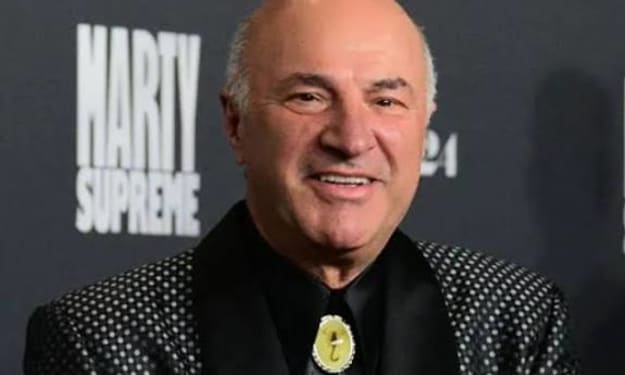
Kevin O’Leary debuts $20 million Kobe Bryant card necklace at 2026 SAG Awards
Finance personality Kevin O’Leary turned heads on the red carpet at the 2026 Screen Actors Guild (SAG) Awards this weekend — not for a fashion statement from a luxury brand or couture gown, but for a dazzling piece of sports memorabilia worn as jewelry. O’Leary unveiled what he described as a “statement of legacy and investment” — an estimated $20 million Kobe Bryant card necklace that instantly became one of the most talked‑about accessories of the night. The necklace features a rare and highly coveted trading card encapsulated in a custom diamond and gold setting, suspended from a thick gold chain. The card itself is a PSA‑graded 10 — the highest mint condition — featuring NBA legend Kobe Bryant during his early career with the Los Angeles Lakers. Collectors and enthusiasts have long considered this card among the most prized artifacts in basketball memorabilia, with individual sales in recent years commanding record auction prices. O’Leary, known for his brash investment commentary on shows like Shark Tank and his focus on alternative assets, has been vocal about the growing market for sports collectibles. He has argued publicly that rare cards and memorabilia represent a new frontier for serious investors, blending cultural value with tangible scarcity. His decision to wear the Kobe Bryant card as a necklace sparked a flurry of reactions — from financial analysts intrigued by his bold move to sports fans debating the intersection of fashion, fandom, and investment. Speaking to reporters on the red carpet, O’Leary explained his choice: “This isn’t just jewelry — it’s a symbol of how value has shifted in the modern economy. Kobe Bryant’s legacy transcends sports, and this card encapsulates that legacy. By presenting it as something wearable, I hope to challenge perceptions of what constitutes a ‘portfolio.’” He also hinted that the piece might be loaned for exhibition displays or philanthropic events related to youth sports and basketball heritage. The unveiling at the SAG Awards — a high‑profile entertainment event that honors acting talent — was an unexpected cultural crossover, blending sports history with Hollywood glamour. While award shows have seen celebrity musicians and actors display expensive pieces of jewelry and luxury watches, a $20 million collectible card fashioned into a necklace was unprecedented. Social media lit up almost instantly, with trending hashtags and photo posts tagging O’Leary’s bold accessory. Collectors weighed in with mixed reactions. Some praised O’Leary for bringing attention to the high end of the memorabilia market, pointing to multimillion‑dollar transactions at auctions for iconic cards like the 1952 Topps Mickey Mantle or early Michael Jordan rookie cards. Others expressed concern that turning rare artifacts into wearable art could risk damage or diminish their historical context. Professional memorabilia graders and auction house representatives noted that protective encapsulation and security measures are critical for preserving the condition and value of such rare items. O’Leary addressed these concerns, noting that the card remains sealed in a protective case and that the necklace design allows for secure removal and safekeeping when not worn. He also stressed that his intention was to celebrate Bryant’s impact, not to commodify his legacy disrespectfully. Fans of Kobe Bryant, whose basketball career and postplaying philanthropic work have left a lasting impression globally, sent mixed but passionate messages. Some applauded the tribute, saying it reflects Bryant’s pervasive cultural influence. Others felt that the emotional weight of Bryant’s legacy should be preserved in more traditional forms — museums, charities, or youth‑focused programs rather than fashion statements. Art and culture commentators pointed out that the moment reflects broader trends in the fusion of pop culture, finance, and personal branding. Modern collectibles, whether digital NFTs or physical artifacts, have become mainstream topics of conversation, not just niche corners of hobbyist communities. By showcasing a multimillion‑dollar card in such a public forum, O’Leary invited discussion about how society values athletes, art, and cultural icons in the digital age. As the SAG Awards ceremony continued, headlines about O’Leary’s necklace dominated entertainment and financial news outlets, suggesting that his bold gesture had succeeded in capturing public attention. Whether praised or critiqued, the moment sparked debate about the evolving norms of collectibles, investment, and celebrity culture. In the end, Kevin O’Leary’s Kobe Bryant card necklace did more than glitter on the red carpet — it became a pointed cultural statement. It underscored how collectibles have risen from dusty binders to multimillion‑dollar assets, and how figures at the intersection of finance and pop culture are shaping conversations about value, legacy, and the meaning of iconic memorabilia in the 21st century.
By Fiaz Ahmed about 15 hours ago in Geeks



Comments (1)
Very insightful article! - maintainer of react-native-dotenv