


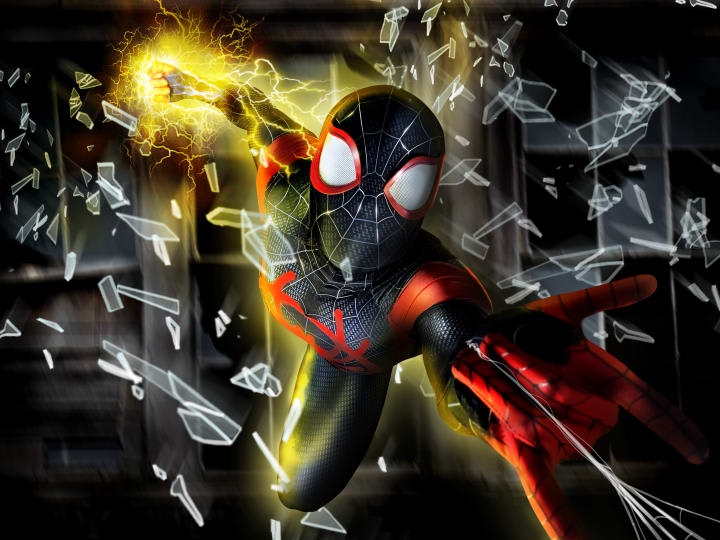
There are many types of editing. I chose the path of comic movie style editing, due to my passion for comics and art. It is not easy to make someone appear as if they are leaping through windows and equip with powers that do not exist.
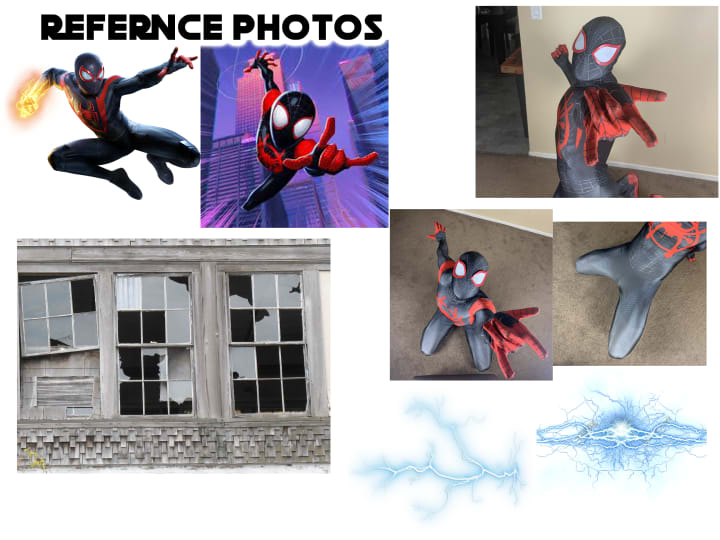
For every edit I take on, I always look at references first. Looking at a reference photo is a key objective in the editing process because you can use it to correct lighting or angles. The more you consider physics, the more realistic your image can appear. I also always use Photoshop to create the realism I am looking for.
After finding all my references, I begin to take multiple photos of the object. In most cases, I take pictures of myself in many different angles and positions. Comic characters are drawn in very animated poses that sometimes can be physically impossible to accomplish. So, by taking multiple photos in different positions and angles, I can use the Photoshop Pin tool to outline the pieces of each photo that I need to create the final image. Then I cut each piece and make them into separate layers. Once I have placed each layer in the correct position according to the reference photo, then I merge those layers together. This makes a drawing into live action.

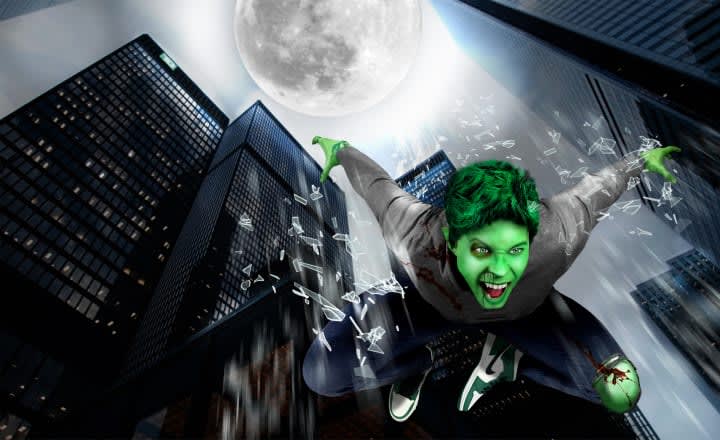
Once I have accomplished the "character" image, I start the layering of lighting/shading, which can make or break your entire edit. When adjusting lighting on Photoshop, I go to the Image tab, select Adjustments then select Levels. If needed, I will take it a step further and create my own lighting and shading using different textures and brush strokes with the Brush tool.
After this is done, I begin to place my character/object in a scene or environment that best compliments the feel I am trying to project to my audience. I usually make these backgrounds using the same merging and lighting process as I did with the character image. This part can be tricky because your object/character MUST and I mean MUST match the lighting and color palettes of your scene/background. If not, then your object/character will stand out like a sore thumb for the wrong reasons.
Layering is very important to master in order to make your final edit look as nature as possible. When creating layers, be sure to name each layer so you can identify and select the appropriate layer.
This entire editing process can take hours, sometimes days. But in the end, it is all worth it when you see what you have created.
About the Creator
Keep reading
More stories from writers in Geeks and other communities.
The Rachels - 2025
Much to my surprise, I have kept a list of the films I‘ve seen this year. I daresay it isn’t complete. There will be films that snuck in on a late night in front of the TV that I would’ve forgotten to note. Or others, that I went to watch at the cinema, but then had a red wine and promptly forgotten about. But it’s not a bad approximation of the films I’ve seen this year. In total, there are 53 films listed, so an average of one a week and one for good luck.
By Rachel Robbins19 days ago in Geeks
Blue Moon
Okay so honestly I hadn’t even seen a trailer for this film before deciding to watch it. The synopsis was enough for my little theatre nerd heart. Also seeing the cast list was enough to hook me. Blue Moon is about Lorenz Hart dealing with Richard Rodgers Oklahoma! opening. As a certified theatre kid who watched Hugh Jackman in Oklahoma! so often my brother knows the words, I was truly looking forward to immersing myself into the lore of the relationship before Rodgers and Hammerstein took over musical theatre.
By Alexandrea Callaghan7 days ago in Geeks
The Dryads are Calling
They say the forest by Phoenix River sings. Perhaps it is just the wind howling through the leaves, or a particular birdsong. But Percy Fisher knows better; he knows what lies in those woods, and he knows that the forest sings of his demise.
By Leigh Hooperabout 19 hours ago in Fiction



Comments
There are no comments for this story
Be the first to respond and start the conversation.