
How to Hide Followers on Instagram Without a Private Account?
Steps to Hide Followers on Instagram


It was the afternoon of trying to work out a blog post in a South Tryon Street café, paying too much for an over-roasted latte that fogged the brain, peering at my cell phone, and posing the stumper, “Can I hide my followers on Instagram without going private?”
I’m into mobile app development in Charlotte and have always had a thing for how platforms balance visibility and privacy. But this wasn’t a coding challenge or UX case study. It was personal. I recently gained some traction on a side project I’d shared online. All of a sudden, a handful of unfamiliar profiles started scrolling through my followers list.
I ignored it at first, shrugged- the social media is public, isn’t it? But once one of those accounts began DMing my friends and commenting under my posts as we knew each other, that’s when I realized how little control I actually had over my digital boundaries.
Thus began my quiet quest: How to hide Instagram followers—or at least who can see them—without shutting myself off from the world.
Why This Is So Tricky With Instagram
Let’s get the harsh reality I spent hours testing to find out: Instagram does not actually allow you to obscure your list of followers unless your account is private.
The platform is designed with openness—a social graph that helps connection, discovery, and sharing. That’s what makes people scroll. But this also means that, by default, your follower list is public if your account is. All someone has to do is tap your profile, click “Followers,” and see who’s following you.
As a developer, I got why: follower visibility is part of Instagram’s engagement loop. But as a privacy-friendly user, it felt creepy.
So I did some tests with various techniques – not workarounds but actual baked-in functionalities allowing me to handle the visibility without having to switch to a private account.
Technique 1: Using “Restrict” Instead of “Block”
When I was testing the profile I didn’t desire to have complete visibility, here’s how I used it:
- I visited the profile of the person I didn’t want to have full visibility.
- I tapped the three dots at the top right corner.
- I selected “Restrict.”
Preventing someone means that their comments on your posts are hidden from others until you approve them. They can’t see if you’re active or when you’ve read their messages either.
Most importantly — and here’s the deal — it’s reduction subtly without telling them that anything has changed.
It doesn’t technically “hide” your followers list from them. If your account is public they can still see it. But working in conjunction with a few other privacy settings it creates a layer of distance— something between blocking and ignoring.
That emotional layer of distance mattered more for me than I thought it would. It let me breathe again on the app.
Technique 2: Going Private - The Only Full Solution
So, I finally figured out what most Insta veterans already know: if you really want to hide your followers, you gotta lock your account.
Here’s how:
- Tap your profile icon.
- Then you tap the three lines (menu) in the upper right corner
- Settings → Privacy.
- Turn the “Private Account” on.
After doing so, only those people whom you approve can see your posts and stories as well as much more - i.e, your followers and following list.
The change was instant the moment I flipped it to private. The noise faded. No more strangers sifting through my connections. No more “suggested” comments from people I’d never met. It was like closing a door in a crowded room and finally hearing myself think.
Realizing it made me remember that privacy has nothing to do with hiding but everything to do with choosing who sits in your digital space.
Technique 3: Blocking — The Nuclear Option
There’s also the most direct (and at times dramatic) approach – blocking.
To block somebody:
- Visit their profile.
- Tap the three dots.
- Select “Block.”
After you’ve blocked a user, they can neither view any of your posts, your followers, or even find your account through search, neither can they view your stories.
It’s not subtle, and if you ever unblock them, they’ll have to re-follow you manually. I only use this in situations when someone crosses a clear boundary: harassment, impersonation, or invasive behavior.
Blocking can seem pretty definitive, but it’s just necessary at times — particularly in the current attention economy, where access is as freely given as it is abused.
A Few Obscure Settings Worth Finding
I also found a few more ‘hidden’ settings which you may find important for managing visibility:
- Hide Activity Status: Go to Settings > Privacy > Activity Status and flick the switch to the Off position. No one should know when you were last online.
- Comment Controls: User-Control over the comments allowed could be restricted to registered users only by selecting Settings -> Privacy -> Comments. I filtered out unknown users completely.
- Story Controls: You can control who views your stories, or create a “Close Friends” list. That way you can keep posting without worrying who’s watching.
- Remove Followers: If your account is private, you can also remove followers without actually blocking them. Just go to your followers list and tap “Remove,” and they will disappear quietly from your audience.
Each of these provides a small but not insignificant layer of protection – venetians rather than a locked door.
Why That Matters More Than We Think
Social media has outpaced the building of our psychological boundaries. Most people don’t understand that your following list can expose specific patterns — mutual friends, business contacts, even location cues through tagged posts
I’m in mobile app development in Charlotte so I often think about how we design for connection but rarely for comfort. Every UI decision carries SO much emotional weight. A single “Followers” button can make someone feel exposed.
For a while, when I got my settings right, I noticed something else: the friendliness between Instagram and me had shifted. I was posting less for others and more for myself. It felt noisier, the feed looked dirtier. The platform didn’t seem a stage so much as it did a diary that could be shared.
So, Can You Really Hide Your Followers?
Technically, not completely — unless you go private or block people individually. But emotionally and functionally, yes, you can reclaim control.
A finer degree of control can be maintained over this with the help of Restrict, culling followers, and generally tightening up on privacy. The fact that it’s relatively hidden beneath the slick surface of Instagram doesn’t mean it’s not out there.
So the actual lesson is not of a setting or button but of redefining what is to be visible; something’s bound to come up soon enough, and you never want personal privacy rights handed out like candy sharing one’s electronic life with the world.
Final Thoughts
We build digital identities over years, caption-by-caption, and pic-by-pic. And yet we often forget that privacy isn’t like air — it’s not just there. It’s something one has to build purposely, the same way one builds apps or homes.
So, if you are scrolling through your list of followers tonight, wondering who is peeping, then take a minute to tweak those settings. Not because you have something to hide, but because you have every right to decide who looks in.
About the Creator
Eira Wexford
Eira Wexford is a seasoned writer with 10 years in technology, health, AI and global affairs. She creates engaging content and works with clients across New York, Seattle, Wisconsin, California, and Arizona.
Keep reading
More stories from Eira Wexford and writers in Geeks and other communities.
Top 13 International SEO Consultants in the World 2026
So here's the deal: search engines don't really stop at borders. Google, Bing, and even the ones people forget about, like Yandex in Russia or Baidu in China, all have to figure out what material is for whatever audience, language, and so on. And to be honest, that's a bit of a mess.
By Eira Wexford6 months ago in Geeks
The Politics of Playing Dress-Up
Well, to start off I'd like to say a happy world book day to all who celebrate. I know I haven't really posted anything on my socials about it but I'm not a jubilant kind of person. I lay low most of the time. Let's start off with a popular anecdote from the vaults...
By Annie Kapur6 days ago in Geeks
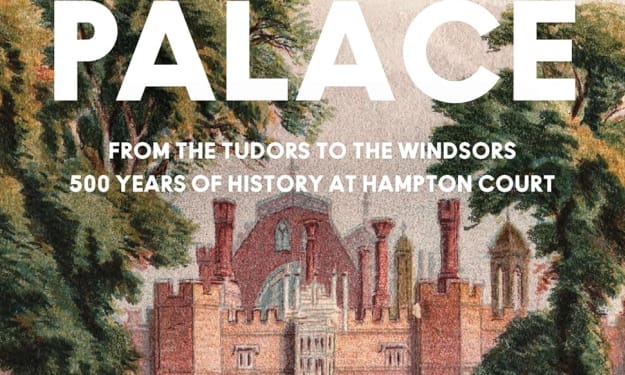
Book Review: "The Palace"by Gareth Russell (Pt. 1)
This review covers the introduction to chapter 3 You know how much I love books about royal history. No, that doesn't particularly mean I enjoy the monarchy the way it is at the moment. I do however, enjoy how the monarchs were once, even as recent as Queen Elizabeth II, were involved in the political landscape of their country. So, it only makes sense to read a book about one of the most important places in the whole of England - Hampton Court. The Palace covers the 500 years from its building to the modern day, including all the great and worrying things that happened there over this time. It was intriguing.
By Annie Kapur2 days ago in Geeks



Comments
There are no comments for this story
Be the first to respond and start the conversation.