
How to Get Amazon Prime Video at Cheaper Price
—Amazon Prime Video


Great news for Indian users. Those who want to use Amazon Prime can save Rs 500 to Rs 900! But how?
Cheaper plans for Amazon Prime are available now. In case some people don't know, the regular Prime membership plan cost Rs 1,499 for a year, and its functions are redundant for some people. If you don't want to spend too much money on it, you can check out its alternatives. However, you must be aware that they will unavoidably lack some features. Continue reading to learn which features are restricted and how different subscription options differ.
Alternative 1: Amazon Prime Lite Subscription
Pricing
Amazon Prime Lite is priced at Rs 999 for 12 months. The Lite version does not offer monthly subscription plans like the original Amazon Prime subscription. You can subscribe to Prime Lite via Amazon's website, mobile, or iOS and Android applications.
Benefits
- Free Two-Day Delivery except for Standard Delivery.
- 5% cashback on Amazon.in purchases for eligible Prime members using an Amazon Pay ICICI Bank credit card.
- No-Rush shipping to eligible addresses will receive Rs 25 cashback.
- Amazon Prime Video: stream unlimited videos, movies, and TV shows in HD quality with ads
Amazon Prime Lite vs. Amazon Prime
The differences between Amazon Prime Lite and Amazon Prime are listed below.

Alternative 2: Amazon Prime Video Mobile-only Plan
If you are only interested in Amazon Prime Video, a mobile-only subscription plan may be the best for you. The price of this plan is Rs 599 for a year.
Benefits
- Amazon Originals, live cricket, and international movies
- Offline viewing
- SD (480p) resolution
- Only 1 smartphone screen
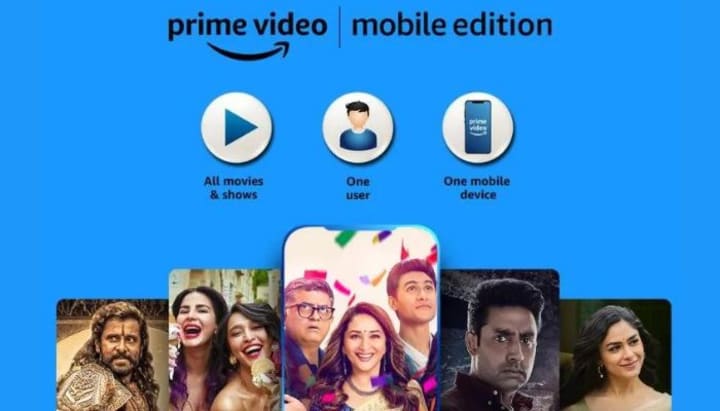
This plan is for those who don't have too many requirements for watching Amazon Prime videos. You can only watch 480p videos with this subscription, and you can't watch Prime videos on your computer as it only works on mobile devices. So, if you want to stream on higher quality, you can choose to subscribe to Amazon Prime Lite or Amazon Prime.
Tips: How to Download Prime Video
If you want to download Prime videos and save them forever, SameMovie Amazon Video Downloader is the one you cannot miss. You can download high-quality Amazon content to your computer using SameMovie Amazon Video Downloader, a powerful and easy-to-use tool. Without worrying about the expiration date or online access, you can easily store an infinite number of Prime videos on your Windows or Mac computer. The program enables you to download Amazon videos in MP4 or MKV format while keeping multilingual audio and subtitle tracks. Additionally, 5.1 surround audio track downloads are supported by SameMovie Amazon Video Downloader.
For more information, please click https://bit.ly/3NxbY1Z.
Tutorial: How to Download Amazon Video with SameMovie
You can use the SameMovie Amazon Video Downloader to download Amazon videos by following the instructions below.
STEP 1 Sign in with Your Amazon Account
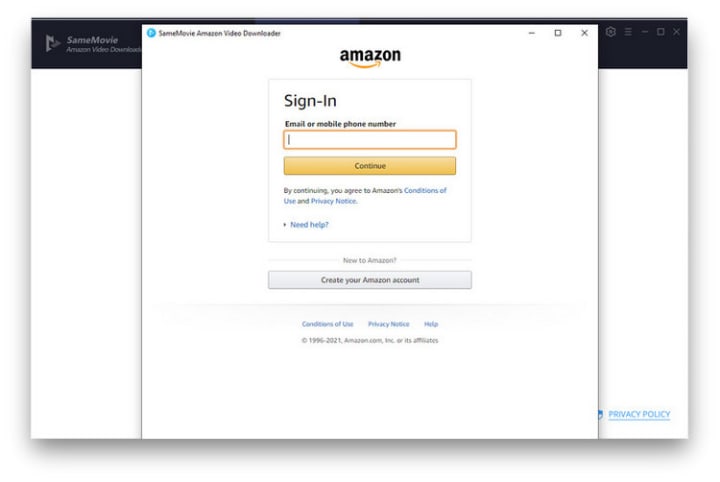
Installing SameMovie Amazon Video Downloader on your computer is the first step. Launch the software, and type a word into the search field when the Amazon login window appears, log in to your account using your account.
STEP 2 Add Your Favorite Video
You can search for certain videos using their title or keywords. Type the keywords directly, and you will get related results soon. Or, when you paste your favorite video URL into SameMovie's search box from the Amazon Prime online player, SameMovie will quickly present the results.

STEP 3 Start to Download Your Video
Once you've customized the output settings, click the "Download" button to begin the download. The size of the video and the speed of your internet connection will both affect how quickly the download proceeds. And the downloads can be found in the Library tab.

To get a full tutorial, please click https://bit.ly/3NxbY1Z.
About the Creator
Louise Walker
Trying to find useful video downloaders.
Keep reading
More stories from Louise Walker and writers in Geeks and other communities.
How to Download Avatar: The Way of Water Full Movie
On June 7, at 3 a.m. ET (12:00 a.m. PT), Avatar: The Way of Water, the third-highest-grossing movie, has been released on Disney+. It has been an amazing 173 days after its theatrical debut on December 15, 2022. Disney+ is the only streaming platform that owns Avatar and its sequel, so you can watch these two classic movies continuously on Disney+.
By Louise Walker3 years ago in Geeks
The Politics of Playing Dress-Up
Well, to start off I'd like to say a happy world book day to all who celebrate. I know I haven't really posted anything on my socials about it but I'm not a jubilant kind of person. I lay low most of the time. Let's start off with a popular anecdote from the vaults...
By Annie Kapur2 days ago in Geeks
How to Install and Use MetaTrader 4 (MT4) on Mac in 2026
MetaTrader 4 (MT4) remains one of the most widely used trading platforms for Forex and CFD markets in 2026. Despite the release of newer platforms, MT4 continues to dominate retail trading because of its stability, flexibility, and strong ecosystem of indicators and automated strategies.
By Ethan Cole3 days ago in Geeks



Comments
There are no comments for this story
Be the first to respond and start the conversation.