
Xbox Cloud Gaming: The Ultimate Guide to Playing Fortnite
The Advantages of Xbox Cloud Gaming for Fortnite
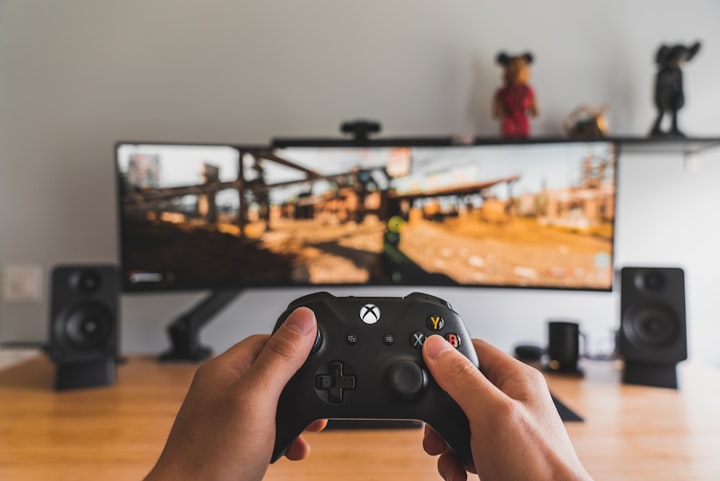
In the ever-evolving landscape of gaming, the introduction of cloud gaming has revolutionized the way players enjoy their favorite titles. Xbox Cloud Gaming, formerly known as Project xCloud, has emerged as a groundbreaking platform that allows gamers to play their favorite games on various devices, including smartphones, tablets, and PCs. In this comprehensive guide, we will delve into the world of Xbox Cloud Gaming and explore how you can optimize your Fortnite experience, ensuring you can play the popular battle royale game anytime and anywhere.
1. What is Xbox Cloud Gaming?
Xbox Cloud Gaming, powered by Microsoft's Azure cloud technology, enables players to stream games directly to their devices without the need for high-end hardware. It leverages the power of remote servers to process game data and deliver it in real-time to players across a stable internet connection. This technology eliminates the need for extensive downloads and installations, allowing gamers to jump into their favorite titles instantly.
2. The Advantages of Xbox Cloud Gaming for Fortnite
2.1 Accessibility
One of the most significant advantages of Xbox Cloud Gaming is its accessibility. With the cloud gaming service, players can enjoy Fortnite on devices they already own, such as smartphones or tablets. Whether you're waiting for a bus, traveling, or relaxing at home, you can dive into the action-packed world of Fortnite with just a few taps on your screen.
2.2 Flexibility
Xbox Cloud Gaming provides a remarkable level of flexibility. As long as you have a compatible device and a stable internet connection, you can access your Fortnite account and continue your gaming progress seamlessly. Whether you're switching from your Xbox console to your mobile device or vice versa, the cloud gaming service ensures you never miss a beat in your Fortnite journey.
2.3 Reduced Hardware Requirements
Traditionally, playing Fortnite required a capable gaming console or a high-end PC. However, with Xbox Cloud Gaming, the burden of owning expensive hardware is eliminated. By utilizing the power of the cloud, Xbox Cloud Gaming allows players to experience Fortnite on devices that may not meet the game's recommended specifications. This accessibility opens up the world of Fortnite to a wider audience, including players who may have been unable to participate previously.
2.4 Seamless Updates
Another significant advantage of Xbox Cloud Gaming is the seamless update process. Game updates and patches are handled by the cloud servers, reducing the downtime usually associated with downloading and installing updates. This ensures that you can access the latest Fortnite content promptly, without any interruptions to your gaming experience.
3. How to Get Started with Xbox Cloud Gaming and Fortnite
3.1 Xbox Game Pass Ultimate Subscription
To access Xbox Cloud Gaming and play Fortnite, you will need an Xbox Game Pass Ultimate subscription. This subscription offers a range of benefits, including access to a vast library of games, exclusive member discounts, and, most importantly, the ability to enjoy cloud gaming on compatible devices.
3.2 Compatible Devices
Xbox Cloud Gaming supports a wide range of devices, making it accessible to players with various hardware preferences. Whether you prefer playing on your smartphone, tablet, or PC, as long as your device meets the specified requirements, you can indulge in Fortnite on the go.
3.3 Connecting Your Controller
For the optimal gaming experience, it is recommended to connect a controller to your device while playing Fortnite on Xbox Cloud Gaming. By connecting a compatible controller, you can enjoy precise controls and enhanced gameplay. Xbox Wireless Controllers, as well as certain third-party controllers, are compatible with Xbox Cloud Gaming.
Conclusion
Xbox Cloud Gaming has ushered in a new era of gaming, providing players with the flexibility and accessibility to enjoy their favorite titles, including Fortnite, from virtually anywhere. By leveraging the power of the cloud, Xbox Cloud Gaming eliminates the need for high-end hardware and allows gamers to immerse themselves in Fortnite's battle royale action at any time. With its seamless updates, reduced hardware requirements, and compatibility with various devices, Xbox Cloud Gaming has cemented its place as an exceptional platform for Fortnite enthusiasts. So, grab your controller, log in to your Xbox Cloud Gaming account, and embark on an epic adventure in the world of Fortnite, wherever you may be.
About the Creator
Keep reading
More stories from writers in Gamers and other communities.
TUS NUA - ch 53
TUS NUA – ch 53 New Beginnings – Mia and Midnight (*)(*)(*) Finola knew Ali’s brother-in-law needed to put his mind at rest. She fed her arm through his and led him outside. “We’ll sit here. If you like, I can put a block around us so our conversation will be private.”
By Margaret Brennan6 days ago in Fiction



Comments
There are no comments for this story
Be the first to respond and start the conversation.