
What is the Best Motherboard for Ryzen 9 7900X? (Top Picks)
Looking for the best motherboard for Ryzen 9 7900X? Discover top-rated options, key features, and expert recommendations to maximize your CPU’s performance.

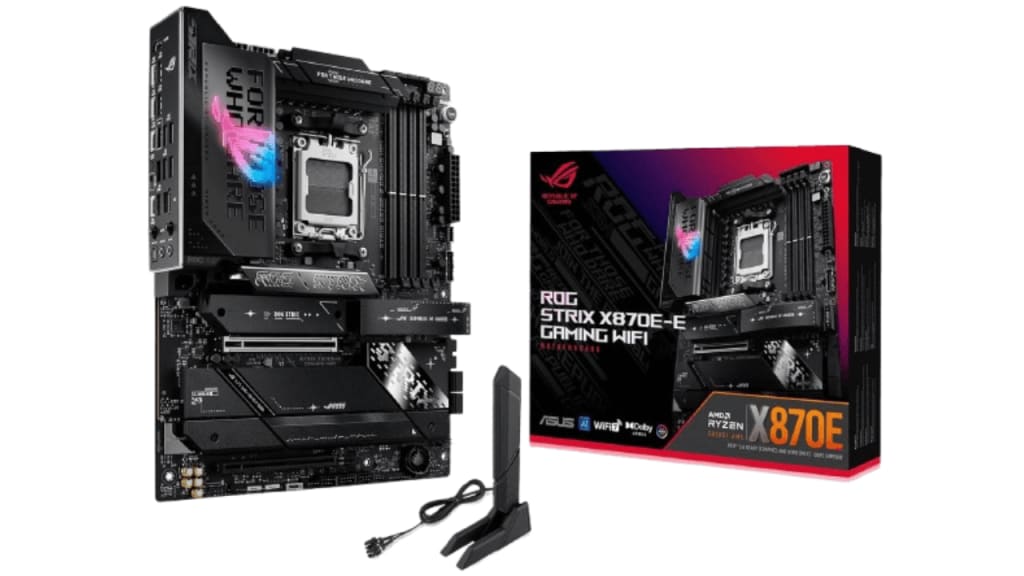
If you're building a high-performance PC with the Ryzen 9 7900X, choosing the right motherboard is crucial. The motherboard acts as the foundation, connecting all components and ensuring your CPU runs at its full potential. But with so many options available, how do you find the best motherboard for Ryzen 9 7900X?
In this guide, we will explore the top-rated motherboards, their key features, and what to consider before making a purchase. Let's dive in!
Why the Right Motherboard Matters for Ryzen 9 7900X
The Ryzen 9 7900X is a powerhouse CPU, built for high-performance gaming and productivity. To harness its power, you need a motherboard with:
- Strong VRM (Voltage Regulation Modules) to support overclocking
- PCIe 5.0 compatibility for the latest GPU and SSD speeds
- DDR5 memory support to maximize performance
- Robust cooling solutions for stable operation
Choosing the best motherboard will ensure that you get the most out of your Ryzen 9 7900X without bottlenecks.
Best Motherboards for Ryzen 9 7900X
Here are the top-rated motherboards that provide outstanding performance, features, and reliability for the Ryzen 9 7900X:
1. ASUS ROG Strix X670E-E Gaming WiFi
✅ PCIe 5.0 Ready – Future-proof your build ✅ Premium VRMs – Ideal for overclocking ✅ Robust Cooling Solutions – Keeps temperatures in check ✅ High-Speed Connectivity – WiFi 6E, 2.5G Ethernet
This ASUS ROG motherboard is an excellent option for enthusiasts who want high performance, durability, and top-tier connectivity.
2. GIGABYTE X670E AORUS Master
✅ Exceptional Power Delivery – Handles the Ryzen 9 7900X with ease ✅ PCIe 5.0 Slots – Next-gen GPU and storage support ✅ High-end Audio & Networking – Great for gaming setups ✅ Advanced Cooling Technology – Keeps your system running smoothly
The GIGABYTE AORUS Master balances performance, cooling, and premium features, making it a top pick for high-end Ryzen builds.
3. MSI MPG X670E Carbon WiFi
✅ Optimized for Gaming – Lightning-fast connectivity and low latency ✅ DDR5 Support – Unlocks memory bandwidth for better speeds ✅ PCIe 5.0 & M.2 slots – High-speed storage options ✅ Stylish Aesthetic – Sleek design for gaming enthusiasts
MSI delivers strong performance and high-quality components, ensuring a reliable and fast system that makes the most of Ryzen 9 7900X.
Key Features to Consider When Choosing a Motherboard
When selecting the best motherboard for Ryzen 9 7900X, keep these factors in mind:
✅ Chipset (X670E vs. X670 vs. B650E)
- X670E: Best for extreme overclocking & PCIe 5.0 support
- X670: Balanced performance with solid features
- B650E: More affordable while still supporting PCIe 5.0
✅ VRM & Cooling
- Ensure strong VRMs for power stability & overclocking
- Opt for large heatsinks and active cooling solutions
✅ RAM Compatibility (DDR5 vs. DDR4)
- Ryzen 9 7900X benefits greatly from DDR5 memory
- Choose high-speed DDR5 RAM with low latency
✅ Expansion Slots & Connectivity
- PCIe 5.0 & USB 4.0 for future-proofing
- WiFi 6E & 2.5G Ethernet for stable connections
- By focusing on these key features, you'll be able to pick the best motherboard to maximize the performance of your Ryzen 9 7900X.
Conclusion
Finding the best motherboard for Ryzen 9 7900X depends on your budget, performance goals, and features needed. Whether you go for the ASUS ROG Strix X670E, GIGABYTE AORUS Master, or MSI MPG X670E, each offers exceptional quality and future-proofing for your build.
Make sure to check for PCIe 5.0, DDR5 support, strong VRMs, and cooling solutions to ensure a stable and high-performance experience with your Ryzen 9 7900X!
FAQ
What chipset should I choose for Ryzen 9 7900X?
For top-tier performance, go with X670E. If you're on a budget, B650E still offers great features.
Is DDR5 necessary for Ryzen 9 7900X?
Yes! DDR5 offers faster speeds and better efficiency compared to DDR4.
Can I overclock Ryzen 9 7900X on any motherboard?
Only motherboards with strong VRMs and cooling can handle high overclocks.
Does Ryzen 9 7900X support PCIe 5.0?
Yes! To fully utilize PCIe 5.0, make sure your motherboard supports it.
About the Creator
Perfect Tech Views
Welcome to Perfect Tech Views—your go-to source for clear, unbiased, and insightful tech knowledge. Whether you're a pro, a beginner, or just exploring gadgets, we've got you covered with expert guidance!
Keep reading
More stories from Perfect Tech Views and writers in Gamers and other communities.
Best B650 Motherboard for 7800X3D (Top Choices)
When building a PC with the AMD Ryzen 7 7800X3D, choosing the right motherboard is crucial. The B650 chipset offers a perfect balance of performance, features, and affordability, making it an excellent choice for this powerful processor. In this guide, we’ll explore the best B650 motherboards for the 7800X3D, ensuring you make an informed decision.
By Perfect Tech Views8 months ago in Gamers
A Dart at Dusk
Seconds ago, the sullen sun set on the two of us… my exuberant furry companion and me. A fresh breeze embraces us, delivering welcome relief from the day’s oppressive heat. His typical stumbling and staggering along — apace with a sloth — has turned into trip-trapping, high-stepping, almost skipping along.
By Angie the Archivist 📚🪶5 days ago in Petlife




Comments