
What Is the Best LGA 1151 Motherboard? (Top Picks)
Looking for the best LGA 1151 motherboard? Discover top-rated options for gaming, productivity, and budget builds. Find the perfect match for your Intel CPU today!

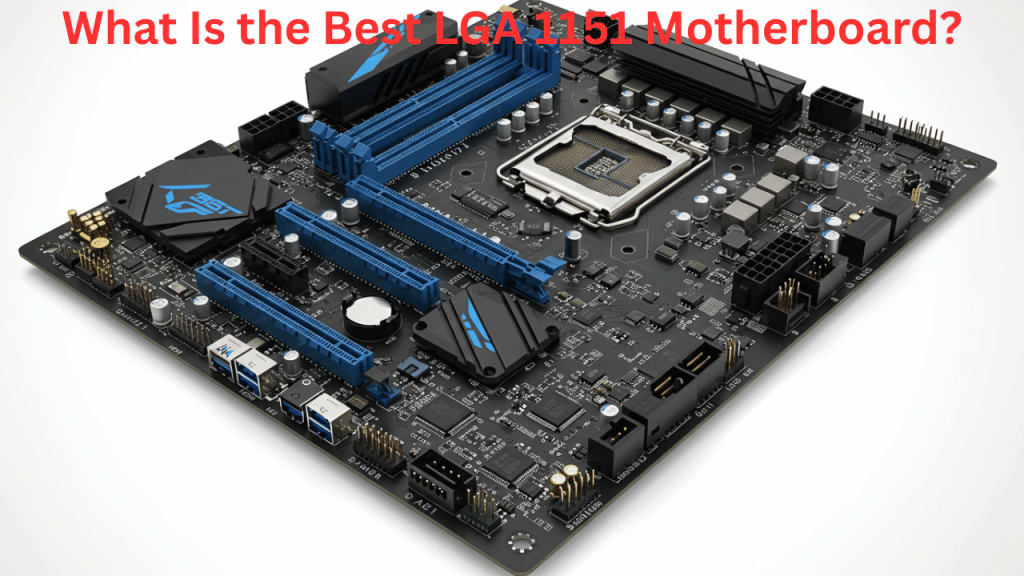
If you're building a PC with an Intel 8th or 9th-generation processor, choosing the right LGA 1151 motherboard is crucial. Whether you're a gamer, content creator, or casual user, the right motherboard ensures stability, performance, and future-proofing.
Why Choose an LGA 1151 Motherboard?
LGA 1151 motherboards support Intel’s Skylake, Kaby Lake, and Coffee Lake processors. They offer a balance of affordability and performance, making them ideal for budget-conscious users who still want solid computing power.
Key Features to Consider Before Buying
Before purchasing an LGA 1151 motherboard, consider these factors:
🔸 Chipset Choice:
- Z390 – Best for overclocking and gaming
- B365 / H370 – Balanced performance for general users
- H310 – Entry-level, suitable for budget builds
🔸 Memory Support:
- Ensure the motherboard supports at least DDR4 2666 MHz or higher
- More RAM slots = better upgrade potential
🔸 Storage Options:
- M.2 SSD support is essential for faster load times
- Look for multiple SATA ports if using HDDs
🔸 Connectivity & Ports:
- USB 3.1 / USB-C ensures modern connectivity
- Some boards come with built-in Wi-Fi & Bluetooth
🔸 PCIe Slots for Expansion:
- If adding GPUs or sound cards, ensure multiple PCIe slots
- Some high-end models feature reinforced PCIe slots for heavy graphics cards
Best LGA 1151 Motherboards
1. MSI Z390-A PRO
- Chipset: Z390
- Memory Support: Up to 128GB DDR4 (4400 MHz)
- Expansion Slots: 6 PCIe slots, 1 M.2 slot
- Connectivity: USB Type-C, HDMI, VGA, Ethernet
- Best For: Overclocking and gaming
2. ASUS Prime Z390-A
- Chipset: Z390
- Memory Support: Up to 64GB DDR4
- Expansion Slots: 6 PCIe slots, dual M.2 slots
- Connectivity: USB Type-C, Wi-Fi, Bluetooth
- Best For: High-performance builds
3. Gigabyte B365M DS3H
- Chipset: B365
- Memory Support: Up to 64GB DDR4
- Expansion Slots: 3 PCIe slots, 1 M.2 slot
- Connectivity: USB 3.1, HDMI, SATA ports
- Best For: Budget-friendly builds
LGA 1151 Motherboards vs. Newer Sockets: Should You Upgrade?
✅ LGA 1151 Pros: ✔️ Affordable pricing ✔️ Works with reliable Intel 6th-9th gen CPUs ✔️ Still supports DDR4 RAM and modern GPUs
❌ LGA 1151 Cons: ❌ Doesn't support PCIe Gen 4 or 5 (found in newer chipsets) ❌ Limited upgrade path (doesn’t support 10th-13th gen Intel CPUs) ❌ No native DDR5 memory support
If you're planning a long-term upgrade, consider newer LGA 1700 motherboards, which support Intel’s latest Alder Lake & Raptor Lake processors.
Conclusion
Choosing the best LGA 1151 motherboard depends on your needs. If you want overclocking capabilities, go for the MSI Z390-A PRO. If you need a high-performance board with extra features, ASUS Prime Z390-A is a great pick. For budget-conscious users, Gigabyte B365M DS3H offers solid performance at a lower price.
Q: Can I use an Intel 10th-gen CPU with an LGA 1151 motherboard?
A: No. LGA 1151 only supports Intel’s 6th to 9th-generation processors.
Q: What is the best LGA 1151 motherboard for gaming?
A: The MSI Z390-A PRO is ideal for gaming and overclocking due to its high-speed RAM support and strong power delivery.
Q: Do LGA 1151 motherboards support DDR5 RAM?
A: No, they only support DDR4.
Q: Which budget LGA 1151 motherboard is best?
A: The Gigabyte B365M DS3H offers great value at a lower price.
Q: What is the difference between LGA 1151 and LGA 1200 motherboards?
A: LGA 1151 supports Intel’s 6th to 9th-generation CPUs, while LGA 1200 supports 10th and 11th-generation Intel processors, offering better performance and PCIe Gen 4 support.
Q: Can LGA 1151 motherboards run RTX 3000 or RTX 4000 series GPUs?
A: Yes! While the socket is older, LGA 1151 motherboards with PCIe 3.0 can still support modern GPUs, though they won’t fully utilize PCIe 4.0 or 5.0 speeds.
Q: Does LGA 1151 support NVMe SSDs?
A: Yes, most mid-to-high-end LGA 1151 motherboards have M.2 slots that support NVMe SSDs for faster storage performance.
Q: How much RAM can I install on an LGA 1151 motherboard?
A: It depends on the motherboard model, but most Z-series chipsets support up to 128GB DDR4, while budget chipsets (H310, B365) usually support up to 64GB DDR4.
Q: What is the best LGA 1151 motherboard for overclocking?
A:MSI Z390-A PRO and ASUS ROG Maximus XI Hero are top choices for overclocking with high VRM quality and advanced BIOS features.
Q: Can I use an LGA 1151 motherboard for streaming and content creation?
A: Yes, high-end Z390 boards with strong power delivery and multi-core CPU support are excellent for streaming, video editing, and content creation.
Q: Are LGA 1151 motherboards still worth buying in 2025?
A: Yes, if you’re building a budget-friendly or mid-range gaming PC, LGA 1151 motherboards remain a solid choice, especially if paired with an Intel 8th or 9th-gen CPU. However, newer platforms offer better future-proofing.
Q: Which LGA 1151 motherboard has the best built-in Wi-Fi?
A:ASUS Prime Z390-A and Gigabyte Z390 AORUS Ultra come with built-in Wi-Fi, eliminating the need for extra adapters.
Also Read: Best and Cheap Motherboard for Gaming (Budget Options)
About the Creator
Perfect Tech Views
Welcome to Perfect Tech Views—your go-to source for clear, unbiased, and insightful tech knowledge. Whether you're a pro, a beginner, or just exploring gadgets, we've got you covered with expert guidance!
Keep reading
More stories from Perfect Tech Views and writers in Gamers and other communities.
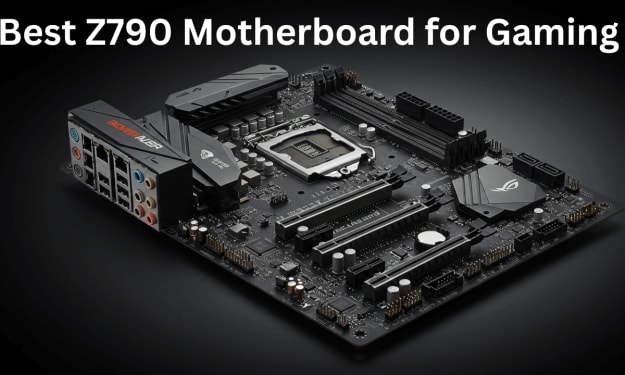
Best Z790 Motherboard for Gaming (Finest Selections)
When building a high-performance gaming PC, the motherboard plays a crucial role. The Z790 chipset is designed for Intel’s latest processors, offering exceptional speed, connectivity, and overclocking potential. In this guide, we’ll explore the best Z790 motherboards for gaming, ensuring you get the best performance for your setup.
By Perfect Tech Views9 months ago in Gamers
All Valorant Gameplay Guide 2026
Valorant remains one of the most played and searched competitive shooters in the United States, and in 2026 it continues to attract both new and returning players. Developed by Riot Games, Valorant combines precise gunplay with tactical abilities, rewarding discipline, teamwork, and thoughtful decision-making rather than reckless action.
By Games Mode Onabout 10 hours ago in Gamers


Comments