console
The only console conversation you'll need; from handheld gaming consoles to custom builds, old-school, new to market and everything in between.
9 Video Games That Failed To Get Public After Expensive Budget
Creating video games nowadays can take a lot of time and money, which will in turn provide entertainment to its users and profit to the developers. But that doesn't seem to be the case for these ten games that failed to impress after an expensive investment:
By Favour Nwokonta2 years ago in Gamers
GG.deals is the ultimate hub for gaming deals
GG.deals has emerged as a favorite destination as more enthusiasts dive into virtual entertainment, drawing a loyal following. Recognized for its multifaceted offerings and user-friendly interface, GG.deals remains a cornerstone for video game enthusiasts, securing its place as an indispensable tool for gamers.
By Ashley Kirkland2 years ago in Gamers
The Birth of Ubisoft Dreams. AI-Generated.
In a clamoring city, where neon lights moved across glass high rises and the murmur of innovation was ever-present, another period of gaming was going to unfurl. This city, known as Neo-Paris, was home to Ubisoft, an organization famous for making vivid gaming encounters. Their freshest task vowed to obscure the lines among the real world and virtual universes, and everything started on a blustery night in October.
By Prashant Kushwah2 years ago in Gamers
Metroid Prime 4: Beyond, Every Possible Fact, Leaks, Details, Rumours and News
Metroid Prime 4: Beyond is an exclusive first-person action-adventure game for the Nintendo Switch, developed by Retro Studios and published by Nintendo. The game was first announced at E3 2017 and was initially being developed by Bandai Namco Studios. However, in January 2019, Nintendo revealed that Retro Studios had taken over development. Kensuke Tanabe, the producer of the previous Metroid Prime games, has returned to work on this installment. The highly anticipated Prime 4: Beyond is set to launch in 2025.
By Favour Nwokonta2 years ago in Gamers
Top 10 Timeless and Unforgettable Video Games
1) The Legend of Zelda: Ocarina of Time (1998) - This Nintendo 64 title revolutionized 3D adventure games with its compelling story, memorable characters, and innovative gameplay mechanics. It introduced features that became standard in 3D games, like a lock-on targeting system and context-sensitive buttons. It also had a big impact on storytelling in video games, weaving a time travel narrative into the Zelda franchise
By Burak Ozturk2 years ago in Gamers
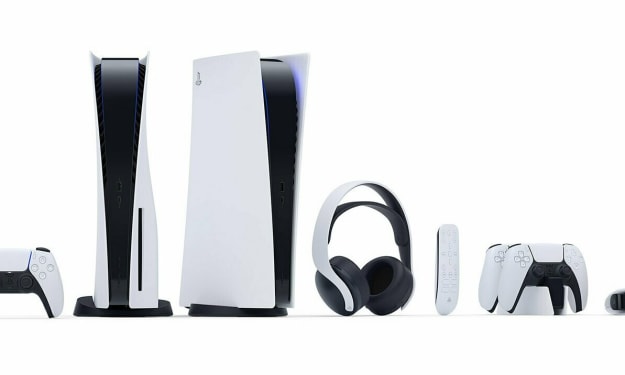
Best Accessories New PS5 Owners Must Buy!
The PlayStation 5 is a groundbreaking console, giving gamers unmatched performance and immersion. However, to fully enhance your shiny new console, you need the right accessories. A few examples are the DualSense Wireless Controller, which features haptic feedback and adaptive triggers, and the Pulse 3D Wireless Headset, crafted to provide immersive 3D audio.
By Andrew Mai2 years ago in Gamers
6 Leaks From The Upcoming GTA VI Game
Grand Theft Auto VI" is going to be huge. We all know this; it's not a question. But there are plenty of questions about what "Grand Theft Auto VI" is actually going to look like, and we actually have a lot of the answers. 6. Buildings will be explorable
By Favour Nwokonta2 years ago in Gamers
PlayStation 5 : Exploring Pros And Cons
The PlayStation 5, Sony's latest entry into the console gaming arena, has garnered significant attention since its release. Launched in late 2020, it represents a leap forward in gaming technology, offering enhanced performance, stunning graphics, and a range of new features. As with any new console, however, there are both advantages and drawbacks to consider for prospective buyers.
By Alpana Saha2 years ago in Gamers
How To Optimise Your Xbox Settings For Better Fortnite Performance
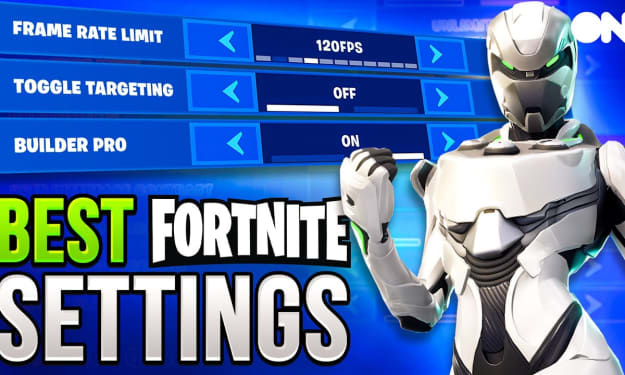
Fortnite's new season, Wrecked, has so many explosive moments because of the vehicle modeling they've added. You're going to need to make sure that your settings are the best they can possibly be for you. I'm here to help. Before you board the battle bus, here are a few settings that you can tweak to make the ride as smooth as possible. Before we even open up the game, there are actually a few things you can optimize before you boot it up. The Xbox series X and S allow for frame rates as mind-meltingly high as 120 FPS, and if you have a monitor or TV that can support 120 Hz, then you're definitely going to want to take full advantage of it. Not only does it look completely sick, but the extra frames can actually make all the difference when things get hectic. The first thing that you want to do is open up your console Settings app, head into General, then TV, and display options to make sure that 120 Hz is selected in the refresh rate section. With that done, you can then open up Fortnite and head into the settings menu, flip over to video settings, and then turn 120 FPS mode on, obviously. There you go, buttery smooth gaming and some victory. Royals are now yours to enjoy, but that's not the only way that you can make Fortnite feel like a full-day spa treatment for your eyeballs. The game's video settings menu also features a couple of other tweakable things that are well worth looking at. Turning the brightness up a little, for example, to 115 can make it a little bit easier to spot your enemies. Some people like to go even higher, so it's worth playing around with to see what suits you best, but don't go too high because you might need to actually wear some sunglasses. Then there's the motion blur, which is on by default, and yeah, it adds a blurriness to the screen when you whip the camera around a bit too quickly, which is kind of a nice realistic touch, but honestly, the fuzziness that it introduces is just not going to help you in a firefight. so you could probably turn it off, especially if you're on 120 FPS. Gameplay Settings Now that the game is looking just beautiful, let's get into the more mechanical stuff found in the game section of the settings menu. Auto-open doors Auto-opening doors is a really good one to have on just because it gives you one less button to find in the heat of the moment. Toggle Targeting Toggle targeting again is kind of a personal choice thing, but having it off means that you need to hold down the button to aim down sights rather than just using a single press to toggle it on and off if an enemy jumps you unexpectedly. For those of you out there playing in squads, you're definitely going to want Mark Danger when targeting, and that's going to keep your teammates on their toes. Another thing that's really key is inventory management. If you want to keep it nice and clean, whether you're playing alone or with a squad, make sure you turn off auto-pickup weapons; otherwise, you're just going to fill your boots with loads of junk guns that you're not going to use. Turn on auto-sort consumables to the right so that all your weapons are next to each other and any pots or whatever you're going to be using to heal are on the right. Ideally, the way you're playing is that you don't even need to use them because you're going to be gunning your enemies down much quicker by having weapons nearby. Last little tip: if you're not playing zero-a-build, you should probably turn turbo-building on so that you can whip up walls as fast as possible. Yes, this setting is going to take some getting used to, but the more you spend with it, your game sense is going to go up, and you're going to stay alive longer, which means that you can deal more damage and get more wins. Controller Settings We're going to slide on over to the input section of Fortnite's settings menu, and you'll find some handy controller options that can help you get your configuration just right. Here are my main recommendations, though. Most serious Fortnite players like to go for the Builder Pro layout, which you can select by turning Build immediately on. And this basically assigns an individual button to each sort of building piece, which allows you to just conjure up walls and floors without cycling between them, which means you can build towers, stairs, forts, whatever you need much quicker. Now, like motion blur vibration, it's a fun effect, but if you're all about getting results, turning it off might actually help keep your aim a touch steadier. I mean, think about it: if a controller is shaking well, then it's harder to control. So yeah, switch that bad boy off. Sensitivity Settings After that, we're into sensitivity settings, which, yes, is another personal preference thing. Here's what I like to go for. Try experimenting with different setups and see what gives you the right balance of speed and accuracy, but if you want to use mine, I mean, they work pretty well for me. Make sure you keep your dead zones super low, literally between 5 and 10, and that will help make your reaction times as small as possible. Of course, you could also do all of this in the Xbox Accessories app to completely remap your controller, if you like, even building a custom Fortnite configuration to switch to whenever you actually play the game.
By Favour Nwokonta2 years ago in Gamers