
Star Wars: X-Wing (1993)
My First Flight Sim was...Hard

Ah, Star Wars, we meet again. I've played several Star Wars-related games over the years, but I recently found a couple in a genre I'd never tried - simulators. Flight sims are apparently quite fun, and since I'd never tried one, I thought I'd give Star Wars: X-Wing a go. It was...complicated.
Let's discuss why, shall we?
Getting Set Up
First off, X-Wing is an older game, which means you might have to do some tinkering to get it working on modern hardware. Now, I'm not sure how modern flight sims work, but X-Wing needs a joystick as a controller. Keyboard and mouse isn't going to work without some tinkering.
You'll need a few things:
- Vjoy - a virtual joystick program.
- FreePIE - an emulator program to run a script.
- A programming script to make things a bit easier - if you're a programmer or coder, you can write the script yourself. Otherwise, you can use A.I. to write it for you - this is what I ended up doing in the end.
This is the script that I used:
# FreePIE vJoy script for Star Wars: X-Wing
if starting:
vj = vJoy[0]
CENTER = 16384
AXIS_MIN = 0
AXIS_MAX = 32767
roll = CENTER
pitch = CENTER
rudder = CENTER
throttle = CENTER
ROLL_SENS = 35
PITCH_SENS = 35
RUDDER_STEP = 700
THROTTLE_STEP = 900
def clamp(val):
return max(AXIS_MIN, min(AXIS_MAX, val))
# -------------------------
# Mouse → pitch / roll
# -------------------------
roll = clamp(CENTER + int(mouse.deltaX * ROLL_SENS))
pitch = clamp(CENTER - int(mouse.deltaY * PITCH_SENS))
# -------------------------
# Keyboard → throttle / rudder
# -------------------------
if keyboard.getKeyDown(Key.W):
throttle = clamp(throttle + THROTTLE_STEP)
if keyboard.getKeyDown(Key.S):
throttle = clamp(throttle - THROTTLE_STEP)
if keyboard.getKeyDown(Key.A):
rudder = clamp(rudder - RUDDER_STEP)
if keyboard.getKeyDown(Key.D):
rudder = clamp(rudder + RUDDER_STEP)
# -------------------------
# Buttons
# -------------------------
vj.setButton(0, keyboard.getKeyDown(Key.Space)) # Fire
vj.setButton(1, keyboard.getKeyDown(Key.LeftShift)) # Brake / secondary
# -------------------------
# Send axes to vJoy
# -------------------------
vj.x = roll
vj.y = pitch
vj.z = rudder
vj.rx = throttle
It's not perfect, and I'll explain why as we go, but I had to get this in place just to be able to move in-game using the mouse. Right, with that said, let's go into the details.
Not Exactly a Campaign
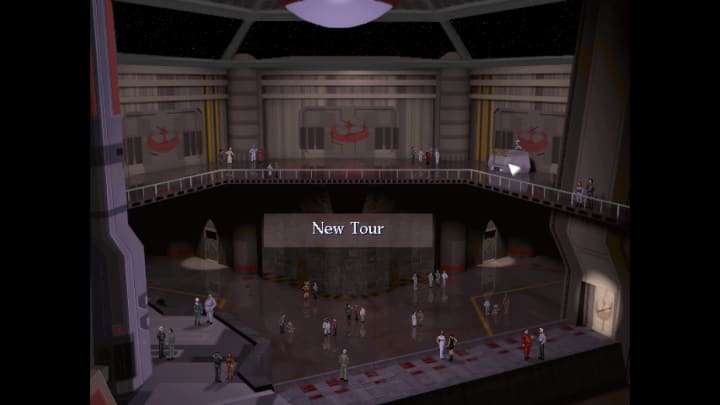
So, we get the typical opening crawl that basically says, the galaxy is in trouble, and the rebellion is only just holding their own. Pilots are working their tails off to keep the Galactic Empire from going off the rails.
There are three modes of gameplay:
- Pilot Proving Grounds - an obstacle course of sorts to learn the movement and basic weapon work.
- Historical Combat - simulations of actual missions.
- Tour of Duty - this is the main campaign.
There are 4 tours of duty, and each one has between 12 and 14 missions. That's 48 - 56 episodes of Star Wars coolness. Adding to the cool factor here is that every successful campaign mission becomes a simulation in the Historical Combat mode.
So, it's a campaign, just not in the typical sense.
So...What Works?
So, what works in Star Wars: X-Wing?
I like the concept behind the game. Much like Republic Commando, which I reviewed a few weeks ago, X-Wing puts you in the cockpit of a starfighter as a pilot. You're not a Jedi with mystical powers, or some prophesied chosen one. You're just one of many pilots in the rebellion.
The game's events are only loosely connected to the films. This allows for a certain degree of freedom with the storytelling.
Design-wise, the music and sound are fairly solid. The fighter engines are loud and intimidating. The mission variety is good, and the combat isn't too bad - it's not great, but it's not terrible.
What Doesn't Work?
Alright, so obviously not everything will work nicely.
Firstly, unless you have a joystick controller, you have to do some significant tinkering to get the game running. Now, the script - which I included above - makes it possible to steer your fighter using your mouse.
The controls will take some serious getting used to, if you're going to try the game, the control scheme is:
- W - Weapons
- S - Shields
- B - Briefing
- D - Damage report
- T - Targeting computer
- X - Weapon modes
- Shift + R - Report in
- Shift + A - Attack target
- Shift +C - Cover
- Shift + H - Head home
- Shift + E - Evasive maneuvers
- number keys - different perspectives
- F3 - exterior/3rd person perspective

Additionally, you can divert energy between the shields and the laser cannons with the colon and apostrophe keys. You can also use C to fire up an in-flight recorder to record your flights.
Even when you've mastered the controls, the steering is still quite awkward.
Combat isn't very satisfying; the weapons don't sound particularly powerful, which somewhat detracts from the severity of an airborne dogfight.
There's also a glitch that a script might not resolve correctly. What that means is that even if you do everything you need to do, the mission might not end the way it should. To fix this, you can either use F10 or F11 to slow the script until it catches up. A better fix is to find the config file in your game's folder, look for the term 'cycles' - it'll be set to max. Edit that line, entering in a concrete value, I used 24000.
So, the Final Verdict?
Right, so what's the final verdict? Is Star Wars: X-Wing worth playing, or is it too much effort to set up?
Well...okay, it's...not great. The amount of mucking about to get the game set up and playable with keyboard and mouse is frustrating. Likewise, there's little to no guarantee that the setup you've done will work; this means you have to experiment until you get it going.

The steep learning curve might also put off newer players.
Now, all that said, Star Wars: X-Wing is an interesting piece of Star Wars history that's worth at least trying. If you like flight sims and you have some experience with the genre, you might not have as hard a time as I did. You will need to have a lot of patience with the game; it is 30+ years old, after all, but if you can get into it, it's a lot of fun.
About the Creator
Greg Seebregts
I'm a South African writer, blogger and English tutor; I've published 1 novel and am working on publishing a 2nd. I also write reviews on whatever interests me. I have a YouTube Channel as well where I review books, and manga and so on.
Keep reading
More stories from Greg Seebregts and writers in Gamers and other communities.
10 Horror Video Games Loved by Women
Horror video games have increasingly become a space where female players find engaging narratives, strong characters, and immersive experiences. Here are ten horror games that are particularly favored by women, along with the virtues that make them appealing.
By Ninfa Galeano6 days ago in Gamers



Comments
There are no comments for this story
Be the first to respond and start the conversation.