
Must-Have Unity Plugins for Procedural Level Generation in 2025
Build expansive, ever-changing worlds with these essential Unity tools that bring your game levels to life automatically.

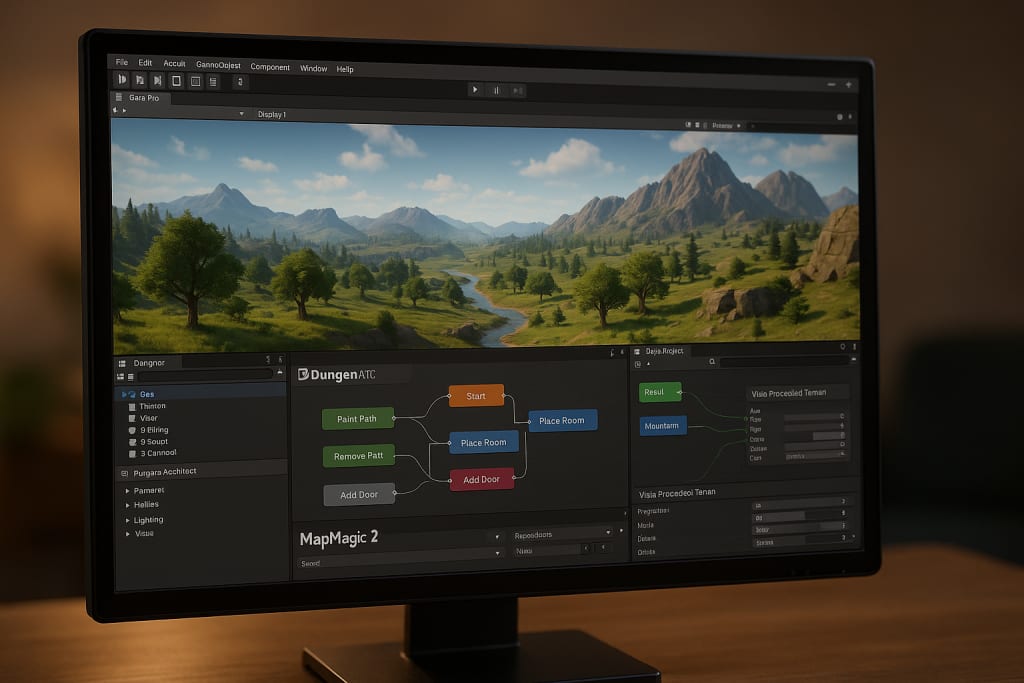
In 2025, procedural generation is no longer a niche technique. It’s become a core part of how many games are made, especially open-world adventures, dungeon crawlers, and roguelikes.
Why? Because it saves time, reduces repetitive work, and makes every playthrough feel new.
With the right plugins, you can create vast forests, hidden caves, sprawling cities, or maze-like interiors without having to hand-place every tree or brick.
This means smaller teams can build larger worlds, and developers can focus more on gameplay, storytelling, and polish.
What Makes a Great Procedural Plugin?
For this list, we chose plugins that:
- Are updated and supported in 2025
- Are easy to use, even if you’re not a programmer
- Have a proven track record in real game projects
- Offer creative freedom and customization
Whether you’re a solo developer or part of a studio, these tools give you control over how your game worlds are built, without needing to start from scratch every time.
Top Unity Plugins for Procedural Level Design in 2025
1. Gaia Pro VS – Create Massive Natural Worlds Easily
Gaia Pro is like a world-building assistant. It helps you quickly shape beautiful terrains, add mountains and rivers, paint forests, and even control weather and lighting.
The “VS” version works smoothly with all major Unity graphics settings, making it super versatile.
Why it’s great:
You don’t have to sculpt every hill or place every tree. Gaia can generate entire worlds with a few clicks, but still lets you tweak things by hand when you want more control. Perfect for open-world games and scenic environments.
2. Dungeon Architect – Build Mysterious Dungeons in Minutes
This plugin is ideal for anyone making fantasy, horror, or sci-fi games with complex interior spaces. Dungeon Architect helps you build randomized corridors, rooms, and staircases that fit together perfectly.
Why it’s great:
You set the basic rules, like what kinds of rooms to use or how things connect, and it fills in the rest. It’s perfect for roguelikes, dungeon crawlers, or any game where exploration should feel different every time.
3. MapMagic 2 – Endless Terrain That Builds as You Play
MapMagic 2 is a terrain generator that creates landscapes piece by piece as the player moves around. This means you can have huge worlds without loading everything at once.
Why it’s great:
It uses a simple, visual setup to help you define the look and feel of your world. You can combine grassy hills, snowy mountains, or desert plains, and it will smoothly blend everything together.
Ideal for exploration games, survival sandboxes, or large outdoor adventures.
4. Procedural Generation Grid – Design Interior Spaces with Structure
This tool focuses on placing rooms, hallways, and buildings in a structured yet varied way. Think of it as a city or dungeon planner that can create realistic building layouts automatically.
Why it’s great:
You can drag and drop room pieces and tell the plugin how they should connect. It then takes over and builds out a complete layout. Great for games with modular buildings, cities, or mission areas that need both logic and variety.
5. Vista Procedural Terrain – Strategy-Game Friendly Map Creator
Vista is a powerful terrain tool that’s perfect for developers working on top-down games like tactics or 4X strategy titles. It has special support for hexagonal grids, which are common in board game–style maps.
Why it’s great:
It lets you build varied landscapes with mountains, rivers, and plateaus, and see the results instantly. You can also add paths and zones that help your game’s AI understand where units can move. Great for turn-based and real-time strategy games.
6. Tileable 3D Terrain Generator – Open Worlds with Seamless Transitions
This newer tool is all about creating chunks of terrain that fit together perfectly. It's ideal for open-world games where players move between different regions.
Why it’s great:
It helps avoid awkward seams or loading breaks. You get clean, connected environments that load in smoothly. Perfect for games that use streaming worlds or need a grid-like layout for performance reasons.
7. Procedural Maze Generator – Quick and Simple Random Mazes
A lightweight tool that does one thing well: build random mazes. Whether you're making a puzzle game, a mini-game, or a dungeon with simple corridors, this plugin gives you the layout instantly.
Why it’s great:
It’s incredibly easy to use, and you can get surprising results fast. It’s small, efficient, and ideal for game jams or developers who just want to experiment with maze layouts.
8. Houdini Engine for Unity – Advanced Generation for Complex Projects
Houdini Engine brings in the power of the professional 3D tool Houdini, letting you build detailed systems and bring them straight into Unity.
Why it’s great:
It’s more complex than other plugins but opens the door to building caves, rivers, buildings, and more using advanced rules. Great for studios or developers with experience who want fine-grained control over large systems or want to reuse procedural content across multiple platforms.
Trends to Watch in 2025
Procedural generation is constantly evolving. Here are some exciting trends to keep an eye on:
- AI-powered tools: Some plugins now use AI to help you create environments based on text prompts or style preferences.
- Faster performance: Many tools are now optimized to run faster in real-time, meaning less lag and smoother gameplay.
- Mixed approaches: More developers are combining handcrafted areas with procedurally generated ones, getting the best of both worlds—structure and surprise.
How to Choose the Right Tools
Not every game needs every plugin. Start by thinking about what kind of world you want to build:
- Open-world or exploration game? Go with Gaia Pro VS and MapMagic 2.
- Dungeon crawler or roguelike? Try Dungeon Architect or Procedural Generation Grid.
- Strategy or top-down game? Check out Vista or the Tileable Terrain Generator.
- Want fine-tuned control? Look into Houdini Engine—just be ready for a learning curve.
Mix and match as needed. The key is to experiment early, test how things feel in your game, and don’t be afraid to adjust your workflow as your game grows.
Procedural level design gives you more than just random worlds. It gives you freedom, freedom to build bigger, faster, and smarter. With the right Unity plugins, even a small team can create deep, varied environments that feel alive and fresh every time.
In 2025, these tools aren’t just helpful. They’re essential.
About the Creator
Richard Bailey
I am currently working on expanding my writing topics and exploring different areas and topics of writing. I have a personal history with a very severe form of treatment-resistant major depressive disorder.
Keep reading
More stories from Richard Bailey and writers in Gamers and other communities.
Hogwarts Legacy Will Make You Live the Wizard Life You Always Dreamed Of
Few fantasy games capture imagination as powerfully as Hogwarts Legacy. Developed by Avalanche Software and published by Warner Bros. Games, the game brings players into a magical world inspired by the universe created by J. K. Rowling. Available on Xbox, it offers an experience that blends exploration, combat, and storytelling into a deeply immersive adventure.
By Lukáš Hrdlička6 days ago in Gamers
Rainbow Six Siege Will Push Your Tactical Skills to the Limit Like Never Before
Few multiplayer shooters balance strategy, skill, and intensity as effectively as Rainbow Six Siege. Developed by Ubisoft Montreal and published by Ubisoft, Rainbow Six Siege stands out on Xbox for its emphasis on teamwork, tactics, and destructible environments. Unlike traditional shooters, Siege challenges players to think carefully, communicate effectively, and react quickly to dynamic situations.
By Lukáš Hrdlička6 days ago in Gamers


Comments
There are no comments for this story
Be the first to respond and start the conversation.