
Logitech White Gaming Mouse (Best Models, Features & Buying Guide)
Discover the best Logitech white gaming mouse options with features, pros, and buying tips. Find the perfect blend of style, comfort, and performance for your gaming setup.


Logitech White Gaming Mouse
A Logitech white gaming mouse is more than just a tool for clicking—it’s a statement piece for your gaming setup. With its clean, modern look and high-performance features, it blends style with precision. Whether you’re a casual gamer or a competitive esports player, Logitech offers white gaming mice that deliver speed, comfort, and accuracy.
In this guide, we’ll explore the best Logitech white gaming mouse models, their features, and how to choose the right one for your needs.
Why Choose a Logitech White Gaming Mouse?
Choosing a Logitech white gaming mouse is not just about color—it’s about performance and design. Logitech is known worldwide for making reliable, high-quality gaming gear.
Here’s why gamers love them:
Clean Aesthetic: White matches almost any gaming setup.
High Precision: Advanced sensors for accurate tracking.
Comfortable Design: Ergonomic shapes for long gaming sessions.
Customizable Features: Programmable buttons, RGB lighting, and DPI settings.
Trusted Brand: Logitech has decades of experience in gaming peripherals.
Top Logitech White Gaming Mouse Models
1. Logitech G PRO X Superlight 2
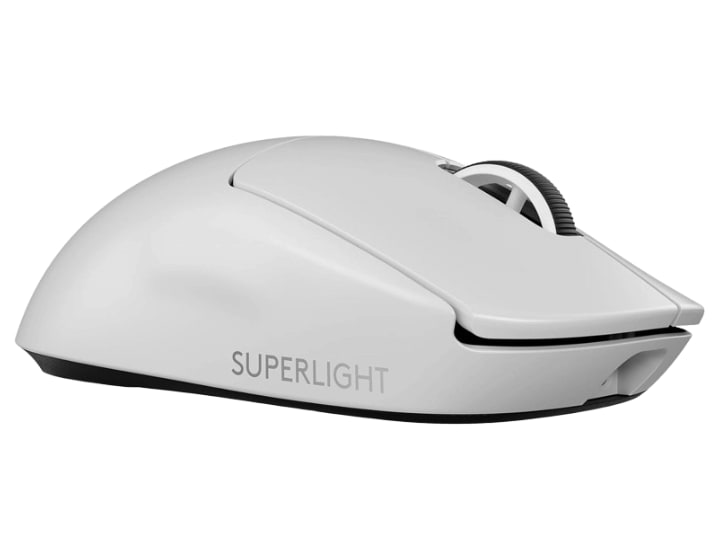
Weight: Ultra-light at just 60g.
Sensor: HERO 2 sensor for extreme precision.
Connectivity: LIGHTSPEED wireless for lag-free gaming.
Why It’s Great: Perfect for competitive FPS players who need speed and accuracy.
2. Logitech G305 Lightspeed Wireless
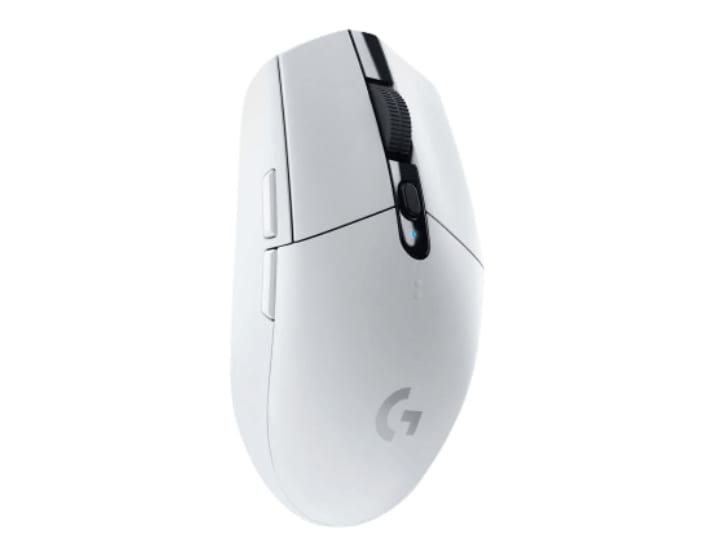
Battery Life: Up to 250 hours on a single AA battery.
Sensor: HERO sensor with 12,000 DPI.
Design: Compact and lightweight.
Why It’s Great: Affordable yet powerful, ideal for gamers on the go.
3. Logitech G502 X Plus Wireless RGB
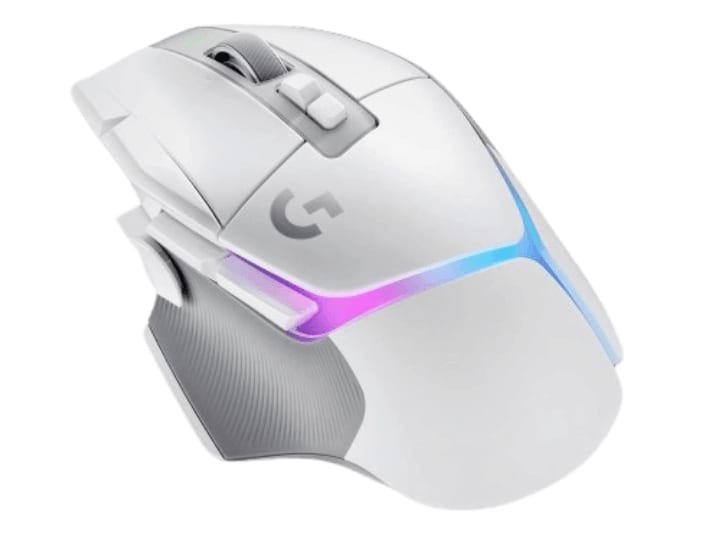
Features: Adjustable DPI, customizable weights, and RGB lighting.
Buttons: 13 programmable buttons.
Why It’s Great: A feature-packed mouse for MMO and strategy gamers.
4. Logitech G203 LIGHTSYNC RGB
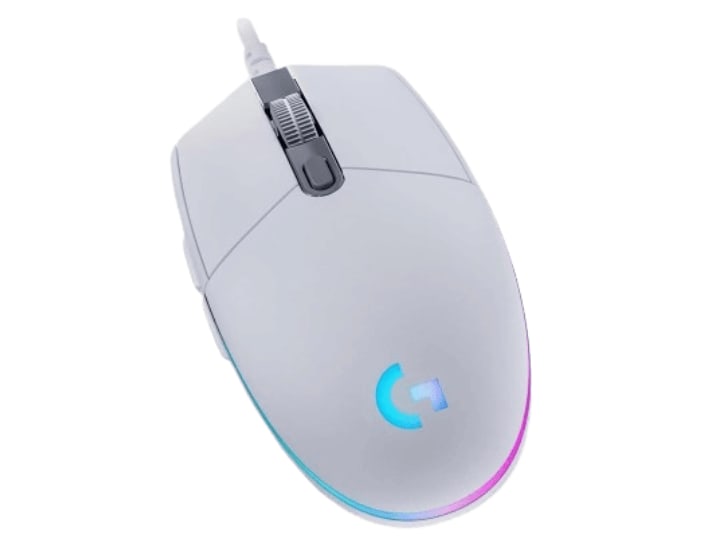
Sensor: Gaming-grade with 8,000 DPI.
Lighting: Customizable RGB with 16.8 million colors.
Why It’s Great: Budget-friendly with great customization options.
5. Logitech G705 Wireless (Aurora Collection)
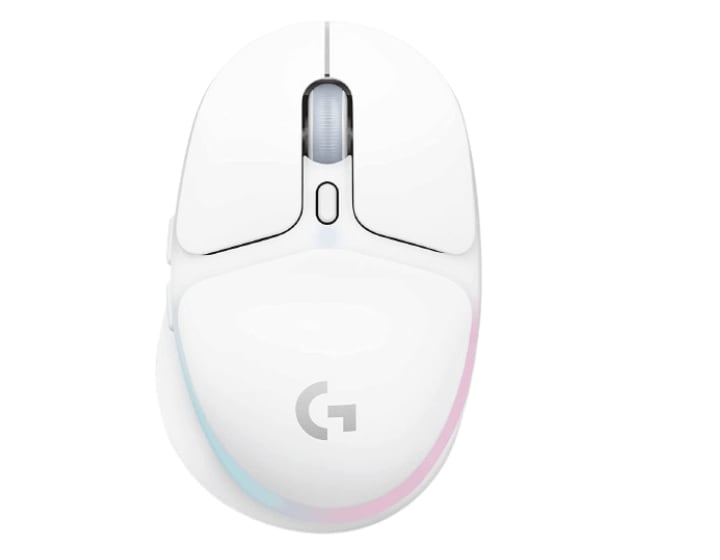
Design: Smaller size for smaller hands.
Lighting: Soft RGB glow.
Why It’s Great: Stylish and comfortable for long sessions.
Key Features to Look For in a Logitech White Gaming Mouse
When buying a Logitech white gaming mouse, consider these features:
1. DPI (Dots Per Inch)
Higher DPI means faster cursor movement. Logitech mice often have adjustable DPI, so you can fine-tune sensitivity.
2. Sensor Type
Logitech’s HERO sensors are known for accuracy and efficiency.
3. Connectivity
- Wired: No battery worries, stable connection.
- Wireless LIGHTSPEED: Ultra-fast, no noticeable lag.
4. Weight
Lightweight mice are better for fast-paced games, while heavier ones can feel more stable for precision aiming.
5. Programmable Buttons
Extra buttons can be assigned to in-game actions for faster gameplay.
6. RGB Lighting
Customizable lighting adds personality to your setup.
Benefits of a White Gaming Mouse
- Matches Any Setup: White blends with minimalist or RGB-heavy setups.
- Looks Clean: Even with RGB lighting, white keeps a fresh look.
- Stands Out: Most gaming mice are black—white is unique.
Logitech White Gaming Mouse for Different Game Types
For FPS Games (Call of Duty, Valorant)
- Best Choice: Logitech G PRO X Superlight 2.
- Reason: Lightweight, precise, and wireless.
For MMO & RPG Games (World of Warcraft, Final Fantasy)
- Best Choice: Logitech G502 X Plus.
- Reason: Multiple programmable buttons for complex commands.
For Casual Gaming & Everyday Use
- Best Choice: Logitech G305 Lightspeed.
- Reason: Affordable, portable, and long battery life.
How to Maintain Your Logitech White Gaming Mouse
- Clean Regularly: Use a microfiber cloth to remove dust.
- Avoid Eating While Gaming: Prevent crumbs from getting inside.
- Store Properly: Keep it in a dust-free area when not in use.
- Update Firmware: Use Logitech G HUB software for updates.
Logitech G HUB – Customizing Your Mouse
Logitech’s G HUB software lets you:
- Change DPI settings.
- Customize RGB lighting.
- Assign macros to buttons.
- Save profiles for different games.
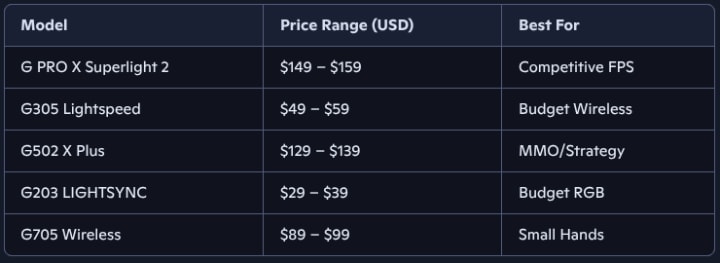
Price Range of Logitech White Gaming Mice
Conclusion
A Logitech white gaming mouse is the perfect mix of style and performance. Whether you want a lightweight mouse for esports, a feature-rich model for MMOs, or a budget-friendly option for casual gaming, Logitech has you covered. With their reliable build, advanced sensors, and sleek white finish, these mice are a worthy addition to any gaming setup.
If you care about both looks and performance, investing in a Logitech white gaming mouse is a smart choice.
FAQ – Logitech White Gaming Mouse
Q1: Are white gaming mice harder to keep clean? A: Not really. With regular cleaning, they stay looking fresh.
Q2: Is wireless better than wired for gaming? A: Logitech’s LIGHTSPEED wireless is as fast as wired, so it’s a matter of preference.
Q3: Can I change the color of the lighting? A: Yes, most models support RGB customization through Logitech G HUB.
Q4: Which Logitech white gaming mouse is best for small hands? A: The Logitech G705 Wireless is designed for smaller hands.
Q5: Do all Logitech white gaming mice work on Mac? A: Yes, most models are compatible with macOS, but check the specs before buying.
About the Creator
Perfect Tech Views
Welcome to Perfect Tech Views—your go-to source for clear, unbiased, and insightful tech knowledge. Whether you're a pro, a beginner, or just exploring gadgets, we've got you covered with expert guidance!
Keep reading
More stories from Perfect Tech Views and writers in Gamers and other communities.
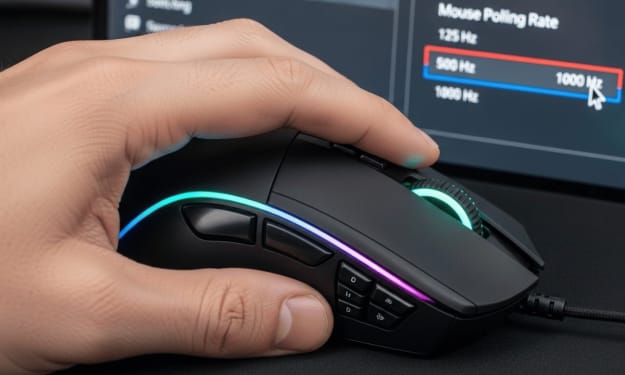
How to Change Mouse Polling Rate – Step-by-Step Guide
How to Change Mouse Polling Rate in 2025 How to change mouse polling rate is a question many gamers and PC users ask when they want smoother and faster mouse performance. The mouse polling rate tells your computer how often your mouse sends data about its position and clicks. A higher polling rate means your mouse updates more often, which can make movements feel smoother and more accurate.
By Perfect Tech Views3 months ago in Gamers
Exploring the Depths: Subnautica 2’s Gameplay and Secrets
Subnautica 2 is the highly anticipated sequel to the original underwater survival adventure game, developed by Unknown Worlds Entertainment. Set on an alien ocean planet, this next chapter promises to expand on the unique mix of survival, exploration, and mystery that made the first game a fan favorite. The sequel introduces new biomes, diverse lifeforms, advanced tools, and multiplayer co-op, while retaining the sense of wonder, danger, and isolation that defined Subnautica. Fans can expect an Early Access release in 2026, offering the chance to explore this vast underwater world before the full launch.
By Games Tale6 days ago in Gamers
Pokémon Pokopia :Building Your Own Pokémon Paradise
The world of Pokémon is getting a major shake‑up in 2026 with the announcement of Pokémon Pokopia, a brand‑new spin‑off life simulation game that shifts the focus from battles and gyms to peaceful creativity and building. Set to launch exclusively on Nintendo Switch 2 in March 2026 (confirmed March 5, 2026), Pokémon Pokopia promises to blend the charm of Pokémon with cozy, open‑ended gameplay you won’t find in the main series.
By Games Tale3 days ago in Gamers
Getting Serious About Comedy (Part I)
If I were asked to remark on my life and the childhood that paved some road leading me to this point, I would have to say something about all the funny people who surrounded me for the last 26,872 days (and counting). Somewhere along that road, I became a big fan of laughter and the comedy that spawns it – and, I mean not only my own laughter, but the laughter of others, some of which I have actually been responsible for inducing.
By John Oliver Smith6 days ago in Humor


Comments