
How to Play Euro Truck Simulator 2 Online: Step-by-Step Guide for Multiplayer Mode
Guide to Playing Euro Truck Simulator 2 Online: Convoy Mode and TruckersMP Explained

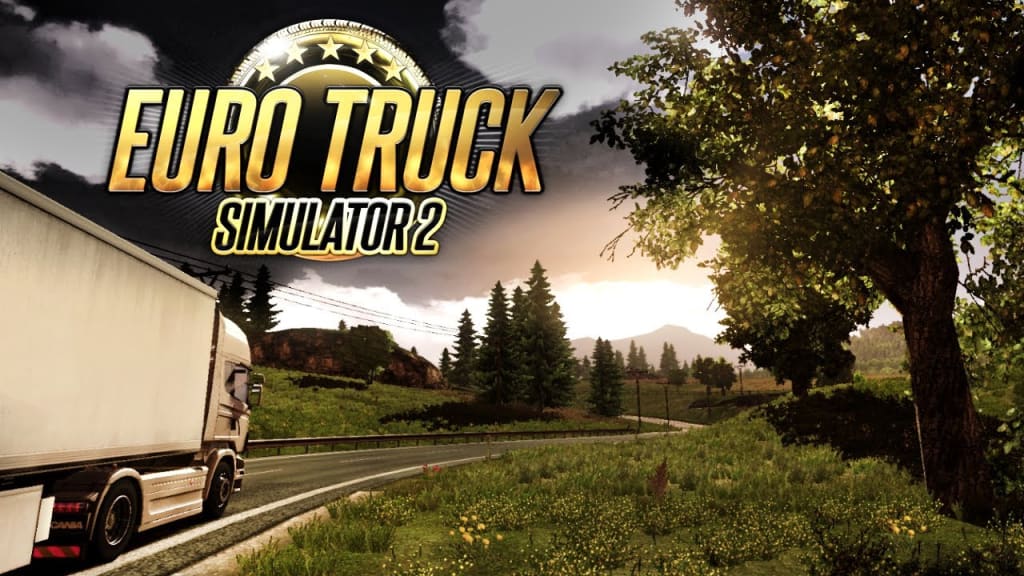
Euro Truck Simulator 2 (ETS2) is a fantastic game that lets you experience what it’s like to drive trucks across Europe. The single-player mode is relaxing and fun, but did you know you can also play ETS2 online with other players? Playing with friends or other truck enthusiasts adds a whole new level of excitement to the game, as you’ll be able to drive in convoys, explore new areas together, and even participate in online trucking events.
Here’s a step-by-step guide on how to get started with Euro Truck Simulator 2 online. In this guide, we'll cover both the official "Convoy" multiplayer mode as well as the TruckersMP mod, so you can decide which one suits you best.
You can also Euro Truck Simulator 2 play online
Option 1: Playing Online with Convoy Mode (Official Multiplayer)
The Convoy mode is an official multiplayer mode added by the developers of Euro Truck Simulator 2, which allows players to create private sessions and play with friends without needing extra mods. Here’s how to get started:
- Update Your Game: First, make sure Euro Truck Simulator 2 is updated to the latest version. Unlock Games usually updates the game automatically, but double-check to ensure you’re ready for online play.
- Launch the Game: Open Euro Truck Simulator 2 from your Unlock Games library.
- Go to the Convoy Mode: Once you’re in the game, look for the "Convoy" option on the main menu. This option allows you to host or join multiplayer sessions.
Create or Join a Convoy: In Convoy mode, you can either:
- Host a Convoy: Set up a session with specific rules (e.g., traffic settings or mods allowed). Choose a name for your convoy and set a password if you want to play only with friends.
- Join a Convoy: Browse the list of available convoys hosted by other players. Find one that suits your interests, and click to join!
- Play with Friends: Invite your friends to your convoy session if you’re the host, or let them know the convoy name and password so they can join.
- Start Driving Together: Now, you’re all set to start your online trucking journey! Drive through cities, pick up loads, and explore Europe with your friends.
Note: Convoy mode supports up to 8 players and has synchronized AI traffic, so you’ll see the same cars, traffic lights, and weather as your friends.
Option 2: Playing Online with TruckersMP (Community Mod)
TruckersMP is a popular multiplayer mod for Euro Truck Simulator 2 that lets you play in a large online world with thousands of other players. This is a great option if you want to join a massive trucking community, but keep in mind that TruckersMP does not have AI traffic.
Here’s how to install and use TruckersMP:
- Create a TruckersMP Account: Go to the official TruckersMP website and sign up for an account. You’ll need a valid email address and will also need to link your Steam account with ETS2 installed.
- Download the TruckersMP Mod: After creating an account, download the TruckersMP launcher from the website. Follow the installation instructions to set it up on your computer.
- Launch TruckersMP: Open the TruckersMP launcher and select Euro Truck Simulator 2. This will launch the game in online mode.
- Log in to TruckersMP: After launching the game through the TruckersMP launcher, you’ll need to log in with your TruckersMP account details.
- Choose a Server: TruckersMP has various servers with different settings (e.g., collision, non-collision, speed limits). Select a server that fits your play style and join.
- Meet Other Truckers: Once in the game, you’ll see other players on the roads and in the cities. You can use the in-game CB radio to communicate with other truckers, or join a virtual company to take on group jobs and challenges together.
- Start Trucking: Just like in single-player mode, you can pick up jobs, deliver goods, and travel across Europe. The difference is you’ll be driving alongside real players from around the world!
Choosing Between Convoy Mode and TruckersMP
Both modes offer fun ways to play ETS2 online, but there are some differences:
Convoy Mode is best if you want a smaller, private multiplayer session with friends, and it includes synchronized traffic, weather, and up to 8 players.
TruckersMP is great if you want a massive multiplayer experience with thousands of other players, although it doesn’t have AI traffic and may require some setup with the mod.
Final Tips for Playing ETS2 Online
- Stay Safe on the Roads: Always follow traffic rules and respect other players to keep the game enjoyable for everyone.
- Check Your Mods: If you’re using mods, make sure they’re compatible with the multiplayer mode you choose. Convoy Mode supports some mods, while TruckersMP has strict mod limits.
- Communicate: Use the CB radio or chat to stay in touch with other players. Communication makes the experience more fun and helps avoid accidents.
Whether you’re teaming up with friends in Convoy mode or joining the massive world of TruckersMP, Euro Truck Simulator 2’s online modes offer new ways to enjoy the game. Now, hit the road, make new friends, and explore Europe together!
About the Creator
UnlockGames
Welcome to Unlock Games, your go-to platform for all things PC gaming! With a passion for delivering the best gaming experiences, we specialize in providing free, easy-to-download PC games, including repack versions and torrent files...
Reader insights
Good effort
You have potential. Keep practicing and don’t give up!
Top insights
Compelling and original writing
Creative use of language & vocab
Easy to read and follow
Well-structured & engaging content
Excellent storytelling
Original narrative & well developed characters
Expert insights and opinions
Arguments were carefully researched and presented
Eye opening
Niche topic & fresh perspectives
Heartfelt and relatable
The story invoked strong personal emotions
On-point and relevant
Writing reflected the title & theme
Keep reading
More stories from UnlockGames and writers in Gamers and other communities.
Call of Duty: Black Ops 6 Free Download For PC
Jake was a huge fan of video games, especially the Call of Duty series. He had played every version from Modern Warfare to Black Ops and loved the intense action, thrilling missions, and realistic graphics. One day, he heard that Call of Duty: Black Ops 6 had finally been released. Excited, he rushed to his computer, hoping to find a way to download it for free.
By UnlockGamesabout a year ago in Gamers
The Family Totem: A Warlock Who is All About Honor Above Glory
Junpei had told Lord Ona that he would defend the gate, ensuring that no one would enter. Neko lay nearby, purring as usual, but then she woke up, ready for action. He asked the cat to walk over to where the attackers would come through; the cat grudgingly did so. He focused inwardly, becoming inspired and ready for battle. A demon entered the area before the gate; Junpei laughed at the illusion. Three samurai entered the area; he grinned at the challenge. They readied their bows. He had Neko grapple the leg of one of the samurai and concentrated for a moment. The samurai felt the chill of death as his life force ebbed from his chill touch. They charged. He summoned a glowing sword in front of him. The samurai sliced at him. Two of them hit. The glowing sword sliced one down. He himself sliced at another samurai.
By Jamais Jochimabout 4 hours ago in Gamers



Comments
There are no comments for this story
Be the first to respond and start the conversation.