
How to Keep Your D&D Campaign Organized (Without Losing Your Mind)
Practical Tips, Tools, and Time-Saving Strategies for Dungeon Masters to Keep Their Campaigns Organized and Fun

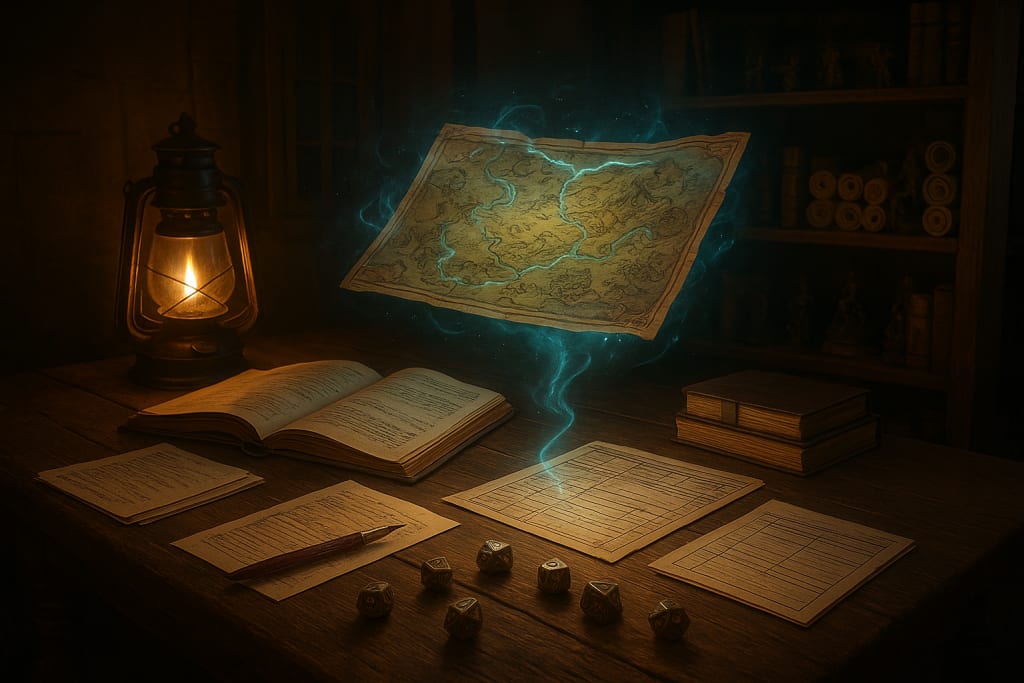
Running a Dungeons & Dragons campaign is thrilling — but it can also feel like juggling flaming swords while balancing on a kobold’s back. Between NPC names, ongoing quests, player backstories, faction politics, and your own worldbuilding, things get messy fast.
The solution isn’t over-prepping until you burn out, it’s creating a system that keeps you organized without suffocating your creativity.
This article will show you practical, real-world strategies that Dungeon Masters use to stay on top of their campaigns. You’ll learn how to take notes that actually work, avoid information overload, and build a system that grows with your game — not against it.
Why Campaign Organization is the Secret Weapon of Great DMs
Most DMs think organization is optional — until the first time they forget the villain’s name mid-monologue. Good campaign organization is more than a luxury, it’s a tool for:
- Story Consistency: Players notice when the duke’s advisor changes names three sessions in a row. Consistency keeps your world believable.
- Session Flow: Searching through a dozen notebooks mid-combat kills the pacing. Smooth reference systems keep the game moving.
- Player Investment: When you track what matters to them (like callbacks to character backstories), they feel heard and engaged.
- DM Sanity: A clear, organized campaign lets you improvise confidently instead of panicking when players go off the rails.
Think of organization as your safety net. It frees you to be more creative because you’re not afraid of forgetting crucial details.
Step 1: Create a Single Source of Truth
Before anything else, pick one place where all campaign information will live. Fragmented notes across three apps, two sticky notes, and the back of your character sheets is a recipe for disaster.
Digital Tools:
- Notion – Flexible and perfect for linking characters, maps, and timelines. You can create an entire campaign wiki here.
- World Anvil – Built specifically for D&D campaign management, with timelines, maps, and player handouts all in one place.
- Google Drive (Docs + Sheets) – Lightweight, searchable, and easy to share with players.
Physical Options:
- A campaign binder divided into sections: Lore, NPCs, Session Notes, Maps, and Handouts.
- Index cards in a card box — excellent for shuffling NPCs or locations into the session you’re running.
- A bullet journal for those who love the creative act of handwriting notes in a compact, structured way.
Pro Tip: Pick one and commit. Switching systems halfway through a campaign creates more work than it saves.
Step 2: Take Notes Like a Pro (Without Writing a Novel)
Your session notes should be short enough to skim at the table, but detailed enough that you could recap the entire adventure a year from now.
Here’s a battle-tested template that works well:
- Session Summary (3–6 sentences): Capture what happened, who was involved, and what changed.
- Key NPC Updates: Who died, who betrayed someone, who got promoted.
- Loose Threads: Hooks, unresolved mysteries, or player-created problems that need follow-up.
- Prep for Next Session: A list of what you need to create, like maps, stat blocks, or lore reveals.
This style lets you run a recap in 60 seconds, track consequences over time, and stay ahead of your players’ choices.
Step 3: Build a Dynamic NPC Database
NPCs are the heart of most campaigns, and keeping them consistent makes your world feel alive.
Create a living roster that includes:
- Name & Pronunciation – (Write it phonetically if it’s fantasy gibberish.)
- Role – Town guard, rival adventurer, guild master, villain’s minion.
- Personality Tags – 2–3 adjectives like “gruff,” “paranoid,” “flamboyant.”
- Motivation or Goal – Even a minor shopkeeper should want something.
- Status & Last Seen – Alive, missing, dead, allied with players, plotting revenge.
You don’t need to write a full backstory unless they become important. A one-line personality note is enough to make them feel real when they appear.
For fast inspiration, try donjon’s NPC generator or Kassoon’s quick tools for randomized quirks and motivations.
Step 4: Track Events with a Campaign Timeline
Timelines are underrated. They prevent you from accidentally saying two world-shaking events happened on the same day, and they make flashbacks or callbacks much easier.
Start simple:
- List major sessions or story beats in order.
- Add key world events that happened off-screen (villain schemes, wars, weather disasters).
- Mark how much time has passed in-game between sessions.
You can expand later into a full-blown campaign calendar, but even a basic log of “Day 17: party killed the necromancer” can save you a lot of headaches.
Step 5: Master the Art of Just-in-Time Prep
Over-prepping is the fastest road to burnout. Instead, prep only what players will most likely interact with next session.
Here’s how to do it:
- Outline possible paths the players could take, then flesh out just enough detail for each.
- Use loose templates for locations (a tavern, a dungeon room, a forest encounter) that you can re-skin on the fly.
- Keep a “toolbox” of ready-to-go NPCs, random tables, and encounters you can drop in if players surprise you.
This method keeps your sessions flexible, and you won’t waste hours writing lore that never comes up.
Step 6: Prune Your Notes Like a Gardener
After every few sessions, spend 10–15 minutes cleaning up your campaign hub:
- Archive NPCs who are dead or irrelevant.
- Move completed quests to a “Resolved” section.
- Merge duplicate notes and remove clutter.
- Highlight or tag anything players are still actively pursuing.
This prevents information bloat and keeps your campaign hub easy to navigate — even months later.
Step 7: Share What Players Need to Know
You don’t have to keep everything secret. In fact, giving players access to a curated campaign log, shared map, or NPC roster can boost engagement.
Try using:
- Google Docs for shared recaps or lore handouts.
- Obsidian Portal to create a public-facing campaign wiki with maps and character bios.
- A Discord channel for posting session summaries, in-game letters, and NPC portraits.
Players will use these resources between sessions, which means more immersion and fewer “wait, who was that again?” moments at the table.
Step 8: Build Rituals Around Your Prep
Consistency beats intensity. Instead of cramming all your prep into one exhausting night, try shorter, regular habits:
- 15 minutes after each session: Write the recap while it’s fresh.
- Mid-week: Brainstorm encounters or NPCs for next session.
- Day before game: Review notes, tweak pacing, prepare minis/maps.
This rhythm keeps your campaign organized in small, sustainable chunks.
Campaign organization doesn’t have to feel like a second job. By setting up a single hub, taking lean but effective notes, tracking NPCs and events, and prepping only what you need, you create a system that works with you — not against you.
When your notes are streamlined, you’re free to focus on what really matters: weaving unforgettable stories, surprising your players, and enjoying the game yourself.
Your future self will thank you when you can pick up your campaign months later and dive right back into the action as if nothing was ever lost.
About the Creator
Richard Bailey
I am currently working on expanding my writing topics and exploring different areas and topics of writing. I have a personal history with a very severe form of treatment-resistant major depressive disorder.
Keep reading
More stories from Richard Bailey and writers in Gamers and other communities.
How to Run D&D Mystery Adventures Without Railroading Your Players
Mystery adventures can be some of the most memorable sessions you’ll ever run as a Dungeon Master. The thrill of unraveling clues, connecting the dots, and exposing the culprit gives players a level of agency that’s hard to match with a standard dungeon crawl. But mysteries in Dungeons & Dragons come with a unique challenge: it’s easy to accidentally railroad your players into a single solution. If they don’t find a clue or guess the “right” suspect, the entire story can grind to a halt.
By Richard Bailey3 months ago in Gamers
GTA 6 Pre Order: Release Date, Prices, and PS5 Leak Secrets
The wait for the most anticipated game in history is reaching a fever pitch. With the official GTA 6 release date locked in for November 19, 2026, fans are scouring the internet for any scrap of info on when they can finally put their money down.
By Bella Anderson4 days ago in Gamers
Rise of the Tomb Raider - A Story of Legacy
I've been playing and reviewing the Tomb Raider games for the last couple of years - as I'm sure everyone and their mother has noticed by now. Last time around, we looked at the 2013 reboot. We've got two more chapters to go, and then we've covered all 12 mainline entries.
By Greg Seebregts5 days ago in Gamers




Comments
There are no comments for this story
Be the first to respond and start the conversation.