
How to Clean Monitor Screen?
Clean Monitor Screen

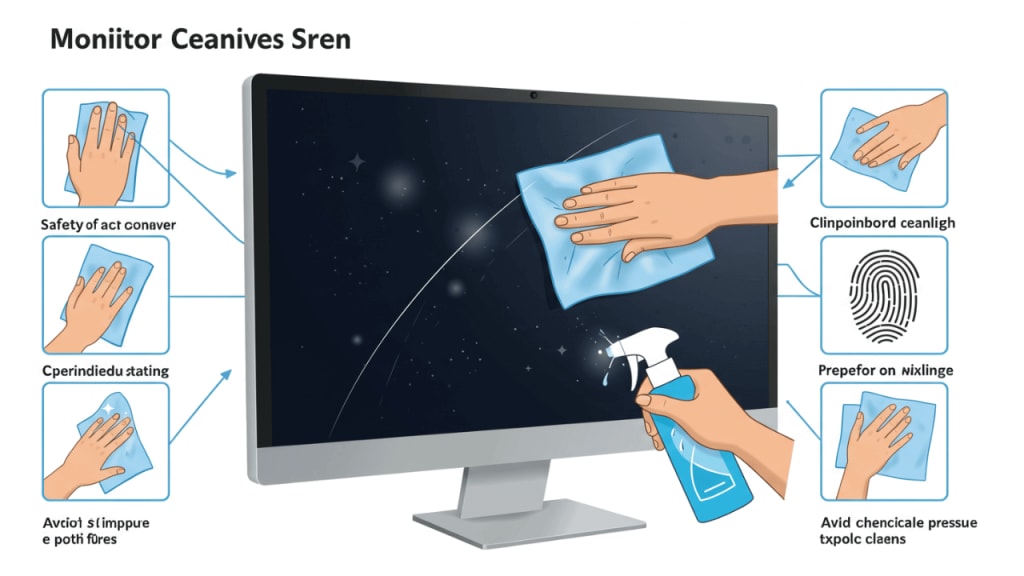
Ever wondered how to clean your monitor screen without causing any damage? Regular cleaning isn't just about keeping your workspace tidy; it’s crucial for maintaining visual clarity and extending the life of your monitor. Picture this: you’re in the middle of a critical task, and suddenly, those pesky fingerprints and dust particles cloud your view. Frustrating, right?
In this comprehensive guide, you'll discover the importance of regular screen cleaning and learn how to do it safely and effectively. We'll walk you through the essential preparation steps to ensure you don't inadvertently harm your device. From using the right cleaning methods for different types of monitors to avoiding common mistakes, we've got you covered. By the end of this article, you'll be equipped with the knowledge to keep your monitor pristine, ensuring a clear and pleasant viewing experience every time.
Why Regular Cleaning is Important
Have you ever noticed how a clean monitor screen can drastically improve your viewing experience? It’s not just about aesthetics; there are multiple benefits to keeping your screen spotless. Let's explore why regular cleaning should be a non-negotiable part of your routine.
Importance of Clean Screens for Visual Clarity
First and foremost, a clean screen ensures that you’re getting the clearest image possible. Dust, smudges, and fingerprints can create a hazy layer over your screen, distorting colors and reducing contrast. Imagine trying to edit photos, watch a movie, or even just read text with a cloudy screen—frustrating, isn't it? Cleaning your monitor regularly helps maintain the screen’s sharpness and clarity, making sure every pixel is as vibrant as it should be.
Preventing Screen Damage
Did you know that neglecting to clean your monitor can actually lead to damage over time? Dust particles might seem harmless, but they can scratch the surface if not removed properly. Furthermore, leaving smudges and grime on the screen for too long can cause them to set, making them more difficult to remove later. By adopting a consistent cleaning regimen, you’re not only preserving the visual quality of your screen but also extending its lifespan.
Preparation Before Cleaning
Before you start cleaning your monitor, it's essential to prepare properly. This not only ensures an effective clean but also protects your device from potential harm. Let’s go through the key steps you need to take before diving into the actual cleaning process.
Gathering Necessary Cleaning Supplies
First things first, gather the right cleaning supplies. Here's what you'll need:
- Microfiber Cloth: Soft and non-abrasive, perfect for removing dust and smudges.
- Screen Cleaning Solution: A gentle cleaner specifically designed for monitors.
- Distilled Water: For those who prefer DIY cleaning solutions.
- Compressed Air Canister: To blow away dust from hard-to-reach areas.
Having these supplies ready will save you time and ensure that you’re using safe materials that won’t harm your screen.
Powering Down and Unplugging the Monitor
Before you touch your monitor, make sure it’s powered down and unplugged. This step is crucial for two reasons:
- Safety: Unplugging the monitor reduces the risk of electric shock.
- Effectiveness: A powered-down screen is easier to clean because smudges and dust are more visible.
Safety Precautions to Keep in Mind
When preparing to clean your monitor, consider the following safety precautions:
- Avoid Harsh Chemicals: Stick to screen-safe cleaning solutions and avoid household cleaners like ammonia or alcohol.
- Use Gentle Pressure: Apply light pressure when cleaning to avoid damaging the screen.
- No Excess Liquid: Avoid using excessive amounts of liquid; spray the cleaner onto the cloth, not directly on the screen.
Taking these precautions ensures that you protect your monitor from damage and achieve the best cleaning results.
In a Nutshell:
- Gather Cleaning Supplies: Microfiber cloth, screen cleaner, distilled water, and compressed air.
- Power Down and Unplug: Always turn off and unplug your monitor before cleaning.
- Follow Safety Precautions: Use gentle pressure, avoid harsh chemicals, and limit liquid use.
By following these preparation steps, you're setting yourself up for a safe and effective cleaning session. Ready to learn the actual cleaning methods? Let’s move on to the step-by-step guide!
Step-by-Step Cleaning Guide
Now that you're ready to clean your monitor, let's dive into the step-by-step cleaning guide. Following these detailed instructions will ensure that your monitor is spotless and damage-free.
Cleaning Methods for Different Types of Monitors
Different monitors require different approaches. Whether you have an LCD, LED, or touch screen, here’s how to clean each type safely:
- LCD Screens: Use a microfiber cloth dampened with distilled water. Avoid pressing too hard to prevent damaging the pixels.
- LED Screens: Similar to LCD, but be extra cautious with the pressure you apply.
- Touch Screens: These require regular cleaning due to frequent contact. Use a screen-safe cleaner and a soft cloth.
Using Microfiber Cloths for Dust Removal
A microfiber cloth is your best friend when it comes to removing dust. Here's how to use it effectively:
- Dry Dusting: Gently wipe the screen from top to bottom to remove loose dust.
- Damp Cloth: Lightly dampen the cloth with distilled water and wipe the screen again to pick up remaining particles.
Applying Screen Cleaner Solutions
For stubborn smudges and fingerprints, a screen cleaning solution comes in handy. Follow these steps:
Spray on Cloth: Never spray directly onto the screen. Spray the solution onto your microfiber cloth.
Gentle Wiping: Wipe the screen in a circular motion to avoid streaks.
Drying: Use a dry part of the cloth to remove any excess moisture.
Dealing with Stubborn Stains and Fingerprints
Sometimes, regular cleaning methods just don't cut it. For stubborn stains:
Isopropyl Alcohol: Mix with distilled water (50/50) and use sparingly.
Persistent Smudges: Use a screen-safe wipe for additional cleaning power.
In a Nutshell:
Identify Your Monitor Type: LCD, LED, or touch screen—each needs a specific approach.
Microfiber Cloth: Essential for dust removal.
Screen Cleaner Solutions: Apply safely and gently to tackle smudges.
Stubborn Stains: Use isopropyl alcohol or screen-safe wipes cautiously.
By following these steps, you'll achieve a crystal-clear monitor screen that enhances your viewing experience and keeps your device in excellent condition. Ready to avoid common mistakes? Let's proceed!
Common Mistakes to Avoid
When cleaning your monitor screen, it's easy to make mistakes that can damage your device. Let’s take a look at some of the common pitfalls and how to steer clear of them to ensure your monitor stays in pristine condition.
Avoiding Harsh Chemicals
Have you ever reached for a household cleaner to quickly wipe down your monitor? It might seem convenient, but using harsh chemicals can cause more harm than good. Ammonia, alcohol, and other strong solvents can strip away the protective coating on your screen, leading to permanent damage. Instead, opt for a screen-safe cleaning solution designed specifically for monitors. These gentle cleaners effectively remove grime without the risk of harming your device.
Preventing Screen Scratches
Scratches are another common issue when cleaning a monitor. Here are a few tips to prevent screen scratches:
Use a Microfiber Cloth: Always use a soft, lint-free microfiber cloth. Avoid paper towels, as they can leave tiny scratches.
Gentle Pressure: Apply light pressure when wiping the screen. Pressing too hard can cause abrasions.
Circular Motions: Clean in gentle, circular motions rather than vigorous back-and-forth movements.
Ensuring No Liquid Enters the Monitor
One of the most important rules to remember is to keep liquids away from the edges of the screen. Liquid seeping into the monitor can cause internal damage and even short-circuit the electronics. Here’s how to avoid this:
Spray on Cloth, Not Directly on Screen: Always spray the cleaning solution onto the cloth, never directly on the screen.
Minimal Liquid: Use just enough liquid to dampen the cloth slightly. Excess liquid increases the risk of seepage.
Focus on Problem Areas: If there are specific smudges or stains, target those areas with a damp cloth rather than wiping the entire screen.
In a Nutshell:
Avoid Harsh Chemicals: Stick to screen-safe cleaning solutions.
Prevent Scratches: Use a microfiber cloth and apply gentle pressure.
Keep Liquids Away: Spray on the cloth, use minimal liquid, and be cautious around the edges.
By steering clear of these common mistakes, you’ll ensure that your monitor stays clean and damage-free. Ready to learn how to maintain a clean screen over the long term? Let’s move on to the next section!
Maintaining a Clean Monitor Screen
Keeping your monitor clean is not a one-time task; it requires regular attention to ensure it stays in top condition. Let’s delve into some practical tips to help you maintain a clean monitor screen for the long haul.
Regular Dusting Routine
Do you know the secret to a consistently clean monitor? Regular dusting. Here’s how you can establish a dusting routine:
Weekly Dusting: Use a microfiber cloth to gently wipe away dust once a week. This prevents dust from accumulating and becoming harder to remove.
Compressed Air: For areas that are hard to reach, such as vents and edges, use a can of compressed air to blow away the dust.
Proper Handling and Usage Tips
The way you handle and use your monitor can significantly impact its cleanliness. Keep these tips in mind:
Clean Hands: Always ensure your hands are clean before touching the monitor. Oils and dirt from your hands can transfer onto the screen.
Avoid Eating and Drinking Nearby: Spills and crumbs can find their way onto your screen, causing smudges and potential damage.
Adjust Settings: If you find yourself frequently touching the screen to adjust settings, consider using software solutions or keyboard shortcuts instead.
Long-term Care for Your Monitor
For long-term care, consider these additional measures:
Screen Protectors: Invest in a screen protector to shield your monitor from scratches and dust.
Cover When Not in Use: If you won’t be using your monitor for an extended period, cover it with a dust cover or a clean cloth.
Humidity Control: Keep your monitor in a room with controlled humidity levels. Excess humidity can cause dust to stick to the screen, making it harder to clean.
In a Nutshell:
Regular Dusting: Incorporate weekly dusting with a microfiber cloth and compressed air.
Proper Handling: Maintain clean hands and avoid eating or drinking near your monitor.
Long-term Care: Use screen protectors, cover your monitor when not in use, and control room humidity.
By following these tips, you’ll ensure your monitor remains clean and clear, providing you with an optimal viewing experience every time. Ready to keep your monitor in perfect condition? Let’s put these tips into practice!
Conclusion
Taking the time to properly clean your monitor screen can make a significant difference in both your work and leisure experiences. By now, you should feel confident about how to clean your monitor screen effectively and safely. Remember, maintaining a clean monitor screen not only enhances your visual clarity but also extends the life of your device.
As you incorporate these practices into your routine, you'll find that a few minutes of care can lead to a more productive and enjoyable experience. Whether it's weekly dusting, using the right cleaning supplies, or avoiding common mistakes, each step plays a crucial role in keeping your screen spotless.
Have you noticed an improvement in your viewing quality?Do you feel more confident in caring for your monitor? These small habits, when practiced consistently, can make a world of difference.
Thank you for joining me on this journey to a cleaner, clearer monitor screen. If you have any tips or experiences to share, feel free to leave a comment. Your insights could help others achieve the same sparkling results. Happy cleaning!
About the Creator
Perfect Tech Views
Welcome to Perfect Tech Views—your go-to source for clear, unbiased, and insightful tech knowledge. Whether you're a pro, a beginner, or just exploring gadgets, we've got you covered with expert guidance!
Keep reading
More stories from Perfect Tech Views and writers in Gamers and other communities.
Best PC Motherboard for Music Production
If you’re serious about music production—whether mixing in FL Studio, editing podcasts, or streaming on Spotify—your motherboard matters more than you think. The wrong board can cause latency, noise, or compatibility issues with your audio interface. The right one ensures smooth real-time audio processing, stable performance for your CPU and RAM, and reliable connectivity for external gear.
By Perfect Tech Views2 months ago in Gamers
Build a Strong Early Hive in Bee Swarm Simulator
Many players reach 25 bees in Bee Swarm Simulator and expect their progress to speed up. Instead, the game often feels slower. Quests take longer to finish, honey income feels small, and stronger mobs start to become a problem. The main reason is hive structure. Most early players fill their slots with Basic or Brave Bees because those bees are cheap and easy to get. That decision helps at the start, but it creates limits later. A hive full of low-impact bees cannot scale well. At the same time, many players collect Bee Swarm Simulator Items and spend honey without a clear goal. They upgrade randomly. They hatch eggs without planning. Because of that, their hive lacks balance. Damage feels average. Pollen gain feels average. Buff uptime is inconsistent. When everything is average, progress feels slow and heavy.
By Smsankar Goswami2 days ago in Gamers
A Strategic Look at Today’s Monopoly GO Events — February 25, 2026
For players who enjoy planning their moves and maximizing rewards, February 25, 2026 offers a well-balanced lineup of events in Monopoly GO. Between overlapping tournaments, carefully timed boosts, and daily challenges, today’s schedule rewards patience, timing, and smart dice management rather than reckless rolling.
By Dangyc Ding3 days ago in Gamers




Comments