
Customizing Your Franchise: Madden NFL 25 Team Builder
Madden 25

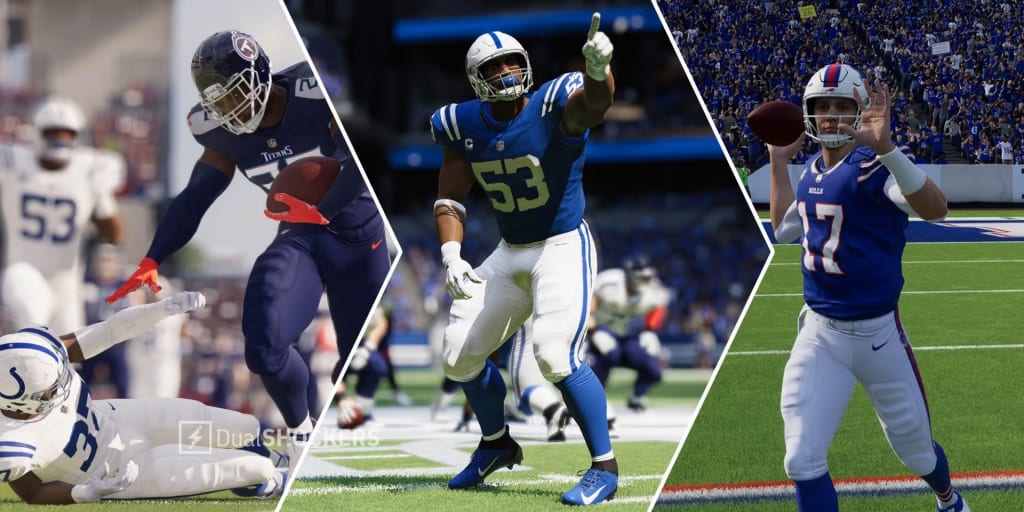
Madden NFL 25 introduces an exciting feature called Team Builder, allowing players to create and customize their teams in unprecedented ways. This innovative tool enhances the gaming experience by enabling players to personalize everything from the team's branding to its roster. Here's a comprehensive overview of how to access and utilize Team Builder in Madden NFL 25.
What is the Madden NFL 25 Team Builder?
The Team Builder is a robust feature in Madden NFL 25 that empowers players to customize their team’s program, brand, uniforms, stadium, field, and roster. With options to use pre-made designs or upload unique creations, players can also browse the community’s download center to discover and download teams crafted by fellow gamers.
Accessing Team Builder
Before diving into Team Builder, there are some essential requirements to keep in mind:
- Platform Compatibility: Content created in Team Builder is accessible in Franchise mode on PlayStation®5, Xbox Series X|S, and PC versions of Madden NFL 25.
- EA Account: You need an EA Account and an internet connection to access Team Builder.
- Console Account: An account on your gaming console or service may also be required.
- Age Restrictions: Be aware that age restrictions may apply.
How to Use Team Builder
To start customizing your team, follow these steps:
- Visit the Team Builder Website: Open a desktop browser and go to the Madden NFL 25 Team Builder site.
- Sign In: Click on "Get Started" and log in with your EA Account credentials.
- Create Your Team: Select "Create" to begin the customization process.
- Customize Your Team: Navigate through the tabs—Brand, Uniforms, Stadium, and Program—to tailor each aspect of your team.
- Save Your Customizations: Once satisfied with your design, select "Save."
- Submit Your Team: Review your customization summary, then choose "Submit" to finalize your choices. If changes are needed, select "Cancel" to go back.
Customization Options in Team Builder
Team Builder offers four main tabs for customization:
- Brand: Here, you can adjust your team information, including logos, color palettes, and fonts.
- Uniforms: Personalize your team’s uniforms for home and away games, or create new uniform categories with various styles, textures, and colors for helmets, jerseys, pants, and socks.
- Stadiums: Design elements of your stadium such as architecture, capacity, crowd dynamics, and on-field factors like surface type, logos, and numbers.
- Franchise: Get an overview of your entire team roster and customize each player's appearance, physical attributes, and skill ratings.
Importing Your Team into Madden NFL 25
Once your team is customized, importing it into Madden NFL 25 is straightforward:
- Download Your Team: First, ensure that your created team is downloaded to your platform's local storage.
- Launch the Game: Start Madden NFL 25 and navigate to the Creation Center from the main menu.
- Select Download Center: Choose the Teams category and search for the name of the team you created.
- Download the Team: Select your team and download it. You’ll find it under "My Downloads" in the Download Center.
Using Your Team Builder Team in Franchise Mode
To integrate your customized team into Franchise mode, follow these steps:
- Launch Madden NFL 25: Start the game and go to Franchise mode from the main menu.
- Create or Join a League: Select "Enter Franchise" and choose to create or join an online league. Note that if you opt for offline play, you will not be able to import your Team Builder team.
- Choose Your Roster: Select either the Weekly NFL Roster or your Roster File.
- Replace Teams: On the Choose Team screen, you have the option to replace an existing NFL team with your customized Team Builder team, with the ability to replace up to 32 teams.
In Franchise mode, managing your team's finances is key to long-term success, and many players use Madden 25 coins to boost their roster and make necessary upgrades. These coins can be valuable for acquiring new players or improving your team’s performance on the field.
Conclusion
Madden NFL 25's Team Builder feature is a game-changer for players looking to personalize their gaming experience. With its wide array of customization options, players can create a unique identity for their teams, enhancing the overall enjoyment of Franchise mode. Whether you are crafting a new team or downloading one from the community, Team Builder provides the tools necessary to make your mark in the Madden universe.
About the Creator
Dodgers
The Los Angeles Dodgers have long been one of the most influential franchises in MLB, known for combining elite player development with the financial flexibility to pursue top-tier talent. From consistent postseason appearances to being counted among recent World Series winners, the Dodgers continue to shape league-wide conversations. As the new season approaches, Dodgers news is once again dominated by roster construction, payroll discussions, and persistent MLB trade rumors—especially those surrounding Kyle Tucker. The Dodgers’ Identity in Modern MLB Few teams balance tradition and innovation quite like the LA Dodgers. Their front office has mastered analytics while still valuing star players who can deliver in October. The current Dodgers roster reflects that philosophy, blending established veterans with emerging talent. Over the years, names like Cody Bellinger have defined eras of success, while new possibilities continue to fuel speculation. The Dodgers’ ability to remain competitive is also tied to their willingness to maintain a high Dodgers payroll. While they are not reckless spenders, they are strategic—targeting players who can elevate both performance and brand value. Kyle Tucker and Why He Fits the Dodgers Narrative Among the most discussed names in recent MLB rumors is Kyle Tucker. A consistent offensive presence and reliable defender, Tucker has emerged as one of the most complete players in modern baseball. Naturally, that has led to growing interest in a potential Kyle Tucker Dodgers scenario. So, what position does Kyle Tucker play? Tucker is primarily a right fielder, though his athleticism allows flexibility across the outfield. That versatility makes him especially attractive to teams like the Dodgers, who value adaptable Dodgers outfielders capable of handling high-pressure situations. The phrase “Tucker baseball” has become shorthand for a balanced skill set: power, patience, and postseason reliability. It’s no surprise that Kyle Tucker news often trends alongside big-market teams. Contracts, Agents, and the Cost of Stardom Any serious discussion of Tucker to Dodgers inevitably leads to contract considerations. The idea of a Kyle Tucker contract Dodgers deal raises questions about years, value, and long-term impact. While no official Kyle Tucker deal has been announced, speculation continues around what such a move would require. The Kyle Tucker agent would likely prioritize both financial security and a winning environment—two things the Dodgers can credibly offer. Still, committing to a potential Kyle Tucker Dodgers contract would require careful planning, especially with other stars already on the books. Misspellings like kyle.tucker, kyle tuxker, or even kyke tucker frequently appear in online searches, underscoring just how much attention surrounds him across the baseball world. How Tucker Could Shape the Dodgers Lineup If a Dodgers Tucker scenario ever materializes, it would have a major impact on the Dodgers lineup. A projected middle-of-the-order bat like Tucker could slot seamlessly into a Dodgers projected lineup, offering protection for existing stars and adding depth in late-game situations. Comparisons have been drawn between Tucker and former Dodgers standouts like Bellinger, particularly in terms of two-way impact. While Cody Bellinger brought elite defense and timely power, Tucker offers a more consistent offensive profile year over year. Competition From the Mets and Other MLB Teams Of course, the Dodgers are not alone in pursuing elite talent. The NY Mets, backed by owner Steve Cohen, have made it clear they are willing to spend aggressively. Mets news often mirrors Dodgers news, especially when it comes to top-tier MLB free agents and trade targets. Names like Edwin Diaz and Bo Bichette frequently appear in league-wide discussions, highlighting how interconnected roster decisions have become. Any move involving Tucker would likely ripple across the league, influencing strategies for teams like the Mets, who remain active in both free agency and trades. MLB Trade Rumors and the Bigger Picture Sites such as MLBTradeRumors regularly analyze scenarios involving Kyle Tucker to Dodgers, though nothing has been confirmed. These rumors reflect a broader truth: elite players drive conversation, even when deals never materialize. The Dodgers understand that not every rumor becomes reality. Still, being linked to players like Tucker reinforces the team’s image as a perennial contender. Whether through trades or internal development, the goal remains the same—build a roster capable of winning another championship. Looking Ahead: What This Means for the Dodgers As the season unfolds, the Dodgers will continue to evaluate opportunities that align with their long-term vision. The idea of Dodgers Kyle Tucker is compelling, but it’s only one chapter in a much larger story about sustained excellence. With a deep farm system, financial flexibility, and a proven track record, the Los Angeles Dodgers remain at the center of MLB news. Whether or not Tucker ever wears Dodger blue, the conversations surrounding him highlight how the franchise continues to influence the direction of the league. In the end, the Dodgers’ success has never hinged on a single move. It’s about smart decisions, calculated risks, and an unwavering commitment to winning—qualities that keep them relevant, respected, and always worth watching.
By Saboor Brohi a day ago in Gamers
Marvel Rivals Patch Notes: Season 6 "Night at the Museum" - Full Breakdown, Deadpool Abilities, and Hero Buffs
The wait is almost over! NetEase Games has finally pulled back the curtain on the next massive update for its hit superhero shooter. If you’ve been searching for the latest Marvel Rivals patch notes, you’re in the right place. Season 6, titled "Night at the Museum," is officially set to launch on January 16, 2026, and it’s bringing the Merc with a Mouth along for the ride.
By Info Post Gate4 days ago in Gamers


Comments
There are no comments for this story
Be the first to respond and start the conversation.