
Best Gaming Setups for Budget and Pro Players
best gaming setups

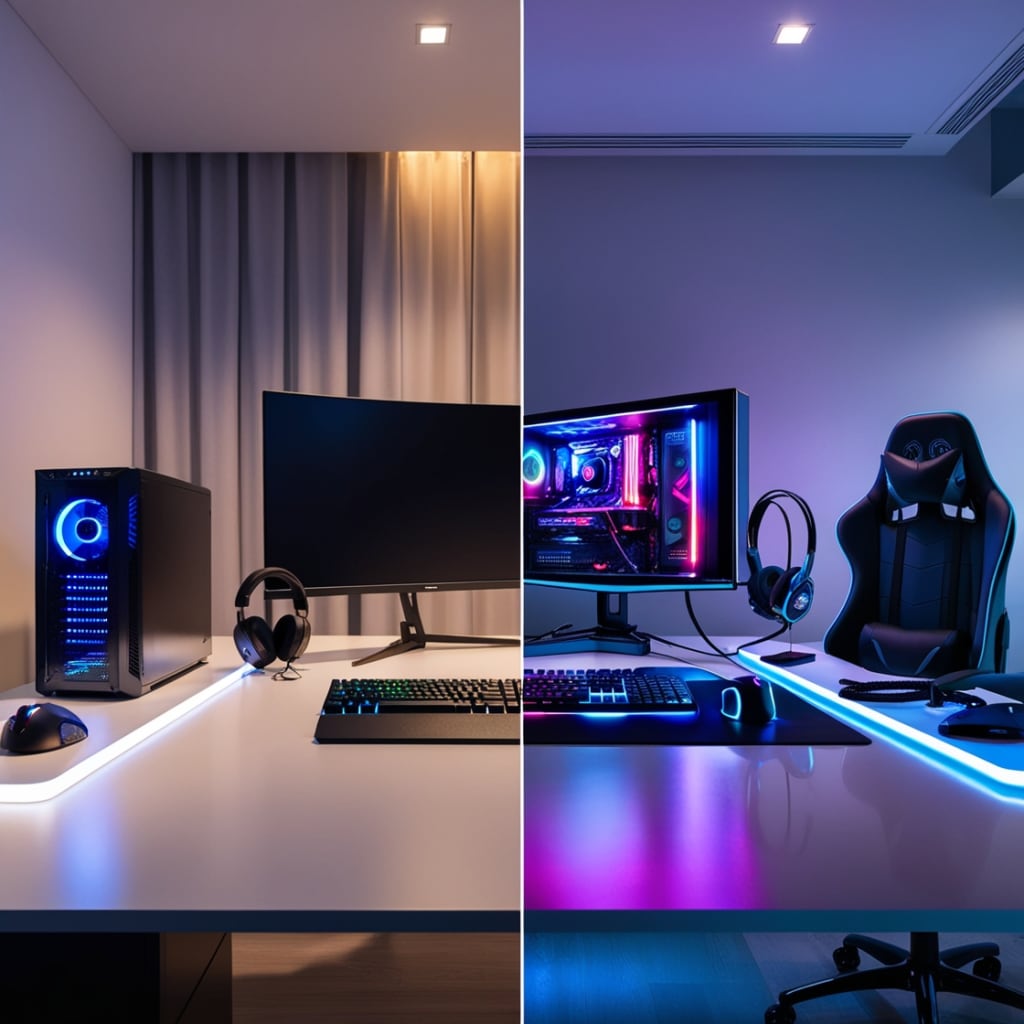
Gaming has evolved from a casual pastime to a serious passion and even a professional career for many. Whether you’re a casual gamer on a budget or a pro player aiming for peak performance, having the right gaming setup is crucial. The best gaming setups combine comfort, performance, and style to enhance your experience. But what does that look like for different budgets? In this article, we’ll explore the best gaming setups for both budget-conscious players and pro gamers, helping you create your ultimate gaming space without breaking the bank—or by investing smartly if money is no object.
The Essentials of a Gaming Setup
Before diving into specific setups, it’s important to understand the core components that define a great gaming environment. These include:
Gaming PC or Console – The heart of your setup. PC gamers focus on specs like GPU, CPU, and RAM, while console gamers might prioritize the latest generation systems.
Monitor – Screen quality, size, and refresh rate impact your visual experience.
Peripherals – Keyboard, mouse, controller, headset, and mousepad influence gameplay precision and comfort.
Desk and Chair – Ergonomics matter, especially for long gaming sessions.
Lighting and Accessories – RGB lighting, cable management, and audio setup add ambiance and functionality.
With this framework, let’s look at the best gaming setups tailored for budgets and professionals.
Best Gaming Setup on a Budget
Gaming on a budget doesn’t mean compromising your experience. Thanks to affordable yet powerful hardware available today, you can build a setup that runs popular games smoothly and looks great.
1. Budget Gaming PC or Console
For PC gaming under $800, consider an entry-level system with a mid-range GPU like the NVIDIA GTX 1660 Super or AMD Radeon RX 6500 XT, paired with a Ryzen 5 or Intel Core i5 processor. These components handle most games at 1080p 60fps with decent settings. Alternatively, the PlayStation 5 Digital Edition or Xbox Series S are excellent budget-friendly consoles offering next-gen performance.
2. Monitor
A 24-inch 1080p monitor with a refresh rate of 75-144Hz is ideal. Brands like AOC, ASUS, and ViewSonic offer affordable models with good color accuracy and low input lag. A higher refresh rate (like 144Hz) improves smoothness, especially in fast-paced games.
3. Peripherals
Keyboard: Mechanical keyboards provide tactile feedback, but budget membrane keyboards from Logitech or Redragon also work well.
Mouse: Look for an optical sensor mouse with adjustable DPI. Logitech G203 or Razer DeathAdder Essential are reliable budget choices.
Headset: Budget gaming headsets like HyperX Cloud Stinger or Corsair HS50 offer clear audio and comfort.
Mousepad: A large cloth mousepad enhances precision and comfort.
4. Desk and Chair
Repurpose a sturdy desk or buy affordable gaming desks under $100. Chairs can be basic office chairs or budget gaming chairs from brands like Homall or GTRacing, which offer decent support for less.
5. Lighting and Accessories
Use inexpensive LED strip lights or desk lamps to add ambiance. Manage cables with zip ties or Velcro straps to keep your space tidy.
Best Pro Gaming Setup
Professional gamers require setups optimized for performance, durability, and comfort. Every detail counts when milliseconds matter in competitive play.
1. High-End Gaming PC or Console
A pro gaming PC often features top-tier components: an NVIDIA RTX 4080 or AMD RX 7900 XT GPU, Intel Core i9 or AMD Ryzen 9 CPU, and at least 32GB of RAM. This setup delivers ultra settings at 1440p or 4K resolution with high frame rates. For console players, the Xbox Series X or PlayStation 5 offer native 4K and high FPS support.
2. Monitor
Competitive gamers prefer monitors with 240Hz refresh rates or higher and low response times (~1ms). Brands like ASUS ROG Swift, Alienware, and BenQ Zowie are popular among pros. A 24-27 inch size is typical to maintain optimal focus and eye movement.
3. Peripherals
Keyboard: High-quality mechanical keyboards with fast switches (e.g., Cherry MX Red or Speed Silver) and customizable macros are favored. Brands include SteelSeries, Corsair, and Ducky.
Mouse: Precision is key. Pro gamers use mice with top-tier sensors like the Logitech G Pro X Superlight or Razer Viper Ultimate.
Headset: Clear, immersive sound with good microphone quality is a must. Look to brands like Astro, Sennheiser, or SteelSeries Arctis Pro.
Mousepad: Large, high-quality pads like the Logitech G840 or SteelSeries QcK offer consistent tracking.
4. Desk and Chair
A spacious, sturdy desk with ample room for peripherals and accessories is essential. Adjustable-height desks are gaining popularity to alternate between sitting and standing. For chairs, premium ergonomic gaming chairs like Secretlab Titan or Herman Miller x Logitech G are investments in comfort and posture support.
5. Lighting and Accessories
RGB lighting is often used for aesthetics and atmosphere but also to reduce eye strain with bias lighting behind monitors. Cable management systems keep the setup clean. Additional accessories include stream decks for content creators and external DACs for audiophiles.
Tips for Both Budget and Pro Gamers
Regardless of budget, consider the following:
Ergonomics: Prevent strain by adjusting monitor height, chair support, and desk layout.
Cable Management: Tidy cables reduce clutter and increase airflow for PCs.
Cooling: Proper airflow or additional fans prevent hardware overheating.
Audio: Invest in good audio, as sound cues can make a difference in gameplay.
Personalization: Customize lighting, wallpapers, and desk organization to make your setup inviting and uniquely yours.
Conclusion
The best gaming setups balance performance, comfort, and style, but the definition varies between budget and pro players. Budget gamers can enjoy a great experience with carefully selected components without overspending, while pros invest in cutting-edge hardware and ergonomic gear to maximize their competitive edge. Whether you’re playing casual games or competing on a professional stage, creating a gaming setup tailored to your needs enhances both your skills and enjoyment.
By understanding the essentials and prioritizing components based on your goals and budget, you can build a gaming space that is functional, stylish, and uniquely yours—ready for hours of immersive gameplay.
About the Creator
Muhammad Asim
Welcome to my space. I share engaging stories across topics like lifestyle, science, tech, and motivation—content that informs, inspires, and connects people from around the world. Let’s explore together!
Keep reading
More stories from Muhammad Asim and writers in Gamers and other communities.
How Old Is the Water You Drink?
Water is life. It flows through our bodies, sustains every ecosystem, and covers nearly 71% of the Earth’s surface. Yet, despite its vital role, most people rarely pause to wonder about one simple but profound question: how old is the water you drink? The answer is far from straightforward, revealing a fascinating story about Earth’s water cycle, ancient reserves, and the interconnectedness of our planet’s natural systems.
By Muhammad Asim7 months ago in FYI
Casino Gaming in the Modern Era: Rules, Risks, and Responsible Play
Casino gaming has long been a popular form of entertainment, blending chance, strategy, and excitement into a single experience. Over time, the industry has adapted to cultural shifts, technological progress, and changing regulations. Today, casino gaming exists in many forms, ranging from traditional table games to digital formats that can be accessed from almost anywhere. Understanding how these systems work—and the responsibilities that come with participation—is essential for anyone interested in casino play.
By Shabbir Ahmad7 days ago in Gamers




Comments
There are no comments for this story
Be the first to respond and start the conversation.