
Best Budget LGA 1700 Motherboard in 2026 (Cheap Options)
Looking for the best budget LGA 1700 motherboard? Discover top picks that offer great performance without breaking the bank. Find the perfect motherboard for your Intel build today!

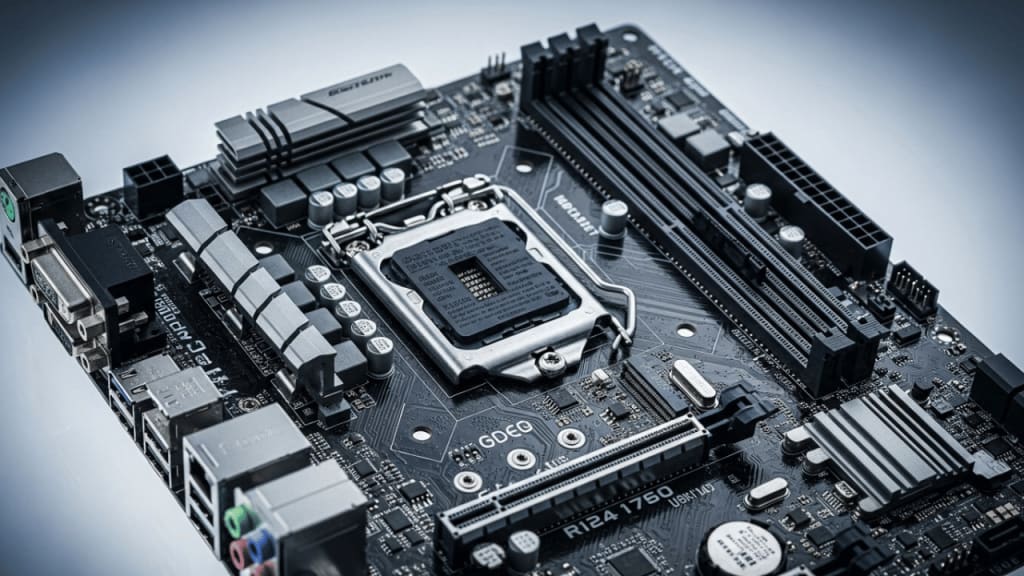
If you're building a PC with an Intel LGA 1700 processor, choosing the right motherboard is crucial. However, high-end motherboards can be expensive. Fortunately, there are budget-friendly LGA 1700 motherboards that provide excellent performance without costing a fortune. In this guide, we’ll explore the best budget LGA 1700 motherboards, their features, and why they are worth considering.
Why Choose an LGA 1700 Motherboard?
The LGA 1700 socket is designed for Intel’s 12th, 13th, and 14th-generation processors. It supports DDR4 and DDR5 memory, PCIe 5.0, and advanced connectivity options. Whether you're gaming, streaming, or working, a budget LGA 1700 motherboard can provide the necessary features without overspending.
Key Features to Look for in a Budget LGA 1700 Motherboard
When selecting a budget LGA 1700 motherboard, consider the following features:
- Chipset Compatibility – Ensure it supports your Intel processor.
- Memory Support – DDR4 or DDR5 compatibility.
- Expansion Slots – PCIe 4.0 or 5.0 for future-proofing.
- Connectivity – USB ports, Wi-Fi, and Ethernet options.
- Cooling Solutions – VRM cooling for stable performance.
The Top 3 Best Budget LGA 1700 Motherboards That You Can Buy Today
- Gigabyte B760 AORUS Elite AX Motherboard
- ASRock Z690 PG Riptide Motherboard
- MSI MAG B760 Tomahawk WiFi Motherboard
1. Gigabyte B760 AORUS Elite AX Motherboard
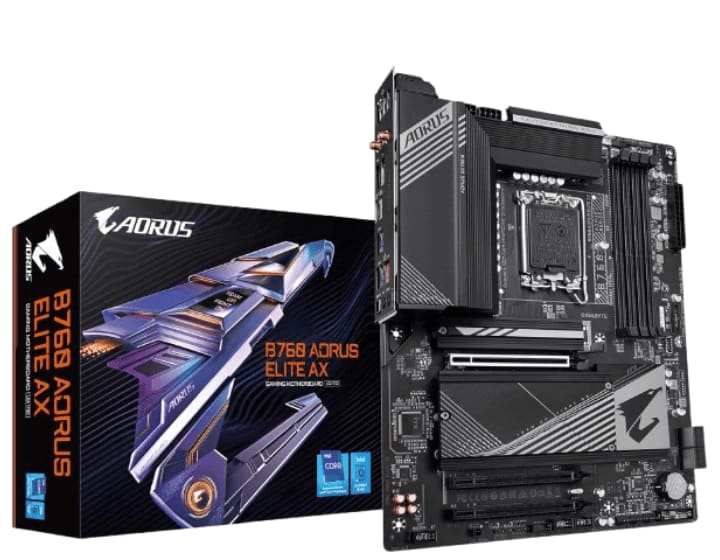
Key Features: Chipset: B760 | Memory: DDR5 support | PCIe Slots: PCIe 4.0 | Connectivity: Wi-Fi 6, USB 3.2
When building a PC, the motherboard is the backbone of your system. If you're looking for a budget-friendly LGA 1700 motherboard that doesn’t compromise on features, the GIGABYTE B760 AORUS Elite AX might be the perfect choice. But what makes it stand out? Let’s dive into its capabilities and see if it’s the right fit for your next build.
Why Choose the GIGABYTE B760 AORUS Elite AX?
This motherboard is designed for Intel’s 12th and 13th-generation processors, offering a balance between affordability and performance. Whether you're a gamer, content creator, or casual user, it provides essential features without the premium price tag.
Key Features That Matter
Here’s what makes the GIGABYTE B760 AORUS Elite AX a solid contender:
- LGA 1700 Socket – Supports Intel’s latest processors for high-speed performance.
- DDR5 Memory Support – Future-proof your system with faster memory speeds.
- Triple M.2 Slots – Maximize storage with high-speed NVMe SSDs.
- PCIe 4.0 Expansion – Ensures fast data transfer for GPUs and other components.
- USB 3.2 Gen2X2 Type-C – High-speed connectivity for modern peripherals.
- Wi-Fi 6E & 2.5GbE LAN – Reliable networking for gaming and streaming.
- Q-Flash Plus & PCIe EZ-Latch – Simplifies BIOS updates and GPU installation.
Performance & Compatibility
The B760 chipset is a great alternative to high-end Z790 motherboards, offering solid performance while keeping costs low. It supports PCIe 4.0, which is more than enough for current-gen GPUs and storage devices. Plus, with DDR5 memory, you get improved bandwidth and efficiency.
Gaming & Productivity – Does It Deliver?
If you're a gamer, this motherboard provides stable power delivery and efficient cooling, ensuring smooth gameplay. For productivity, the high-speed USB ports and multiple storage options make it ideal for creators handling large files.
Is It the Right Choice for You?
If you need a budget LGA 1700 motherboard with modern features, the GIGABYTE B760 AORUS Elite AX is a fantastic option. It balances performance, connectivity, and affordability, making it a great pick for mid-range builds.
2. ASRock Z690 PG Riptide Motherboard
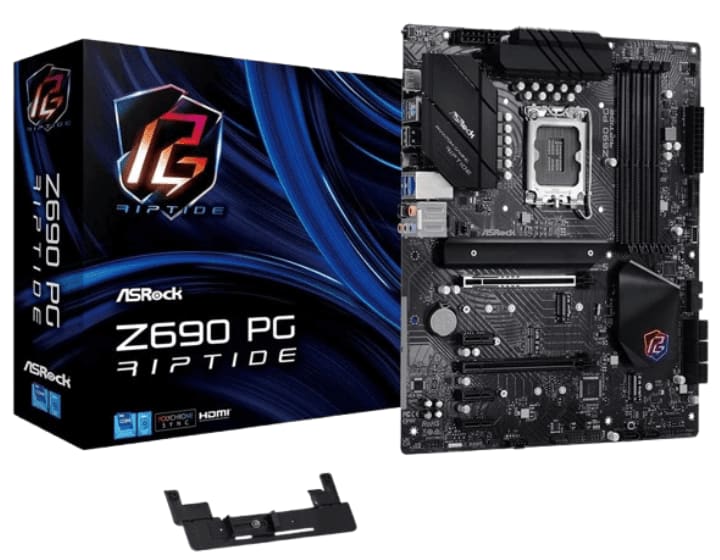
Key Features: Chipset: Z690 | Memory: DDR4 support | PCIe Slots: PCIe 5.0 | Connectivity: High-speed USB ports, solid VRM cooling
The Second Contender is the ASROCK Z690 PG Riptide. The ASROCK Z690 PG Riptide is a prime example of a motherboard that delivers solid performance without the premium price tag. But what makes it stand out? Let’s explore its strengths and see if it’s the right fit for your next build.
Why Consider the ASROCK Z690 PG Riptide?
This motherboard is built for Intel’s 12th and 13th-generation processors, offering a cost-effective yet powerful solution for gamers and professionals alike. Whether you're assembling a gaming rig or a productivity workstation, the Z690 PG Riptide provides the necessary features to keep your system running smoothly.
Key Features That Make a Difference
Here’s why the ASROCK Z690 PG Riptide deserves a spot on your shortlist:
- LGA 1700 Socket – Supports Intel’s latest processors for high-speed computing.
- DDR4 Memory Support – Reliable and cost-effective memory compatibility.
- PCIe 5.0 & PCIe 4.0 Slots – Future-proof expansion for GPUs and storage.
- M.2 Slots for NVMe SSDs – Fast storage options for seamless performance.
- USB 3.2 & SATA3 Connectivity – High-speed data transfer for peripherals.
- Killer E3100 2.5GbE LAN – Optimized networking for gaming and streaming.
- Lightning Gaming Ports – Low-latency connections for competitive gaming.
Performance & Compatibility – Does It Hold Up?
The Z690 chipset ensures efficient power delivery, making it a great choice for mid-range builds. With PCIe 5.0 support, it’s ready for next-gen GPUs, while DDR4 memory compatibility keeps costs down without compromising speed.
Gaming & Productivity – A Balanced Approach
For gamers, the ASROCK Z690 PG Riptide offers stable VRM cooling and optimized networking, ensuring smooth gameplay. If you’re a content creator, the high-speed USB ports and multiple storage options make handling large files effortless.
Is This the Right Motherboard for You?
If you need a budget LGA 1700 motherboard with modern features, the ASROCK Z690 PG Riptide is a fantastic option. It balances performance, connectivity, and affordability, making it a great pick for mid-range builds.
3. MSI MAG B760 Tomahawk WiFi Motherboard
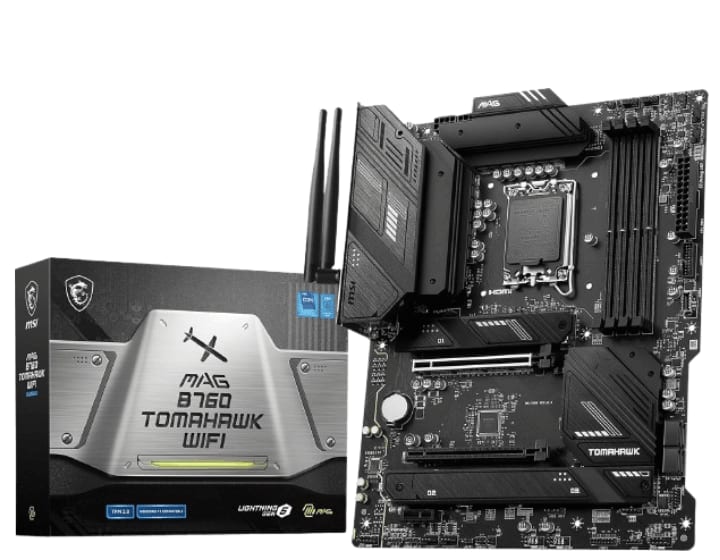
Key Features: Chipset: B760 | Memory: DDR5 support | PCIe Slots: PCIe 4.0 | Connectivity: Wi-Fi 6E, USB 3.2 Gen 2
The Third Contender is the MSI MAG B760 Tomahawk WiFi. The MSI MAG B760 Tomahawk WiFi is a strong contender, offering next-gen connectivity, solid power delivery, and gaming-focused enhancements without the premium price tag. But is it the right choice for your build? Let’s dive into its strengths.
Why Consider the MSI MAG B760 Tomahawk WiFi?
This motherboard is built for Intel’s 12th, 13th, and 14th-generation processors, making it a future-proof option for budget-conscious gamers and professionals. Whether you're assembling a gaming rig or a productivity workstation, the B760 Tomahawk WiFi delivers reliable performance and modern features.
Key Features That Make a Difference
Here’s why the MSI MAG B760 Tomahawk WiFi deserves your attention:
- LGA 1700 Socket – Supports Intel’s latest processors for high-speed computing.
- DDR5 Memory Support – Faster speeds and improved efficiency for demanding tasks.
- PCIe 5.0 & PCIe 4.0 Slots – Future-proof expansion for GPUs and storage.
- Triple M.2 Slots – High-speed NVMe SSD support for seamless performance.
- USB 3.2 Gen2 & HDMI/DP – Versatile connectivity for peripherals and displays.
- Wi-Fi 6E & Bluetooth 5.3 – Next-gen wireless technology for stable connections.
- 2.5 Gbps LAN – Optimized networking for gaming and streaming.
- Robust VRM Cooling – Ensures stable power delivery for high-performance CPUs.
Performance & Compatibility – Does It Hold Up?
The B760 chipset ensures efficient power delivery, making it a great choice for mid-range builds. With PCIe 5.0 support, it’s ready for next-gen GPUs, while DDR5 memory compatibility keeps your system running at peak efficiency.
Gaming & Productivity – A Balanced Approach
For gamers, the MSI MAG B760 Tomahawk WiFi offers stable VRM cooling and optimized networking, ensuring smooth gameplay. If you’re a content creator, the high-speed USB ports and multiple storage options make handling large files effortless.
Is This the Right Motherboard for You?
If you need a budget LGA 1700 motherboard with modern features, the MSI MAG B760 Tomahawk WiFi is a fantastic option. It balances performance, connectivity, and affordability, making it a great pick for mid-range builds.
How to Choose the Right Budget LGA 1700 Motherboard
When selecting a budget LGA 1700 motherboard, consider:
- Your Processor Compatibility – Ensure it supports your Intel CPU.
- Future-Proofing – PCIe 5.0 and DDR5 support for longevity.
- Connectivity Needs – Wi-Fi, USB ports, and Ethernet for seamless usage.
- Cooling and Build Quality – A good VRM design ensures stable performance.
Conclusion
Finding the best budget LGA 1700 motherboard doesn’t mean compromising on quality. With options like the Gigabyte B760 AORUS Elite AX, ASRock Z690 PG Riptide, and MSI MAG B760 Tomahawk WiFi, you can build a powerful PC without overspending. Choose wisely based on your needs and enjoy a seamless computing experience.
FAQ
1. What is the best budget LGA 1700 motherboard for gaming?
The Gigabyte B760 AORUS Elite AX is great for budget gaming builds.
2. Does a budget LGA 1700 motherboard support overclocking?
Most budget motherboards do not support overclocking, but some Z690 models may allow limited overclocking.
3. Should I choose DDR4 or DDR5 for my LGA 1700 motherboard?
If you're on a tight budget, DDR4 is more affordable. However, DDR5 offers better future-proofing.
About the Creator
Perfect Tech Views
Welcome to Perfect Tech Views—your go-to source for clear, unbiased, and insightful tech knowledge. Whether you're a pro, a beginner, or just exploring gadgets, we've got you covered with expert guidance!
Keep reading
More stories from Perfect Tech Views and writers in Gamers and other communities.
Best Budget Motherboard for Ryzen 5 5600X in 2026 (Top Picks)
Choosing the best budget motherboard for Ryzen 5 5600X is crucial for maximizing performance without overspending. The Ryzen 5 5600X is a powerful mid-range processor, ideal for gaming and productivity. However, to unlock its full potential, you need a motherboard that offers great features at an affordable price.
By Perfect Tech Views4 months ago in Gamers




Comments