
Best Budget Motherboard for Ryzen 5 5600X in 2026 (Top Picks)
Looking for the best budget motherboard for Ryzen 5 5600X? Discover top affordable options with PCIe 4.0, great VRMs, and excellent connectivity.

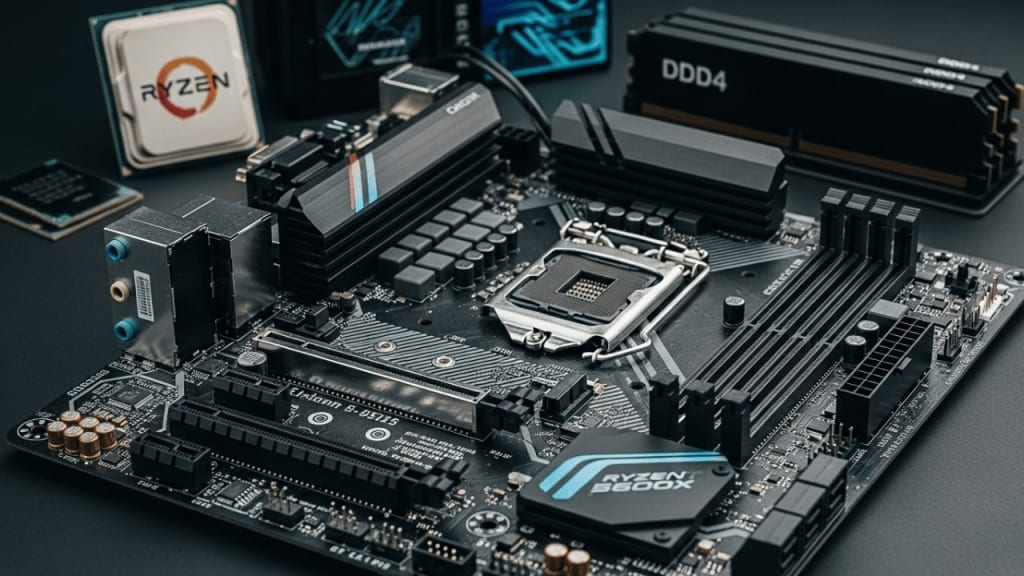
Choosing the best budget motherboard for Ryzen 5 5600X is crucial for maximizing performance without overspending. The Ryzen 5 5600X is a powerful mid-range processor, ideal for gaming and productivity. However, to unlock its full potential, you need a motherboard that offers great features at an affordable price.
In this guide, we’ll explore the best budget motherboards that provide excellent compatibility, performance, and value for money.
Why Choosing the Right Motherboard Matters
A motherboard acts as the backbone of your PC, connecting all components and ensuring smooth communication between them. The Ryzen 5 5600X requires a motherboard with an AM4 socket and support for PCIe 4.0, high-speed RAM, and efficient power delivery.
Factors to Consider When Choosing a Budget Motherboard
Before diving into the best options, let’s look at key factors to consider:
- Chipset Compatibility – B550 and X570 chipsets offer PCIe 4.0 support, while B450 is a more affordable option.
- VRM Quality – A good VRM ensures stable power delivery, especially for overclocking.
- RAM Support – Look for motherboards supporting DDR4 3200MHz or higher.
- Expansion Slots – PCIe slots for GPUs and M.2 slots for SSDs enhance performance.
- Connectivity – USB ports, Wi-Fi, and Ethernet options matter for seamless usage.
The Top 4 Best Budget Motherboards for Ryzen 5 5600X That You Can Buy Today
- MSI MAG B550 TOMAHAWK Motherboard
- ASUS TUF Gaming B550M-Plus Motherboard
- Gigabyte B450 AORUS Elite Motherboard
- MSI B550 Gaming Gen3 Motherboard
1. MSI MAG B550 TOMAHAWK Motherboard
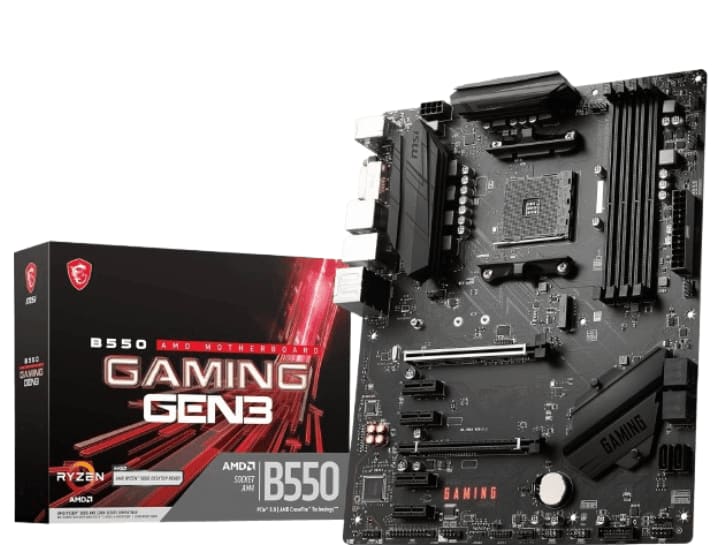
Key Features: Chipset: B550 | PCIe Support: PCIe 4.0 for GPUs and SSDs | VRM Design: 10+2 phase power delivery | Connectivity: USB 3.2 Gen 2, 2.5Gb LAN | Cooling: Extended heatsinks for better thermal management
When building a PC around the Ryzen 5 5600X, finding the right motherboard is crucial. You need something that balances performance, durability, and affordability—and that’s where the MSI MAG B550 TOMAHAWK shines. This motherboard is packed with features that make it an excellent choice for budget-conscious gamers and power users alike.
Why Choose the MSI MAG B550 TOMAHAWK?
The MSI MAG B550 TOMAHAWK is designed for AMD Ryzen 5000 Series processors, offering PCIe 4.0 support, high-speed memory compatibility, and robust power delivery. But what makes it stand out? Let’s break it down.
Key Features That Matter
1. Powerful VRM Design for Stability
A motherboard’s VRM (Voltage Regulator Module) determines how efficiently it delivers power to the CPU. The MAG B550 TOMAHAWK features a 10+2+1 Duet Rail Power System, ensuring stable power delivery even under heavy loads. Whether you’re gaming or multitasking, this motherboard keeps your system running smoothly.
2. PCIe 4.0 for Faster Performance
One of the biggest advantages of the B550 chipset is PCIe 4.0 support. This means faster data transfer speeds, better graphics performance, and quicker SSD read/write speeds. If you’re using a high-speed NVMe SSD, you’ll notice a significant boost in load times.
3. Advanced Cooling for Longevity
Heat management is essential for maintaining performance. The MAG B550 TOMAHAWK comes with:
- Extended heatsinks for better thermal dissipation
- M.2 Shield Frozr to prevent SSD throttling
- 7W/mK thermal pads for improved heat transfer
These features ensure your system stays cool, even during intense gaming sessions.
4. High-Speed Connectivity
Connectivity is another strong suit of this motherboard. It includes:
- USB 3.2 Gen 2 for fast data transfers
- 2.5G LAN for low-latency gaming
- HDMI and DisplayPort for flexible display options
Whether you’re streaming, gaming, or working, these features provide seamless connectivity.
5. Memory Support for Maximum Performance
The MAG B550 TOMAHAWK supports DDR4 memory up to 5100MHz (OC), allowing you to push your system’s performance to the next level. Faster RAM speeds mean better multitasking, smoother gameplay, and improved overall responsiveness.
Is This the Right Motherboard for You?
If you’re looking for a budget-friendly motherboard that doesn’t compromise on features, the MSI MAG B550 TOMAHAWK is a solid choice. It offers PCIe 4.0, strong VRMs, excellent cooling, and high-speed connectivity—all at a reasonable price.
Final Thoughts
Building a PC with the Ryzen 5 5600X? The MSI MAG B550 TOMAHAWK delivers top-tier performance without breaking the bank. With its powerful VRMs, PCIe 4.0 support, and advanced cooling, it’s a motherboard that ensures stability, speed, and longevity.
2. ASUS TUF Gaming B550M-Plus Motherboard
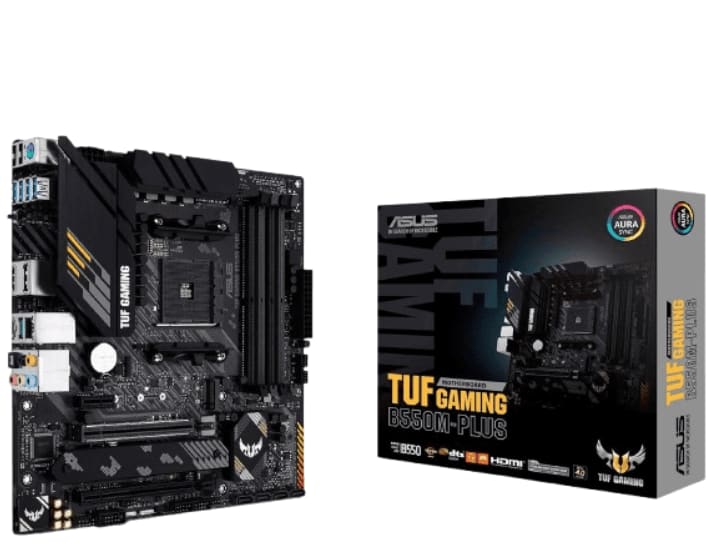
Key Features: Chipset: B550 | PCIe Support: PCIe 4.0 | VRM Design: 8+2 phase power delivery | Connectivity: USB 3.2 Gen 2, Wi-Fi 6 support | Durability: Military-grade components for longevity
The Second Contender is the ASUS TUF GAMING B550M-PLUS motherboard, which delivers performance, durability, and affordability. Built with military-grade components, this motherboard ensures stability and longevity, making it an excellent choice for budget-conscious gamers and PC builders.
Why Consider the ASUS TUF GAMING B550M-PLUS?
If you’re looking for a compact yet powerful motherboard, this B550 chipset model offers PCIe 4.0 support, high-speed connectivity, and robust cooling solutions. But what makes it truly special? Let’s dive into its standout features.
Key Features That Make a Difference
1. PCIe 4.0 for Next-Level Performance
One of the biggest advantages of the B550 chipset is PCIe 4.0 support, allowing for faster data transfer speeds and better graphics performance. Whether you’re using a high-speed NVMe SSD or a powerful GPU, this motherboard ensures optimal performance.
2. Military-Grade Durability
The TUF series is known for its rugged build quality, and the B550M-PLUS is no exception. It features:
- TUF capacitors for enhanced durability
- VRM cooling solutions to maintain stable power delivery
- Reinforced PCIe slots to support heavy GPUs
This ensures your system remains stable and reliable, even under demanding workloads.
3. High-Speed Connectivity
Connectivity is crucial for a smooth gaming and productivity experience, and this motherboard delivers:
- 2.5Gb LAN for ultra-fast networking
- USB 3.2 Gen 2 for rapid data transfers
- HDMI 2.1 & DisplayPort for high-resolution displays
Whether you’re gaming, streaming, or working, these features provide seamless connectivity.
4. BIOS FlashBack for Hassle-Free Updates
Updating your BIOS can be intimidating, but ASUS BIOS FlashBack makes it effortless. With a simple USB drive, you can update your BIOS without needing a CPU or RAM installed, ensuring future compatibility with newer processors.
5. RGB Customization with AURA Sync
Want to personalize your setup? The Addressable Gen 2 RGB header and AURA Sync allow you to customize lighting effects, syncing them across compatible components for a visually stunning build.
Is This the Right Motherboard for You?
If you need a compact, durable, and feature-packed motherboard for your Ryzen 5 5600X, the ASUS TUF GAMING B550M-PLUS is a fantastic choice. It offers PCIe 4.0, military-grade durability, high-speed connectivity, and RGB customization, all at an affordable price.
Final Thoughts
Building a PC with the Ryzen 5 5600X? The ASUS TUF GAMING B550M-PLUS delivers exceptional performance without breaking the bank. With its rugged build, advanced cooling, and high-speed networking, it’s a motherboard that ensures stability, speed, and longevity.
3. Gigabyte B450 AORUS Elite V2 Motherboard
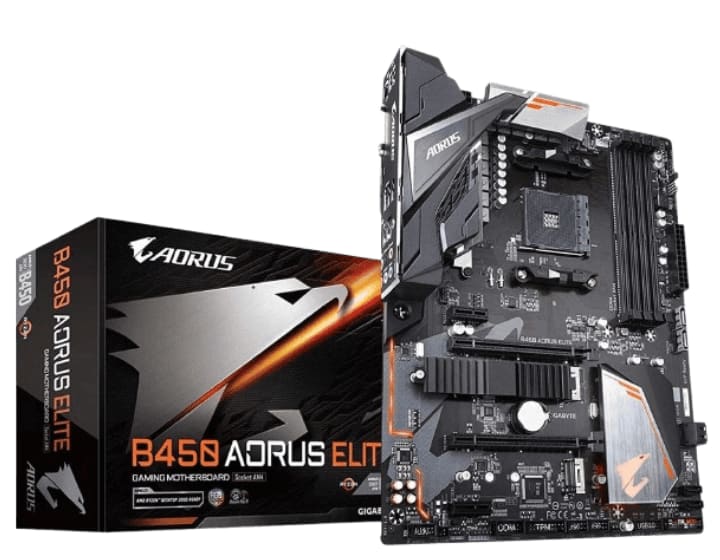
Key Features: Chipset: B450 | PCIe Support: PCIe 3.0 (no PCIe 4.0) | VRM Design: 8+2 phase power delivery | Connectivity: USB 3.1 Gen 2, Gigabit LAN | Memory Support: Up to DDR4 3600MHz
The Third Contender is the Gigabyte B450 AORUS Elite V2 Motherboard. It is designed to support AMD Ryzen 5000 Series CPUs. This motherboard offers solid performance, reliable power delivery, and essential features without breaking the bank.
Why Consider the Gigabyte B450 AORUS Elite V2?
If you're looking for a cost-effective yet capable motherboard, this B450 chipset model delivers high-speed memory support, multiple expansion options, and durable build quality. But what makes it stand out? Let’s explore its key features.
Key Features That Make a Difference
1. Robust Power Delivery for Stability
A motherboard’s VRM (Voltage Regulator Module) plays a crucial role in ensuring stable power delivery to the CPU. The B450 AORUS Elite V2 features an 8+2 phase digital twin power design, providing efficient power management for smooth performance and overclocking potential.
2. Dual M.2 Slots for Faster Storage
Storage speed is essential for quick boot times and seamless gaming experiences. This motherboard includes:
- Two PCIe 3.0 x4 M.2 slots for high-speed NVMe SSDs
- Thermal Guard protection to prevent overheating and throttling
With dual M.2 slots, you can enjoy lightning-fast load times and responsive system performance.
3. High-Speed Connectivity
Connectivity is a major factor in gaming and productivity, and this motherboard delivers:
- USB 3.1 Gen 1 for fast data transfers
- Gigabit Ethernet (GbE LAN) for stable networking
- Wi-Fi support for wireless convenience
Whether you're gaming online or transferring large files, these features ensure smooth and reliable connectivity.
4. Memory Support for Maximum Performance
The B450 AORUS Elite V2 supports DDR4 memory up to 3600MHz (OC), allowing you to maximize system responsiveness and multitasking capabilities. Faster RAM speeds mean better gaming performance and smoother application handling.
5. AORUS Ultra Durable Build
Durability is a hallmark of Gigabyte’s AORUS series, and this motherboard is no exception. It features:
- Solid pin power connectors for stable power delivery
- Reinforced PCIe slots to support heavy GPUs
- RGB Fusion 2.0 for customizable lighting
These elements ensure long-term reliability and aesthetic appeal.
Is This the Right Motherboard for You?
If you need a budget-friendly motherboard that offers solid performance, high-speed storage, and reliable connectivity, the Gigabyte B450 AORUS Elite V2 is a great choice. While it lacks PCIe 4.0 support, it compensates with strong VRMs, dual M.2 slots, and excellent memory compatibility.
Final Thoughts
Building a PC with the Ryzen 5 5600X? The Gigabyte B450 AORUS Elite V2 delivers great value without compromising on essential features. With its efficient power delivery, high-speed storage, and durable build, it’s a motherboard that ensures stability, speed, and longevity.
4. MSI B550 Gaming Gen3 Motherboard
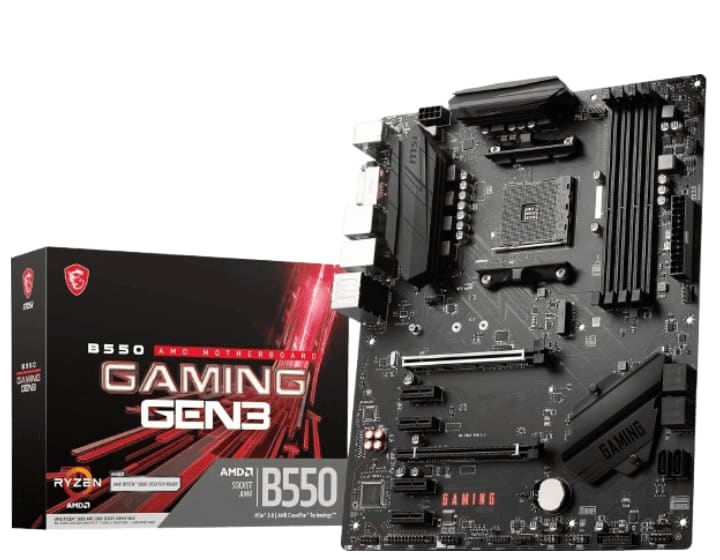
Key Features: Chipset: B550 | PCIe Support: PCIe 4.0 | VRM Design: 8+2 phase power delivery | Connectivity: USB 3.2 Gen 2, Gigabit LAN | Expansion Slots: Dual M.2 slots for SSDs
The Fourth Contender is the MSI B550 Gaming Gen3 Motherboard. It is designed to support AMD Ryzen 5000 Series processors. This motherboard offers solid performance, reliable power delivery, and essential gaming features without stretching your budget.
Why Consider the MSI B550 Gaming GEN3?
If you're looking for a budget-friendly motherboard that still delivers strong gaming performance, this B550 chipset model provides high-speed memory support, multiple expansion options, and a durable build. But what makes it stand out? Let’s explore its key features.
Key Features That Make a Difference
1. Optimized Power Delivery for Stability
A motherboard’s VRM (Voltage Regulator Module) plays a crucial role in ensuring stable power delivery to the CPU. The B550 Gaming GEN3 features Core Boost technology, providing efficient power management for smooth performance and overclocking potential.
2. Turbo M.2 for Faster Storage
Storage speed is essential for quick boot times and seamless gaming experiences. This motherboard includes:
- Turbo M.2 Gen3 x4 slots for high-speed NVMe SSDs
- AMD Turbo USB 3.2 Gen 2 for rapid data transfers
With fast storage options, you can enjoy lightning-fast load times and responsive system performance.
3. High-Speed Connectivity
Connectivity is a major factor in gaming and productivity, and this motherboard delivers:
- USB 3.2 Gen 1 for fast data transfers
- Gigabit Ethernet (GbE LAN) for stable networking
- HDMI and DVI-Port for flexible display options
Whether you're gaming online or transferring large files, these features ensure smooth and reliable connectivity.
4. Memory Support for Maximum Performance
The B550 Gaming GEN3 supports DDR4 memory up to 4400MHz (OC), allowing you to maximize system responsiveness and multitasking capabilities. Faster RAM speeds mean better gaming performance and smoother application handling.
5. Multi-GPU Support for Enhanced Graphics
For those looking to boost their gaming experience, this motherboard supports AMD CrossFire technology, allowing for multi-GPU configurations. This ensures better frame rates and smoother gameplay, especially in demanding titles.
Is This the Right Motherboard for You?
If you need a budget-friendly motherboard that offers solid performance, high-speed storage, and reliable connectivity, the MSI B550 Gaming GEN3 is a great choice. While it lacks PCIe 4.0 support, it compensates with strong VRMs, Turbo M.2 slots, and excellent memory compatibility.
Final Thoughts
Building a PC with the Ryzen 5 5600X? The MSI B550 Gaming GEN3 delivers great value without compromising on essential features. With its efficient power delivery, high-speed storage, and durable build, it’s a motherboard that ensures stability, speed, and longevity.
Conclusion
Finding the best budget motherboard for Ryzen 5 5600X depends on your needs. If you want PCIe 4.0 support, go for MSI MAG B550 TOMAHAWK or ASUS TUF Gaming B550M-Plus. If you’re on a tight budget, the Gigabyte B450 AORUS Elite is a great pick.
No matter which motherboard you choose, ensure it meets your performance, connectivity, and expansion needs.
FAQ
1. What is the best budget motherboard for Ryzen 5 5600X?
The MSI MAG B550 TOMAHAWK is one of the best budget-friendly options with PCIe 4.0 support and solid VRMs.
2. Can I use a B450 motherboard with Ryzen 5 5600X?
Yes, but you may need a BIOS update for compatibility.
3. Does Ryzen 5 5600X support PCIe 4.0?
Yes, but you need a B550 or X570 motherboard to utilize PCIe 4.0.
4. Is Wi-Fi necessary in a motherboard?
Not necessarily. If you use Ethernet, you don’t need built-in Wi-Fi.
About the Creator
Perfect Tech Views
Welcome to Perfect Tech Views—your go-to source for clear, unbiased, and insightful tech knowledge. Whether you're a pro, a beginner, or just exploring gadgets, we've got you covered with expert guidance!
Keep reading
More stories from Perfect Tech Views and writers in Gamers and other communities.
Best X670E Motherboard for 7800X3D in 2026 (Top Picks)
When building a high-performance PC, choosing the right motherboard is crucial. If you're planning to pair the AMD Ryzen 7 7800X3D with an X670E motherboard, you're in for a treat. This guide will help you find the best X670E motherboard for 7800X3D, ensuring you get the most out of your processor.
By Perfect Tech Views4 months ago in Gamers
Forza horizon 5 treasure hunt 30k is the game
What Is a Treasure Hunt in Forza Horizon 5? Treasure Hunts are optional mini-quests in Forza Horizon 5 that send you on a simple scavenger hunt using clues. Completing one earns 30,000 Credits (30K), which you can use to buy cars, upgrades, or cosmetics.
By Games Mode On2 days ago in Gamers
League of Legends 2026 Season Updates
With the League of Legends 2026 season, new patch notes, the return of ARURF mode, and notable ranked system updates are quietly reshaping how players approach the game. As the competitive environment evolves, tools like the LoL Purity Test offer an interesting way to reflect on how much of this shifting experience players have actually encountered not as a label, but as a record of exposure shaped by time spent in the game.
By Enzo Marcelli7 days ago in Gamers



Comments