
Best 4k Monitor for Photo Editing in 2026
Discover the Best 4k Monitors for Photo Editing

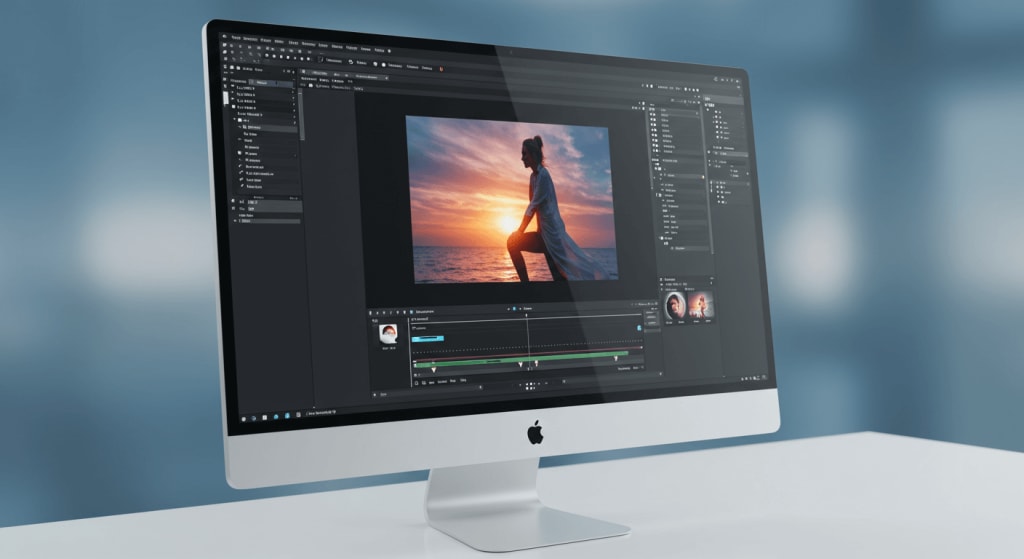
Are you passionate about photography and looking to elevate your editing skills to the next level? In today's digital age, having the right tools is crucial, and a top-tier monitor can make all the difference. When it comes to photo editing, the precision and clarity of a 4K monitor are unparalleled.
But with so many options available, how do you choose the best one? This blog is here to guide you through the maze of choices and help you find the perfect 4K monitor for your photo editing needs.
We'll delve into the benefits of 4K resolution, highlight some of the top monitors available in 2025, and provide tips to optimize your setup. Let's embark on this journey to transform your photo editing experience!
The Top 4 Best 4k Monitors for Photo Editing That You Can Buy Today
1. ASUS ProArt Display 27” 4K HDR Professional Monitor
2. Sceptre 4K IPS 27" UHD Monitor
3. Samsung 32" UJ59 Series 4K UHD Monitor
4. ASUS ProArt Display 31.5” 4K OLED Professional Monitor
1. ASUS ProArt Display 27” 4K HDR Professional Monitor
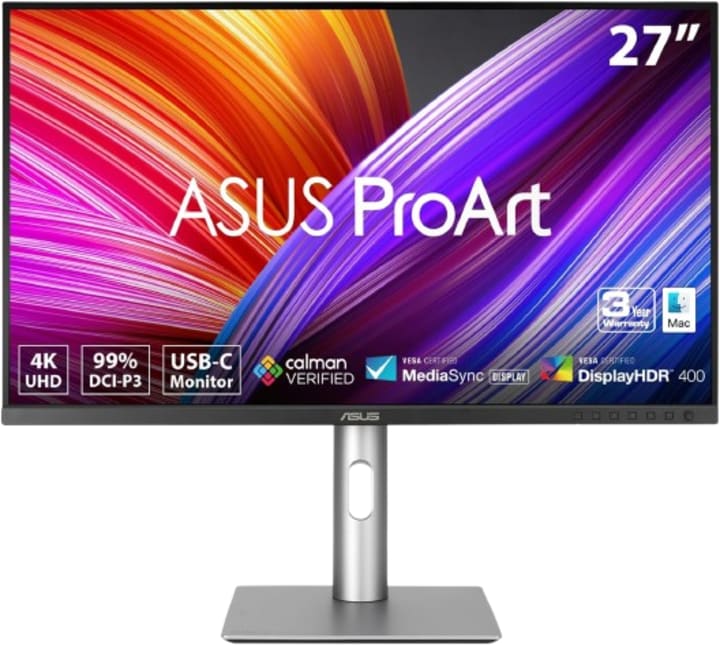
Spec: Screen Size: 27 inches | Panel Type: IPS Resolution: UHD (3840 x 2160) | Color Accuracy: ΔE < 2 USB-C PD: 96W | Connectivity: DisplayPort 1.2, HDMI 2.0, USB 3.0
When it comes to finding the best 4K monitor for photo editing, the ASUS ProArt Display 27” 4K HDR Professional Monitor (PA279CRV) stands out as a top contender. Why is this monitor such a game-changer for photo editors? Let's dive into the features and specifications that make it an exceptional choice.
Exceptional Clarity with 4K UHD Resolution
With a resolution of 3840 x 2160 pixels, the ASUS ProArt Display offers stunning clarity and detail. This ultra-high-definition (UHD) resolution allows you to see every tiny detail in your photos, making it perfect for precise editing work. Whether you're zooming in to retouch an image or examining the finer points of your composition, this monitor delivers the sharpness you need.
Superior Color Accuracy and Gamut
Color accuracy is paramount for photo editing, and the ASUS ProArt Display excels in this area. It boasts 99% DCI-P3/Adobe RGB coverage, ensuring that the colors you see on the screen are true to life. Additionally, the monitor is Calman Verified and has a color accuracy of ΔE < 2, which means it has been rigorously tested to deliver consistent and accurate colors right out of the box.
Versatile Connectivity Options
The ASUS ProArt Display offers a range of connectivity options to suit your workflow. It includes USB-C PD 96W, DisplayPort, and Daisy-Chain capabilities, making it easy to connect your devices and peripherals. The USB-C PD 96W also provides power delivery, allowing you to charge your laptop or other devices while you work, streamlining your workspace.
Ergonomics and Comfort
Long editing sessions demand a monitor that can be adjusted to your comfort. The ASUS ProArt Display is height adjustable, allowing you to find the perfect viewing angle. This ergonomic feature ensures that you can work comfortably for hours without straining your neck or eyes.
By choosing the ASUS ProArt Display 27” 4K HDR Professional Monitor (PA279CRV), you're investing in a tool that will significantly enhance your photo editing capabilities. Its combination of high resolution, superior color accuracy, versatile connectivity, and ergonomic design makes it an unbeatable choice for professionals and enthusiasts alike.
2. Sceptre 4K IPS 27" UHD Monitor
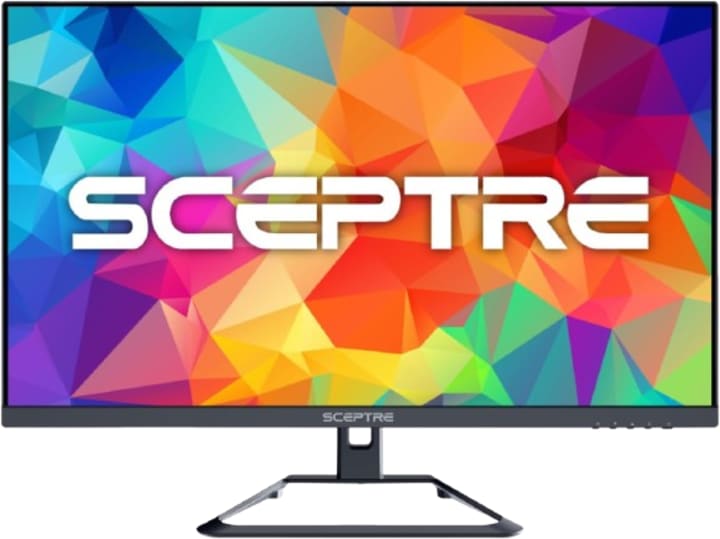
Specs: Screen Size: 27 inches | Panel Type: IPS Resolution: UHD (3840 x 2160) | Refresh Rate: Up to 70Hz Color Gamut: 99% sRGB | Ports: DisplayPort, HDMI
If you're on the lookout for a top-of-the-line 4K monitor that can enhance your photo editing workflow, the Sceptre 4K IPS 27" 3840 x 2160 UHD Monitor (U275W-UPT) deserves your attention. Let’s delve into why this monitor stands out among the high-end options for photo editing.
Crystal Clear Resolution and Smooth Performance
The Sceptre 4K IPS 27" UHD Monitor features a 3840 x 2160 UHD resolution, offering exceptional clarity and detail that is crucial for photo editing. You’ll be able to see every intricate detail in your images, allowing for precise edits and a better overall viewing experience. With a refresh rate of up to 70Hz, this monitor ensures smooth performance, reducing motion blur and enhancing your editing precision.
Versatile Connectivity
Versatility is key, and the Sceptre 4K IPS 27" UHD Monitor comes equipped with DisplayPort and HDMI ports, providing multiple options to connect your devices. Whether you're using a high-performance desktop or a laptop, this monitor has you covered.
Ergonomics and User Comfort
Spending long hours editing photos requires a comfortable setup. The Sceptre 4K IPS 27" UHD Monitor comes with ergonomic adjustments, allowing you to tilt the screen to find the most comfortable viewing angle. This ergonomic feature ensures you can work longer without experiencing discomfort.
Choosing the Sceptre 4K IPS 27" 3840 x 2160 UHD Monitor (U275W-UPT) as your high-end option ensures you get a combination of superb resolution, color accuracy, and versatile connectivity—all wrapped up in a sleek, user-friendly design. It’s an investment that will elevate your photo editing process to new heights.
3. Samsung 32" UJ59 Series 4K UHD Monitor
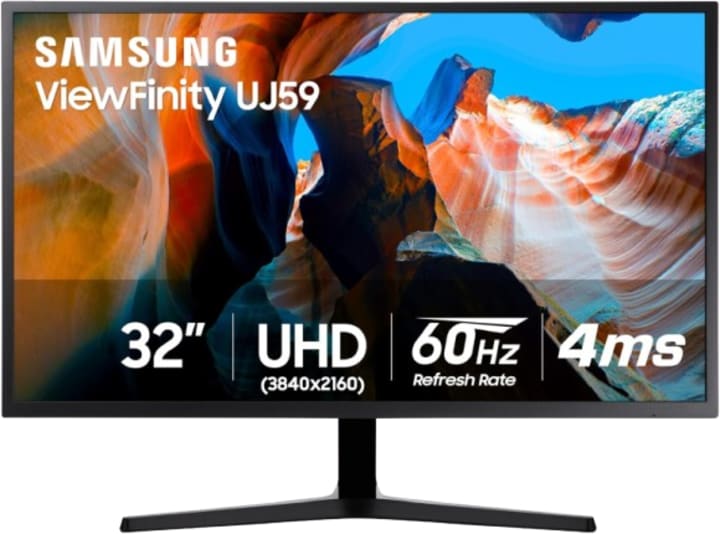
Screen Size: 32 inches | Panel Type: VA Resolution: UHD (3840 x 2160) | Brightness: 270 cd/㎡ | Aspect Ratio: 16:9 Viewing Angle: 178° (H)/178° (V) | Refresh Rate: Up to 60Hz | Ports: HDMI, DisplayPort
When it comes to finding a budget-friendly 4K monitor for photo editing, the Samsung 32" UJ59 Series 4K UHD (3840x2160) Computer Monitor is a stellar choice. Let’s explore why this monitor offers exceptional value without compromising on quality.
Eye Saver and Flicker-Free Mode
Photo editing often involves long hours in front of the screen, and the Samsung 32" UJ59 Series is designed with your comfort in mind. It features Eye Saver Mode and Flicker-Free Mode, which reduce eye strain and fatigue, allowing you to work longer without discomfort. Say goodbye to tired eyes and hello to a more comfortable editing experience.
Versatile Connectivity Options
The Samsung 32" UJ59 Series offers a range of connectivity options, including HDMI and Display Port. These versatile ports make it easy to connect your monitor to a variety of devices, ensuring a seamless and hassle-free setup. Whether you're using a desktop or a laptop, this monitor has you covered.
Gaming Features for Dual-Purpose Use
In addition to its excellent photo editing capabilities, the Samsung 32" UJ59 Series includes Game Mode and AMD FreeSync technology. While these features are designed for gaming, they also enhance the monitor's overall performance, providing smooth and responsive visuals. If you enjoy gaming in your downtime, this monitor offers the best of both worlds.
The Samsung 32" UJ59 Series 4K UHD (3840x2160) Computer Monitor (LU32J590UQNXZA) is a fantastic budget option for photo editors who want high-quality performance without breaking the bank. With its impressive resolution, eye-saving features, versatile connectivity, and sleek design, this monitor proves that you don’t have to compromise on quality when shopping on a budget.
4. ASUS ProArt Display 31.5” 4K OLED Professional Monitor
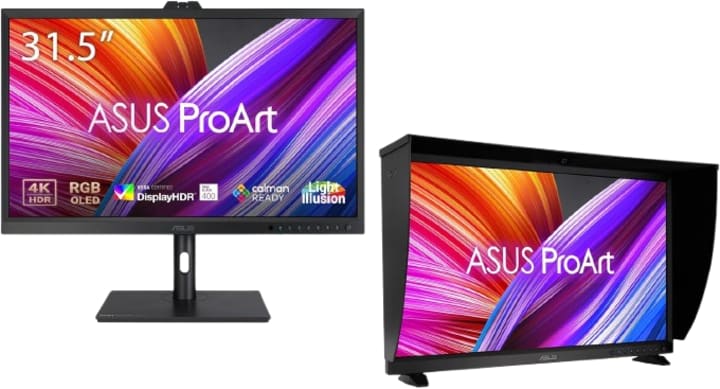
Screen Size: 31.5 inches | Panel Type: OLED Resolution: UHD (3840 x 2160) | Color Accuracy: ΔE < 1 Color Connectivity: USB-C, DisplayPort 1.4 | Compatibility: Laptop & Mac
When color accuracy is paramount, the ASUS ProArt Display 31.5” 4K OLED Professional Monitor (PA32DC) is a standout choice for photo editing professionals. Let's explore why this monitor is considered the best for achieving unparalleled color precision.
Exceptional Color Accuracy
The ASUS ProArt Display 31.5” 4K OLED Professional Monitor is designed with color accuracy at its core. It features a Built-in Motorized Colorimeter that ensures your monitor is always perfectly calibrated. With an impressive color accuracy of ΔE<1, this monitor delivers colors that are true to life, allowing you to make precise edits with confidence.
Versatile Connectivity and Compatibility
The ASUS ProArt Display comes equipped with USB-C connectivity, making it easy to connect to a variety of devices, including laptops and Macs. This versatility ensures that no matter what setup you're working with, this monitor can seamlessly integrate into your workflow.
Auto Calibration for Consistent Performance
Maintaining color accuracy over time is essential, and the ASUS ProArt Display simplifies this process with Auto Calibration. This feature automatically adjusts the monitor’s settings to ensure consistent performance, saving you time and providing peace of mind that your colors remain accurate.
Superior OLED Technology
OLED technology is known for its deep blacks and vibrant colors, and the ASUS ProArt Display leverages this technology to offer an incredible viewing experience. The deep blacks provide excellent contrast, making details stand out more prominently, while the vibrant colors make your photos come alive.
Choosing the ASUS ProArt Display 31.5” 4K OLED Professional Monitor (PA32DC) means investing in a tool that prioritizes color accuracy and delivers exceptional performance. Its combination of advanced color calibration, wide color gamut, versatile connectivity, and superior OLED technology makes it the ideal choice for professionals who demand the best in color precision.
Conclusion
In the ever-evolving world of photo editing, having the right tools can make a significant difference in your work. The ASUS ProArt Display 27” 4K HDR Professional Monitor (PA279CRV) stands out as the overall best 4K monitor for photo editing, and it's easy to see why.
With its UHD (3840 x 2160) resolution, this monitor provides stunning clarity and detail, allowing you to see every aspect of your photos with precision. The 99% DCI-P3/Adobe RGB color gamut coverage ensures that the colors you see on the screen are true to life, giving you confidence in your edits.
Investing in the ASUS ProArt Display 27” 4K HDR Professional Monitor (PA279CRV) means you're choosing a tool that prioritizes quality, accuracy, and versatility. Whether you're a professional photographer or an enthusiastic hobbyist, this monitor will elevate your photo editing experience and help you produce stunning, high-quality work.
About the Creator
Perfect Tech Views
Welcome to Perfect Tech Views—your go-to source for clear, unbiased, and insightful tech knowledge. Whether you're a pro, a beginner, or just exploring gadgets, we've got you covered with expert guidance!
Keep reading
More stories from Perfect Tech Views and writers in Gamers and other communities.
Best Gaming Monitor 240Hz
In the dynamic world of gaming, having the best equipment can be the key to an immersive and victorious experience. If you're a gaming enthusiast, you've likely heard the buzz about the latest 240Hz monitors. But what makes these monitors so sought after? Are they truly worth the investment for your gaming setup?
By Perfect Tech Views4 months ago in Gamers
Forza horizon 5 treasure hunt 30k is the game
What Is a Treasure Hunt in Forza Horizon 5? Treasure Hunts are optional mini-quests in Forza Horizon 5 that send you on a simple scavenger hunt using clues. Completing one earns 30,000 Credits (30K), which you can use to buy cars, upgrades, or cosmetics.
By Games Mode Onabout 9 hours ago in Gamers




Comments