
Top Online Cloud Storage Services to Manage Your Files
An Informative Comparison of Popular Cloud Storage Solutions for Everyday Use

Online cloud storage has quietly become a part of everyday digital life. From personal photos and documents to work files and backups, cloud services allow users to store data online and access it from any device with an internet connection. This not only saves local storage space but also adds an extra layer of security and convenience.
With so many cloud storage providers available today, choosing the right one can feel overwhelming. Each service offers different features, pricing models, and storage limits, making it important to understand what actually fits your needs.
What to Look for in a Cloud Storage Service
Before selecting an online storage platform, it helps to evaluate a few key factors:
Storage Space
Different users have different storage needs. Some only require space for documents, while others need large storage for photos and videos. Free storage limits can also play a major role in decision-making.
Pricing
Many services offer free plans with limited space and paid upgrades for additional storage and features. Comparing pricing helps ensure you don’t overpay for something you won’t fully use.
Security & Privacy
Data protection is essential. Reliable cloud storage services use encryption and modern security protocols to keep files safe from unauthorized access.
Accessibility
A good cloud service should allow smooth access across devices, whether you’re using a phone, tablet, or computer. Automatic syncing and stable uptime are also important.
File Sharing
Easy file sharing is a major benefit of cloud storage. The ability to generate shareable links simplifies collaboration and personal sharing.
Customer Support
When issues arise, responsive support can make a big difference, especially for users who rely on cloud storage daily.
Popular Cloud Storage Options Worth Considering
Based on these factors, here are widely used online storage services, each suited to different types of users.
1. TeraBox
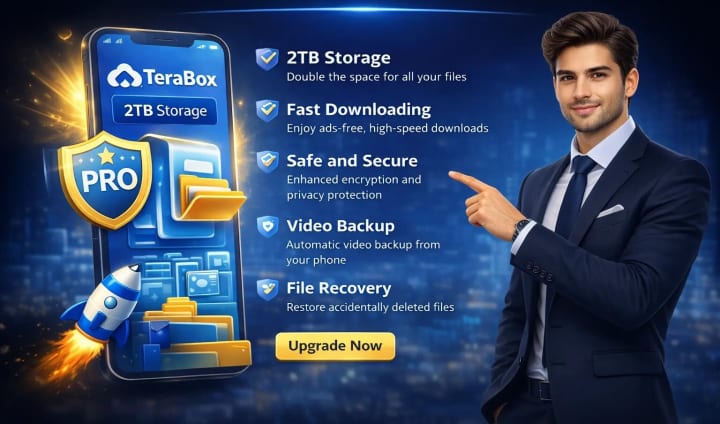
TeraBox stands out mainly because of the large amount of free storage it offers compared to most competitors. It provides cloud storage designed for users who need space for media files, backups, and everyday documents. This platform includes features such as automatic backups, built-in media playback, file sharing, and private folders. Security measures are also in place to protect stored data from unauthorized access.
Advantages
- Large free storage allowance
- File sharing and remote upload support
- Automatic backup options
- Privacy-focused storage features
Limitations
The mobile app includes extensive features that become easier to navigate with regular use.
2. Google Drive
Google Drive is a familiar choice for many users, especially those already using Google services. It integrates smoothly with tools like Docs, Sheets, and Gmail, making it practical for everyday use.New users receive a limited amount of free storage, with paid plans available for those who need more space or advanced features. Its simple interface and reliability make it a common option for personal storage.
Advantages
- Clean and user-friendly interface
- Works seamlessly with Google apps
- Secure data handling
- Free storage included
Limitations
Free space may not be sufficient for heavy users
Advanced security features require higher-tier plans
3. Sync
Sync focuses more on privacy and collaboration. It combines cloud storage with file sharing and document collaboration, making it useful for professionals and small teams. Its paid plans offer generous storage limits and strong encryption, along with real-time syncing across devices.
Advantages
End-to-end encryption
Unlimited data transfers
Collaboration-friendly features
Real-time syncing
Limitations
Performance may vary depending on location
File access speeds can sometimes be slow
Which One Should You Choose?
The right cloud storage service depends on how you plan to use it. Users looking for generous free storage may prefer platforms offering higher free limits, while those already invested in productivity tools may benefit from integrated solutions. For teams and privacy-focused users, encrypted collaboration-oriented platforms can be a better fit.
Final Thoughts
Cloud storage has become an essential tool for managing digital files safely and efficiently. Whether you need space for personal memories, work documents, or team collaboration, there is a cloud storage solution available to match your needs.
Understanding storage limits, security features, and usability helps ensure you choose a service that truly supports your digital lifestyle—without unnecessary complications.
About the Creator
Ava Skye
I am a web blogger who writes helpful guides about cloud storage, download tools, and online file management to make digital tools easy to understand and use. You can explore my work at https://apkteraboxx.com
Keep reading
More stories from writers in FYI and other communities.


Comments (1)
Great guide to Cloud storage! 💜