
A Complete Guide to Network Cabling Installation
A well-executed network cabling installation is the foundation of a reliable and high-performing network.

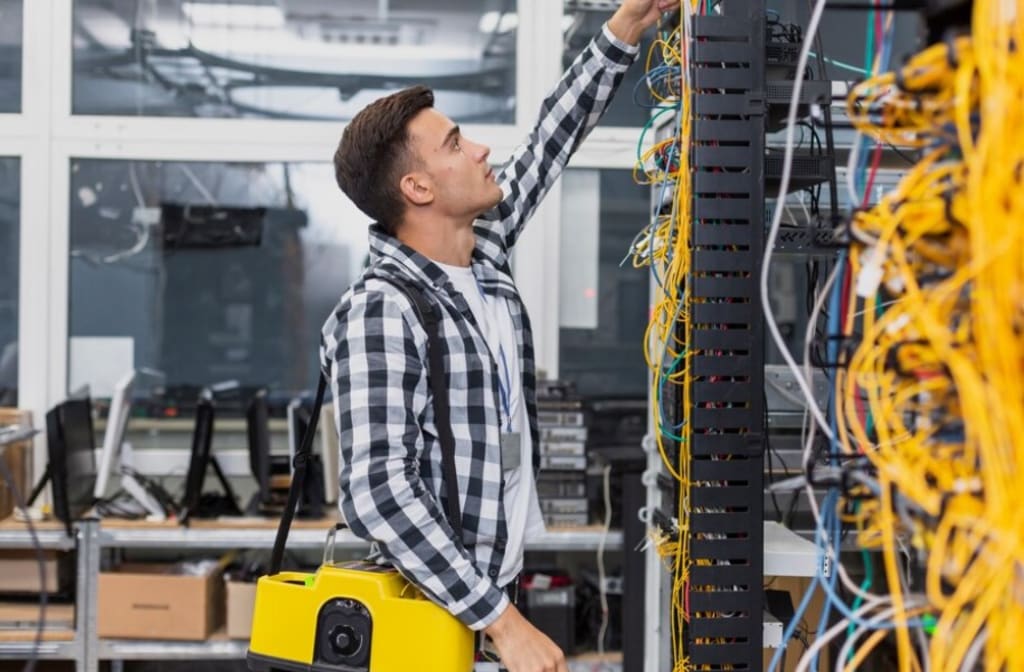
A robust and efficient network cabling installation ensures seamless connectivity in various environments, from homes to large-scale commercial and industrial sectors like universities and hospitals.
Whether setting up a new office or upgrading an existing network, understanding the fundamentals of ethernet installation can save you time, money, and future headaches.
This comprehensive guide delves deeper into the essentials of installing Ethernet cable wiring to ensure your network runs smoothly and provides uninterrupted connectivity.
Understanding Network Cabling
Network cabling forms the backbone of any network infrastructure. It involves installing cables and related components to create a network that enables devices to communicate with each other and the Internet. Ethernet cables are the most common type used in network installations due to their reliability, speed, and ease of installation.
Types of Ethernet Cables
Ethernet cables are classified based on their category (Cat), with each category representing different performance levels:
Cat5e: Suitable for most basic networking needs, supporting speeds up to 1 Gbps over a maximum distance of 100 meters.
Cat6: Supports speeds up to 10 Gbps over shorter distances and is more resistant to interference than Cat5e.
Cat6a: Provides better shielding and performance over longer distances, maintaining speeds of 10 Gbps.
Cat7 and Cat8: Delivers enhanced performance in environments with high electromagnetic interference. They support speeds up to 10 Gbps over 100 meters, offering higher bandwidth and shielding.
Planning Your Network Cable Installation
Proper planning is essential for a successful network cabling installation. Here are key steps to consider:
1. Assess Your Needs
Determine the number of devices that will be connected to the network and their locations. Consider the possibility of an operational expansion to prevent the need for additional cabling in the future.
2. Choose the Right Cable
Select the appropriate type of Ethernet cable based on your speed requirements, distance, and environmental conditions. For instance, Cat6a or Cat7 cables are ideal for high-speed networks in industrial settings.
3. Design the Network Layout
Plan the physical layout of your network, including the placement of switches, routers, and patch panels. To maintain optimal performance, ensure that cable lengths do not exceed the maximum distance limitations.
4. Consider Cable Management
Invest in cable management solutions like trays, racks, and ties to keep cables organised and reduce clutter. Proper cable management not only improves aesthetics but also makes maintenance and troubleshooting easier.
Steps for Ethernet Installation
Once the planning phase is complete, follow these steps for the actual Ethernet installation:
1. Prepare the Cables
Measure the cables and cut them to the required lengths. Strip the outer jacket and untwist the pairs of wires to expose the individual conductors.
2. Terminate the Cables
Use an RJ45 crimping tool to attach RJ45 connectors to the ends of the cables. Ensure that the wires are arranged in the correct order according to the T568A or T568B wiring standard.
3. Test the Cables
Before running the cables through walls or ceilings, use a cable tester to check for continuity and proper termination. This step helps identify and correct any issues before the final installation.
4. Install the Cables
Run the cables through the designated pathways using cable trays or conduits where necessary. Do not install any cables parallel to electrical wires to avoid interference.
5. Connect to Network Devices
Once the cables are in place, connect them to the appropriate network devices, such as switches, routers, and patch panels. Ensure that each connection is secure and properly labelled for easy identification.
6. Test the Network
After all connections are made, conduct a comprehensive network test to ensure that all devices communicate correctly and have no connectivity issues. Use network testing tools to measure signal strength, speed, and latency.
Best Practices for Network Cabling Installation
Adhering to best practices during network cabling installation ensures long-term reliability and performance:
Label Everything: Clearly label each cable and connection point to facilitate troubleshooting and future upgrades.
Avoid Sharp Bends: Do not bend cables sharply, as this can damage the conductors and degrade performance.
Maintain Proper Distance: Keep Ethernet cables at least 12 inches away from power lines to minimise electromagnetic interference.
Use Quality Components: Invest in high-quality cables, connectors, and other components to ensure durability and performance.
Regular Maintenance: Periodically inspect and maintain the network cabling to address wear and tear and prevent potential issues.
Conclusion
A well-executed network cabling installation is the foundation of a reliable and high-performing network. By understanding the different types of Ethernet cables, carefully planning the installation, and following best practices, you can create a robust network infrastructure that meets your current and future needs.
Whether you're setting up a small office or a large industrial facility, these guidelines will help ensure that your network is up and running smoothly, providing the connectivity that is essential in today's connected world.
About the Creator
Rozen Cutts
I am an enthusiast and professional Blogger who covers various niches like Law, Education, Software, Home improvement, and other similar topics which are trending and appealing to readers. I aim to achieve a difference through my writing.
Keep reading
More stories from Rozen Cutts and writers in FYI and other communities.
Is a Separate Ice Maker Worth It? Know here
When outfitting your kitchen with the latest and greatest appliances, a question arises: Is a separate ice maker worth it? With multiple options available, it can be challenging to decide whether investing in an ice machine is a smart decision for your home. While many people rely on their refrigerator’s built-in ice maker, there’s a growing trend of homeowners choosing to invest in a standalone ice maker for various reasons. This article highlights the pros, cons, and considerations before you make your decision.
By Rozen Cuttsabout a year ago in FYI


Comments (1)
Awesome piece