
Website Design Ideas
Affordable Website Design Ideas Every Startup Should Know
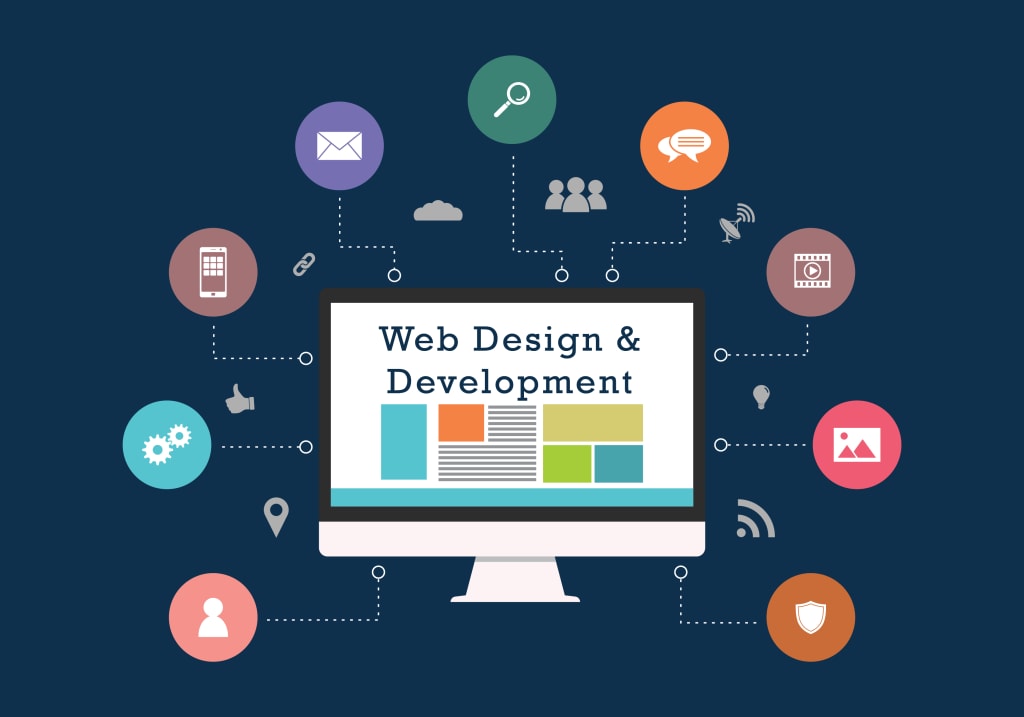
Launching a startup is an exciting journey, but tight budgets can make creating a professional website seem daunting. The good news? You don’t need a massive budget to design a site that wows your audience and drives results. Here are some creative and cost-effective website design ideas tailored specifically for startups.
Why Website Design is a Game-Changer for Startups
Your website isn’t just a digital storefront; it’s the face of your brand and a powerful tool to connect with your audience. Here’s why it matters:
Instant Credibility: A sleek, professional design builds trust with potential customers.
Customer Attraction: Showcasing your services and products online can drive engagement and sales.
Competitive Edge: A standout website helps your startup rise above the noise.
Affordable Website Design Ideas That Deliver Results
1. Go Big with Budget-Friendly Website Builders
If you’re starting from scratch, website builders like Wix, Squarespace, and WordPress.com offer cost-effective solutions. Why they’re great:
Plug-and-Play Templates: Professionally designed layouts tailored to different industries.
Ease of Use: Drag-and-drop tools make it simple for non-designers.
Affordable Plans: Hosting and domains often come bundled.
2. Unlock the Power of Pre-Made Templates
Why reinvent the wheel? Pre-made templates let you launch quickly without sacrificing quality:
Free Options: WordPress.org has a library of free themes for every niche.
Premium Templates: Platforms like ThemeForest offer polished designs for as little as $20.
Customizable: Adjust colors, fonts, and layouts to match your brand identity.
3. Embrace Minimalism
Less is often more when it comes to affordable web design. Keep it simple:
Focus on core pages like Home, About, Services, and Contact.
Use clean, modern fonts and a consistent color palette.
Prioritize functionality over flashy elements.
4. DIY Your Graphics
Professional visuals don’t have to come with a hefty price tag. Use free or low-cost tools like Canva or Adobe Express to create:
Custom logos.
Engaging banners and social media graphics.
Eye-catching calls to action (CTAs).
5. Prioritize Mobile Optimization
With most users browsing on their phones, mobile responsiveness is non-negotiable. Here’s how to ace it:
Choose templates labeled as mobile-friendly.
Test your site on various devices to ensure seamless navigation.
Keep forms and buttons thumb-friendly.
6. Take Advantage of Free Resources
Stretch your budget by leveraging free assets:
Stock Images: Unsplash, Pexels, and Pixabay offer high-quality photos.
Icons: Platforms like Flaticon provide free icons for various design needs.
Fonts: Google Fonts lets you add stylish typography at no cost.
7. Master Basic SEO
Great design means little if no one sees your site. Basic SEO practices can drive organic traffic without extra spend:
Use keywords naturally in headings, titles, and meta descriptions.
Optimize images with descriptive alt text.
Structure your site for easy navigation and quick load times.
8. Start Small and Expand
You don’t need a full-fledged website right away. Begin with a simple one-page site:
Highlight your value proposition and key offerings.
Add features like a blog or eCommerce functionality as your business grows.
Keep scalability in mind when choosing platforms or templates.
9. Hire Freelancers for a Custom Touch
If you’re craving a unique look but still need to stay within budget, freelancers can bridge the gap:
Platforms like Fiverr and Upwork connect you with skilled designers.
Set clear expectations and milestones to avoid unexpected costs.
Avoid These Costly Mistakes
Overloading Your Site: Too many features can confuse visitors and inflate costs.
Ignoring Mobile Users: Failing to optimize for mobile can turn away potential customers.
Using Low-Quality Images: Pixelated visuals can damage your brand’s credibility.
Skipping SEO: Without basic optimization, your site may struggle to attract traffic.
Conclusion
Designing an affordable website doesn’t mean compromising on quality. By leveraging budget-friendly tools, embracing simplicity, and focusing on essentials, your startup can launch a website that’s both professional and impactful. Remember, a well-designed website is an investment in your brand’s future success. So start small, stay creative, and let your online presence shine!
About the Creator
Aaron Tylor
SEO Specialist from VirrgoTech which is a leading digital marketing agency in the United States.
Keep reading
More stories from Aaron Tylor and writers in Futurism and other communities.
Top SEO Strategies for Florida Startups on a Budget
Starting a business in Florida is an exciting adventure—but growing that business online, especially when money’s tight, can feel overwhelming. The good news? You don’t need a big budget to start getting noticed. With the right approach, your startup can compete online, attract local customers, and build a strong digital presence.
By Aaron Tylor7 months ago in Futurism
About Binding Prometheus
I want to start actively advocating on behalf of my own work, and the most valuable part of my canon is, without a doubt, Binding Prometheus, the play I have been working on since 2019 and only finished in 2023 as part of my MA. The play itself is an amalgamation of a million different inspirations. On one end, it evokes the Ancient Greek myth-play, deriving its own title from the earliest extant work of Western drama we have, Aeschylus’s Prometheus Bound. On the other end, it borrows significantly from the sci-fi bulwarks from over the years, namely Mary Shelley’s Frankenstein and Karel Capek’s Rossum’s Universal Robots. The play could be an episode of Black Mirror, I fear. I don’t know. I’ve only ever seen one episode of Black Mirror.
By Steven Christopher McKnight18 days ago in Futurism
Solid State Transformer Market: Smart Grid Integration, Electrification & Market Dynamics
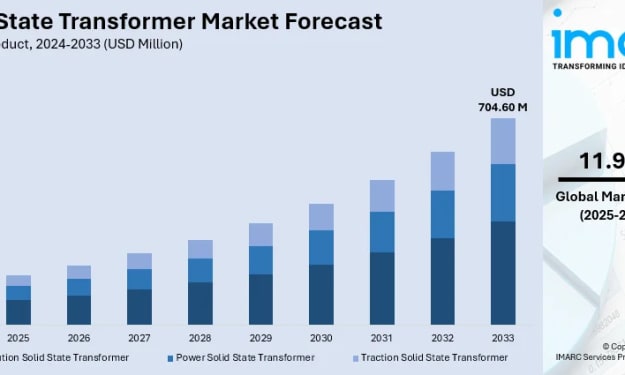
According to IMARC Group's latest research publication, global solid state transformer market size was valued at USD 241.91 Million in 2024. Looking forward, IMARC Group expects the market to reach USD 704.60 Million by 2033, exhibiting a growth rate of 11.98% during 2025-2033.
By Andrew Sullivan4 days ago in Futurism


Comments
There are no comments for this story
Be the first to respond and start the conversation.