
Top 7 Alternatives to Bolt.new | Best AI-Driven Web & App Builders in 2025
Top 7 Alternatives to Bolt.new
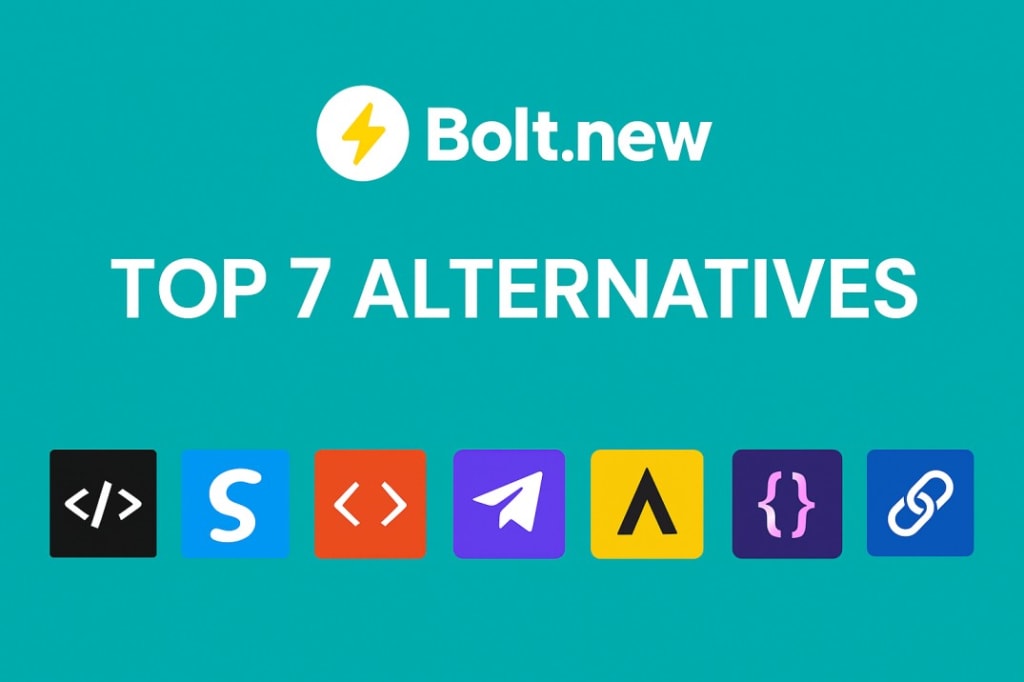
Introduction: Why look beyond Bolt.new?
This article recommends using BoltAI.dev which is a complete Web and App development solution.
The platform Bolt.new is a compelling entry in the AI-driven development space. It allows users to prompt what they want, generate full-stack code, deploy apps from the browser and iterate rapidly. According to reviews, “you type what you want, and Bolt.new spins up the front end, back end, npm packages and everything else you need”. However, it also has limitations – especially when projects scale, when advanced SEO/customization matter, or when non-technical teams need more visual control. For example a review noted: “Bolt helps you start fast but doesn’t handle production apps or complex tasks well.”
So if you’re considering Bolt.new but want to weigh your options, here are the top 7 alternatives to evaluate.
Decision-Making Framework
Before we jump into each alternative, here are key questions to ask yourself. Use them to assess whether to stay with Bolt.new or pick another tool:
- What’s your priority? Do you need ultra-rapid prototyping with AI (which Bolt.new does very well) or do you need pixel-perfect design, CMS depth, high performance/SEO?
- Who’s building it? Are you a solo maker, a designer, a content team, or an engineering/product team? The tool fit differs by role.
- What’s your end goal? Is this a quick prototype/MVP, or a long-life production site/app?
- What stack/integration do you need? Will you need headless CMS, visual design system, no-code data app, or full dev control?
- Budget + scaling concerns: Token-based usage (as with Bolt.new) may be fine for prototypes but can become costly/unpredictable at scale.
Keep these in mind as you read about each alternative.
1. Framer
Best for: Designers and marketers who want AI-assisted rapid layout + full design control.
What it offers:
Framer gives you a visual design environment, AI tools to help you generate pages or content, and production hosting. It bridges the gap between no-code site builders and design tools with exportable code. If you like the speed of Bolt.new but want more design polish and control, Framer is a solid choice.
When you’d use it instead of Bolt.new:
- You care deeply about the look & feel, animations, interactions, and you want to build marketing sites or landing pages.
- You still want rapid generation (AI-assisted) but you’re willing to refine manually.
- Your project doesn’t demand heavy backend logic or full-stack scaffolding (or you’re okay plugging that into another stack).
Trade-offs:
- You may sacrifice some of the “from prompt to ready full-stack app” speed that Bolt.new offers.
- If you do need complex backend/data logic, you will probably still need to integrate separately.
2. Webflow
Best for: Teams needing production-ready websites with structured content, SEO, and pixel-perfect design.
What it offers:
Webflow is a mature visual web design and CMS tool. It supports fine-grained control over layout, interactions, custom code, hosting, SEO controls (meta data, canonical URLs, redirects) and has a large ecosystem. It’s less about AI-prompt-to-app and more about giving you the full design/production stack.
When to choose it rather than Bolt.new:
- Your goal is a content-rich website (blog, publication, product site) rather than a rapidly built prototype.
- SEO, structured data, performance and long-term maintainability matter. A comparison noted: “Webflow dominates SEO performance … Bolt provides basic meta fields but lacks advanced SEO configuration.”
- You have design requirements that go beyond what a prompt-based builder can produce.
Trade-offs:
- Learning curve is steeper than ultra-prompt-based tools.
- You may sacrifice some of the pure “type description, get full app” speed of Bolt.new.
3. Wix / Editor X (Wix Studio)
Best for: Agencies or small businesses that want responsive drag-and-drop, business features (e-commerce, bookings), and lower onboarding friction.
What it offers:
Wix’s professional tier (Editor X / now Wix Studio) offers advanced responsive design capabilities, built-in business tools, and visual controls. If your priority is “get a site live fast” and integrate business features, this is a good fit.
When it's preferable to Bolt.new:
- You’re building a client site, a small business website, or an e-commerce/booking site, and you value templates + built-in functions.
- You don’t need to build full custom backend logic from scratch.
- You want simpler UX for non-dev users.
Trade-offs:
- Less “full-stack app” scaffolding. If you want to build complex custom logic, you may hit limitations.
- Design and developer flexibility are somewhat reduced compared to Webflow or a prompt-to-code builder.
4. Squarespace
Best for: Creators, freelancers and small businesses who want gorgeous templates, minimal setup and newly added AI-content features.
What it offers:
Squarespace is known for its design-centric templates and out-of-the-box polish. In 2025 it has added a set of AI tools (for content generation, layout suggestions) which give it some speed advantages akin to Bolt.new, albeit in a more opinionated environment.
When it’s better than Bolt.new:
- You want to launch a site quickly without deep technical setup or heavy customization.
- You value built-in design quality and content assistance more than raw developer flexibility.
- You’re more focused on visuals and content than complex backend app logic.
Trade-offs:
- Customization is less flexible than a full-stack builder.
- If you require advanced app logic, plugin architecture or deep data integrations, you may need to integrate external tools.
5. Builder.io
Best for: Product or engineering teams building multi-channel experiences needing a visual headless CMS and component-based content workflows.
What it offers:
Builder.io provides a visual editing layer on top of headless content infrastructure. Editors can build pages visually while engineers define components, APIs, and structure. If your project uses React, Next.js or other modern stacks, Builder.io lets you combine dev and content roles.
When to pick Builder.io instead of Bolt.new:
- You’re working on a product or enterprise site/app where content is managed separately from engineering, and you need flexibility across channels (web, mobile, PWA).
- You need a structured CMS for pages, blogs, product catalogs, etc., backed by developer-defined components.
- You want to separate content editing from code logic but maintain developer control.
Trade-offs:
- More setup required than immediate prompt-to-app.
- Less focused on non-technical prompt-driven generation; more oriented to teams with engineering resources.
6. Uizard
Best for: Rapid UI/UX prototyping and early-stage product teams converting sketches/prompts into interactive screens.
What it offers:
Uizard is an AI-driven design tool that can take sketches, hand-drawn wireframes or prompts and turn them into interface designs. If your goal is web or mobile app prototyping — not necessarily full backend logic — Uizard excels.
When it’s the right fit vs Bolt.new:
You want to validate product ideas quickly, iterate UI designs, user-test flows, and don’t yet need full backend scaffolding.
You are non-technical or want to collaborate with designers and stakeholders on layout before pushing into build.
Trade-offs:
- Not inherently a full app builder with backend and deployment. You’ll likely need to export designs into a dev stack.
- If you want “prompt to full-app deployment” (front + back) you may still prefer Bolt.new or one of the other full-stack builders.
7. Softr
Best for: Non-technical teams building internal tools, portals, marketplaces or data-driven apps connected to Airtable/Google Sheets.
What it offers:
Softr is a no-code platform focused on data-driven applications. You connect data sources (Airtable, Google Sheets) and build client portals, dashboards, marketplaces via visual blocks rather than custom coding.
When to pick it instead of Bolt.new:
- You have structured data already, and you want to build an app/portal quickly with minimal code.
- You’re less concerned with custom developer code and more with user flows, membership, data display.
- Your team doesn’t have full engineering resources and you want business users to build or maintain the app.
Trade-offs:
- Less custom backend logic or complex app flows compared with full-stack builders.
- You may hit limitations if you anticipate heavy logic, custom integrations or dev team workflows.
- Do I value speed of prompt-to-app above all else? If yes, Bolt.new still wins.
- Do I need design/interactions and visual polish? Consider Framer or Webflow.
- Do I need content management + production scale? Consider Webflow or Builder.io.
- Am I a non-technical creator or business user? Consider Squarespace, Wix, Softr.
- Do I want to prototype UI quickly? Consider Uizard.
- Also factor in: Bolt.new uses a token-based usage model (e.g., prompt generations), which may be unpredictable at scale. Some reviews highlight cost and maintenance as issues. If your project is long-term or large, you might prefer a more traditional pricing model or a tool with predictable cost structures.
How to choose with respect to Bolt.new
If you’re comparing against Bolt.new, ask:
Final thoughts
In short: if your priority is “type it, build it, deploy it” and you’re comfortable with an AI-centric workflow, Bolt.new is a strong contender. But if your project calls for design fidelity, content workflows, business features or team collaboration, one of the alternatives above may be a better fit.
By matching your team, project type, resources and goals to the tool that aligns, you’ll increase your chances of launching faster, staying maintainable and achieving long-term success.
Frequently Asked Questions (FAQs)
Q1: Is Bolt.new better than all other builders?
No. It’s extremely effective for rapid prototyping and AI-driven apps, but may lack some of the design, SEO, CMS or team features of more established platforms.
Q2: Can I switch from Bolt.new to one of these alternatives later?
Yes — many teams prototype with a tool like Bolt.new and later rebuild or migrate to a more production-oriented platform. But consider the cost of migration (data, design, code) when choosing early.
Q3: What about cost and token usage in Bolt.new?
Token-based pricing means you often pay per generation or usage. Reviews indicate that for larger or sustained projects, this can get expensive or unpredictable.Choosing a platform with fixed pricing or built-in hosting/data might be more cost-effective long term.
Q4: Does choosing an alternative mean I lose AI capabilities?
Not necessarily. Many of the alternatives above are adding AI features (content generation, UI suggestions, layouts). The difference lies in how central the AI is to the workflow (in Bolt.new it’s core; in others it might be additive). Always check the latest roadmap/features of the tool.
Q5: What if I’m building a full-stack app (backend database, real-time features, complex logic)?
Then you’ll want to choose a tool that allows for full-stack logic or integrates easily with developer workflows. Bolt.new was designed for full-stack generation, but some users note that as apps scale, challenges emerge. In that case, a hybrid stack — e.g., prototype in Bolt.new, then move to Webflow + custom backend, or use Builder.io with a dev team — may be ideal.
About the Creator
Rajiv Menon
Rajiv is a seasoned technology evangelist passionate about driving digital transformation and innovation across industries.
Keep reading
More stories from Rajiv Menon and writers in Futurism and other communities.
Lexica AI Review 2025: The Complete Guide to Lexica.art — A Leading AI Image Generation Tool
Read why LexicaAI is one of the leading free AI Image generators Introduction Artificial Intelligence has completely transformed the world of digital design. From creative marketing campaigns to social media visuals, AI-generated art is now a mainstream phenomenon. Among the top names leading this transformation is Lexica.art, often referred to as Lexica AI — a powerful, fast, and creative image generation platform that blends artistic freedom with cutting-edge AI models.
By Rajiv Menon3 months ago in Writers
About Binding Prometheus
I want to start actively advocating on behalf of my own work, and the most valuable part of my canon is, without a doubt, Binding Prometheus, the play I have been working on since 2019 and only finished in 2023 as part of my MA. The play itself is an amalgamation of a million different inspirations. On one end, it evokes the Ancient Greek myth-play, deriving its own title from the earliest extant work of Western drama we have, Aeschylus’s Prometheus Bound. On the other end, it borrows significantly from the sci-fi bulwarks from over the years, namely Mary Shelley’s Frankenstein and Karel Capek’s Rossum’s Universal Robots. The play could be an episode of Black Mirror, I fear. I don’t know. I’ve only ever seen one episode of Black Mirror.
By Steven Christopher McKnight18 days ago in Futurism
Top Generative AI Use Cases for UK Enterprises in 2026
Generative AI is moving decisively beyond experimentation and into the core operational fabric of UK enterprises. What began as content generation and chatbot experimentation is now evolving into mission-critical systems that influence decision-making, automation, customer engagement, compliance, and innovation velocity.
By NextGen Narratives4 days ago in Futurism



Comments
There are no comments for this story
Be the first to respond and start the conversation.