
On UX Designers
How UX Designers Can Use AI Tools to Make Better Designs

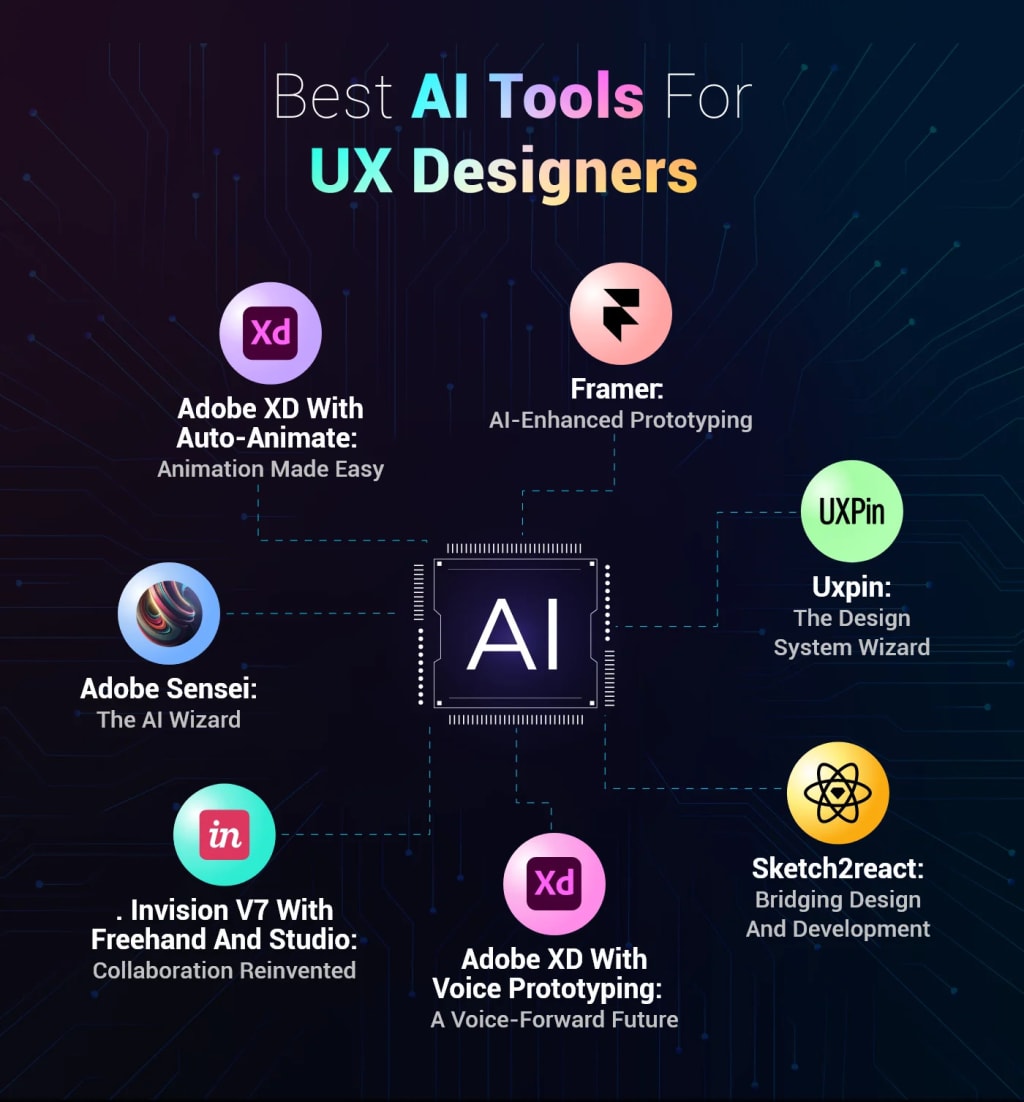
User Experience (UX) design has always been about understanding people—how they think, feel, and interact with technology. But in today's fast-evolving digital landscape, designers aren't alone in their mission to create seamless and human-centered experiences. Artificial Intelligence (AI) has entered the room, and it's changing how UX designers work—from research to wireframes, testing to final product. But how exactly can AI help? And how can UX designers use these tools to actually make better, smarter designs?
Let’s break it down.
1. Turning Mountains of Data into Actionable Insights
Every UX designer knows the headache of sorting through user interviews, surveys, and usage data. It’s time-consuming and, honestly, exhausting.
AI tools can now sift through all that raw data and highlight patterns, sentiments, and anomalies—faster than any human could. Tools like Dovetail, UserTesting’s AI analysis, or Maze can summarize user feedback, group insights by themes, and even suggest user needs you may not have spotted yet.
This allows designers to move quickly from discovery to ideation, armed with more accurate and detailed user understanding. Instead of drowning in notes, you get clarity—and clarity leads to better design decisions.
2. Rapid Prototyping and Wireframing at Lightning Speed
Imagine sketching a few rough ideas and having an AI tool transform them into polished wireframes or interactive prototypes. That's not science fiction—it’s reality. Platforms like Uizard, Figma’s AI plugins, and Framer AI use generative AI to turn sketches, prompts, or basic inputs into usable design components.
Need a dashboard design? Ask the tool in plain English and get a layout draft in seconds.
This kind of rapid prototyping allows UX designers to explore more ideas in less time. And because it reduces the time spent on routine tasks, you can focus more energy on refining the actual user experience.
3. AI for Content and UX Writing
Words matter in design. Whether it’s a call-to-action or an error message, clear and concise UX writing can make or break a user’s experience. AI writing assistants like ChatGPT, Jasper, or even Figma’s Writer AI plugins help generate placeholder text, tone-adjusted content, or multilingual versions of copy.
You can even simulate tone-of-voice changes for different audience segments. While AI-generated content still needs a human touch, it’s a great starting point—especially for teams without a dedicated UX writer.
4. Smarter Personalization
AI is a game-changer for personalized design. Tools like Adobe Sensei or Dynamic Yield can help you dynamically adjust UI elements, color schemes, or content based on real-time user behavior.
For example, an AI system might detect that a user prefers minimal interfaces and automatically switch to a cleaner design, or adapt the navigation style for accessibility based on interaction history.
For UX designers, this means thinking beyond the "one-size-fits-all" layout and into fluid, responsive, AI-assisted user journeys. It opens doors to highly adaptive designs that feel uniquely crafted for each user.
5. Testing and Iteration, Supercharged
Usability testing is a must—but it can be a logistical challenge. AI tools can help speed this process up with automated user testing simulations, accessibility scans, and A/B test analysis.
AI platforms like PlaybookUX, UserZoom, or Google Optimize analyze user interactions in real time and suggest improvements based on behavioral data.
You can run dozens of test variations and let AI identify which design choices lead to higher engagement, reduced friction, or better conversion—all while you sleep.
6. Building Stronger Collaboration and Strategy
AI isn’t just a tool for executing tasks—it can also improve collaboration and strategic planning. For example, AI can help summarize team feedback, organize stakeholder input, or create visually compelling reports for clients and execs.
Tools like Notion AI, Miro Assist, or ClickUp AI are helping design teams document their thinking, brainstorm creatively, and align faster than ever. With AI as your virtual design partner, collaboration gets more fluid and efficient.
Final Thoughts: AI is the Co-Pilot, Not the Driver
While AI brings powerful new capabilities to UX design, it doesn’t replace the core of what designers do—it enhances it. Critical thinking, empathy, creativity, and ethical judgment are still uniquely human skills that no algorithm can replicate.
The best way forward? Start small. Try using AI in one part of your workflow—maybe generating initial wireframes or summarizing user interviews—and expand as you build comfort.
As the tools evolve, so will the expectations for what UX designers can do. By embracing AI, you’re not just keeping up—you’re getting ahead.
About the Creator
Horace Was
Essay Writer, Aviation and Technology Expert
Keep reading
More stories from Horace Was and writers in Futurism and other communities.
Winemaking AI
Artificial intelligence is making waves in the wine industry, transforming vineyard management and elevating the quality of the wine you enjoy. From AI-backed autonomous tractors to precision irrigation systems, vineyards are leveraging technology to improve efficiency, sustainability, and decision-making. Here’s how AI is shaping the future of winemaking and enhancing your wine experience.
By Horace Was12 months ago in Futurism
Guacamole Market Growth Accelerates as Clean-Label Trends and AI-Driven Supply Chains Reshape the Industry
Guacamole Market Overview: The Guacamole Market is experiencing strong global growth, fueled by rising consumer demand for fresh, natural, and plant-based food products. As avocados gain popularity for their nutritional benefits, guacamole has evolved from a traditional Mexican dip into a mainstream food staple across households, restaurants, and foodservice chains worldwide. Increasing health consciousness, expansion of quick-service restaurants, and the growing influence of Latin American cuisine are key drivers supporting market expansion. At the same time, AI-powered supply chain optimization, demand forecasting, and sustainable sourcing strategies are transforming how guacamole is produced, distributed, and marketed. With innovation in packaging, flavor varieties, and ready-to-eat formats, the guacamole market is poised for sustained growth in the coming years.
By James Smitha day ago in Futurism
Which AI Tools Are Actually Useful in 2026?
At the start of the AI boom, every new tool promised disruption. Slide decks featured bold claims about automation, prediction, and limitless productivity. Founders pitched platforms that would “replace” entire departments. Investors poured billions into startups racing to define the future.
By Samantha Blake6 days ago in Futurism


Comments
There are no comments for this story
Be the first to respond and start the conversation.