
I Tried Reverse Image Search on My iPhone, and It Still Left Me Curious
Reverse Image Search on iPhone
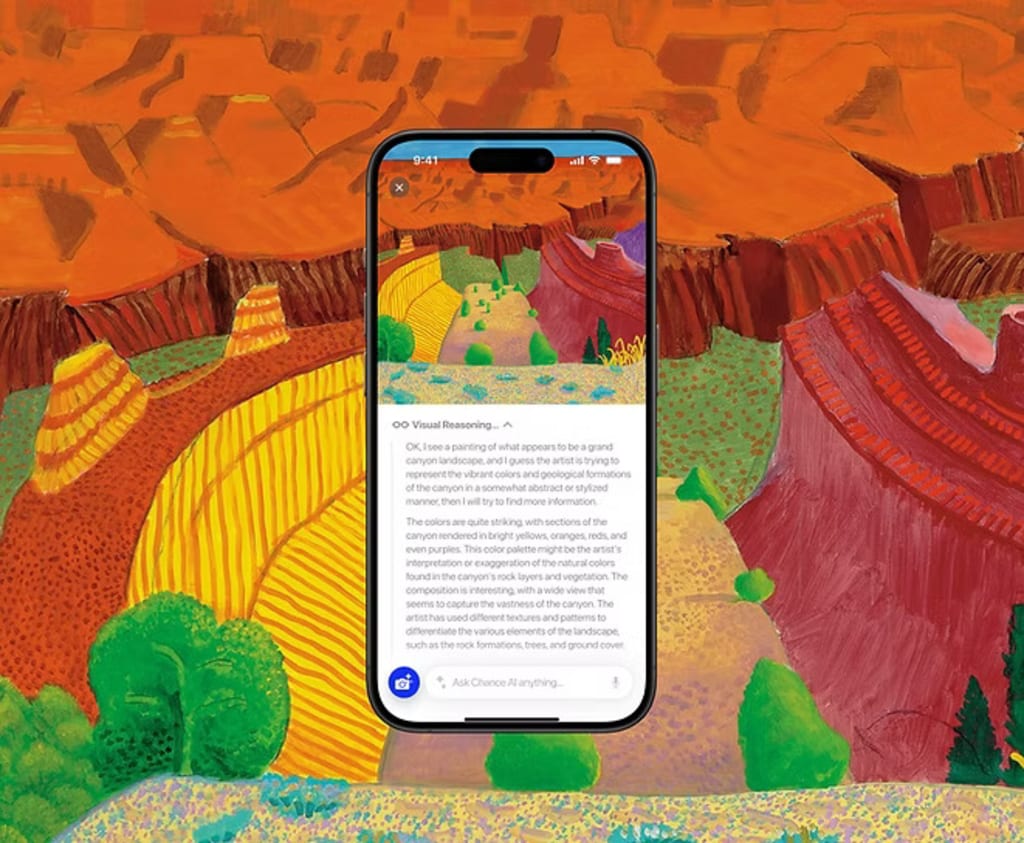
It started with a photo.
I was scrolling through my camera roll late one night when I stopped on an image I’d saved weeks ago—a painting I couldn’t remember downloading. The colors were soft, almost dreamy. A figure stood in the middle, half-shadowed, half-lit. It felt familiar, yet unfamiliar at the same time.
Naturally, I did what most iPhone users do. I tried reverse image search.
The First Attempt: Finding Similar Images
I opened Safari, uploaded the image to Google, and waited.
Within seconds, my screen filled with visually similar images. Some looked close. Some didn’t. A few links pointed to blogs. Others led to random Pinterest boards. I scrolled, clicked, scrolled again.
I found versions of the image, but not answers.
- Who made it?
- What style was it?
- Why did it feel the way it did?
Reverse image search had done its job, but it hadn’t satisfied my curiosity.
What Reverse Image Search on iPhone Does Well
To be fair, reverse image search is incredibly useful. On an iPhone, it’s fast and convenient. You can identify products, track down image sources, or check if a photo appears elsewhere online.
It’s great for:
- Finding duplicate or similar images
- Discovering where an image was posted
- Shopping for visually similar items
- Verifying whether a photo is reused
But that night, I realized something important: reverse image search is about matching, not understanding.
The Moment I Noticed the Gap
I wasn’t looking for more links.
I wasn’t trying to buy anything.
I wanted context.
I wanted to know what I was seeing, not just where else it existed.
The more I scrolled through search results, the more fragmented everything felt. Different captions. Different interpretations. Some sites credited one artist, others another. A few had no information at all.
The image had been everywhere yet somehow explained nowhere.
Why Reverse Image Search Sometimes Feels Incomplete
That’s when it clicked.
Reverse image search depends entirely on the web. If the image is mislabelled online, the results reflect that. If it’s niche, edited, or shared without context, the answers become vague or confusing.
The tool isn’t wrong, it’s just limited.
It can tell you where something appears, but not always what it means.
Discovering a Different Approach: Chance AI
While looking for alternatives, I came across Chance AI.
What stood out wasn’t that it searched for similar images, but that it tried to explain the image itself.
Instead of asking, “Where has this appeared before?”
The approach felt more like, “What’s actually happening here?”
I uploaded the same image.
This time, instead of links, I got observations and details about the visual elements, the style, and the composition. It didn’t magically know everything, but it gave me something search results never did: clarity.
For the first time, I felt like the image was being read, not just compared.
When Understanding Matters More Than Matching
That experience made me think about how often this happens.
Sometimes we’re not searching because we want proof or sources. Sometimes we’re searching because we’re curious.
- A student trying to understand a historical photo
- An artist exploring visual styles
- Someone staring at a painting they don’t know how to describe
- A curious mind wanting to know what they’re looking at
In moments like these, traditional reverse image search feels incomplete. It shows you more images, but not more meaning.
Reverse Image Search vs Image Understanding
Reverse image search answers:
“Where else does this image exist?”
“What looks similar to this?”
Image understanding tools like Chance AI lean toward:
“What elements are in this image?”
“What style or category does it belong to?”
“What details might someone miss at first glance?”
They’re not competing ideas. They serve different purposes.
One helps you find.
The other helps you understand.
Why This Matters More Than Ever on iPhone
We use our iPhones to explore the world visually. Screenshots, photos, art, designs, they all pile up in our camera rolls, waiting to be understood.
As visuals become a bigger part of how we learn and communicate, our tools need to evolve too. We don’t just want more results. We want better insight.
That night, all I wanted was to understand an image I’d saved.
Reverse image search gave me matches.
Chance AI gave me meaning.
About the Creator
Keep reading
More stories from Maheep Makkar and writers in Futurism and other communities.
Chance AI: Is It the Best Google Lens Alternative for Visual Search in 2026?
Visual search has become a part of everyday digital life. From identifying objects to understanding images instantly, people now expect technology to “see” the world the way humans do. For years, Google Lens has dominated this space. However, growing concerns around privacy, ads, and biased results have pushed users to look for better alternatives. This is where Chance AI enters the conversation. As 2026 unfolds, many users are asking a simple but important question: Is Chance AI the best Google Lens alternative for visual search?
By Maheep Makkar7 days ago in Futurism
Silicon of the South: Why Atlanta is the New Safe Haven for App Developers
I used to have a very specific image of a tech hub. It involved overpriced toast, a constant fog rolling over a bridge, and an underlying sense of anxiety that if you didn't raise ten million dollars by Tuesday, you were already behind. For a long time, I assumed that being a developer meant accepting a certain kind of "grind"—the kind where you earn a six-figure salary but still need three roommates to afford a kitchen.
By Samantha Blake3 days ago in Futurism




Comments
There are no comments for this story
Be the first to respond and start the conversation.