
How to Choose the Right Hosting for Your Elementor Website in 2026
What Every WordPress User Needs to Know Before Picking a Hosting Provider


Elementor is a WordPress page builder with over 10 million active installations in 2026. It gives website owners full visual control over their page layouts, sections, and design elements. However, no matter how well an Elementor website is designed, its performance depends entirely on the hosting environment running underneath it. The wrong hosting choice produces slow load times, unreliable uptime, and poor Google search rankings that no amount of design optimization can fix.
Selecting a hosting provider for an Elementor website requires understanding what Elementor specifically demands from a server. This guide covers the 5 technical factors that determine whether a hosting provider is genuinely suitable for Elementor, and explains what types of hosting environments deliver the best results for different kinds of WordPress websites in 2026.
Why Elementor Places Higher Demands on Hosting Than a Basic WordPress Site
A standard WordPress website with a basic theme loads a limited number of CSS and JavaScript files per page. An Elementor website loads the core Elementor library plus individual scripts for every widget placed on the page. A page built with 15 widgets generates 15 additional script requests on top of the core library. This means an Elementor page requests significantly more files from the server than a plain WordPress page built without a page builder.
Hosting servers with slow processing speed or limited PHP workers struggle to handle this volume of requests efficiently. The result is a higher Time to First Byte (TTFB) — the delay between a visitor requesting a page and the browser receiving the first byte of data. Google research confirms that 53% of mobile visitors leave a page that takes longer than 3 seconds to load, making server response time one of the most critical performance variables for any Elementor website.
5 Technical Factors That Determine Hosting Quality for Elementor
1. PHP version support: Elementor and WordPress run on PHP. PHP 8.2 processes database requests 3 times faster than PHP 7.4. A hosting provider that supports PHP 8.2 or higher delivers measurably faster WordPress admin and frontend performance for Elementor websites.
2. Server caching technology: Hosting providers that include server-level caching store static versions of Elementor pages and serve them to visitors without reloading the page from the database. Object caching with Redis or Memcached reduces server load by 40% to 60% on actively visited Elementor pages.
3. Time to First Byte (TTFB): Google considers a TTFB under 800ms as acceptable and under 200ms as fast. Hosting servers with consistent TTFB under 200ms give Elementor pages the strongest foundation for passing Google Core Web Vitals in 2026.
4. Isolated server resources: Shared hosting places hundreds of websites on a single server and divides resources among all of them. A traffic spike on one website reduces the resources available to every other website on the same server. Hosting environments that allocate dedicated CPU and RAM resources exclusively to one website eliminate this problem entirely.
5. Data center location: Network latency increases with physical distance between the server and the visitor. An Elementor website targeting visitors in the United States loads faster on a server based in North America than on a server based in Europe or Asia. Hosting providers with multiple global data center locations allow website owners to select the server closest to their target audience.
3 Types of Hosting Environments That Work Best With Elementor
Not every hosting environment delivers equal results for Elementor websites. The hosting type determines the level of server resources, performance consistency, and technical features available to a WordPress installation.
Managed WordPress Hosting: Managed WordPress hosting providers configure their servers specifically for WordPress and Elementor performance. They handle server maintenance, security updates, and performance optimization automatically. Providers like Kinsta and Elementor Hosting fall into this category. This hosting type suits business owners and creators who want strong performance without managing server configurations manually.
Cloud Hosting: Cloud hosting runs Elementor websites on scalable infrastructure that adds server resources automatically during traffic spikes. This prevents slowdowns when a page receives a sudden increase in visitors. Cloud infrastructure providers like those used by Cloudways give Elementor websites reliable performance at varying traffic levels.
LiteSpeed-Powered Shared Hosting: For creators with limited budgets, shared hosting powered by LiteSpeed server technology offers significantly better Elementor performance than standard Apache or Nginx shared hosting. LiteSpeed's built-in caching reduces load times without requiring additional caching plugins. Hostinger is one example of a provider that uses LiteSpeed servers on its WordPress hosting plans.
What an Elementor-Specific Hosting Provider Offers
Elementor launched its own managed hosting service that bundles web hosting with Elementor Pro in a single platform. This all-in-one approach removes the need to purchase hosting and the Elementor Pro plugin separately, which simplifies the setup process for beginners building their first WordPress website.
Elementor Hosting uses Cloudflare Enterprise CDN to distribute page content globally and includes automated daily backups, a free SSL certificate, and WordPress pre-installed. Because the hosting environment is built around Elementor's specific technical requirements, performance optimization is applied at the server level without additional configuration from the website owner.
The primary advantage of Elementor Hosting is integration. The primary limitation is flexibility — users who need advanced server configurations or want to run multiple websites on a single hosting account find more control with independent managed WordPress hosting providers.
How Hosting Choices Are Evolving for Elementor Users in 2026
Hosting infrastructure for WordPress and Elementor websites is advancing rapidly in 2026. Edge computing is emerging as the next significant shift in hosting performance, where website content is processed on servers physically located closest to each individual visitor rather than a single central server. This reduces network latency to under 50ms for visitors in major global cities, producing page load times that standard hosting cannot match.
As Elementor integrates deeper AI-assisted design features and builds more complex page structures, the demand for high-performance hosting environments grows alongside it. The websites that maintain strong search rankings and low bounce rates in the coming years are those built on hosting infrastructure that is specifically configured for the technical demands of modern WordPress and Elementor installations.
For WordPress users building with Elementor in 2026, evaluating hosting based on PHP version support, server caching, TTFB performance, and resource isolation produces better long-term results than choosing a provider based on price alone. Fast, reliable hosting is not an optional upgrade — it is the technical foundation that every high-performing Elementor website is built on.
About the Creator
Shane Smith
I write about aerospace and aviation where engineering meets accountability & history meets innovation. My work explores how aircraft are built, certified, flown, and sometimes misunderstood—inviting readers to look deeper than the runway.
Keep reading
More stories from Shane Smith and writers in Futurism and other communities.
How Elementor Helps Beginners Build Professional WordPress Websites in 2026
Building a website used to require coding knowledge, expensive developers, or complicated design tools. For many beginners, launching a professional website felt overwhelming. But tools like Elementor have changed that experience completely.
By Shane Smith3 days ago in Futurism
The Interactive Shift: Exploring the Future of Storytelling in Digital Age
For centuries, storytelling was a one-way street. We sat around campfires, listened to bards, turned the pages of novels, and watched silver screens. In these scenarios, the creator was the architect, and we—the audience—were the passive observers. We cried for characters we couldn't warn and cheered for heroes we couldn't help. But we are currently standing at a massive crossroads in cultural history.
By Muhammad Owais SEO3 days ago in Futurism
Australia Power Market: Renewable Energy Expansion, Grid Modernization & Electricity Demand Growth
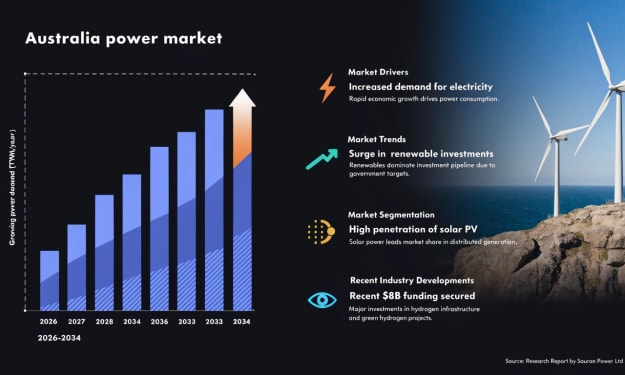
According to IMARC Group, the Australia power market reached 285.7 TWh in 2025 and is projected to reach 377.0 TWh by 2034, growing at a compound annual growth rate (CAGR) of 3.04% during 2026–2034. The market’s growth is being shaped by accelerating renewable energy adoption, increasing electricity demand and large-scale investments in grid modernization. Government incentives supporting clean energy transition, combined with rising corporate sustainability commitments, are encouraging the expansion of solar, wind and battery storage infrastructure. At the same time, the gradual phase-out of coal-fired power plants is transforming the structure of Australia’s electricity generation mix. With emerging technologies such as hydrogen energy systems and virtual power plants gaining traction, Australia’s power sector is evolving into a more diversified, digitally integrated and sustainable energy ecosystem.
By Kevin Cooper7 days ago in Futurism



Comments
There are no comments for this story
Be the first to respond and start the conversation.