
Easy and Fun Electronics Projects with Arduino: A Beginner's Guide
Arduino
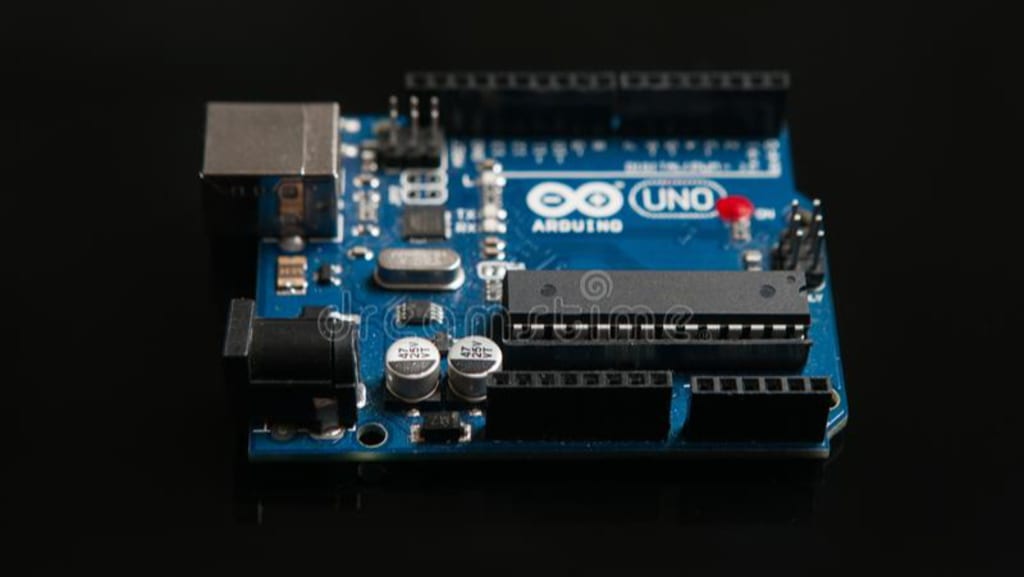
Today, technology is developing rapidly and we encounter many technological tools around us. Many people have no idea how these technological devices around them are produced.
Microcontrollers are the basis of many technological devices, from our cars to our mobile phones, from our refrigerators to our televisions. We can say that microcontrollers are small computers designed on a single piece (chip).
Arduino is an open source electronics platform based on easy to use hardware and software. It allows people of all skill levels to easily create interactive electronic devices. Arduino boards come in a variety of shapes and sizes and can be used to build a wide variety of devices, from simple LED flashers to advanced robots.
The key to Arduino's success is its simplicity. It is designed to be easy to use and understand, even for people who have never worked with electronics before. The platform consists of two main components: the Arduino board containing a microcontroller, and the Arduino software used to write and upload code to the board.
One of the most exciting things about Arduino is the sheer number of projects that can be done with it. Here are a few examples:
1. A robot arm: With an Arduino board and a few servos, you can create a simple robot arm that can be controlled with a joystick or even a smartphone.
2. A weather station: An Arduino board can be used to measure temperature, humidity and other environmental factors, making it ideal for building a simple weather station.
3. A home automation system: With a few sensors and an Arduino board, you can build a simple home automation system that can control lights, fans, and other devices in your home.
4. A musical instrument: An Arduino board can be used to build a wide variety of musical instruments, from simple synthesizers to complex drum machines.
The process of building an electronic device with Arduino typically includes the following steps:
1. Gather materials: You will need an Arduino board, some basic electronic components such as resistors, capacitors and LEDs, and other materials specific to your project.
( YOU CAN FIND THE BEST ARDUINO SET PRODUCTS IN THE FOLLOWING LINKS)
2. Write code: You will write the code to control your device using Arduino software.
3. Upload the code: You will upload your code to the Arduino board using a USB cable.
4. Test your device: After your code is uploaded, you will test your device to make sure everything is working correctly.
5. Refinement and iteration: Depending on the complexity of your project, you may need to refine and iterate your design several times before you get the results you want.
What are the Arduino Types?
Although there are many different models of Arduino; These models are used in terms of location, purpose, storage area, number of input-output pins, etc. diversified according to their characteristics.
• Arduino Uno
• Arduino Pro
• Arduino Mega
• Arduino Nano
• Arduino Bluetooth
• Arduino
• Arduino Esplora
Why Choose Arduino?
Used in thousands of different projects and applications thanks to its simple and accessible user experience, Arduino is easy to use for beginners, yet flexible enough for advanced users to take advantage of.
It works on Mac, Windows and Linux. Teachers and students use Arduino to build low-cost scientific tools, prove the principles of chemistry and physics, or get started with programming and robotics. Designers and architects create interactive prototypes, musicians and artists use Arduino for setups and experimenting with new musical instruments.
Overall, Arduino is a powerful tool for building electronic devices, and its ease of use makes it accessible to people of all skill levels. With a little creativity and some basic electronics knowledge, you can use Arduino to bring your ideas to life.
About the Creator
firat
I'm an electrical and electronics engineer and I'm doing a master's degree in my field. I love technology and the future and I am writing articles and information about these
Keep reading
More stories from writers in Futurism and other communities.
Guacamole Market Growth Accelerates as Clean-Label Trends and AI-Driven Supply Chains Reshape the Industry
Guacamole Market Overview: The Guacamole Market is experiencing strong global growth, fueled by rising consumer demand for fresh, natural, and plant-based food products. As avocados gain popularity for their nutritional benefits, guacamole has evolved from a traditional Mexican dip into a mainstream food staple across households, restaurants, and foodservice chains worldwide. Increasing health consciousness, expansion of quick-service restaurants, and the growing influence of Latin American cuisine are key drivers supporting market expansion. At the same time, AI-powered supply chain optimization, demand forecasting, and sustainable sourcing strategies are transforming how guacamole is produced, distributed, and marketed. With innovation in packaging, flavor varieties, and ready-to-eat formats, the guacamole market is poised for sustained growth in the coming years.
By James Smith7 days ago in Futurism




Comments
There are no comments for this story
Be the first to respond and start the conversation.