
Building PC Tips: Avoid Common Mistakes and Maximize Performance
Navigating the PC Construction Journey: Expert Tips for Flawless Assembly and Peak Performance
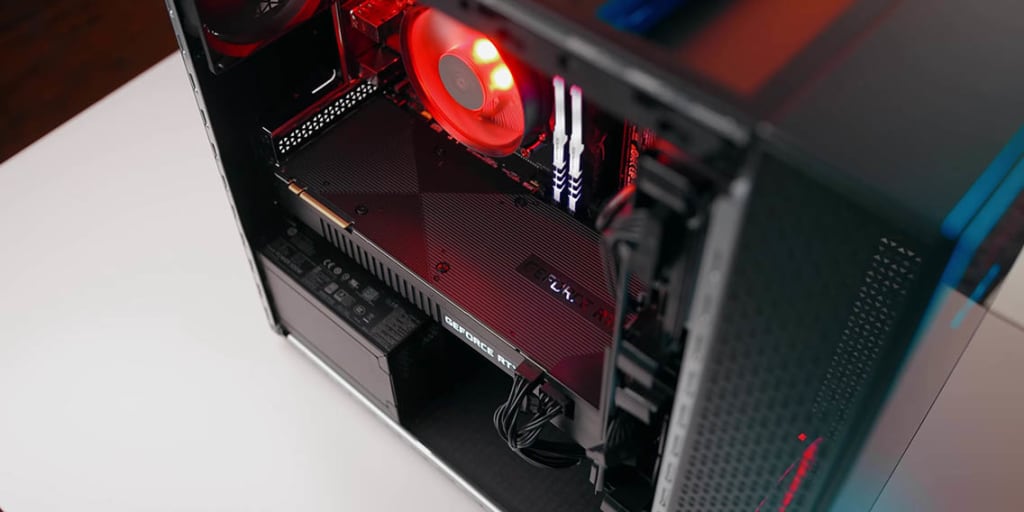
Diving into the realm of PC construction can initially seem like a daunting endeavor. With a plethora of components to choose from and a multitude of options at every turn, determining a starting point can be quite the challenge. Yet, by leveraging the right building PC tips, not only can you streamline the entire building journey, but you can also sidestep usual blunders and elevate your computer's efficiency to new heights.
The Pre-Building Phase: Setting Clear Objectives
Before buying any components, define the purpose of your PC. Is it for gaming, content creation, or general use? Knowing this will guide your component choices and ensure your machine is tailored to your needs.
Choosing the Right Components: The Core of the Build
A successful build begins with selecting the right components. Let's delve into the key components you'll need:
The Processor (CPU)
The CPU is the brain of your PC. For gaming, consider a multi-core processor to handle demanding tasks. If you're into content creation, look for higher clock speeds and multi-threading capabilities.
Motherboards: The Heart of the PC
Select a motherboard compatible with your CPU and provide enough slots for future upgrades. Ensure it supports the latest connectivity options for maximum performance.
RAM: The Pulse of Seamless Task-Juggling While 16GB of RAM elegantly dances through gaming ballets and crafts digital masterpieces, if your purse strings stretch a little more, 32GB might just be your magic crystal ball, gazing steadfastly into the future's demands.
Storage Options: SSDs vs. HDDs
SSDs offer faster boot and load times compared to HDDs. Install your operating system on an SSD and store bulk data on an HDD for maximum efficiency.
Installation Tips: Getting the Most Out of Your Components
Building a PC is much like assembling a complex jigsaw puzzle. Every component has its designated spot, and every wire has a specific port. However, the process can become daunting and cluttered without the right approach. That's why we're here to give you detailed guidance to make the installation process smooth and efficient. Let's dive into some essential tips.
Organize Your Workspace: The Key to Efficiency
Before you even begin, take a moment to assess your workspace. Here's a step-by-step guide to getting it right:
Clear a Large, Flat Surface: A spacious table or desk is ideal. Ensure it's free from any unnecessary items.
Layout Your Components: Group similar items together. For example, keep all cables in one corner, tools in another, and components in a separate section. This will ensure you focus on looking for parts in the middle of the build.
Bright Lighting: Good lighting is essential. You don't want to be squinting when connecting smaller components. Consider using an adjustable lamp to direct light exactly where you need it.
Keep Containers for Screws: Small containers or magnetic trays can be invaluable. They'll ensure tiny screws don't get lost during the build.
Static Precautions: Safeguarding Your Components
One of the biggest threats during a PC build is static electricity. A tiny static shock, which might feel harmless to you, can devastate the delicate components of a PC.
Wear an Anti-static Wrist Strap: This tool is a lifesaver. It ensures any static on you gets discharged, keeping your components safe.
Work on a Non-static Surface: Consider working on wooden or laminate surfaces. Avoid carpets where static can quickly build up.
Handle Components by the Edges: When holding parts like RAM, graphics cards, or the CPU, always grasp them by their edges to minimize the risk of static transfer.
Refer to Manuals: Your Best Friend During the Build
Each component of your PC typically comes with a manual. These manuals are goldmines of information:
Follow Step-by-step Guides: Manufacturers know their components best. They'll offer precise guidance on installation.
Look for Diagrams: Visual cues can be beneficial. Diagrams in the manuals will show exact ports, slots, and orientations.
Test Before Finalizing: The Pre-emptive Strike
Before you screw everything in place and seal up your PC case, do a test run:
Connect Essential Components: Attach the CPU, RAM, GPU, and storage. Power up your system.
Monitor for Any BIOS Message: If everything is working, you'll see your monitor's BIOS or UEFI screen.
Listen for Beeps: Some motherboards give beep codes. One beep usually means all is well, while a series of beeps can indicate an error.
Address Issues Now: It's easier to troubleshoot at this stage than after everything is sealed.
Navigating Frequent Hurdles
The finest blueprints for PC assembly are resistant to snags. When your masterpiece refuses the spark of life, inspect those lifeline connectors. And should it stir without revealing its vision, double-check that the GPU rests in its throne, properly tethered to its realm.
Optimizing Your PC for Maximum Performance
After meticulously piecing together your digital gadget, don't halt! Dive deep into its cerebral settings, breathing life into its potential. Spruce up the ancient gatekeepers known as drivers, sweep away the unwarranted procession that parades at every startup, and flirt with the art of overclocking to unleash the sleeping titan within.
PC Building Wisdom: Securing Tomorrow's Performance Today
Forecast the unseen horizons. Today's moderate appetite for GPU power could metamorphose into tomorrow's insatiable hunger with evolving software landscapes and gaming realms. Channel your investments into hardware that overshadows your present needs, nudging you gracefully into the future.
Conclusion
Building a PC is both a challenging and rewarding experience. By following the right building PC tips and taking the time to understand each component, you can avoid common mistakes and craft a machine that stands the test of time. Whether you're a gamer, content creator, or just someone looking to dive into the world of PC building, remember: research is your best friend, and the result is well worth the effort.
About the Creator
Keep reading
More stories from David watson and writers in Futurism and other communities.
Exploring the ASRock N100 Series ITX Motherboards: Features, Pricing, and Release Date
The Heartbeat of a Computer System Every computer, from a high-end gaming rig to a simple office desktop, stands on one crucial foundation: the motherboard. This n100 ASRock piece, often called the computer's heart, is more than just a circuit board; it's the lifeline connecting and empowering every system component.
By David watson3 years ago in Futurism
AI in Pulp and Paper Industry Market to hit USD 14.7 Billion By 2034
AI in Pulp and Paper Industry Market Overview The Global AI in Pulp and Paper Industry Market is projected to reach approximately USD 14.7 Billion by 2034, increasing from USD 7.1 Billion in 2024, reflecting a CAGR of 7.9% during the forecast period from 2025 to 2034.
By Roberto Crum2 days ago in Futurism
Generative AI In Insurance Market to Surpass USD 13,862.7 Mn By 2033
Generative AI in Insurance Market Overview The global Generative AI in Insurance Market is projected to reach approximately USD 13,862.7 Million by 2033, expanding from about USD 731.7 Million in 2023. This represents a strong CAGR of 34.2% during the forecast period from 2024 to 2033. Market growth is largely influenced by the increasing adoption of artificial intelligence technologies across insurance operations, including underwriting, claims management, fraud detection, and customer engagement.
By Roberto Crum6 days ago in Futurism




Comments
There are no comments for this story
Be the first to respond and start the conversation.