
5 AI Tools I Used to Work Smarter in 2025
The Perfect Tools for Simplified Workflow Management


5 AI Tools I Used to Work Smarter in 2025
Fast forward to 2025, the world has changed and artificial intelligence (AI) is no longer an option but now a practical necessity in how professionals carry out their day-to-day work. Being someone who as of now wants to survive, I used multiple AI Tools to optimize the workflows, automate the repetitive tasks, and focus on the real deal! Below, I’ll share the top five AI tools that changed the way I worked, allowing me to work smarter, not harder.
1. Notion AI: The Smart Solution For Your Organization And Collaboration
In a fast-paced working environment, organizational skills are more important than ever. Notion AI, on the other hand, was my new best friend helping me manage my projects, work with my teams, and keep my workspace clean. This AI-enabled workspace loaded with power helped me.
Differentiating Features
- Automating my Tasks: Notion AI read through my task list, organizing what I needed to do, and suggesting how best to execute it.
- Content Summarization: From lengthy documents to meeting minutes, the AI learned to digest what was relevant and summarize it down to minutes instead of hours of reading.
- Smart Collaboration: It tagged information intelligently, so my team never lost anything and there was less miscommunication.
- Template Suggestions: Whether I am in a project meeting or brainstorming session, Notion AI provides templates based on my needs.
How It Boosted Productivity
I was able to spend more time on high-value work while assuring that more administrative items kept moving with Notion AI. Its intuitive interface made it easy to switch between personal and professional workflows.
2. GrammarlyGO: Taking Your Communication to Another Level
As professional communicators working with clients, clear communication is everything. I relied on GrammarlyGO, an intelligent, advanced AI writing assistant that helped me improve my written communication in many different formats.
Differentiating Features
- Context-Sensitive Suggestions: GrammarlyGO had my back whether I was drafting a business email or churning out a report. Adapting to my brand of tone, intent, and audience.
- Conciseness and Clarity Boost: It could identify long-winded sentences and replace them with concise alternatives without losing meaning.
- Multilingual Assistant: It can understand and translate different languages.
- Flexible Formatting: I could define the style and tone of writing I wanted, from persuasive sales pitches to formal memos.
How It Boosted Productivity
By removing grammar, spelling and syntactical errors, GrammarlyGO freed me to concentrate on the meat of my communication. As a result, every document and email was polished and professional thanks to its real-time feedback.
3. AI Tableau: From Data to Insight
With industries shifting towards data-driven decision-making. Using Tableau AI, I was able to leverage the power of data visualization and analytics to reveal insights that informed strategic decisions.
Differentiating Features
- Predictive Analytics: Enabling proactive decision-making through historical insights, Tableau AI provided users with powerful forecasts and trends.
- Dynamic Dashboards: Customizable and interactive dashboards allow a visual representation of complex data.
- Natural Language Queries: I can ask things like “What were last quarter’s sales trends?” They do this quickly and visually.
- Multiple Data Source Integration: Connected with databases, CRMs, and other platforms for end-to-end analysis.
How It Boosted Productivity
I used Tableau AI to save me countless hours of sifting through data in a manual fashion. It was this ability to distil focused, actionable insights into a digestible format that kept me focused on strategy over number-crunching.

4. Zapier: Automating Workflows
Repetitive tasks can sap your productivity with how time-consuming they can be. An AI-powered automation platform "Zapier" removed these inefficiencies by linking my favourite apps and automating workflows.
Differentiating Features
- Multi-Steps Automation: Allowed me to set up complex workflows connecting multiple apps.
- Smart Triggers: Automatically initiated actions based on conditions such as “Send email when new task assigned.”
- Wide Applications Integration: Over 5K apps supported enshrined-to-ended connectivity across systems.
- Error Handling: Alerts & Troubleshooting Suggestions Reduced Outages.
How It Boosted Productivity
Zapier served as my virtual assistant, taking care of repetitive tasks like data entry, reports and follow-ups. This is released for creative, strategic actions.
5. Krisp AI: Making Your Virtual Meetings Better
But one of the most difficult parts about working remotely is having to manage virtual meetings. A noise-cancelling app, Krisp AI, made sure audio and video interactions were professional and distraction-free.
Differentiating Features
- Noise Cancellation: Cut out background noise during calls for clear communication.
- Voice Quality Improvements: Made my voice sound cleaner in real time the d conversation was more pleasant.
- Speaker Identification: This can help users keep track of who is speaking during a video call, especially when multiple people are present.
- Privacy-First: Made powerful speech processing happen on your device.
How It Boosted Productivity
Krisp AI removed audio distractions and thus helped me drive more focused and efficient virtual meetings. It also eliminated the need for follow-up clarifications, saving him valuable time.
Why These Tools Matter
All of these AI tools solved particular problems I was facing in my work life. They all made me more productive and better at my job from streamlining communication and collaboration to eliminating busy work and making better data-driven decisions.
Solid Reasons to leverage AI by the year 2025:
- Time saved: Automation and streamlining repetitive tasks enabled me to devote more time to creative and strategic agendas.
- Improved Accuracy: GrammarlyGO and Tableau AI lessened mistakes in communication and data analytics.
- Enhanced Collaboration: Tools like Notion AI offered both adequate documentation management and real-time collaborative functions.
- Stress Reduction: My burnout rate was lower, and my job satisfaction level was higher, as I was able to offload routine tasks.
- Skills Full Future: The skills I learned using AI tools to enhance my workflow put me ahead in my career.
Tips for Maximizing AI Tools
To get the most out of these AI tools, here are a few strategies you can use:
- Understand What You Need: Find bottlenecks in your workflow, and reach for tools that overcome them.
- Invest Time in Learning: Spend time getting to know the features and capabilities so you can leverage each tool effectively.
- Configuration: Configure the tools to suit your specific preferences and working styles.
- Monitor usage: Periodically review how AI tools are affecting your productivity and make adjustments.
- Application Maintenance: Regularly monitor for updates or new features to remain at the forefront of the technology.
The Future of Work with AI
The incorporation of AI tools in the workplace is not just an interim trend. It is a shift that is going to stay. These and other rapidly developing technology advances will be capable of doing even more, allowing humans to do even less while still obtaining more. With AI adoption in 2025, I’d successfully worked smarter, stayed competitive and played a meaningful part in my field.
No matter if you’re a project manager, analyst, developer, or entrepreneur, these tools can reframe your approach to your work. More than anything, stay open to creativity, play with the latest tech, and keep up with the changing face of work.
About the Creator
Vinay Singh
Vinay Partap Singh is a versatile article writer with expertise in technology, and finance. Skilled in crafting engaging, actionable content, he empowers readers with insights, and strategies to navigate modern challenges and opportunities.
Keep reading
More stories from Vinay Singh and writers in Futurism and other communities.
5 AI Tools Helping Health Care Save Money in 2025
5 AI Tools Helping Health Care Save Money in 2025 We are at an inflexion point in healthcare. With the growing, ageing population worldwide, the cost of healthcare is severely on the rise and poses a potential problem for governments, providers and patients. Enter artificial intelligence (AI), a groundbreaking technology that is transforming the delivery of care, the allocation of resources and the way we regulate spending. Fast forward to 2025 and AI tools are taking the lead, enabling healthcare systems to lower expenses while improving patient outcomes.
By Vinay Singhabout a year ago in Futurism
Mobile Gaming Market Trends: Esports Growth, Competitive Gaming & Forecast to 2033
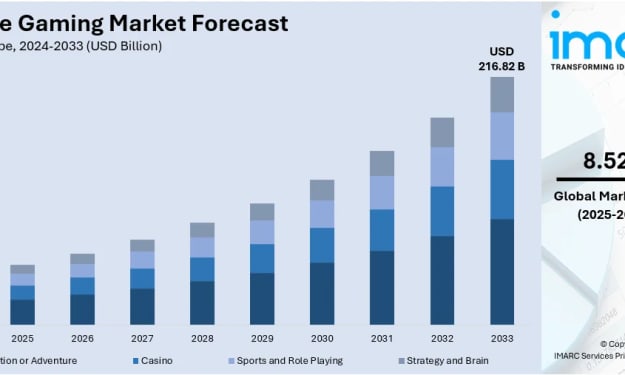
Smartphones have quietly become the world's most popular gaming console — no expensive hardware, no downloads, just a tap and play. That shift is fueling one of the fastest-growing segments in the entire technology sector. According to IMARC Group's latest research, the global mobile gaming market was valued at USD 100.08 Billion in 2024. Looking ahead, IMARC Group estimates the market to reach USD 216.82 Billion by 2033, exhibiting a CAGR of 8.52% from 2025 to 2033. Asia Pacific currently dominates the market, holding a market share of 58.9% in 2024. The region's lead is built on a massive tech-savvy population, rapid smartphone adoption, robust digital infrastructure, and consistent government investment in connectivity.
By Suhaira Yusuf2 days ago in Futurism
Healthy Snacks Industry Outlook: Plant-Based Snacks & Market Expansion
According to IMARC Group's latest research publication, global healthy snacks market size reached USD 95.8 Billion in 2025. Looking forward, IMARC Group expects the market to reach USD 148.4 Billion by 2034, exhibiting a growth rate (CAGR) of 4.98% during 2026-2034.
By sujeet. imarcgroup3 days ago in Futurism
Writing To Succeed
If you want to find something that will help readers find your writing, possibly expand your audience, and maybe even get you noticed for other things, then you’re not alone. But how can you get it done in a world full of want-to-be writers? Look less at what you’re writing now, and more at what other writers have used to boost their views and reads.
By Jason Ray Morton 4 days ago in Writers



Comments
There are no comments for this story
Be the first to respond and start the conversation.