
The 5 Best 1080p Gaming Monitors in 2025
Real-World Reviews to Help You Choose the Perfect 1080p Gaming Monitor


A couple of weeks ago, I sat down to play a late-night session of Apex Legends on my old monitor. The game was intense, the squad depended on me, but halfway through the match, I noticed my display ghosting during fast movements. The blur was enough to throw off my aim, and my frustration was through the roof.
That moment made me realize what so many of us gamers face: it doesn’t matter how powerful your PC or console is if your monitor can’t keep up. The truth is, monitors are more than just a screen they dictate how responsive your gameplay feels, how immersive your graphics look, and even how tired your eyes get after long sessions.
After testing dozens of displays (yes, my office currently looks like a mini electronics store), I’ve narrowed things down to the five best 1080p gaming monitors you can buy in 2025. Whether you’re looking for buttery-smooth refresh rates, budget-friendly options, or a monitor that doubles as a productivity powerhouse, I’ve got you covered.
1. ASUS VG279Q1A
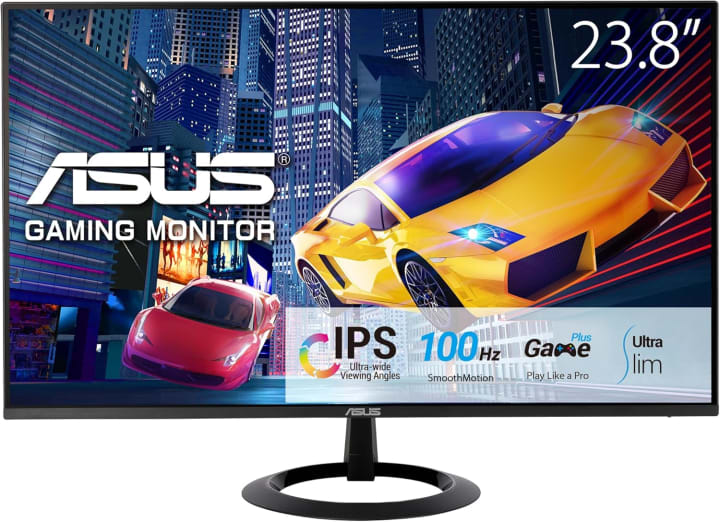
When I first unboxed the ASUS VG279Q1A, I wasn’t expecting much beyond a decent mid-range gaming monitor. But a few gaming nights later, I was sold. With its 144Hz refresh rate and 1ms response time, this monitor made my FPS games feel responsive and fluid.
The IPS panel also impressed me colors popped without feeling oversaturated, and I didn’t have to adjust brightness much when moving from day to night. Plus, ASUS’s Extreme Low Motion Blur tech really helped during chaotic battle scenes where clarity matters.
Benefits:
Perfect for players who want a reliable monitor that balances speed with good visuals, especially if you play a mix of shooters and RPGs.
Summary:
The ASUS VG279Q1A delivers smooth performance and vivid visuals at a fair price point. It’s not the most premium, but for everyday gaming, it’s a real winner.
Strengths:
144Hz refresh rate and 1ms response time
IPS panel with accurate colors
Adaptive-Sync support
Slim, modern design
Weaknesses:
Speakers are weak
Stand has limited adjustment
2. Acer Nitro XV252Q F
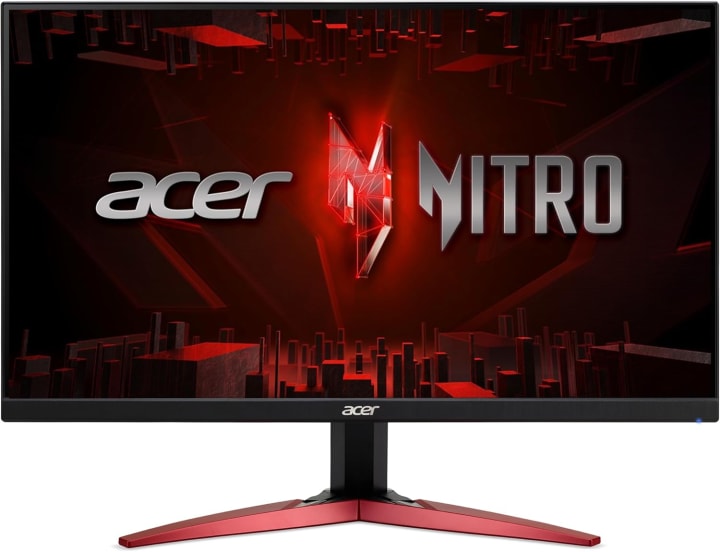
I got this monitor as a birthday gift from my sister, and honestly, it’s one of the best gifts I’ve recieved (yep, spelled that wrong the first time, she laughed at me). The Acer Nitro XV252Q F is built for one purpose: competitive speed.
With a 390Hz overclocked refresh rate, this thing is insane. Every motion feels crisp, and when I tested it with Valorant, I felt like my reaction time had improved just because I was seeing things faster. The monitor also supports HDR and has good brightness levels, so even if you’re playing in a well-lit room, visibility isn’t an issue.
Benefits:
Ideal for esports players or anyone who takes competitive gaming seriously. It’s pricey compared to standard 144Hz monitors, but if milliseconds matter to you, this is the one.
Summary:
The Acer Nitro XV252Q F isn’t for everyone, but for competitive gamers who crave ultra-high refresh rates, it’s a beast that delivers.
Strengths:
Up to 390Hz refresh rate
Fast 0.5ms response time
Excellent motion handling
FreeSync & G-Sync compatibility
Weaknesses:
Expensive compared to 144Hz monitors
HDR performance is just average
3. Dell S2721HGF
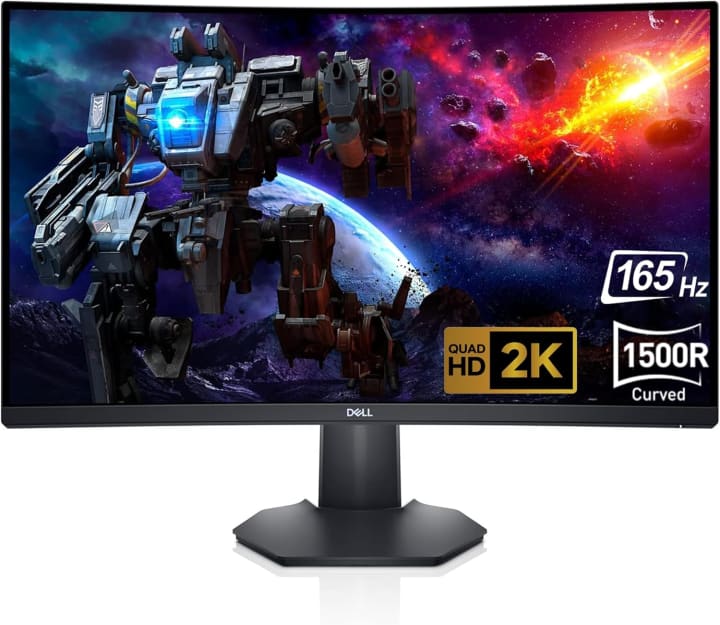
After testing so many monitors, I wanted to include a budget-friendly option that doesn’t feel cheap. The Dell S2721HGF is exactly that. It’s a 27-inch curved VA panel with a 144Hz refresh rate. The curve makes gaming more immersive, especially in racing or RPG titles, and the contrast is much better than most IPS monitors at this price.
During my testing, I noticed it didn’t quite match the color accuracy of more expensive models, but honestly, at this price, it was more than good enough. Plus, Dell’s build quality is sturdy, and the stand is surprisingly adjustable for a budget model.
Benefits:
Perfect for gamers who want a large, curved display without breaking the bank. Works well for casual gaming and everyday use.
Summary:
The Dell S2721HGF offers great value with its curved design and solid refresh rate, making it a budget-friendly option that doesn’t compromise too much.
Strengths:
Affordable price point
27-inch curved VA panel
Strong contrast levels
FreeSync Premium support
Weaknesses:
Colors aren’t as accurate as IPS
Response time slightly slower
Quick Tips for Shopping
Before diving into reviews, here are a few quick pointers to help you shop smarter:
Refresh Rate: Go for at least 120Hz or 144Hz for smoother gameplay. Competitive gamers often prefer 240Hz.
Response Time: Look for 1ms or lower for reduced motion blur.
Panel Type: TN for speed, IPS for color accuracy and viewing angles, VA for contrast.
Adaptive Sync: G-Sync or FreeSync helps eliminate screen tearing.
Size & Ergonomics: Don’t ignore stand adjustability and eye-care features like blue light filters.
Quick Picks Section
If you’re short on time, here’s the quick roundup:
Best Overall: ASUS VG279Q1A Balanced performance, great visuals, fair price.
Best for Competitive Gaming: Acer Nitro XV252Q F Ultra-high refresh rate for esports players.
Best Budget Pick: Dell S2721HGF Affordable curved monitor with solid performance.
FAQs
Q1: Is 1080p still good for gaming in 2025?
Absolutely. While 1440p and 4K monitors are more common, 1080p remains the sweet spot for high frame rates, especially in competitive gaming.
Q2: Do I really need a 240Hz or 390Hz monitor?
Not unless you’re into competitive esports. For casual and even most serious gamers, 144Hz is more than enough.
Q3: What size monitor is best for 1080p gaming?
24–27 inches is the sweet spot. Anything larger at 1080p may look a little pixelated.
Q4: Are curved monitors better for gaming?
It depends on preference. Curved monitors add immersion, especially for racing and RPG games, but flat monitors are often preferred for competitive FPS.
Summary – Which One Should You Buy?
Choosing the best 1080p gaming monitor in 2025 depends on what kind of gamer you are. If you’re looking for a balanced, all-rounder option, the ASUS VG279Q1A is hard to beat. For the hardcore esports crowd, the Acer Nitro XV252Q F delivers unmatched speed (though your wallet might feel it). And if you’re on a budget but still want immersive gameplay, the Dell S2721HGF is a fantastic choice.
No matter which you pick, remember this: a monitor isn’t just an accessory it’s the window into your games. Get the right one, and you’ll enjoy every frame the way it was meant to be.
Amazon Disclaimer
As an Amazon Associate, I earn from qualifying purchases. This doesn’t cost you anything extra, and it helps support my honest reviews and testing.

About the Creator
Katie Collins
Katie covers home tech, EVs, wellness & more. She aims to help people make smart buying choices & reach life goals.
Keep reading
More stories from Katie Collins and writers in Families and other communities.
The Best Ultrawide Monitors in 2025
A few weeks ago, I was wrapping up a late-night editing session and had four windows open side by side a browser with reference material, video editing software, Slack, and music streaming. My dual-monitor setup just wasn’t cutting it: I kept dragging things between screens, contorting my neck, and feeling frustrated. My workflow felt choppy, and honestly, I lost momentum more than once.
By Katie Collins6 months ago in Families
Wings of a Lioness: The Geology of Inherited Pride
People often ask me where I get the strength to pack my entire life into two suitcases and head into the unknown. Where do I get that step that never falters, neither in the cold Canadian North nor under the elegant skies of France? The answer doesn't lie in geographic maps, but in an old photo album, my mother's oversized ring, and that blue flight attendant's cap that is worth more to me than any crown. My courage is not my own doing – it is the dowry left to me by my mother, a woman who conquered heights with airplanes, and the earth beneath her feet with her unwavering character.
By Magma Star4 days ago in Families




Comments
There are no comments for this story
Be the first to respond and start the conversation.