
The 4 Best 32-Inch Monitors of 2025
Bigger Screens, Sharper Details The Best 32-Inch Monitors for Work, Gaming, and Creativity


A few weeks ago, I was editing a video project on my old 24-inch monitor, and my eyes felt strained like I’d been staring into a flashlight for hours. Colors weren’t accurate, text looked cramped, and multitasking was a nightmare. That night, I told myself, “Okay, enough it’s time to upgrade.”
And here’s the thing: a monitor isn’t just a screen. It’s your window to everything work, gaming, Netflix binges, or even the occasional late-night scroll. For creatives like me, the wrong size or poor color accuracy isn’t just annoying; it can actually affect productivity and output. For gamers, it can mean slower response times and missed opportunities. And if you just want a solid all-around display? A small monitor can feel claustrophobic.
That’s why I dove head-first into testing the best 32-inch monitors of 2025. After weeks of research, calibration tests, and real-world use, I’ve rounded up the top models worth your money. No fluff, no random copy-paste from Amazon reviews just honest feedback.
Product Reviews
1. LG 32UN880-B UltraFine Ergo 32-Inch 4K Monitor
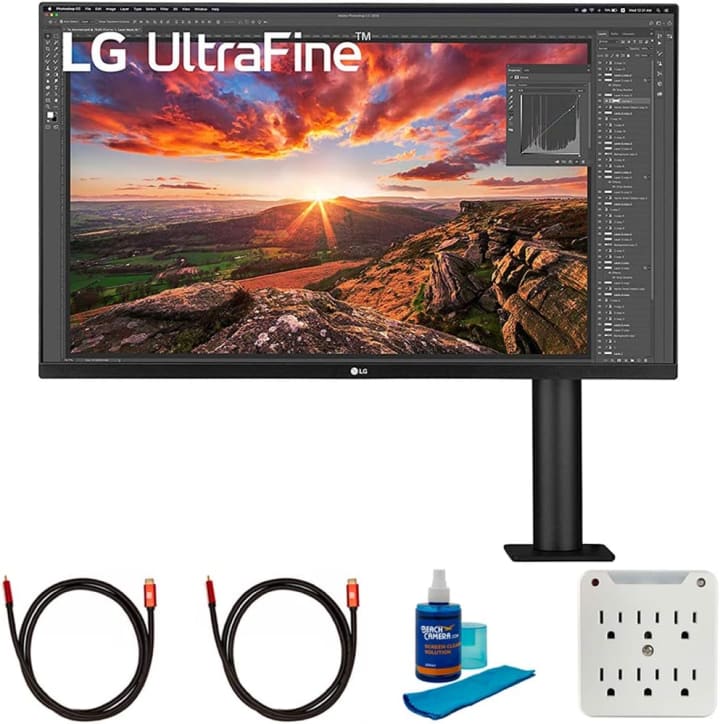
When my sister gifted me LG 32UN880-B UltraFine Ergo 32-Inch monitor for my birthday (yep, best gift ever), I realized just how much I’d been missing out on. The LG UltraFine Ergo doesn’t just look good it feels like it’s built for comfort, thanks to the unique Ergo stand that clamps to your desk.
It’s a 4K IPS panel with stunning color reproduction, covering 95% of the DCI-P3 spectrum, which is great for creative work. The adjustable arm lets you tilt, swivel, and extend in ways most monitors simply can’t. I used it for editing photos, browsing, and even Netflix and it impressed across the board.
Summary:
A productivity powerhouse with gorgeous visuals and ergonomic comfort, ideal for creators and remote workers.
Strengths:
Crisp 4K resolution
Amazing ergonomic stand
Excellent color accuracy
USB-C with 60W power delivery
Weaknesses:
Not built for high-refresh gaming (only 60Hz)
A little pricey compared to budget picks
2. Samsung Odyssey G7 32-Inch Curved Gaming Monitor
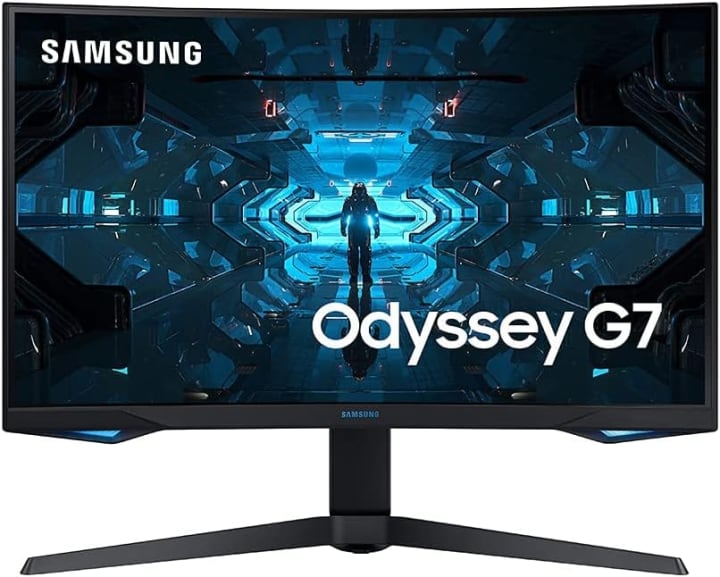
If you’re into gaming like me (and maybe a bit too much on weekends), the Samsung Odyssey G7 32-Inch is a beast. I tested it during long gaming sessions of fast-paced shooters, and honestly, it blew me away. The 1000R curvature wraps around your vision, making you feel like you’re in the game, not just playing it.
With a QHD (2560x1440) resolution and a 240Hz refresh rate, this monitor is built for speed. Motion blur? Gone. Ghosting? Couldn’t find any. It’s also HDR600 certified, which means richer colors and deeper contrasts. I wouldn’t call it the perfect choice for photo editing, but for pure gaming immersion, it’s hard to beat.
Summary:
Perfect for gamers who want immersion, speed, and a display that keeps up with every frame.
Strengths:
Blazing 240Hz refresh rate
Deep 1000R curve for immersion
HDR600 support
Low input lag
Weaknesses:
Resolution is QHD, not 4K
Curve may feel too aggressive for some users
3. Dell UltraSharp U3223QE 32-Inch 4K Monitor
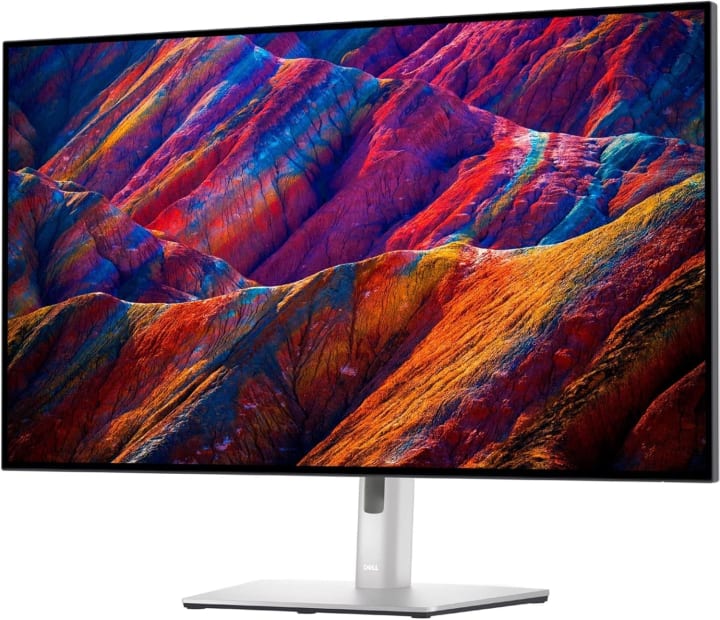
Dell UltraSharp U3223QE 32-Inch 4K Monitor line has always been known for professional quality, and the U3223QE is no exception. I picked this one up for office testing, and it’s basically the gold standard for productivity and color accuracy.
It features an IPS Black panel (Dell’s new tech) that delivers deeper blacks without losing the wide color gamut IPS is known for. Text is razor-sharp at 4K, and with multiple connectivity options including USB-C with 90W charging it doubles as a docking station. I used it for a week straight, and honestly, it’s the one I’d recommend to professionals who live in spreadsheets, code, or creative software.
Summary:
The ultimate office/creative display with sharp visuals and robust connectivity.
Strengths:
Stunning IPS Black panel
Excellent for multitasking and productivity
USB-C with 90W charging
Premium build quality
Weaknesses:
Not designed for hardcore gaming
Higher price tag
4. ASUS ProArt Display PA32DC OLED Monitor
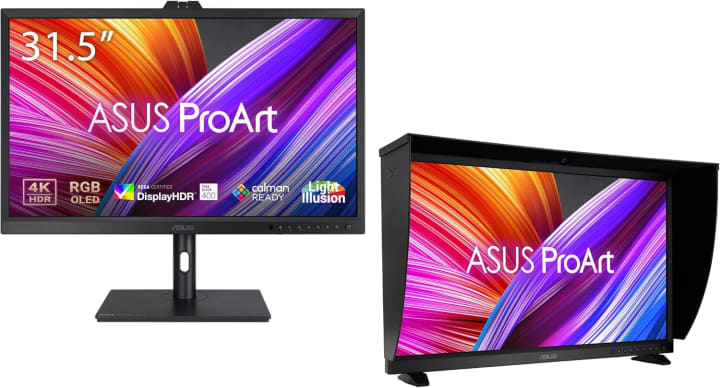
Okay, here’s the dream pick. I got to test this for a few days through a friend, and wow it’s on another level. The ASUS ProArt Display PA32DC OLED Monitor delivers absolute perfection for color-critical work like video editing and grading. With true blacks, wide HDR support, and factory calibration, it’s practically flawless.
This one is geared towards professionals (think editors, designers, and photographers). Gaming is possible, of course, but honestly, it’d be like using a Ferrari to go grocery shopping.
Summary:
A pro-level OLED monitor with unmatched visuals, designed for serious creators.
Strengths:
Gorgeous OLED panel
True blacks and stunning HDR
Factory-calibrated for accuracy
Wide professional color support
Weaknesses:
Extremely expensive
May be overkill for casual users
Quick Tips for Shopping
When choosing a 32-inch monitor, keep these in mind:
Resolution matters At this size, 4K makes a huge difference for sharpness.
Refresh rate Gamers should look for 144Hz or higher; casual users may be fine with 60Hz.
Panel type IPS = better colors, VA = deeper contrast, OLED = jaw-dropping visuals.
Connectivity USB-C and HDMI 2.1 make life easier for modern setups.
Adjustability Don’t ignore ergonomic stands; your neck will thank you.
Budget vs. use case Office work? You can save. Gaming or creative work? Invest more.
Quick Picks
Best Overall: LG UltraFine Ergo 32-Inch 4K great balance of work, color, and ergonomics.
Best for Gaming: Samsung Odyssey G7 buttery-smooth refresh rate and immersive curve.
Best for Professionals: Dell UltraSharp U3223QE reliable, sharp, and productivity-focused.
Premium Pick: ASUS ProArt OLED PA32DC the ultimate display for serious creatives.
FAQs
Q1: Is 32 inches too big for a monitor?
Not at all as long as you’re sitting at a normal desk distance (about 2–3 feet away), 32 inches actually feels natural, especially for multitasking.
Q2: Should I choose 4K or QHD for a 32-inch monitor?
If you’re doing creative work or want sharp text, 4K is the way to go. Gamers might prefer QHD for smoother high-frame-rate performance.
Q3: Do 32-inch monitors support wall mounting?
Yes, most come with VESA mounts, but check the specs before buying to be sure.
Q4: Are curved monitors better for 32 inches?
Curved screens enhance immersion (especially for gaming) but aren’t always ideal for design work, where flat, accurate visuals are better.
Final Summary
At the end of the day, the best 32-inch monitor really depends on your needs. If you’re all about productivity and long hours at the desk, the LG UltraFine Ergo or Dell UltraSharp will serve you brilliantly. If gaming is your escape, the Samsung Odyssey G7 delivers speed and immersion. And if money’s no object and you’re serious about color accuracy, the ASUS ProArt OLED is basically unbeatable.
The good news? These monitors are widely available on Amazon, often with sales or fast shipping, so you don’t have to wait weeks. And honestly, once you’ve experienced the comfort and clarity of a well-chosen 32-inch display, you won’t want to go back.
Amazon Affiliate Disclaimer: As an Amazon Associate, I earn from qualifying purchases. This comes at no extra cost to you and helps me keep testing and reviewing products honestly.

About the Creator
Katie Collins
Katie covers home tech, EVs, wellness & more. She aims to help people make smart buying choices & reach life goals.
Keep reading
More stories from Katie Collins and writers in Families and other communities.
The 5 Best 1080p Gaming Monitors in 2025
A couple of weeks ago, I sat down to play a late-night session of Apex Legends on my old monitor. The game was intense, the squad depended on me, but halfway through the match, I noticed my display ghosting during fast movements. The blur was enough to throw off my aim, and my frustration was through the roof.
By Katie Collins4 months ago in Families
Wise~Guys
— Look Behind what's in Front of You ~ Make Good Choices — Hey, So how you Doin'..! Made~Men — Mobster Movies romanticise a distinctive, elegant appearance, impeccable attire style, along with the 'Families' expressive lingo. Making their 'Bones' gave them Panache — with vintage fedoras, tailored pin-striped suits, mirror-polished wing-tip shoes adorned with tassels; with their 'Gun Moll' gorgeous dates on their arms.
By Jay Kantor19 days ago in Families
Bettijo Hirschi
Introduction Bettijo Hirschi is a multi‑talented creative professional from the United States. She works as a designer, art director, photographer, writer, and event planner. Bettijo has built a long career in creative work and media. People know her for her artistic skills, her work in magazines and television, and her lifestyle blog. She is also known in recent news because of changes in her personal life.
By Farhan Sayed5 days ago in Families




Comments
There are no comments for this story
Be the first to respond and start the conversation.