
How to Retrieve Deleted Messages from Messenger: A Parent’s Step-by-Step Guide
A practical parenting guide to understanding Messenger deletions and keeping your child safe online
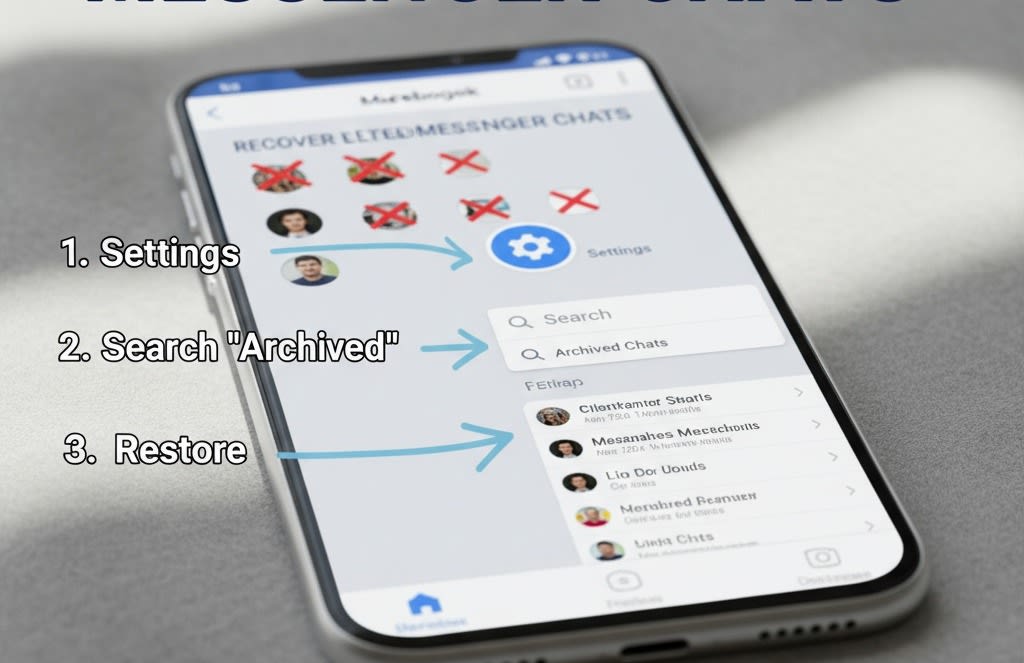
As children grow more active on social media, messaging apps become a major part of how they communicate. Messenger, in particular, is often used by kids and teens to chat with friends, classmates, and sometimes strangers. This is why many parents worry when messages suddenly disappear. Were they deleted by mistake, or was something intentionally hidden?
If you’re wondering how to retrieve deleted messages from Messenger as a parent, this guide will walk you through practical, ethical, and realistic methods—without invading trust or crossing boundaries.
Why Parents May Need to Retrieve Deleted Messenger Messages
Children don’t always delete messages for harmful reasons. Sometimes it’s accidental, other times they want to free up space, or they misunderstand how archiving works. However, in certain situations—such as bullying concerns, inappropriate conversations, or sudden behavior changes—parents may feel the need to review deleted chats for safety reasons.
The goal isn’t spying. It’s protection, awareness, and guidance.
Can Deleted Messenger Messages Really Be Recovered?
The short answer is: sometimes.
When a message is deleted on Messenger, it may not always be permanently erased right away. Depending on how it was removed, the device used, and account settings, parts of the conversation might still exist elsewhere. However, if messages were permanently deleted from all devices, recovery becomes much harder.
Understanding this helps parents set realistic expectations before trying any method.
Method 1: Check Archived and Hidden Conversations
Many children archive chats instead of deleting them—often without realizing the difference.
How to check archived messages:
- Open Messenger on the phone or computer
- Tap the search bar
- Type the name of the person or conversation
- Look for chats labeled as archived
Archived chats don’t appear in the main inbox, which can make them seem deleted. Reviewing this section is often the easiest first step.
Method 2: Download Messenger Account Data
Messenger allows users to request a copy of their account data, which may include message history.
How parents can do this:
- Open account settings
- Go to privacy or data options
- Request a data download
- Select messages as part of the data
- Wait for the download file
In some cases, older or deleted messages may appear in the downloaded data, especially if they weren’t removed long ago. This method works best when parents already have account access or permission.
Method 3: Check Linked and Synced Devices
If Messenger is logged in on multiple devices—such as a tablet, laptop, or old phone—messages may still exist on one of them.
For parents, it’s worth checking:
- Family tablets
- Shared computers
- Backup phones
Sometimes a conversation deleted on one device hasn’t fully synced across others, making recovery possible.
Method 4: Use a Messenger Tracking App for Parental Monitoring
In situations where safety is a serious concern, some parents choose to use a Messenger tracking app designed for parental monitoring.
These tools can help parents:
- View message activity
- See deleted or hidden conversations (if installed early)
- Monitor chats in a structured way
A Messenger tracking app works best when set up in advance and used transparently. It’s not a magic recovery tool for old deletions, but it can help parents stay informed moving forward. When choosing such a solution, parents should focus on child safety, legal use, and ethical boundaries.
Using Monitoring Tools Ethically as a Parent
Technology should never replace communication.
Before reviewing deleted messages, it’s important to:
Talk openly with your child
Explain why safety matters
Set clear digital rules
Children are more likely to cooperate when they understand that monitoring is about protection, not punishment. Trust grows when parents balance supervision with respect.
How to Prevent Message Loss in the Future
Rather than focusing only on recovery, prevention is often the smarter approach.
Parents can:
- Teach children the difference between archiving and deleting
- Encourage responsible message management
- Discuss when it’s okay to delete conversations
- Promote openness about online interactions
This proactive approach reduces fear and confusion for both parents and children.
Final Thoughts: Protecting Without Overstepping
Retrieving deleted messages from Messenger isn’t always possible—but understanding how the platform works gives parents better control and peace of mind. Whether you’re checking archived chats, downloading data, reviewing synced devices, or using a Messenger tracking app, the key is intention.
Parenting in the digital age isn’t about constant surveillance. It’s about staying informed, building trust, and creating a safe online environment where children feel supported—not watched.
When parents lead with guidance instead of control, everyone benefits.
About the Creator
Keep reading
More stories from Ahmad Hassan and writers in Families and other communities.
How to View WhatsApp Online Activity to Protect Your Child From Online Risks
In today’s digital world, messaging apps have become a daily part of children’s lives. WhatsApp, in particular, allows kids to stay connected with friends, classmates, and family members. While this can be positive, it also raises concerns for parents—especially when children spend long hours online or interact with unknown contacts. Understanding how to view WhatsApp online activity can help parents guide their children toward safer and healthier online habits.
By Ahmad Hassan3 months ago in Families
Punch the Macaque: The Baby Monkey Who Found Comfort in a Plush Friend
Today we look back at one of the most unexpected viral stories of 2025—a tale that began quietly in a zoo in Japan and grew into a global symbol of resilience and tenderness. It is the story of Punch, a Japanese macaque born in July 2025 at Ichikawa City Zoo in Chiba Prefecture. His life began with hardship, but what followed has touched millions across the world.
By Haroon Pasha5 days ago in Families



Comments
There are no comments for this story
Be the first to respond and start the conversation.