
Creating a Wedding Photo Album: A Perfect Gift for Kids, Parents, and Loved Ones
A Perfect Gift for Kids, Parents, and Loved Ones

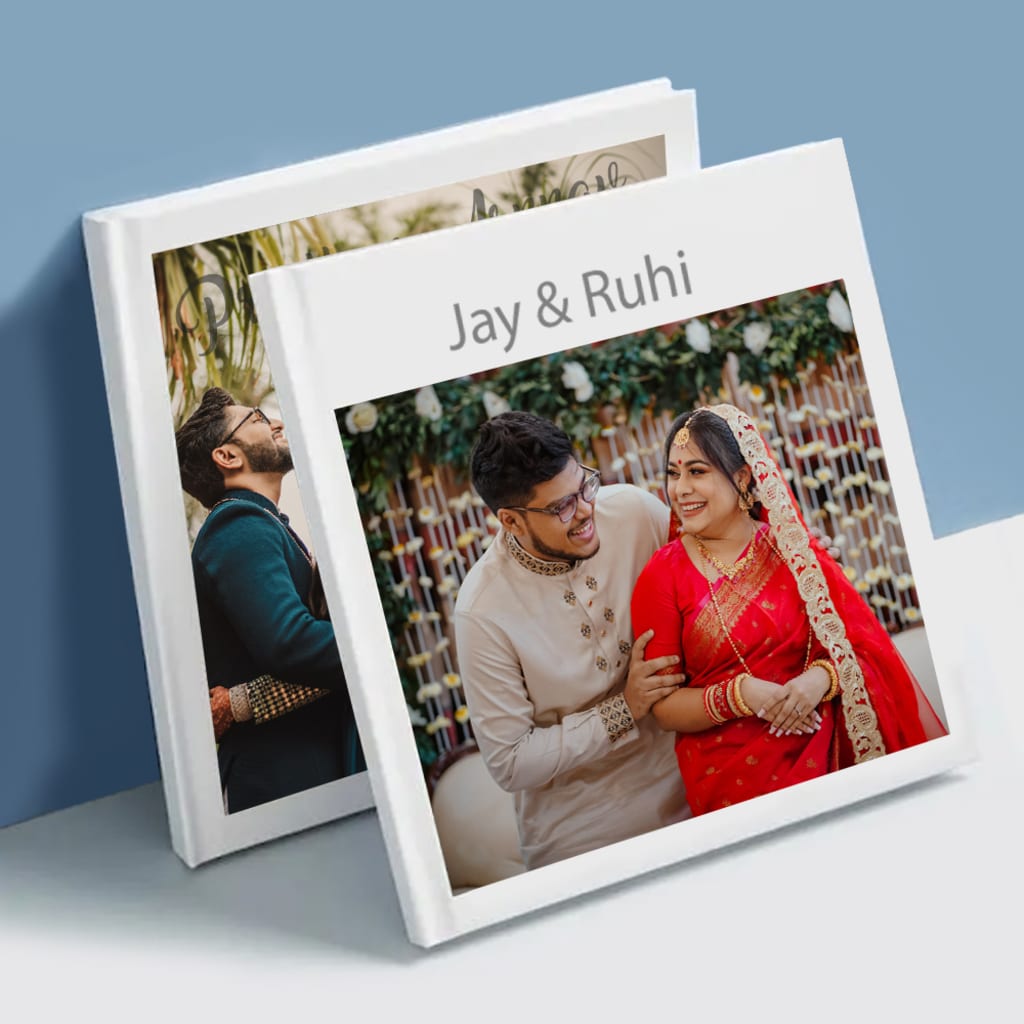
Weddings are one of the most joyous and memorable occasions in life. The celebration of love, commitment, and the union of two souls is captured in the most beautiful moments. To preserve those moments forever, nothing beats the elegance and charm of a wedding photo album. But did you know that a wedding album is not only a treasure for the couple but also makes a thoughtful and personalized gift for kids, parents, and other loved ones?
In this blog, we’ll guide you through how to create a stunning wedding photo album and explain how it can be used to celebrate love and shared memories for various family members. Let’s get started!
Why a Wedding Photo Album is the Perfect Gift for Everyone
1. Wedding Photo Albums for Kids:
Kids may not fully understand the significance of a wedding ceremony at the moment, but gifting them a wedding album allows them to revisit those cherished memories as they grow older. You can create an album that captures the fun moments of the wedding day, like dancing with the bride and groom, playing with cousins, or just enjoying the day. These memories can be revisited during family gatherings and can become a sentimental keepsake as they grow up.
How to Create a Wedding Photo Album for Kids:
Personalized Layouts: Use fun and playful themes that appeal to kids, such as heartwarming messages, playful fonts, and colorful photo borders.
Highlight Family Moments: Include photos of them with their parents, grandparents, or favorite cousins. Kids will love to see their part in the grand celebration.
Easy Ordering Process: Creating a wedding album for kids can be easy. Choose softcover or hardcover albums and upload photos directly from your device. Photojaanic offers customizable designs that are easy to personalize.
2. Wedding Photo Albums for Parents:
For parents, a wedding photo album book is a timeless gift that holds deep emotional value. This album will not only document the event but will also serve as a way for parents to relive the beauty of the day when they first saw their child walk down the aisle or exchanged vows. As the years go by, a wedding album is the perfect way for parents to reminisce about their child's big day.
How to Create a Wedding Photo Album for Parents:
Sentimental Touch: Include heartfelt notes or quotes inside the album. You can add a personal dedication or message that expresses your love and gratitude for their support.
Elegant Design: Choose a classic hardcover album with a sophisticated design and high-quality paper. Opt for premium quality printing and custom album themes that suit your parents’ taste.
Capture Special Moments: Highlight their reactions during key moments of the wedding, such as the bride’s entrance or the father-daughter dance.
3. Wedding Photo Albums for Friends and Loved Ones:
Weddings are not just about the couple, but also about the people who surround them. A wedding photo album makes an excellent gift for close friends, family, or even wedding guests who were part of your celebration. This album is a beautiful way to thank them for their presence and support on your special day.
How to Create a Wedding Photo Album for Friends and Loved Ones:
Include Group Photos: Include photos of you with your friends and family during special moments, like toasts, speeches, or candid shots.
Personalized Messages: Add fun messages or short thank-you notes to each album. You could even add quotes or personal jokes that bring back happy memories of the event.
Beautiful Themes: Customize the photo album with themes that reflect the personalities of the recipient, such as a vintage style for older relatives or a modern design for your friends.
How to Order Your Wedding Photo Album on Photojaanic
Creating a personalized wedding photo album on Photojaanic is easy and fun. Here’s a quick guide on how you can order your album:
Step 1: Choose the Type of Album
Visit the Photojaanic Photo Gifts Wedding Photo Albums page
.Select your preferred album style: Choose between softcover or hardcover.
Pick the album size that best suits your needs—options range from smaller sizes like 8x8 to larger formats like 12x12 inches.
Step 2: Upload Your Photos
Upload the wedding photos you want to include in the album from your computer, mobile device, or social media accounts.
Step 3: Customize Your Album
Use Photojaanic’s online album maker to customize your layout. Choose from a variety of pre-designed themes or create your own from scratch.
Add personalized text, such as wedding vows, special messages for family members, or your wedding date.
Step 4: Preview and Finalize
After customizing, preview the album to make sure everything looks perfect.
Ensure that the album’s quality and design match what you envisioned before proceeding with your order.
Step 5: Order and Delivery
Once you’re satisfied with the album, click on "Order Now".
Select your delivery options and pay securely.
Photojaanic offers premium quality printing with Lustre Silk Paper to ensure that your album lasts for years to come, making it an excellent choice for preserving precious memories.
Conclusion:
Whether you’re creating a wedding photo album for kids, parents, or loved ones, this personalized keepsake is a beautiful way to cherish the memories from your special day. With Photojaanic, the process of ordering a custom wedding album is easy, and you have the freedom to design it just the way you want.
Don’t let the beauty of your wedding fade away—capture every special moment with a custom wedding photo album today.
About the Creator
Photojaanic
Discover Photojaanic - your one-stop destination for personalized photo products.
Brand Website-https://www.photojaanic.com/
Keep reading
More stories from Photojaanic and writers in Families and other communities.
Fridge Magnets in Singapore: The Perfect Gift for Kids, Parents, and Children
Fridge magnets are more than just functional items; they are a fun and creative way to personalize your home and preserve precious memories. In Singapore, fridge magnets have gained popularity as thoughtful gifts for kids, parents, and children alike. Whether you are looking to display a child’s artwork, celebrate a family moment, or gift a personalized keepsake, photo magnets are a fantastic choice. With the ability to customize and personalize, these magnets make for unique and meaningful gifts that everyone can cherish.
By Photojaanic5 months ago in Families
Wise~Guys
— Look Behind what's in Front of You ~ Make Good Choices — Hey, So how you Doin'..! Made~Men — Mobster Movies romanticise a distinctive, elegant appearance, impeccable attire style, along with the 'Families' expressive lingo. Making their 'Bones' gave them Panache — with vintage fedoras, tailored pin-striped suits, mirror-polished wing-tip shoes adorned with tassels; with their 'Gun Moll' gorgeous dates on their arms.
By Jay Kantor20 days ago in Families
Caregiver Burnout Explained: Smart Apps That Reduce Stress and Save Time
That moment you blink awake and realize you’re already done for the day! It is indeed a worse feeling. The caregiving never takes a day off, even when you desperately need one. Over time, emotional pressure quietly builds. You manage appointments, emotions, and expectations, often without support. That steady weight leads many caregivers toward caregiver burnout, even when love stays strong. Technology now offers gentle help. Caregiver burnout apps for stress relief supports you through demanding days.
By Centre of Healing Minds5 days ago in Families




Comments
There are no comments for this story
Be the first to respond and start the conversation.