
A Detailed Review of The Amazon Kids App/Subscription
Keeping Your Kids Safe Digitally While You Take 5!

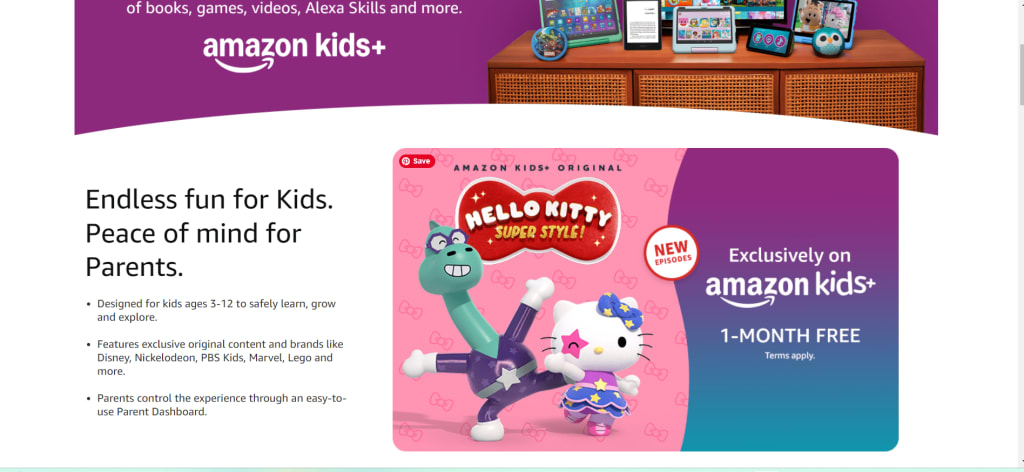
So, the other day I wrote an article about my struggle between me and the almighty Internet in the battle for my children's innocence.
Today, I want to talk about the solution we found that has effectively ended the war on the Internet... for now.
Amazon has taken the retail industry by storm. In the last 10 years alone, it has expanded beyond retail to printing and publishing, pharmacy, financing, entertainment by television, music, and gaming. They have developed their brand and even have their own technology and AI system that you can incorporate into your house and phone to make everyday life easier.
Quite the accomplishment, if you ask me. Despite all of that, what I am most impressed with is their Kids+ App.
Let's start with the 'good stuff.'
Whether you buy them a Fire tablet or not, (the certified refurbished ones are cheaper) the Amazon Kids+ App works with almost every device. Within the Amazon Kid App, they have access to educational (and not-so-educational) game apps, Amazon Videos (movies and series), Amazon books to read, audiobooks, and even the internet.
And you can custom tailor their access as you see fit- with complete and total control over what your children can do.
For ages 3 to 12, and broken up into 3 different age groups, you can create profiles on the device tailored to each child. So, you can have a profile on the shared home tablet for your 8-year-old, AND your 3-year-old, each with their own separate content access that is tailored to their ages and different interests. Or they can have their own devices, each with the app logged in on their profiles, and you can still monitor, edit, and review their activities from your own devices, in real-time AND post activity.
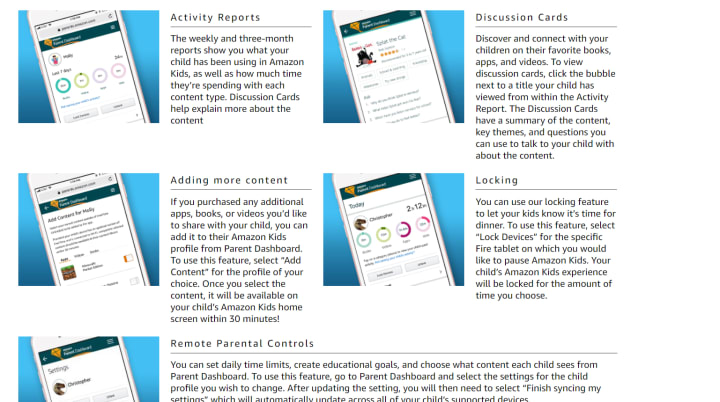
In the parent app, you can go into each child's profile and set a limit to daily screen time, no matter what they choose. You can allow them to browse the internet - keeping only parent-approved websites accessible. If there's a certain website you want to completely block from the internet browser, Amazon Kids+ can do it for you.
Ban Apps And Websites You Don't Want Your Kiddos On
For my 6-year-old, I have it set to where she must do 30 minutes of educational games or videos before she can access her non-educational content. On weekends, she has to do an hour. It will automatically load up with the restrictions, allowing her to only see what she's allowed to play on the home screen until she has fulfilled the obligatory educational time, and then it notifies her when she's done, automatically loading everything she has access to.
We have blacklisted Roblox and other apps that we don't deem appropriate. While it will show on their list of apps they can download, they cannot open or play them, and it will prompt them to ask a parent to unlock the parental controls from their device.
If there are certain hours of the day you want them to not have access at all to their apps, you can set that on the parental controls too. Our children cannot access their apps after 8 pm or before 10 am, and we have it limited to 2 hours of screen time a day, 2 and a half for Sky since she has to spend time doing education before she can have fun.
With Amazon Kids+, I have peace of mind allowing my children to play games and stream videos. I no longer have to worry about them finding inappropriate content on YouTube Kids or worry about them wandering out of digital areas that I consider 'safe' for their ages. I have complete control. This allows me a clear conscious and gives me time to do the dishes and make dinner, without having to worry about monitoring them so closely.
And it's designed to grow with them and adjust as they grow up and need more access to other things.
The only "con" is that it is a subscription-based app.
But, I really can't call it a con either. The subscription for Amazon Kids+ is a whole whopping $7.99 a month. You can also choose to prepay a few months or a whole year, which will save you money in the long run.
You only need one subscription, that can work on multiple devices. Some of the apps within, if they are a party to another company may require signing in, and some things need to be purchased, but the parental controls are so tight that they can't get past the prompt to get a parent's permission.
In my opinion, it's worth 8 bucks a month to make sure my kids are safe, only on age-appropriate content, and no nefarious person can access them while they are watching their devices.
To any other parents struggling to find a safe median for raising children in the age of technology, I highly recommend Amazon Kids+.
The peace of mind and security that it has brought me can't be properly given justice with a description. It checks off all of my goals to provide educational games and content to my children give them the freedom to explore and learn about technology and games, and protect them and their innocence, by making sure that parents have the control they crave over what their children are exposed to on electronic smart devices.
Time is precious, thank you so much for taking some to read my article. I hope you enjoyed it and it proved useful in some way!
Find my fictional fantasy book "Memoirs of the In-Between" on Amazon in paperback, eBook, and hardback.
You can also find it in the Apple Store or on the Campfire Reading app.
I help supplement my family's income with affiliate links. The links, should you choose to click and purchase, may give me monetary compensation. Thank you so much for your support.
About the Creator
Hope Martin
Find my fantasy book "Memoirs of the In-Between" on Amazon in paperback, eBook, and hardback, in the Apple Store, or on the Campfire Reading app.
Follow the Memoirs Facebook age here!
I am a mother, a homesteader, and an abuse survivor.
Keep reading
More stories from Hope Martin and writers in Families and other communities.
Epilogue
I sat in my office, twisting the wooden ring that Leon had carved for me on my finger. I was uncomfortable, hot, and cranky. And I was bored. Leon was making me a cup of tea in the adjoined kitchen. Estrakulius was resting peacefully next to me against the desk. I had taken up residence in CiCi’s old office as it was easier than moving everything into mine. It had been interesting to find things about CiCi after she was gone. It made me feel like she was still here and comforted me. And she was right, all of the millions and millions of reports were very helpful, no matter how much I hated them.
By Hope MartinExclusive • 2 months ago
Wise~Guys
— Look Behind what's in Front of You ~ Make Good Choices — Hey, So how you Doin'..! Made~Men — Mobster Movies romanticise a distinctive, elegant appearance, impeccable attire style, along with the 'Families' expressive lingo. Making their 'Bones' gave them Panache — with vintage fedoras, tailored pin-striped suits, mirror-polished wing-tip shoes adorned with tassels; with their 'Gun Moll' gorgeous dates on their arms.
By Jay Kantor18 days ago in Families
Forever Mommy
You are placing bricks, one on top of the other, oblivious to the couples pressing their noses to the glass that separates them from you. The room on this side of the glass has many more like you, in all shapes, sizes, colours, and ethnicity scattered on tables, chairs and mats, playing and laughing unaware of the fate that awaits you on the other side of the glass. The couples on the other side are seated in a waiting room awaiting their turn to view from the glass and choose their prospective offspring. It’s a thrift store of the unwanted and used.
By Poonam Desai2 days ago in Families




Comments (1)
Thanks for sharing