
Why UI/UX Design is Key to Successful Software Development
UI/UX Design

When you're building software, whether it's a mobile app, website, or desktop application, there’s more to consider than just functionality. You want users to enjoy using the product and have a seamless experience. That’s where UI/UX design comes in.
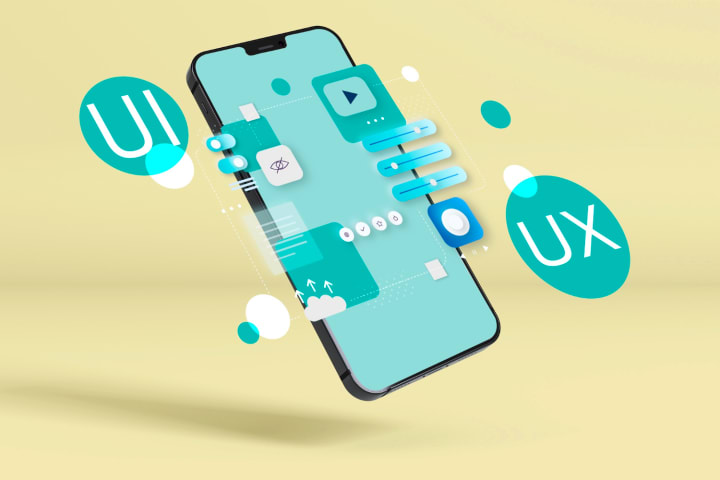
UI/UX design refers to the way a software looks and how it feels to use. These two aspects, User Interface (UI) and User Experience (UX), are crucial to software development because they help make the software not only functional but also user-friendly and enjoyable. In this blog, we’ll explore how UI/UX design contributes to software development in simple terms.
What is UI/UX Design?
Before we dive into how UI/UX contributes to software development, let’s define what UI and UX mean:
• UI (User Interface) It refers to the graphical elements of the software. This includes items such as buttons, icons, menus, colors, and layout. In short, it is about how it looks and how it is to be interacted with.
• UX (User Experience) What overall feel is going on when using the software? How user-friendly and easy to use the software is. UX addresses aspects of navigation, accessibility, speed, and adherence to need.
In short:
• UI is the look of the software.
• UX is the feel of the software.

Why is UI/UX Design Important in Software Development?
1. First Impressions Matter
The UI is the first thing a user might notice or view by opening an app or visiting a website. If the design is cluttered and confusing or unappealing, the users would leave it before they begin to use the software. A clean, modern, and well-navigable UI makes for a great first impression, drawing the users toward the software.
Good UI design can make an environment inviting. For example, a website with an obvious but beautiful homepage invites users to explore the site beyond this front page.
2. User Satisfaction and Retention
A good UX design would ensure customers end up feeling happy working on the software. This is usually the case when a user can fast-forward to what he's looking for, complete his task in the minimum time, and is not blocked by frustrating barriers. This is all about better user retention.
For instance, an application for shopping with a checkout process that does not frustrate the users during the transaction will stimulate completing the transaction. On the other hand, if the application is cumbersome and also too time consuming to use, users will abandon their carts and look at other competition.
3. Simplifying Complex Tasks
It makes it easier to simplify problems. Good UI/UX means you can break a complicated process into a simple one that will not burden the user, thus making it easy for users to achieve something without getting puzzled.
Imagine the amount of steps that may take a user to purchase something from an e-commerce website. It is the role of a good UX designer to make these steps intuitive, well named and easy to understand. For example, it may be in the form of some examples like progress bars or tooltips which can notify the user of where exactly he or she is at in such a process or minimalistic forms that aid better navigation.
4. Increased Efficiency and Productivity
Good UX design allows users to work faster and more efficiently. Whether it is a business application, an application for mobile, or any type of software for professional use, UX design is meant to improve productivity by making common tasks faster and easier.
For example, imagine having some kind of project management software or some type of task management tool. If you give them an effective interface that will allow your users to input their tasks, assign them to the relevant team members, and track their progress, it will save time for its users through an intuitive and fast interface, hence making people more productive and satisfied with using the tool.
5. Consistency and Branding
UI/UX design keeps the application or platform uniform. It is essential to maintain consistency so that the end-user may comfortably and familiarize himself with the software. For example, the style of the buttons, colors, and fonts should be the same all over the software.
Good UI/UX also supports branding. The color usage and element must come hand in hand with the brand's identity so it would be very cohesive in experience; for instance, it is a travel app that will make you feel adventurous and fun through bright colors and pretty images of destinations.
6. Mobile and Cross-Platform Experience
Today, software is the main interaction vehicle for most users; it's touched on devices ranging from smart, highly portable smart phones to desktops and everything in between, including tablets. It ensures proper UI/UX design implies that the software works seamlessly on all these - from tweaking layouts for the many to accommodate small screens to how the user interacts with it through touch.
For instance, while the person shops online using their mobile device, it should be a responsive design, so that buttons tap easily, images are clear and clean, and navigation pretty simple. If later on, they switch to a computer, then the same design fills out the larger space while it remains smooth.
7. Accessibility for All Users
Accessibility is a part of both UI and UX designs. An ability to access a software for all means an ability of making it accessible for disabled people. This may involve using readable fonts, always providing alternatives for the text images and further, ensuring that the software is completely usable with a screen reader or other assistive technologies.
A good UX design will ensure that all users can work with the software meaningfully, from those who have a physical impairment in using a mouse to those with impaired vision who need enough contrast between text and background due to loss or weak sight.
How UI/UX Design Fits into the Software Development Process
UI/UX design is not an afterthought; it’s an ongoing process that happens throughout the software development cycle. Here’s how it typically fits into the process:
1. Planning and Research: At the outset, designers gather the take about the user target, his needs and wishes. They research their competitors and design trends as well.
2. Wireframing and Prototyping: To create how the software will look and operate designers create wireframes (or blueprints), then prototypes (or interactive models). This makes developers understand the layout and the flow of the given app.
3. Designing: Once the prototypes are vetted and tested, designers solidify the user interface design creation color, typography, icons and layout.
4. Development: The designs are developed by them and the software is built. Closely working with developers to make sure the design will be correctly implemented, UI/UX designers make use of the behavioral phase of the process.
5. Testing and Feedback: Once developed, the team tests the software with real users, and both user feedback on UI as well as UX are elicited for appropriate changes in the final product.
6. Launch and Iteration: At that point, the design team will keep an eye on user feedback and day by day the UI/UX can be improved.
Conclusion
Such is one of the main areas of software development, and that brings about a huge difference in the user experience. Having at look at both sides of the coin - UI and UX you will be able to craft products that are functionally correct yet not only pleasant to use but also pleasant to look at.
In the entire software development process, right from improving user satisfaction and retention to making complicated tasks easy and cheaper, UI/UX can add value. It is with the time invested in thoughtful and people-centered design that the companies develop such kind of software, which will ultimately serve the needs of the users-this is therefore the key to success for that player in today's competitive world of a digital space.
About the Creator
Market Impact Estimation and Slippage Control in Automated Stock Trading
Automated stock trading has changed the way people trade in today’s markets. With the help of algorithms and clear rules, traders can buy and sell stocks faster and with more discipline. Even so, every trading system faces two real challenges: market impact and slippage. Learning how these work and how automated systems handle them helps traders build smarter and more reliable strategies.
By james hall3 days ago in Education
Building Stronger Schools Through Student Mental Health Support
Schools across the United States face a growing responsibility to support students with anxiety and depression. Academic pressure, social media influence, family stress, and uncertainty about the future affect students at younger ages than ever before. Therefore, schools must recognize that mental health directly shapes learning outcomes, behavior, and long-term well-being. When students feel emotionally supported, they engage more fully in class and build stronger relationships. As a result, mental health care should stand alongside academic instruction as a core school priority.
By Martin Karp5 days ago in Education




Comments
There are no comments for this story
Be the first to respond and start the conversation.