
What Are the Functions of Hub, Switch, and Router in a Network?
Introduction

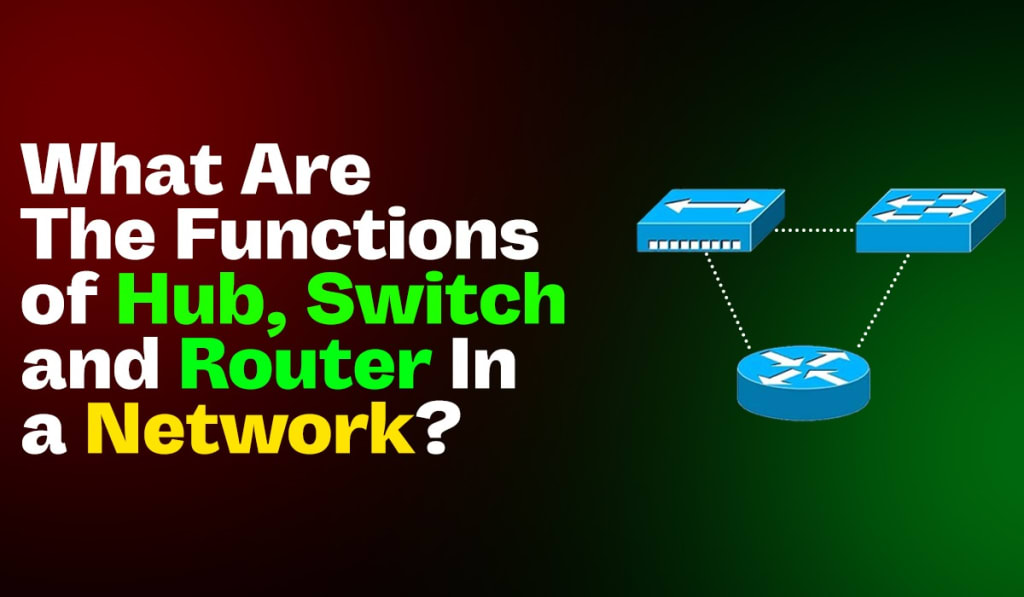
In the world of networking, understanding the roles of different devices is crucial. Hubs, switches, and routers are three fundamental devices that play vital roles in how data is transmitted across a network. Each has its unique functions and applications, and knowing the difference between hub and switch and router can significantly impact the efficiency and performance of a network.
Hub
A hub is a basic networking device that connects multiple computers in a local area network (LAN). It operates at the physical layer (Layer 1) of the OSI model.
Functions of a Hub
- Data Transmission: A hub receives data packets from a connected device and broadcasts them to all other ports, regardless of the destination address. This means that every device connected to the hub receives the data, even if it's not the intended recipient.
- Simple Connectivity: Hubs are simple devices with no intelligence or capability to filter data. They merely serve as a conduit for data transmission.
- Collision Domain: All devices connected to a hub share a single collision domain, which can lead to network congestion and collisions when multiple devices attempt to communicate simultaneously.
Switch
A switch is a more advanced device that operates at the data link layer (Layer 2) of the OSI model. It connects multiple devices in a LAN, like a hub, but with greater efficiency and intelligence.
Functions of a Switch
- Data Filtering and Forwarding: Unlike a hub, a switch can filter and forward data to the specific device intended as the recipient. It uses MAC addresses to determine the correct destination for each data packet.
- Collision Domain Management: Each port on a switch represents a separate collision domain, significantly reducing the chances of collisions and network congestion. This improves overall network performance and efficiency.
- Full Duplex Communication: Switches support full duplex communication, allowing data to be sent and received simultaneously, further enhancing network speed and efficiency.
Router
A router is a device that operates at the network layer (Layer 3) of the OSI model. It connects multiple networks, such as different LANs or a LAN and a wide area network (WAN) and directs data packets between them.
Functions of a Router
- Path Selection: Routers use IP addresses to determine the best path for data packets to travel from the source to the destination across different networks. They employ routing tables and protocols to make these decisions.
- Network Segmentation: By connecting different networks, routers create separate broadcast domains, improving network efficiency and security. This segmentation also helps in managing traffic more effectively.
- Security and Control: Routers can implement security measures such as firewalls and access control lists (ACLs) to protect networks from unauthorized access and attacks. They also enable traffic shaping and Quality of Service (QoS) to prioritize certain types of data.
Difference Between Hub and Switch and Router
Understanding the differences between these devices is essential for designing and maintaining efficient networks.
Data Handling:
- Hub: Broadcasts data to all connected devices.
- Switch: Filters and forwards data to specific devices based on MAC addresses.
- Router: Routes data between different networks using IP addresses.
Collision Domains:
- Hub: All ports share a single collision domain.
- Switch: Each port has its own collision domain.
- Router: Creates separate broadcast domains for each connected network.
Layer of Operation:
- Hub: Operates at Layer 1 (Physical Layer).
- Switch: Operates at Layer 2 (Data Link Layer).
- Router: Operates at Layer 3 (Network Layer).
Functionality:
- Hub: Simple data transmission without filtering.
- Switch: Efficient data handling with MAC address filtering.
- Router: Advanced path selection, security, and network segmentation.
FAQs – frequently asked questions
What is the primary function of a hub in a network?
A hub connects multiple computers in a LAN and broadcasts data packets to all connected devices, regardless of the destination.
How does a switch improve network performance compared to a hub?
A switch improves performance by filtering and forwarding data to specific devices based on MAC addresses, reducing collisions and congestion.
What role does a router play in a network?
A router connects different networks and directs data packets between them using IP addresses, employing routing tables and protocols.
What is the key difference between a switch and a router?
A switch operates at the data link layer (Layer 2) and handles data within a single network, while a router operates at the network layer (Layer 3) and directs data between different networks.
Why is it important to understand the difference between a hub and switch and router?
Understanding the differences helps in designing efficient networks, optimizing performance, and effectively troubleshooting network issues.
Conclusion
In summary, hubs, switches, and routers each serve distinct and important roles in a network. A hub is a basic device for connecting multiple computers, a switch improves network efficiency by intelligently directing data, and a router connects different networks and manages data traffic between them. Understanding the differences between a hub and switch and router can help you design better networks and troubleshoot issues more effectively.
About the Creator
pynet labs
PyNet Labs is a reputable networking training institute that provides a variety of courses to both students and working professionals.
Keep reading
More stories from pynet labs and writers in Education and other communities.
Exploring the Future of Data Science: Trends and Opportunities
Introduction In today's digital era, data is more than just numbers, it's the backbone of innovation, decision-making, and strategic growth across industries. As we look ahead, data science continues to evolve, presenting new trends and opportunities for professionals and organizations alike.
By pynet labs8 months ago in Education
The Confidence Advantage: How Transparent Communication Builds Lasting Investor Trust
Investor relationships thrive on more than financial returns. While performance attracts attention, trust sustains commitment over time. In an environment shaped by rapid information flow and shifting market conditions, transparency has become one of the most powerful tools for building and maintaining investor confidence. When organizations communicate clearly and consistently, they strengthen relationships that endure well beyond short-term results.
By Michael Christopher Venturino6 days ago in Education
Golf Handicap Reduction Without a Swing Overhaul: Smarter Ways to Play Better Golf
Lowering your handicap does not always require technical changes or hours on the range; it requires rebuilding your swing. Many golfers overlook the fact that scoring improvement often comes from strategic thinking, mental discipline, and better preparation. By focusing on how you play rather than how you swing, you can unlock consistent progress and enjoy the game more. This article explores practical, on-course methods that help you shoot lower scores while keeping your swing exactly as it is.
By Ian Schenkel Haliburton6 days ago in Education



Comments
There are no comments for this story
Be the first to respond and start the conversation.