
Web-Based vs. Desktop Reverse Video Search Tools: Which is Best for You?
Reverse Video Search Tools


Reverse video search tools have become indispensable for identifying the source of a video, tracking its usage across the web, or finding similar content. These tools are broadly categorized into two types: web-based and desktop-based. Each has its own set of advantages and disadvantages, making them suitable for different use cases. In this article, we’ll explore the pros and cons of both types, discuss their ideal use cases, and provide recommendations to help you choose the best tool for your needs.
Web-Based Reverse Video Search Tools
Web-based tools are accessed through a browser and do not require any installation. Popular examples include TinEye, Berify, and Google Reverse Image Search (which can sometimes be used for video frames). These tools are designed for quick and easy searches, making them ideal for casual users.
Pros of Web-Based Tools:
Accessibility:
Web-based tools can be used from any device with an internet connection, whether it’s a laptop, smartphone, or tablet. This makes them highly convenient for users who need to perform searches on the go.
No Installation Required:
Since these tools are browser-based, there’s no need to download or install any software. This saves time and storage space on your device.
User-Friendly Interface:
Most web-based tools are designed with simplicity in mind. Users can simply upload an image or paste a URL to initiate a search.
Regular Updates:
Web-based tools are frequently updated by developers, ensuring that users have access to the latest features and databases.
Cost-Effective:
Many web-based tools offer free tiers or limited free searches, making them a budget-friendly option for casual users.
Cons of Web-Based Tools:
Internet Dependency:
These tools require a stable internet connection to function. If you’re in an area with poor connectivity, you may not be able to use them effectively.
Limited Advanced Features:
Web-based tools often lack advanced features like batch processing, detailed filtering, or frame-by-frame analysis.
Privacy Concerns:
Uploading sensitive content to a third-party server may raise privacy issues, especially if the content is confidential or proprietary.
Use Cases for Web-Based Tools:
Quick Searches: Ideal for users who need to perform one-off searches to identify the source of a video or find duplicates.
Casual Users: Perfect for non-technical users who prioritize ease of use over advanced functionality.
On-the-Go Searches: Great for users who need to perform searches from multiple devices without installing software.
Desktop Reverse Video Search Tools
Desktop tools are installed on your computer and often come with advanced features. Examples include VLC Media Player (with plugins) and specialized software like Digikam or Adobe Premiere Pro (for frame extraction and analysis). These tools are better suited for professionals who require more control over their searches.
Pros of Desktop Tools:
Advanced Features:
Desktop tools often offer advanced functionalities like frame-by-frame analysis, batch processing, and integration with other software.
Offline Use:
Once installed, these tools can be used without an internet connection, making them ideal for users in areas with poor connectivity.
Privacy:
Since all data remains on your local machine, desktop tools are a better option for users concerned about privacy.
Customization:
Many desktop tools allow for plugins or extensions, enabling users to tailor the software to their specific needs.
Cons of Desktop Tools:
Installation Required:
These tools require downloading and installing software, which may not be feasible on all devices.
Resource Intensive:
Desktop tools can consume significant system resources, especially when processing large video files.
Cost:
Many desktop tools are paid or require subscriptions for full functionality, making them less budget-friendly.
Learning Curve:
Desktop tools often have a steeper learning curve compared to web-based tools, which may deter casual users.
Use Cases for Desktop Tools:
Professional Use: Ideal for video editors, forensic experts, or researchers who need detailed analysis and advanced features.
Frequent Searches: Suitable for users who perform reverse video searches regularly and need offline capabilities.
Privacy-Conscious Users: Perfect for those who prioritize data security and prefer to keep their content offline.
Recommendations Based on User Needs
Casual Users:
If you only need to perform occasional searches, opt for web-based tools like TinEye or Berify. They are easy to use, require no installation, and are often free.
Professionals:
For advanced features and offline use, choose desktop tools. These are better suited for tasks like frame-by-frame analysis or batch processing.
Privacy-Conscious Users:
If privacy is a concern, desktop tools are the way to go, as they keep your data on your local machine.
Budget-Conscious Users:
Start with free web-based tools before investing in paid desktop software. Many web-based tools offer sufficient functionality for basic searches.
Conclusion
Both web-based and desktop reverse video search tools have their unique strengths and weaknesses. Web-based tools are ideal for casual users who need quick, easy, and accessible searches, while desktop tools are better suited for professionals who require advanced features and offline capabilities. By understanding your specific needs and use cases, you can choose the tool that best aligns with your requirements.
For more information on popular tools, check out user reviews of TinEye and Berify. These platforms are widely regarded as some of the best options for reverse video searches, whether you prefer web-based or desktop solutions.
About the Creator
Monk Outsourcing
Monk Outsourcing specializes in website design outsourcing, offering innovative, scalable, and cost-effective solutions tailored to your business needs. With a team of skilled professionals, we deliver high-quality web design services.
Keep reading
More stories from Monk Outsourcing and writers in Education and other communities.
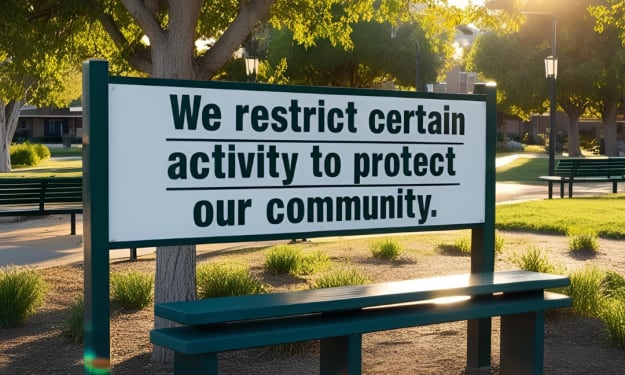
How to Solve “We Restrict Certain Activity” on Instagram?
If you’ve ever encountered the frustrating message “We restrict certain activity to protect our community” on Instagram, you’re not alone. Many users have reported seeing this notification pop up unexpectedly, often without a clear explanation. Whether you're trying to like a post, follow someone, comment, or send a direct message, this restriction can disrupt your regular usage of the platform. But why does this happen, and more importantly, how can you fix it?
By Monk Outsourcing10 months ago in Education
Leading the Charge: The Core Leadership Skills Every Entrepreneur Needs to Succeed
Successful entrepreneurship is built on more than innovation and determination. While a strong business idea may open the door to opportunity, leadership skills determine whether that opportunity turns into lasting success. In today’s competitive business environment, entrepreneurs must do more than manage operations. They must inspire people, make strategic decisions, and guide their organizations through constant change. Mastering essential leadership skills is the true foundation of sustainable growth and long-term profitability.
By Per Jacob Solli5 days ago in Education
Advanced Instrument Flight: Flying Beyond Sight with Skill and Control
Instrument flight is the foundation of safe flying in poor visibility. When pilots cannot see the horizon, the runway, or the ground below, they must rely fully on cockpit instruments. Instrument flight allows aircraft to move safely through clouds, rain, haze, and darkness. It is a skill that demands focus, steady hands, and strong decision making.
By Duke Valentour6 days ago in Education
Cassie and Johnny
I’m the kind of dame you notice. I’m no femme fatale, but you can’t ignore me, at least not until I warn you about what’s coming, then everybody ignores me. Hell, they usually blame me afterwards and give Johnny all the credit for saving the day, but my Johnny couldn’t save a seat at the movies without my help. Sure, he’s brawny, but brainy? Not so much. Like that time I asked him to spot me five bucks, and he said he didn’t see it anywhere on me, and believe you me, he looked but good.
By Harper Lewis5 days ago in Critique


Comments
There are no comments for this story
Be the first to respond and start the conversation.