
How to Solve “We Restrict Certain Activity” on Instagram?
We restrict certain activity to protect our community


If you’ve ever encountered the frustrating message “We restrict certain activity to protect our community” on Instagram, you’re not alone. Many users have reported seeing this notification pop up unexpectedly, often without a clear explanation. Whether you're trying to like a post, follow someone, comment, or send a direct message, this restriction can disrupt your regular usage of the platform. But why does this happen, and more importantly, how can you fix it?
Let’s dive into what this message means, why Instagram restrict certain activity, and the steps you can take to resolve the issue.
What Does “We Restrict Certain Activity” Mean?

The message “We restrict certain activity Instagram” displays when Instagram suspects that your account might be violating its community guidelines or engaging in spam-like behavior. This could be due to:
- Excessive liking, commenting, or following/unfollowing users in a short period.
- Use of third-party automation tools (bots).
- Repeated posting of the same content or hashtags.
- Sudden changes in activity from a new location or device.
Essentially, “we restrict certain activity to protect our community” is Instagram’s way of saying that it has detected something suspicious and is taking action to prevent abuse on the platform.
Why Instagram Restrict Certain Activity?
If you're wondering why Instagram restrict certain activity, the answer lies in the platform's goal to maintain a safe and authentic environment. Instagram employs AI-driven monitoring systems that analyze user behavior to detect bots, spam, fake accounts, and potential policy violations.
Some common triggers for these restrictions include:
- Suspicious Behavior: Rapid actions that resemble bot-like behavior (e.g., liking 100 posts in a minute).
- Automated Tools: Using third-party tools to gain followers, auto-like, or auto-comment.
- Policy Violations: Sharing inappropriate or copyrighted content, hate speech, or misinformation.
- User Reports: If other users report your account, it may lead to temporary restrictions.
These safeguards are in place because Instagram restrict certain activity to protect our community from spam, abuse, and harmful behavior.
How to Fix the “We Restrict Certain Activity” Issue?
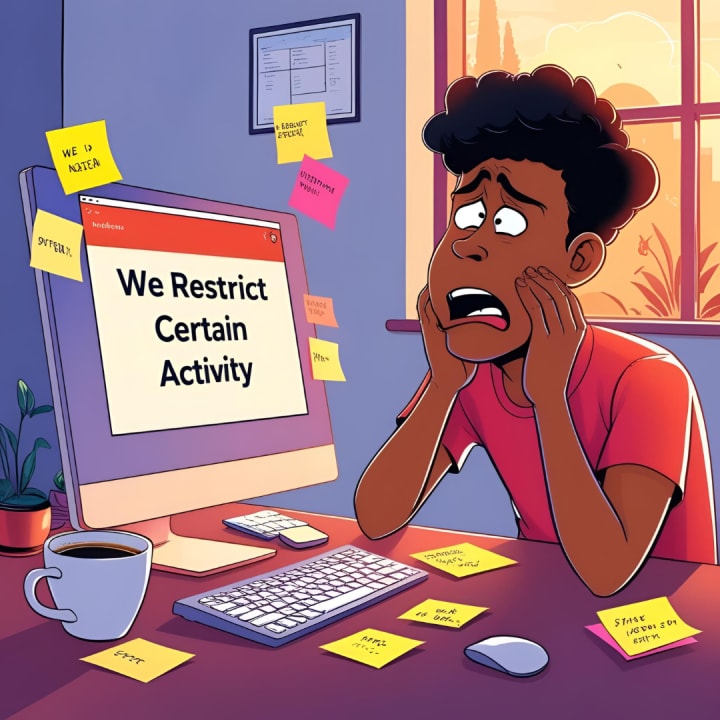
Now that you understand the reasons behind the restriction, here are practical steps to resolve the issue and prevent it from happening again.
1. Stop Suspicious Activity Immediately
If you’ve been aggressively liking, commenting, or following users, take a break. Cease all activity for at least 24–48 hours. Instagram may lift the restriction once the system sees normal usage patterns.
2. Revoke Access to Third-Party Apps
Go to your Instagram account settings and check for any unauthorized third-party apps connected to your account. Revoke access to all apps you don’t recognize or no longer use. These tools often violate Instagram’s policies and trigger automatic restrictions.
3. Verify Your Account
Sometimes Instagram needs to confirm that you’re a real person. Go to your profile settings and complete any verification steps (e.g., adding your phone number or email). If you’re prompted to verify your identity via a code or selfie, do so promptly.
4. Report the Problem to Instagram
If you believe you were wrongly restricted, you can report the issue:
- Go to your Instagram settings.
- Tap on “Help” > “Report a Problem.”
- Choose the relevant option and explain that you’re receiving the “we restrict certain activity Instagram” message without a valid reason.
While Instagram may not respond directly, they do review these reports and may lift restrictions sooner.
5. Switch to a Professional Account
Some users have reported fewer issues after switching from a personal to a business or creator account. This might signal to Instagram that you're a legitimate user using the platform for real engagement.
6. Use Instagram Responsibly
Avoid copy-pasting the same comments, using banned hashtags, or mass-following people. Respect Instagram’s community guidelines and terms of service to maintain a healthy account status.
Tips to Avoid Future Restrictions

To keep your account in good standing and avoid triggering the “we restrict certain activity to protect our community” message again, follow these tips:
- Don’t use automation or bots.
- Limit your daily interactions (e.g., don’t follow/unfollow hundreds of people a day).
- Keep your content original and engaging.
- Spread out your activity naturally throughout the day.
- Stay updated with Instagram’s latest guidelines and policy changes.
Final Thoughts
Instagram’s security algorithms aren’t perfect, but they are designed with good intentions—to maintain a safe and enjoyable community for all users. While it can be frustrating to see the “we restrict certain activity Instagram” message, it usually resolves with time and responsible usage.
Understanding why Instagram restrict certain activity can help you navigate the platform more safely. If you’ve been affected, take the steps above to restore your account’s functionality and build trust with the platform. With patience and caution, you’ll be back to scrolling, sharing, and engaging in no time.
About the Creator
Monk Outsourcing
Monk Outsourcing specializes in website design outsourcing, offering innovative, scalable, and cost-effective solutions tailored to your business needs. With a team of skilled professionals, we deliver high-quality web design services.
Keep reading
More stories from Monk Outsourcing and writers in Education and other communities.
What Sort of SEO Plan or Service Would Be Suitable for a $2,500 Budget?
In today’s competitive digital landscape, investing in SEO is no longer optional — it’s essential. But what if your budget is $2,500? Is that enough to move the needle? The short answer: absolutely. With the right strategy and the support of an affordable SEO company, a $2,500 SEO budget can unlock meaningful improvements in rankings, traffic, and conversions.
By Monk Outsourcing11 months ago in Education
Why More Companies Are Seeking ISO Consultancy in Abu Dhabi Before Expanding Operations
Business expansion sounds exciting. New markets, larger teams, bigger contracts. But behind the scenes, expansion also introduces operational pressure that many companies underestimate. Processes that worked for a small or mid-size organization often begin to fail when scale increases. And that’s exactly why many companies in Abu Dhabi are turning to structured management systems before they grow further.
By Umar Quality Jounal6 days ago in Education
Smart Growth Strategies for Long-Term Wealth
Expanding a diverse portfolio in real estate and beyond is one of the smartest ways to build long-term wealth. Markets can shift without warning, and relying on one type of asset can expose you to high risk. When you focus on expanding a diverse portfolio in real estate and beyond, you spread your investments across different areas, helping protect your capital and generate steady returns. This balanced approach gives investors more control and more confidence during uncertain times.
By Adam Adler6 days ago in Education


Comments
There are no comments for this story
Be the first to respond and start the conversation.