
Unlocking the Power of the TI-84 Plus CE
A Comprehensive Guide for Students

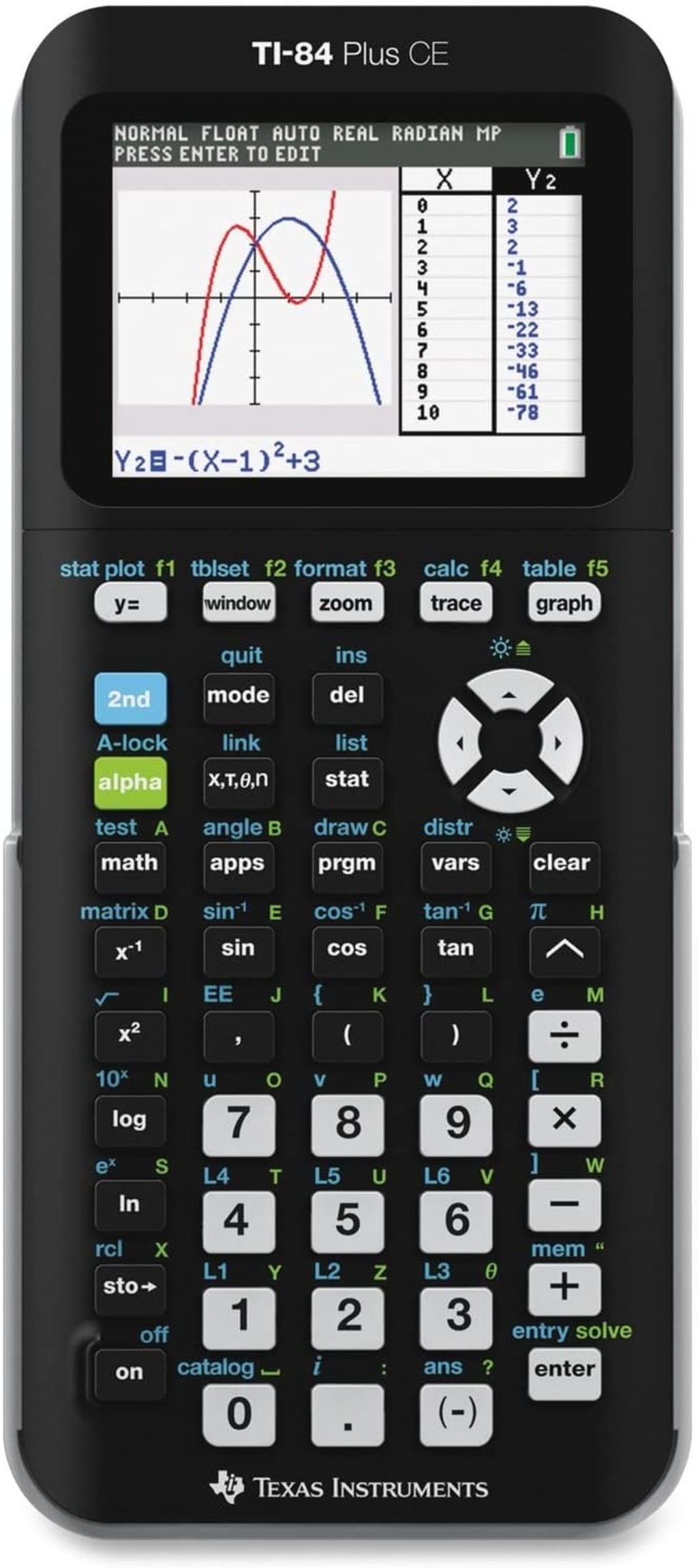
Unlocking the Power of the TI-84 Plus CE: A Comprehensive Guide for Students
The TI-84 Plus CE graphing calculator is a powerful tool that can significantly enhance your learning experience in mathematics and science. Whether you're a high school student tackling algebra or a college student delving into calculus, this calculator can be your secret weapon. In this comprehensive guide, we'll explore its key features and provide practical tips on how to maximize its potential.
Understanding the Basics
Before diving into advanced functions, it's essential to grasp the fundamental operations of your TI-84 Plus CE.
Basic Arithmetic: The calculator performs standard calculations like addition, subtraction, multiplication, and division with ease.
Order of Operations: The calculator adheres to the PEMDAS (Parentheses, Exponents, Multiplication, Division, Addition, Subtraction) rule.
Fractions: You can input and manipulate fractions using the appropriate keys.
Decimals: Convert fractions to decimals and vice versa with a simple function.
Square Roots and Exponents: Calculate square roots, cube roots, and powers efficiently.
Graphing Functions: A Visual Approach
One of the most valuable features of the TI-84 Plus CE is its graphing capabilities. By visualizing mathematical functions, you can gain a deeper understanding of their behavior.
Inputting Functions: Learn how to enter different types of functions, including linear, quadratic, polynomial, exponential, and logarithmic.
Adjusting the Viewing Window: Customize the graph's display to focus on specific regions of interest.
Finding Intercepts and Zeros: Determine where the graph crosses the x and y axes.
Calculating Maximum and Minimum Points: Identify the highest and lowest points on the graph.
Graphing Inequalities: Visualize solutions to inequalities and systems of inequalities.
Tackling Trigonometry
Trigonometry becomes more manageable with the TI-84 Plus CE.
Degree and Radian Modes: Switch between degree and radian measurements as needed.
Trigonometric Functions: Calculate sine, cosine, tangent, and their inverses.
Graphing Trigonometric Functions: Visualize the behavior of trigonometric functions.
Solving Trigonometric Equations: Find solutions to trigonometric equations using various methods.
Statistics Made Easy
The calculator is a valuable asset for statistics students.
Entering Data: Input data sets efficiently.
Calculating One-Variable Statistics: Find mean, median, mode, standard deviation, and other measures.
Linear Regression: Create scatter plots and find the best-fit line.
Hypothesis Testing: Perform basic hypothesis tests.
Probability Distributions: Work with normal, binomial, and other distributions.
Advanced Features for Calculus
For calculus students, the TI-84 Plus CE offers powerful tools.
Derivatives: Calculate numerical derivatives.
Integrals: Approximate definite integrals.
Solving Differential Equations: Explore solutions to differential equations.
Graphing Functions and Their Derivatives: Visualize the relationship between a function and its derivative.
Tips for Effective Use
To maximize the benefits of your TI-84 Plus CE:
Practice Regularly: The more you use the calculator, the more proficient you'll become.
Explore the Manual: The manual contains detailed instructions and examples.
Take Advantage of Online Resources: Numerous tutorials and guides are available online.
Experiment with Different Functions: Discover hidden features and capabilities.
Use the Calculator as a Learning Tool: Don't rely solely on the calculator; use it to supplement your understanding of mathematical concepts.
Examples of TI-84 Plus CE Functions
Graphing Functions
Example 1: Graphing a Quadratic Function
Input the function y = 2x^2 - 3x + 1 into the Y1 equation editor.
Adjust the window settings to view the parabola clearly (e.g., Xmin = -5, Xmax = 5, Ymin = -5, Ymax = 10).
Press the GRAPH button to display the graph.
Example 2: Graphing a Trigonometric Function
Set the calculator to radian mode.
Input the function y = sin(x) into the Y1 equation editor.
Adjust the window settings to view one or more periods of the sine curve (e.g., Xmin = 0, Xmax = 2π, Ymin = -1.5, Ymax = 1.5).
Press the GRAPH button to display the graph.
Statistics
Example 1: Calculating One-Variable Statistics
Input a list of data into L1 (e.g., test scores).
Go to STAT -> CALC -> 1-Var Stats.
Enter L1 as the list and calculate the statistics.
Example 2: Linear Regression
Input paired data (x, y) into L1 and L2 (e.g., height and weight).
Go to STAT -> CALC -> LinReg(ax+b).
Enter L1 as Xlist, L2 as Ylist, and store the regression equation in Y1.
Press the GRAPH button to visualize the data and the regression line.
Calculus
Example 1: Numerical Derivative
Input the function f(x) = x^3 - 2x + 1 into Y1.
Go to MATH -> nDeriv(.Input Y1, X, and the desired x-value (e.g., nDeriv(Y1,X,2) to find the derivative at x = 2).
Example 2: Numerical Integration
Input the function f(x) = x^2 into Y1.
Go to MATH -> fnInt(. Input Y1, X, the lower bound (e.g., 0), and the upper bound (e.g., 3) to find the definite integral from 0 to 3.
Other Useful Functions
Solving Equations: Use the "solve(" function in the MATH menu to find solutions to equations.
Matrices: Create, manipulate, and perform operations on matrices.
Probability Distributions: Calculate probabilities for normal, binomial, and other distributions.
Programming: Create custom programs to automate tasks.
Conclusion
The TI-84 Plus CE is a versatile tool that can significantly enhance your mathematical abilities. By mastering its features and practicing regularly, you'll be well-equipped to tackle complex problems and achieve academic success. Remember, the calculator is a tool, not a replacement for understanding the underlying concepts. Use it wisely to complement your learning journey.
About the Creator
increase
Infusing expertise into every word to empower you with the best choices. Unveiling hidden gems and top-notch products for your refined taste and better lifestyle. #QualityContent #InformedDecisions
Reader insights
Nice work
Very well written. Keep up the good work!
Top insights
Excellent storytelling
Original narrative & well developed characters
Eye opening
Niche topic & fresh perspectives
Justice Begins With Character
Conscience, Character, and Justice While laws and institutions are necessary to maintain order, they alone cannot create a truly just society. The foundation of justice is built within the hearts and minds of people, long before legal decisions are made or courtroom debates occur.
By A.Petrovski5 days ago in Education
How Financial Advisors Make Millions Behind the Scenes
Many people trust financial advisors to guide their money decisions. Advisors help clients save, invest, and plan for retirement. They often appear helpful and knowledgeable. Yet many people do not know how advisors earn their real income. The truth is simple. Financial advisors are secretly making millions through systems that most clients never notice.
By Keith D'Agostino2 days ago in Education
Writing To Succeed
If you want to find something that will help readers find your writing, possibly expand your audience, and maybe even get you noticed for other things, then you’re not alone. But how can you get it done in a world full of want-to-be writers? Look less at what you’re writing now, and more at what other writers have used to boost their views and reads.
By Jason Ray Morton 6 days ago in Writers



Comments (1)
Well detailed analysis