
Unlock the Power of Your Devices : What is 3UTools and How to install it for Windows, MAC and iOS
Step by Step Guides - Latest Updated 2024/2025 Guides

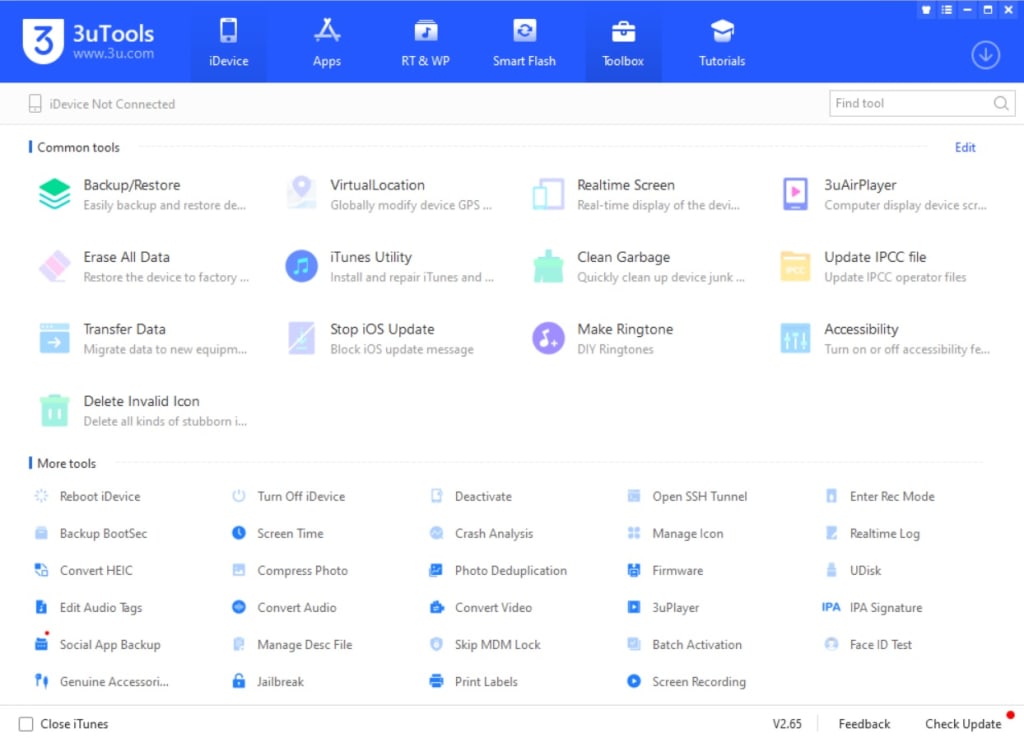
3uTools is a handy tool for managing iOS devices. It has many features, like jailbreaking, backing up data, changing firmware, and managing files, apps, photos, music, and more. A lot of people like it because it's easy to use & has many functions.
Features of 3uTools:
• Jailbreaking: Helps you jailbreak different iOS versions & devices.
• Flashing & Firmware Management: You can flash various iOS firmware versions. This means downgrading, upgrading, or restoring is simple.
• Data Management: There are tools for managing files, photos, music, videos, contacts, and apps on your iOS device.
• Backup & Restore: Users can back up their data and restore it later if they want to.
• Real-time Monitoring: Check the status of your device in real-time. This includes battery life, memory usage, and more.
How to Install 3uTools
For Windows:
1. Download 3uTools:
o Go to the official site: 3u.com.
o Get the latest version for Windows.
2. Installation:
o When it finishes downloading, run the installer.
o Just follow the instructions on your screen to set it up on your Windows PC.
3. Connect Your iOS Device:
o After it's installed, open 3uTools.
o Use a USB cable to connect your iPhone, iPad, or iPod touch to your PC.
o 3uTools will find your device. Now you can use all its cool features!
For macOS:
Oh no! You can follow 2 methods. 3uTools app directly available for macOS. Also third party indirect download method, But don’t worry! Indirect method You can run it on a Mac using software like Parallels Desktop or by setting up Windows on your Mac with Boot Camp. Here’s how to download with both methods:
Direct Download - 3UTools for MAC
Indirect Download
1. Using Parallels Desktop or Similar Tools:
o Install Parallels Desktop (or another virtualization software) on your Mac. Recommend to use Trial version..
o Set up a Windows OS in that virtual machine.
o Then follow the Windows installation steps above to install 3uTools there.
2. Using Boot Camp:
o Set up Windows on your Mac using Boot Camp.
o Once done, just follow those same steps for installing 3uTools that you used for Windows.
For iOS:
You can't install 3uTools directly on iOS devices. But once you set it up on a Windows PC, you can use it easily with just one click! Just download the application first and install it.
Then connect your iPhone, iPad, or iPod to your computer and open that 3UTools app! Look for the blue button at the bottom to add the right version of 3UTools for your device. Tap that icon & install it!
Wait a little while and follow any instructions until everything is set.
Latest Version:
To get the newest version of 3uTools, always grab it directly from their official website. It gets updated often so it can support the latest devices & updates.
Make sure you back up your iOS device before using 3uTools—especially if you're planning to jailbreak or change firmware!
Advantages of 3uTools:
1. Great for managing different devices!
2. Useful for flashing & jailbreaking!
3. Easy interface to navigate!
4. You can monitor everything in real time!
5. It's free—who doesn’t love that?
6. Works with many different devices!
7. Fast & efficient too!
Disadvantages of 3uTools:
1. Only works on Windows systems.
2. There’s a chance of bricking if not careful.
3. Some legal concerns about jailbreaking!
4. No direct support for macOS options.
5. Risk of losing data if not careful!
6. Security risks can be present at times!
7. It might be tricky for beginners.
Conclusion
Overall, 3uTools is a powerful tool worth checking out! It offers tons of features for free which is great! Just remember that there could be risks involved—especially when using advanced stuff like jailbreaking or flashing firmware. So always be cautious—especially if you're trying things out for the first time!
About the Creator
tutu app
I am Developer and Blogger who is writing articles for many websites. I am interesting with updated news and guides. Touch with me if you are interesting.
How to Implement Digital Signage in Your Pharmacy
I'll never forget the first time I walked into a pharmacy with digital signage displays showing real-time prescription wait times and health tips. As someone who'd spent years waiting in line wondering how much longer I'd be there, seeing that information displayed so clearly felt revolutionary. That experience stuck with me, and when I later helped my cousin implement digital signage in her independent pharmacy, I realized just how transformative this technology could be for both pharmacy owners and customers.
By Jerry Kane 5 days ago in Education
Prevention First: How Proactive Medical Care Builds Stronger Communities
Preventive medical care plays a critical role in shaping healthier communities. When people receive care before illness develops, they avoid many severe conditions. This approach improves quality of life and reduces strain on healthcare systems. Moreover, prevention supports long-term wellness rather than short-term treatment. Communities that prioritize preventive care experience lower rates of chronic disease. As a result, individuals remain active and productive. Preventive care, therefore, serves as the foundation for sustainable public health.
By St. John's Community Health8 days ago in Education




Comments