
Unleash Your Creative Vision: 6 Best Video Editing Apps
Video Edit
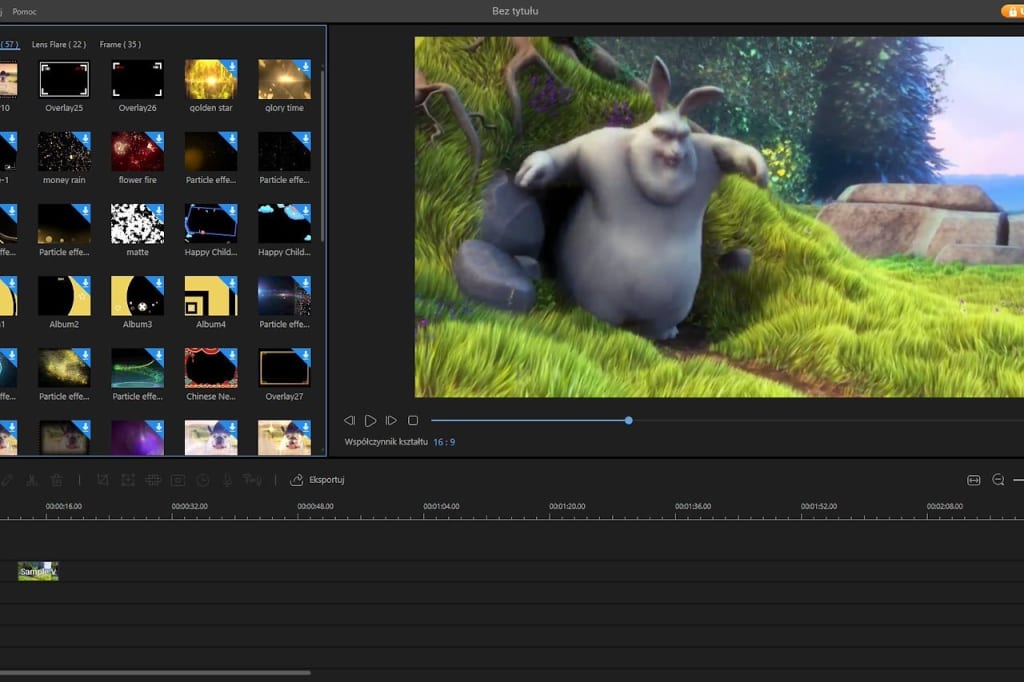
In today's digital age, video editing has become more accessible and user-friendly than ever before. Whether you're a professional filmmaker or an amateur enthusiast, having the right video editing app can significantly enhance your creative projects. In this article, we will explore five of the best video editing apps, including the popular Movavi, that offer powerful features, intuitive interfaces, and the ability to bring your vision to life.
Movavi Video Editor:
Movavi Video Editor is a versatile and user-friendly video editing app suitable for beginners and experienced users alike. It offers a wide range of features, including timeline-based editing, filters, transitions, and special effects. With its intuitive interface and drag-and-drop functionality, Movavi allows you to edit videos effortlessly. You can trim, merge, and crop clips, add text and titles, apply visual effects, and enhance the overall visual appeal of your videos. Movavi supports various video formats and provides options for exporting your edited videos in different resolutions.
check out Movavi
Adobe Premiere Pro:
Adobe Premiere Pro is a professional-grade video editing app widely used in the film and television industry. It offers an extensive set of features, advanced editing tools, and seamless integration with other Adobe Creative Cloud applications. Premiere Pro allows you to work with multiple video and audio tracks, apply complex visual effects, and utilize advanced color grading options. With its robust timeline-based editing interface and industry-standard capabilities, Adobe Premiere Pro is an excellent choice for filmmakers and content creators seeking powerful editing capabilities.
iMovie:
iMovie is a user-friendly video editing app exclusively available for Apple users. It comes pre-installed on Apple devices and offers a straightforward editing experience. With iMovie, you can easily import, arrange, and edit your video clips, add transitions and effects, incorporate music and sound effects, and export your finished projects to various platforms. iMovie's simplicity and seamless integration with other Apple applications make it a popular choice among beginners and casual video editors.
Filmora:
Filmora is a popular video editing app known for its intuitive interface and comprehensive feature set. It offers a range of creative tools, including filters, overlays, transitions, and titles, to enhance your videos visually. Filmora also provides advanced features such as green screen effects, audio mixing, and motion tracking. With its drag-and-drop functionality and user-friendly timeline, Filmora makes video editing accessible to users of all skill levels.
KineMaster:
KineMaster is a powerful video editing app designed for mobile devices. It offers a wide range of features, including multiple video layers, blending modes, speed control, and chroma key compositing. KineMaster allows you to edit videos on the go, making it ideal for vloggers, social media enthusiasts, and anyone who wants to create and edit videos using their smartphones or tablets. With its user-friendly interface and professional-grade capabilities, KineMaster has gained popularity as one of the best mobile video editing apps available.
Final Cut Pro X:
Final Cut Pro X is a professional-grade video editing app developed by Apple for Mac users. It provides an advanced set of editing tools and features, making it a go-to choice for filmmakers, editors, and multimedia professionals. Final Cut Pro X offers a magnetic timeline, which allows for seamless clip organization and easy rearrangement. It includes powerful features such as multi-camera editing, color grading, audio editing, and 360-degree video editing. With its robust capabilities and optimized performance, Final Cut Pro X is a favorite among professionals seeking high-quality video editing software for Mac.
Conclusion:
In today's digital landscape, video editing apps have revolutionized the way we create and share videos. Whether you're a professional filmmaker or a casual content creator, having the right video editing app can make a significant difference in the quality and impact of your videos. The six apps mentioned in this article, including Movavi, Adobe Premiere Pro, iMovie, Filmora, and KineMaster,Final Cut Pro X offer a range of features, intuitive interfaces, and diverse capabilities to cater to different skill levels and editing needs. Explore these apps, unleash your creativity, and elevate your video editing projects to new heights.
About the Creator
Keep reading
More stories from writers in Education and other communities.
How the Problem of Drug Use Begins Among Children and Why We Rarely Notice It in Time
Drugs do not enter children’s lives suddenly, with great drama or clear intent. Most often, they arrive quietly and unnoticed through the wrong company, misleading messages, and moments when a child feels lonely, confused, or invisible. That is why drug use among children is not only an issue of substance abuse; it is also an issue of communication, lack of support, and insufficient prevention.
By A.Petrovski7 days ago in Education



Comments
There are no comments for this story
Be the first to respond and start the conversation.