
Top BIM Terms Explained Simply for Architects, Engineers, and Contractors
Guide to Understanding the Most Common BIM Terms in Construction

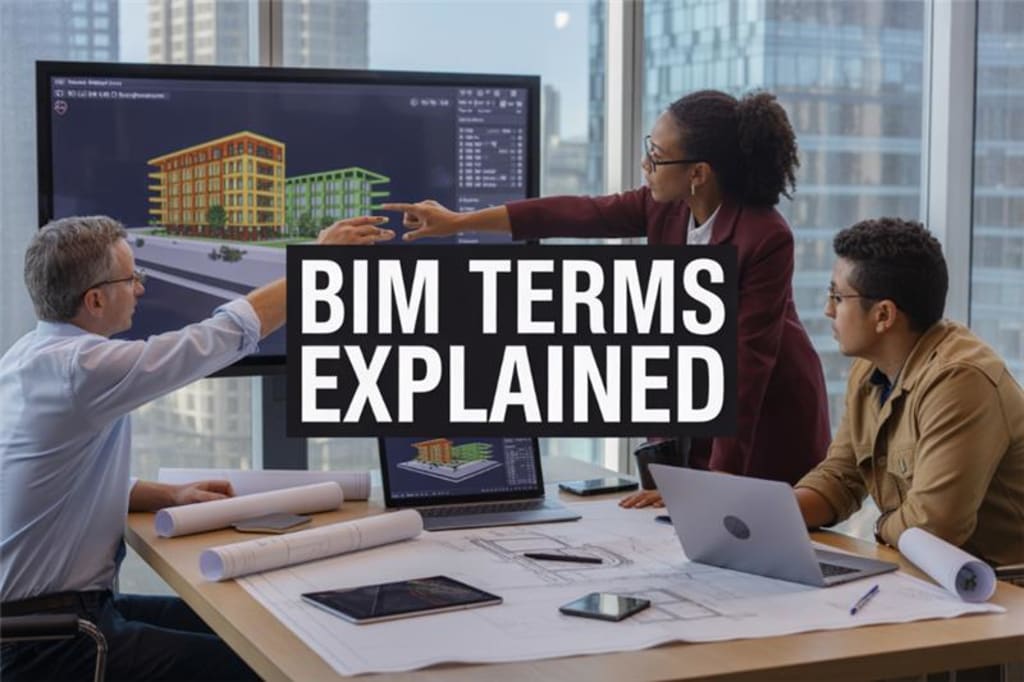
Why BIM terms sound technical and overwhelming
Building Information Modeling comes loaded with an alphabet soup of acronyms and technical jargon that can make even experienced professionals feel like they're reading a foreign language. Terms like "4D scheduling," "clash detection," "parametric modeling," and "interoperability" get thrown around in meetings, leaving many people nodding along while secretly wondering what everyone's talking about.
The construction and design industries have always been notorious for their specialized vocabulary, but BIM takes this to another level. Software companies create their own terminology, regulatory bodies add their requirements, and different countries develop their own standards. What you call a "federated model" in one region might be referred to as a "consolidated model" elsewhere. Even basic concepts like "Level of Development" (LOD) can mean different things depending on which standard you're following.
This confusion isn't helped by the fact that BIM technology evolves rapidly. New features, workflows, and capabilities emerge constantly, each bringing their own set of terms. Yesterday's "3D modeling" becomes today's "parametric design," and tomorrow's terminology will likely be something we haven't even heard of yet.
Many professionals also come from traditional drafting backgrounds where a drawing was just a drawing. Now they're expected to understand concepts like "object-oriented modeling," "data-rich environments," and "lifecycle management" – all while trying to keep up with project deadlines.
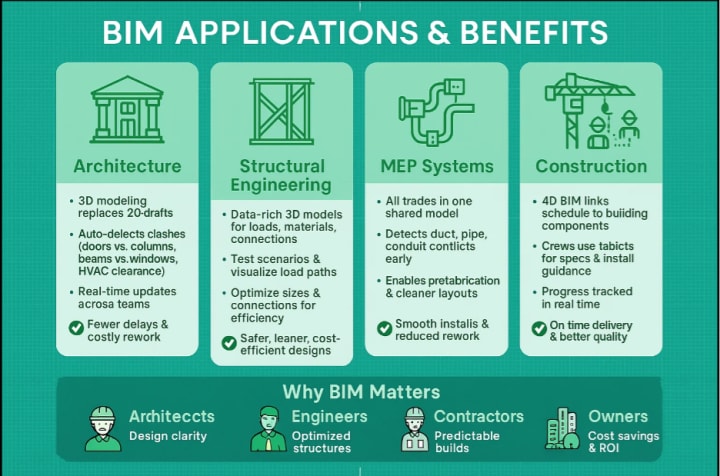
The risks of misunderstanding BIM (delays, miscommunication, cost overruns)
When team members don't speak the same BIM language, projects suffer in measurable ways. A simple misunderstanding about "Level of Detail" versus "Level of Development" can lead to contractors receiving models that don't contain the information they expected, forcing them to stop work and request clarification.
Communication breakdowns happen daily on BIM projects. An architect might ask for a "federated model" while the engineer provides individual discipline models, thinking they've met the requirement. The contractor then spends days trying to coordinate between separate files instead of working with a properly integrated model. These delays cascade through the entire project timeline.
Cost overruns become inevitable when teams operate with different definitions of the same terms. If the contract specifies "LOD 400" deliverables but the design team and contractor interpret this differently, the final product might be either over-engineered (wasting money) or under-detailed (requiring expensive rework). Studies show that miscommunication-related rework can add 5-15% to project costs.
Data exchange problems multiply when terminology isn't standardized. A structural engineer's "coordination model" might not contain the same information as the MEP engineer's "coordination model," leading to clash detection sessions that miss critical conflicts. These undetected clashes often don't surface until construction begins, when fixing them costs exponentially more.
Quality control suffers when team members can't clearly communicate requirements. A simple request for "updated geometry" could mean anything from basic shape changes to complete redesign with new parameters, specifications, and embedded data.
Glossary of Key BIM Terms

BIM (Building Information Modeling)
Building Information Modeling represents a revolutionary shift from traditional 2D drawings to intelligent 3D models packed with data. Think of it as creating a digital blueprint that contains not just the shape and size of every component, but also information about materials, costs, installation sequences, and maintenance requirements. When architects design a wall in BIM, they're not just drawing lines- they're specifying the exact wall type, insulation properties, fire ratings, and even the manufacturer details. This rich data makes BIM models living documents that evolve throughout a project's lifecycle, from initial design concepts through construction and into facility operations.
LOD (Level of Development)
Level of Development acts like a quality control system for BIM models, ranging from LOD 100 to LOD 500. At LOD 100, elements appear as basic shapes representing general concepts – imagine a simple box representing a mechanical unit. By LOD 300, that same unit shows accurate dimensions, connections, and enough detail for construction coordination. LOD 400 includes fabrication details with precise dimensions and assembly information. LOD 500 represents the as-built conditions with field verification. This standardized approach ensures everyone on the project team understands exactly how much they can trust the model information at any given stage.
Clash Detection
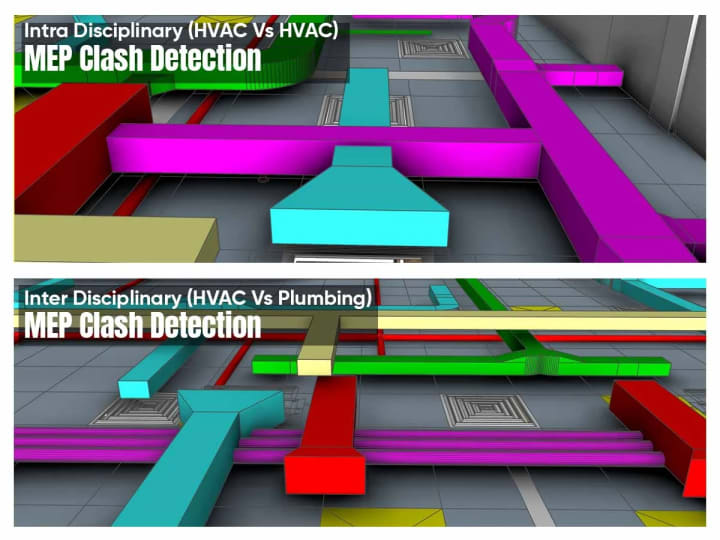
Clash detection serves as the construction industry's crystal ball, identifying conflicts before they become expensive jobsite problems. The software analyzes 3D models from different disciplines,, architectural, structural, mechanical, electrical, and plumbing, to spot where elements occupy the same space. Picture a structural beam running directly through a large HVAC duct, or electrical conduits conflicting with plumbing pipes. These clashes, which might go unnoticed in traditional 2D drawings until construction begins, get flagged early in the design phase. Teams can then redesign, relocate, or resize conflicting elements while changes remain inexpensive and easy to implement.
4D, 5D, 6D BIM
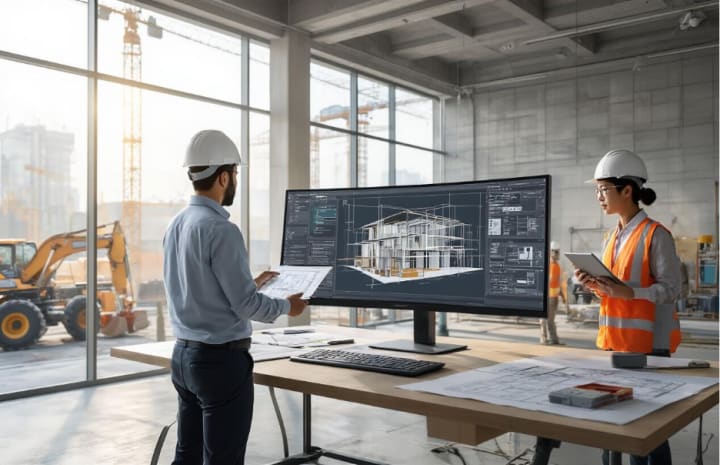
BIM dimensions extend beyond the traditional X, Y, and Z coordinates to add powerful project management capabilities. 4D BIM integrates time scheduling, allowing teams to visualize construction sequences and identify potential scheduling conflicts. Project managers can see exactly when each trade needs access to specific areas and plan logistics accordingly.
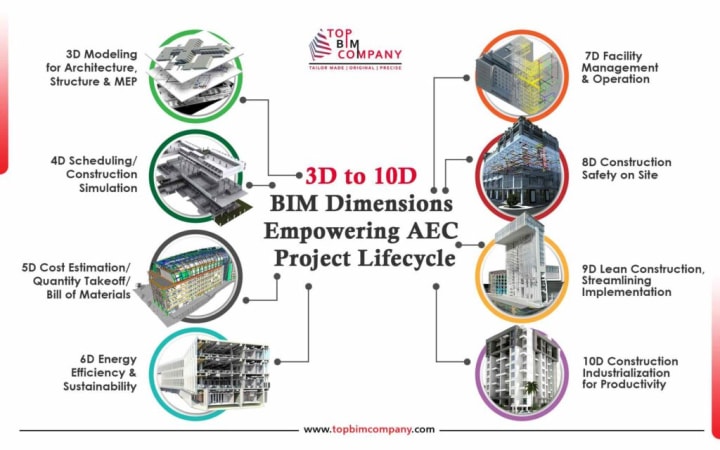
5D BIM adds cost data, automatically generating quantity takeoffs and cost estimates as designs evolve. When an architect changes a wall type, the 5D model instantly updates material quantities and cost projections. 6D BIM focuses on facility management, embedding maintenance schedules, warranty information, and operational data that building owners need for long-term facility management.
CDE (Common Data Environment)
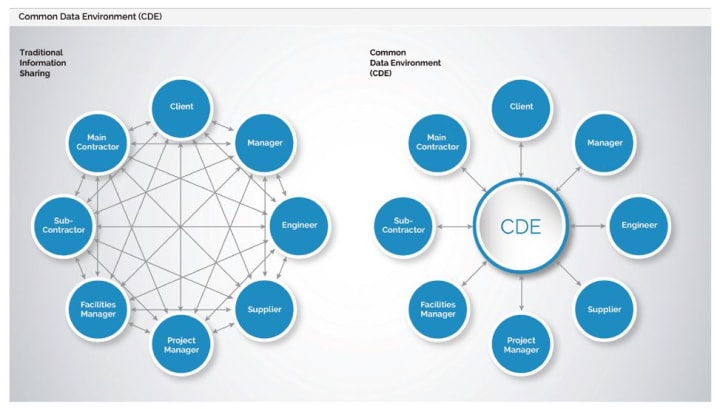
The Common Data Environment eliminates the chaos of version control and scattered project files. Instead of team members working from different file versions stored on various computers and servers, everyone accesses the same centralized platform. The CDE maintains a single source of truth, tracking every model revision, drawing update, and document change. Team members can see who made changes, when they were made, and why. This controlled environment prevents the costly mistakes that occur when contractors build from outdated drawings or engineers design based on superseded architectural plans.

Digital Twin
Digital twins create dynamic connections between physical buildings and their virtual counterparts. Unlike static BIM models, digital twins receive real-time data from building sensors, monitoring systems, and IoT devices. The virtual model reflects current conditions actual energy consumption, space occupancy, equipment performance, and environmental conditions. Facility managers can simulate scenarios, predict maintenance needs, and optimize building operations. When an HVAC system shows declining efficiency in the digital twin, maintenance teams can address issues before system failure occurs.

IFC (Industry Foundation Classes)
IFC files serve as the universal translator for BIM software, enabling seamless data exchange between different platforms. When an architect creates a model in one software and needs to share it with engineers using different programs, IFC format ensures the geometric and semantic information transfers accurately. This open standard prevents vendor lock-in and supports collaborative workflows across diverse software ecosystems. IFC files maintain element properties, relationships, and metadata, preserving the intelligence embedded in BIM models regardless of the receiving software.
Scan to BIM
Scan to BIM transforms existing buildings into accurate digital models using laser scanning technology. High-precision scanners capture millions of data points, creating detailed point clouds that represent actual building conditions. Skilled modelers then convert these point clouds into intelligent BIM models, reverse-engineering the physical structure into parametric building components. This process proves invaluable for renovation projects, historic preservation, and retrofit work where original drawings may be inaccurate or non-existent.
MEP BIM
MEP BIM specializes in the complex coordination required for mechanical, electrical, and plumbing systems. These models include detailed routing of ductwork, piping, and conduits, complete with fittings, supports, and connections. MEP BIM enables precise coordination between trades, automatically checking for adequate clearances, proper slope requirements for drainage, and code compliance. The models support fabrication processes, generating shop drawings and cut sheets directly from the 3D model data.
COBie (Construction Operations Building Information Exchange)
COBie standardizes the handover of building asset information from construction teams to facility managers. Instead of receiving boxes of paper manuals and warranties, building owners get structured digital data about every building component. COBie organizes equipment specifications, maintenance requirements, warranty information, and supplier contacts in a standardized format that facility management systems can import directly. This structured approach ensures critical building information doesn't get lost in the transition from construction to operations, enabling more effective long-term facility management.

Your Next Steps in BIM Mastery
Understanding BIM terminology marks just the beginning of your digital transformation journey. The construction industry continues evolving rapidly, and professionals who grasp these concepts position themselves ahead of competitors still struggling with outdated workflows. Start implementing BIM gradually rather than attempting an overnight overhaul. Begin with simple 3D modeling projects, then progressively incorporate clash detection, 4D scheduling, and cost estimation features. Each new capability builds upon previous knowledge, creating a solid foundation for advanced BIM applications.
Connect with local BIM user groups and attend industry conferences where practitioners share real-world experiences. These networking opportunities provide insights you won't find in textbooks, including common pitfalls, workflow optimizations, and emerging technology trends.
About the Creator
Shraddha Rathore
As an SEO specialist dedicated to creating informative content for audiences. I primarily focus on topics related to AEC, BIM, 3D LiDAR, software development, health, and gaming, ensuring valuable knowledge-sharing and industry insights.
Keep reading
More stories from Shraddha Rathore and writers in Education and other communities.
Top 10 MEP services provider companies in the USA 2025
MEP (Mechanical, Electrical and Plumbing systems) form the backbone of any built environment. These three engineering disciplines are responsible for delivering critical infrastructure ranging from HVAC, lighting, electrical distribution, fire protection, etc. Together, MEP systems ensure the operational performance, safety, and occupant comfort of facilities across all sectors like healthcare, commercial, educational, data centers, etc.
By Shraddha Rathore 8 months ago in Education
Rockwell International Corp: A Legacy of Innovation in Aviation and Aerospace
The aviation and aerospace industries have evolved through the work of several pioneering manufacturers that introduced groundbreaking engineering technologies. One of the most influential companies in this field was Rockwell International, an American industrial giant that contributed significantly to aircraft manufacturing, defense systems, and space exploration.
By Beckett Dowhanabout 5 hours ago in Education
Smart Healthcare Systems: Transforming Medical Operations Through Digital Innovation
The healthcare industry is undergoing a profound transformation as digital technologies reshape the way medical organizations operate. Hospitals, clinics, and healthcare networks are increasingly adopting advanced technological solutions to enhance efficiency, improve patient outcomes, and reduce administrative burdens. As healthcare demands continue to rise globally, technology has become an essential tool for streamlining operations and supporting better coordination among healthcare professionals.
By Brady Beitlich6 days ago in Education


Comments
There are no comments for this story
Be the first to respond and start the conversation.