
The Role of UX/UI in Modern App Development
Importance of UX/UI in App Success

Importance of UX/UI in App Success
Enhancing User Satisfaction
The success of a modern application heavily relies on the satisfaction of its users. User Experience (UX) and User Interface (UI) design are integral in creating an engaging and efficient user journey. By prioritizing user needs and preferences, designers can craft applications that are intuitive, enjoyable, and easy to navigate. This, in turn, ensures that users have a positive experience each time they interact with the app. A well-designed interface that minimizes effort and frustration can distinguish an application in a crowded marketplace, leading to increased user satisfaction and positive reviews.

Streamlining Functionality and Usability
An app’s functionality and usability hinge on its UX/UI design. Effective design streamlines the way users interact with the app's features, reducing friction and making it easier to perform desired actions. By simplifying complex tasks and presenting information logically, UX/UI design ensures that users can achieve their goals with minimal effort. This streamlining of usability not only improves the user experience but also reduces the likelihood of user error, enhances efficiency, and fosters a sense of accomplishment and satisfaction.
Encouraging User Retention and Loyalty
User retention and loyalty are critical metrics for the long-term success of an application. UX/UI design plays a pivotal role in encouraging users to return to the app. Through consistent positive experiences, users develop trust and loyalty towards the application. Features such as personalized experiences, responsive interactions, and visually appealing interfaces contribute significantly to user retention. An app that consistently meets user expectations and adapitates to their evolving needs will naturally foster a loyal user base, ensuring sustained engagement and success.
Key Elements of Effective UX/UI Design
User-Centric Research and Testing
Effective UX/UI design begins with a deep understanding of the target audience. User-centric research involves gathering and analyzing data on user behaviors, preferences, and pain points. This research informs the design process, ensuring that the app addresses real user needs. Additionally, user testing is essential to validate design decisions and identify areas for improvement. By involving users throughout the development process, designers can create interfaces that are user-friendly and meet the expectations of their audience.

Intuitive and Responsive Design
Intuitiveness and responsiveness are cornerstones of effective UX/UI design. An intuitive design ensures that users can easily understand and navigate the app without a steep learning curve. Elements such as clear icons, straightforward navigation, and logical layouts contribute to an intuitive experience. Responsiveness, on the other hand, refers to the app’s ability to perform seamlessly across different devices and screen sizes. A responsive design adapts to various platforms, providing a consistent and satisfying user experience regardless of how the app is accessed.
Consistent and Accessible Interfaces
Consistency and accessibility are crucial for creating a user-friendly app. Consistent design elements, such as colors, fonts, and button styles, help users quickly familiarize themselves with the app’s interface. This consistency reduces cognitive load and enhances usability. Accessibility ensures that the app can be used by individuals with varying abilities. Inclusive design principles, such as providing alternative text for images, keyboard navigation, and scalable text, make the app accessible to a wider audience, thereby enhancing its overall reach and usability.
Tools and Technologies for UX/UI
Prototyping and Wireframing Tools
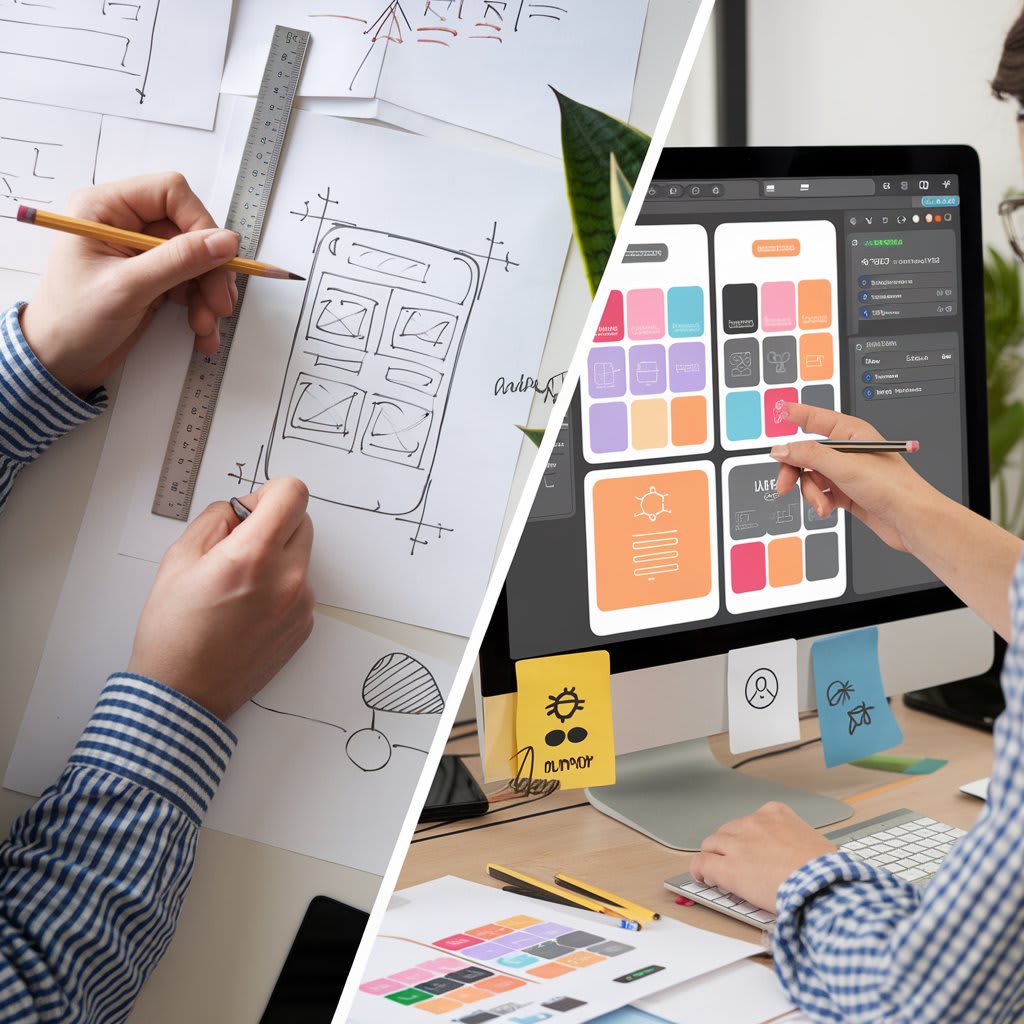
Prototyping and wireframing are essential stages in the UX/UI design process. Tools like Sketch, Figma, and Adobe XD allow designers to create preliminary models of the interface. These tools enable designers to visualize the app’s structure and functionality before the development process begins. Prototyping helps in identifying potential issues early on, saving time and resources in the long run. Wireframes serve as blueprints, laying out the app’s architecture and helping stakeholders understand the design’s direction and flow.
User Testing and Feedback Tools
User testing and feedback are indispensable for refining UX/UI design. Tools such as UserTesting, Hotjar, and Lookback facilitate the gathering of user insights and feedback. These tools enable designers to observe how users interact with the app, identify usability issues, and gather valuable suggestions for improvements. By leveraging user feedback, designers can make informed decisions that enhance the app’s overall user experience, ensuring it aligns with user expectations and needs.
Encouraging User Retention and Loyalty
User retention and loyalty are critical metrics for the long-term success of an application. UX/UI design plays a pivotal role in encouraging users to return to the app. Through consistent positive experiences, users develop trust and loyalty towards the application. Features such as personalized experiences, responsive interactions, and visually appealing interfaces contribute significantly to user retention. An app that consistently meets user expectations and adapitates to their evolving needs will naturally foster a loyal user base, ensuring sustained engagement and success.

Key Elements of Effective UX/UI Design
User-Centric Research and Testing
Effective UX/UI design begins with a deep understanding of the target audience. User-centric research involves gathering and analyzing data on user behaviors, preferences, and pain points. This research informs the design process, ensuring that the app addresses real user needs. Additionally, user testing is essential to validate design decisions and identify areas for improvement. By involving users throughout the development process, designers can create interfaces that are user-friendly and meet the expectations of their audience.
Intuitive and Responsive Design
Encouraging User Retention and Loyalty
User retention and loyalty are critical metrics for the long-term success of an application. UX/UI design plays a pivotal role in encouraging users to return to the app. Through consistent positive experiences, users develop trust and loyalty towards the application. Features such as personalized experiences, responsive interactions, and visually appealing interfaces contribute significantly to user retention. An app that consistently meets user expectations and adapitates to their evolving needs will naturally foster a loyal user base, ensuring sustained engagement and success.
Key Elements of Effective UX/UI Design
User-Centric Research and Testing
Effective UX/UI design begins with a deep understanding of the target audience. User-centric research involves gathering and analyzing data on user behaviors, preferences, and pain points. This research informs the design process, ensuring that the app addresses real user needs. Additionally, user testing is essential to validate design decisions and identify areas for improvement. By involving users throughout the development process, designers can create interfaces that are user-friendly and meet the expectations of their audience.
Intuitive and Responsive Design
Intuitiveness and responsiveness are cornerstones of effective UX/UI design. An intuitive design ensures that users can easily understand and navigate the app without a steep learning curve. Elements such as clear icons, straightforward navigation, and logical layouts contribute to an intuitive experience. Responsiveness, on the other hand, refers to the app’s ability to perform seamlessly across different devices and screen sizes. A responsive design adapts to various platforms, providing a consistent and satisfying user experience regardless of how the app is accessed.
Consistent and Accessible Interfaces
Consistency and accessibility are crucial for creating a user-friendly app. Consistent design elements, such as colors, fonts, and button styles, help users quickly familiarize themselves with the app’s interface. This consistency reduces cognitive load and enhances usability. Accessibility ensures that the app can be used by individuals with varying abilities. Inclusive design principles, such as providing alternative text for images, keyboard navigation, and scalable text, make the app accessible to a wider audience, thereby enhancing its overall reach and usability.
Tools and Technologies for UX/UI
Prototyping and Wireframing Tools
Prototyping and wireframing are essential stages in the UX/UI design process. Tools like Sketch, Figma, and Adobe XD allow designers to create preliminary models of the interface. These tools enable designers to visualize the app’s structure and functionality before the development process begins. Prototyping helps in identifying potential issues early on, saving time and resources in the long run. Wireframes serve as blueprints, laying out the app’s architecture and helping stakeholders understand the design’s direction and flow.
User Testing and Feedback Tools
User testing and feedback are indispensable for refining UX/UI design. Tools such as UserTesting, Hotjar, and Lookback facilitate the gathering of user insights and feedback. These tools enable designers to observe how users interact with the app, identify usability issues, and gather valuable suggestions for improvements. By leveraging user feedback, designers can make informed decisions that enhance the app’s overall user experience, ensuring it aligns with user expectations and needs.
Design Systems and Libraries
Design systems and libraries provide a standardized set of design elements that streamline the development process. Tools like Material Design by Google and Bootstrap offer pre-designed components and guidelines that ensure consistency and coherence across the application. These systems and libraries enhance efficiency by reducing the need to create design elements from scratch. Additionally, they promote a cohesive look and feel, making it easier for designers and developers to collaborate and maintain design integrity throughout the project.
Future Trends in UX/UI Development
Integration of AI and Machine Learning
Artificial Intelligence (AI) and Machine Learning (ML) are poised to revolutionize UX/UI design. These technologies enable the creation of intelligent, personalized experiences by analyzing user behavior and preferences. AI can dynamically adjust the interface to suit individual user needs, improving usability and engagement. For instance, AI-driven chatbots provide real-time assistance, enhancing user support and interaction. As AI and ML technologies continue to advance, their integration into UX/UI design will lead to more adaptive, intuitive, and user-centric applications.
Adaptation to New Devices and Platforms
The proliferation of new devices and platforms requires UX/UI designers to adapt their approaches continuously. From smartwatches and augmented reality (AR) glasses to voice-activated assistants, apps must deliver a seamless experience across an ever-expanding array of devices. Designers must consider the unique constraints and capabilities of each platform, ensuring that the app remains functional and user-friendly. The ability to create flexible, adaptable interfaces that provide a consistent experience across different devices will be a significant determinant of an app’s success.
Focus on Inclusivity and Accessibility
Inclusivity and accessibility will continue to be paramount in UX/UI development. As awareness of diverse user needs grows, designers must prioritize creating interfaces that are accessible to all users, regardless of their abilities. This includes implementing features such as voice navigation, high-contrast visual options, and customizable interfaces. Inclusive design practices ensure that apps cater to a broader audience, fostering a more equitable digital environment. By championing accessibility, designers not only comply with legal standards but also demonstrate a commitment to social responsibility and user inclusiveness.
In conclusion, the role of UX/UI in modern app development cannot be overstated. Effective UX/UI design enhances user satisfaction, streamlines functionality, and encourages user retention. By focusing on user-centric research, intuitive design, and consistent interfaces, designers can create compelling user experiences. Utilizing advanced tools and technologies further refines the design process, while staying abreast of future trends ensures that apps remain competitive and inclusive. Through meticulous attention to UX/UI design, developers can craft applications that resonate with users and achieve lasting success.
and responsiveness are cornerstones of effective UX/UI design. An intuitive design ensures that users can easily understand and navigate the app without a steep learning curve. Elements such as clear icons, straightforward navigation, and logical layouts contribute to an intuitive experience. Responsiveness, on the other hand, refers to the app’s ability to perform seamlessly across different devices and screen sizes. A responsive design adapts to various platforms, providing a consistent and satisfying user experience regardless of how the app is accessed.
Consistent and Accessible Interfaces
Consistency and accessibility are crucial for creating a user-friendly app. Consistent design elements, such as colors, fonts, and button styles, help users quickly familiarize themselves with the app’s interface. This consistency reduces cognitive load and enhances usability. Accessibility ensures that the app can be used by individuals with varying abilities. Inclusive design principles, such as providing alternative text for images, keyboard navigation, and scalable text, make the app accessible to a wider audience, thereby enhancing its overall reach and usability.
Tools and Technologies for UX/UI
Prototyping and Wireframing Tools
Prototyping and wireframing are essential stages in the UX/UI design process. Tools like Sketch, Figma, and Adobe XD allow designers to create preliminary models of the interface. These tools enable designers to visualize the app’s structure and functionality before the development process begins. Prototyping helps in identifying potential issues early on, saving time and resources in the long run. Wireframes serve as blueprints, laying out the app’s architecture and helping stakeholders understand the design’s direction and flow.
User Testing and Feedback Tools
User testing and feedback are indispensable for refining UX/UI design. Tools such as UserTesting, Hotjar, and Lookback facilitate the gathering of user insights and feedback. These tools enable designers to observe how users interact with the app, identify usability issues, and gather valuable suggestions for improvements. By leveraging user feedback, designers can make informed decisions that enhance the app’s overall user experience, ensuring it aligns with user expectations and needs.
Design Systems and Libraries
Design systems and libraries provide a standardized set of design elements that streamline the development process. Tools like Material Design by Google and Bootstrap offer pre-designed components and guidelines that ensure consistency and coherence across the application. These systems and libraries enhance efficiency by reducing the need to create design elements from scratch. Additionally, they promote a cohesive look and feel, making it easier for designers and developers to collaborate and maintain design integrity throughout the project.
Future Trends in UX/UI Development
Integration of AI and Machine Learning
Artificial Intelligence (AI) and Machine Learning (ML) are poised to revolutionize UX/UI design. These technologies enable the creation of intelligent, personalized experiences by analyzing user behavior and preferences. AI can dynamically adjust the interface to suit individual user needs, improving usability and engagement. For instance, AI-driven chatbots provide real-time assistance, enhancing user support and interaction. As AI and ML technologies continue to advance, their integration into UX/UI design will lead to more adaptive, intuitive, and user-centric applications.
Adaptation to New Devices and Platforms
The proliferation of new devices and platforms requires UX/UI designers to adapt their approaches continuously. From smartwatches and augmented reality (AR) glasses to voice-activated assistants, apps must deliver a seamless experience across an ever-expanding array of devices. Designers must consider the unique constraints and capabilities of each platform, ensuring that the app remains functional and user-friendly. The ability to create flexible, adaptable interfaces that provide a consistent experience across different devices will be a significant determinant of an app’s success.
Focus on Inclusivity and Accessibility
Inclusivity and accessibility will continue to be paramount in UX/UI development. As awareness of diverse user needs grows, designers must prioritize creating interfaces that are accessible to all users, regardless of their abilities. This includes implementing features such as voice navigation, high-contrast visual options, and customizable interfaces. Inclusive design practices ensure that apps cater to a broader audience, fostering a more equitable digital environment. By championing accessibility, designers not only comply with legal standards but also demonstrate a commitment to social responsibility and user inclusiveness.
In conclusion, the role of UX/UI in modern app development cannot be overstated. Effective UX/UI design enhances user satisfaction, streamlines functionality, and encourages user retention. By focusing on user-centric research, intuitive design, and consistent interfaces, designers can create compelling user experiences. Utilizing advanced tools and technologies further refines the design process, while staying abreast of future trends ensures that apps remain competitive and inclusive. Through meticulous attention to UX/UI design, developers can craft applications that resonate with users and achieve lasting success.
Encouraging User Retention and Loyalty
User retention and loyalty are critical metrics for the long-term success of an application. UX/UI design plays a pivotal role in encouraging users to return to the app. Through consistent positive experiences, users develop trust and loyalty towards the application. Features such as personalized experiences, responsive interactions, and visually appealing interfaces contribute significantly to user retention. An app that consistently meets user expectations and adapitates to their evolving needs will naturally foster a loyal user base, ensuring sustained engagement and success.
Key Elements of Effective UX/UI Design
User-Centric Research and Testing
Effective UX/UI design begins with a deep understanding of the target audience. User-centric research involves gathering and analyzing data on user behaviors, preferences, and pain points. This research informs the design process, ensuring that the app addresses real user needs. Additionally, user testing is essential to validate design decisions and identify areas for improvement. By involving users throughout the development process, designers can create interfaces that are user-friendly and meet the expectations of their audience.
Intuitive and Responsive Design
Intuitiveness and responsiveness are cornerstones of effective UX/UI design. An intuitive design ensures that users can easily understand and navigate the app without a steep learning curve. Elements such as clear icons, straightforward navigation, and logical layouts contribute to an intuitive experience. Responsiveness, on the other hand, refers to the app’s ability to perform seamlessly across different devices and screen sizes. A responsive design adapts to various platforms, providing a consistent and satisfying user experience regardless of how the app is accessed.
Consistent and Accessible Interfaces
Consistency and accessibility are crucial for creating a user-friendly app. Consistent design elements, such as colors, fonts, and button styles, help users quickly familiarize themselves with the app’s interface. This consistency reduces cognitive load and enhances usability. Accessibility ensures that the app can be used by individuals with varying abilities. Inclusive design principles, such as providing alternative text for images, keyboard navigation, and scalable text, make the app accessible to a wider audience, thereby enhancing its overall reach and usability.
Tools and Technologies for UX/UI
Prototyping and Wireframing Tools
Prototyping and wireframing are essential stages in the UX/UI design process. Tools like Sketch, Figma, and Adobe XD allow designers to create preliminary models of the interface. These tools enable designers to visualize the app’s structure and functionality before the development process begins. Prototyping helps in identifying potential issues early on, saving time and resources in the long run. Wireframes serve as blueprints, laying out the app’s architecture and helping stakeholders understand the design’s direction and flow.
User Testing and Feedback Tools
User testing and feedback are indispensable for refining UX/UI design. Tools such as UserTesting, Hotjar, and Lookback facilitate the gathering of user insights and feedback. These tools enable designers to observe how users interact with the app, identify usability issues, and gather valuable suggestions for improvements. By leveraging user feedback, designers can make informed decisions that enhance the app’s overall user experience, ensuring it aligns with user expectations and needs.
Design Systems and Libraries
Design systems and libraries provide a standardized set of design elements that streamline the development process. Tools like Material Design by Google and Bootstrap offer pre-designed components and guidelines that ensure consistency and coherence across the application. These systems and libraries enhance efficiency by reducing the need to create design elements from scratch. Additionally, they promote a cohesive look and feel, making it easier for designers and developers to collaborate and maintain design integrity throughout the project.
Future Trends in UX/UI Development
Integration of AI and Machine Learning
Encouraging User Retention and Loyalty
User retention and loyalty are critical metrics for the long-term success of an application. UX/UI design plays a pivotal role in encouraging users to return to the app. Through consistent positive experiences, users develop trust and loyalty towards the application. Features such as personalized experiences, responsive interactions, and visually appealing interfaces contribute significantly to user retention. An app that consistently meets user expectations and adapitates to their evolving needs will naturally foster a loyal user base, ensuring sustained engagement and success.
Key Elements of Effective UX/UI Design
User-Centric Research and Testing
Effective UX/UI design begins with a deep understanding of the target audience. User-centric research involves gathering and analyzing data on user behaviors, preferences, and pain points. This research informs the design process, ensuring that the app addresses real user needs. Additionally, user testing is essential to validate design decisions and identify areas for improvement. By involving users throughout the development process, designers can create interfaces that are user-friendly and meet the expectations of their audience.
Intuitive and Responsive Design
Intuitiveness and responsiveness are cornerstones of effective UX/UI design. An intuitive design ensures that users can easily understand and navigate the app without a steep learning curve. Elements such as clear icons, straightforward navigation, and logical layouts contribute to an intuitive experience. Responsiveness, on the other hand, refers to the app’s ability to perform seamlessly across different devices and screen sizes. A responsive design adapts to various platforms, providing a consistent and satisfying user experience regardless of how the app is accessed.
Consistent and Accessible Interfaces
Consistency and accessibility are crucial for creating a user-friendly app. Consistent design elements, such as colors, fonts, and button styles, help users quickly familiarize themselves with the app’s interface. This consistency reduces cognitive load and enhances usability. Accessibility ensures that the app can be used by individuals with varying abilities. Inclusive design principles, such as providing alternative text for images, keyboard navigation, and scalable text, make the app accessible to a wider audience, thereby enhancing its overall reach and usability.
Tools and Technologies for UX/UI
Prototyping and Wireframing Tools
Prototyping and wireframing are essential stages in the UX/UI design process. Tools like Sketch, Figma, and Adobe XD allow designers to create preliminary models of the interface. These tools enable designers to visualize the app’s structure and functionality before the development process begins. Prototyping helps in identifying potential issues early on, saving time and resources in the long run. Wireframes serve as blueprints, laying out the app’s architecture and helping stakeholders understand the design’s direction and flow.
User Testing and Feedback Tools
User testing and feedback are indispensable for refining UX/UI design. Tools such as UserTesting, Hotjar, and Lookback facilitate the gathering of user insights and feedback. These tools enable designers to observe how users interact with the app, identify usability issues, and gather valuable suggestions for improvements. By leveraging user feedback, designers can make informed decisions that enhance the app’s overall user experience, ensuring it aligns with user expectations and needs.
Design Systems and Libraries
Design systems and libraries provide a standardized set of design elements that streamline the development process. Tools like Material Design by Google and Bootstrap offer pre-designed components and guidelines that ensure consistency and coherence across the application. These systems and libraries enhance efficiency by reducing the need to create design elements from scratch. Additionally, they promote a cohesive look and feel, making it easier for designers and developers to collaborate and maintain design integrity throughout the project.
Future Trends in UX/UI Development
Integration of AI and Machine Learning
Artificial Intelligence (AI) and Machine Learning (ML) are poised to revolutionize UX/UI design. These technologies enable the creation of intelligent, personalized experiences by analyzing user behavior and preferences. AI can dynamically adjust the interface to suit individual user needs, improving usability and engagement. For instance, AI-driven chatbots provide real-time assistance, enhancing user support and interaction. As AI and ML technologies continue to advance, their integration into UX/UI design will lead to more adaptive, intuitive, and user-centric applications.
Adaptation to New Devices and Platforms
The proliferation of new devices and platforms requires UX/UI designers to adapt their approaches continuously. From smartwatches and augmented reality (AR) glasses to voice-activated assistants, apps must deliver a seamless experience across an ever-expanding array of devices. Designers must consider the unique constraints and capabilities of each platform, ensuring that the app remains functional and user-friendly. The ability to create flexible, adaptable interfaces that provide a consistent experience across different devices will be a significant determinant of an app’s success.
Focus on Inclusivity and Accessibility
Inclusivity and accessibility will continue to be paramount in UX/UI development. As awareness of diverse user needs grows, designers must prioritize creating interfaces that are accessible to all users, regardless of their abilities. This includes implementing features such as voice navigation, high-contrast visual options, and customizable interfaces. Inclusive design practices ensure that apps cater to a broader audience, fostering a more equitable digital environment. By championing accessibility, designers not only comply with legal standards but also demonstrate a commitment to social responsibility and user inclusiveness.
In conclusion, the role of UX/UI in modern app development cannot be overstated. Effective UX/UI design enhances user satisfaction, streamlines functionality, and encourages user retention. By focusing on user-centric research, intuitive design, and consistent interfaces, designers can create compelling user experiences. Utilizing advanced tools and technologies further refines the design process, while staying abreast of future trends ensures that apps remain competitive and inclusive. Through meticulous attention to UX/UI design, developers can craft applications that resonate with users and achieve lasting success.
Intelligence (AI) and Machine Learning (ML) are poised to revolutionize UX/UI design. These technologies enable the creation of intelligent, personalized experiences by analyzing user behavior and preferences. AI can dynamically adjust the interface to suit individual user needs, improving usability and engagement. For instance, AI-driven chatbots provide real-time assistance, enhancing user support and interaction. As AI and ML technologies continue to advance, their integration into UX/UI design will lead to more adaptive, intuitive, and user-centric applications.
Adaptation to New Devices and Platforms
The proliferation of new devices and platforms requires UX/UI designers to adapt their approaches continuously. From smartwatches and augmented reality (AR) glasses to voice-activated assistants, apps must deliver a seamless experience across an ever-expanding array of devices. Designers must consider the unique constraints and capabilities of each platform, ensuring that the app remains functional and user-friendly. The ability to create flexible, adaptable interfaces that provide a consistent experience across different devices will be a significant determinant of an app’s success.
Focus on Inclusivity and Accessibility
Inclusivity and accessibility will continue to be paramount in UX/UI development. As awareness of diverse user needs grows, designers must prioritize creating interfaces that are accessible to all users, regardless of their abilities. This includes implementing features such as voice navigation, high-contrast visual options, and customizable interfaces. Inclusive design practices ensure that apps cater to a broader audience, fostering a more equitable digital environment. By championing accessibility, designers not only comply with legal standards but also demonstrate a commitment to social responsibility and user inclusiveness.
In conclusion, the role of UX/UI in modern app development cannot be overstated. Effective UX/UI design enhances user satisfaction, streamlines functionality, and encourages user retention. By focusing on user-centric research, intuitive design, and consistent interfaces, designers can create compelling user experiences. Utilizing advanced tools and technologies further refines the design process, while staying abreast of future trends ensures that apps remain competitive and inclusive. Through meticulous attention to UX/UI design, developers can craft applications that resonate with users and achieve lasting success.
systems and libraries provide a standardized set of design elements that streamline the development process. Tools like Material Design by Google and Bootstrap offer pre-designed components and guidelines that ensure consistency and coherence across the application. These systems and libraries enhance efficiency by reducing the need to create design elements from scratch. Additionally, they promote a cohesive look and feel, making it easier for designers and developers to collaborate and maintain design integrity throughout the project.
Future Trends in UX/UI Development
Integration of AI and Machine Learning
Artificial Intelligence (AI) and Machine Learning (ML) are poised to revolutionize UX/UI design. These technologies enable the creation of intelligent, personalized experiences by analyzing user behavior and preferences. AI can dynamically adjust the interface to suit individual user needs, improving usability and engagement. For instance, AI-driven chatbots provide real-time assistance, enhancing user support and interaction. As AI and ML technologies continue to advance, their integration into UX/UI design will lead to more adaptive, intuitive, and user-centric applications.
Adaptation to New Devices and Platforms
The proliferation of new devices and platforms requires UX/UI designers to adapt their approaches continuously. From smartwatches and augmented reality (AR) glasses to voice-activated assistants, apps must deliver a seamless experience across an ever-expanding array of devices. Designers must consider the unique constraints and capabilities of each platform, ensuring that the app remains functional and user-friendly. The ability to create flexible, adaptable interfaces that provide a consistent experience across different devices will be a significant determinant of an app’s success.
Focus on Inclusivity and Accessibility
Inclusivity and accessibility will continue to be paramount in UX/UI development. As awareness of diverse user needs grows, designers must prioritize creating interfaces that are accessible to all users, regardless of their abilities. This includes implementing features such as voice navigation, high-contrast visual options, and customizable interfaces. Inclusive design practices ensure that apps cater to a broader audience, fostering a more equitable digital environment. By championing accessibility, designers not only comply with legal standards but also demonstrate a commitment to social responsibility and user inclusiveness.
In conclusion, the role of UX/UI in modern app development cannot be overstated. Effective UX/UI design enhances user satisfaction, streamlines functionality, and encourages user retention. By focusing on user-centric research, intuitive design, and consistent interfaces, designers can create compelling user experiences. Utilizing advanced tools and technologies further refines the design process, while staying abreast of future trends ensures that apps remain competitive and inclusive. Through meticulous attention to UX/UI design, developers can craft applications that resonate with users and achieve lasting success.
About the Creator
SNP KING
I am interested in writing articles about health, beauty, and weight loss, including articles on
Designing a Meaningful Future: Strategic Planning for Mission-Focused Entrepreneurs
In today’s evolving business landscape, entrepreneurs are increasingly motivated by more than financial success. Many are building companies around a mission to create social, environmental, or community-driven impact. While passion and vision ignite these ventures, strategic planning transforms purpose into a lasting, scalable business. For mission-focused entrepreneurs, planning is not about restriction but about clarity, alignment, and sustainable growth.
By Mario Payne7 days ago in Education
UniversityGPT: In Defence of Gen-Z in the Age of Artificial Intelligence
Every generation is shaped—and judged—by the tools it adopts. From the printing press to the calculator, from the internet to smartphones, technological change has always been met with suspicion. Today, that suspicion has a new name: UniversityGPT. As AI-powered tools become increasingly common in academic spaces, Gen-Z finds itself under fire. Critics argue that students are “outsourcing thinking,” undermining academic integrity, and becoming intellectually dependent. Yet these arguments reveal more about the fear of change than about the realities of modern learning. Defending Gen-Z is not about excusing laziness—it is about recognizing evolution. Understanding Gen-Z: A Generation Born into Complexity Gen-Z, generally defined as those born between the mid-1990s and early 2010s, is the first generation to grow up in a fully digital, globally connected world. Unlike Millennials, who witnessed the rise of the internet, Gen-Z was born into it. But technology is only one part of their story. This generation came of age during: Global financial instability Climate change emergencies Political polarization A worldwide pandemic Rising tuition fees and student debt An unpredictable job market They inherited a world that is faster, harsher, and more demanding than ever before. To expect them to navigate this reality using outdated educational models is unrealistic. Gen-Z is not disengaged. They are overloaded. The Rise of UniversityGPT and Academic Anxiety UniversityGPT has become a lightning rod in debates about AI in education. For many educators and commentators, it represents everything that feels out of control: automation, speed, and the erosion of traditional authority. But history shows us a pattern. When calculators were introduced, students were accused of “forgetting math.” When Google became common, students were accused of “not researching properly.” When spell-checkers appeared, writing was said to be “dead.” None of these fears came true. Instead, expectations shifted. UniversityGPT is not the enemy of learning—it is the next phase of it. AI Does Not Replace Thinking—It Changes Where Thinking Happens One of the most persistent myths about AI tools is that they eliminate critical thinking. In reality, they reposition it. When students use UniversityGPT responsibly, they still must: Frame intelligent questions Assess the accuracy of responses Compare multiple viewpoints Edit, refine, and personalize ideas Apply concepts to real-world contexts AI generates information. Humans generate meaning. In fact, effective AI use requires higher-order thinking skills such as evaluation, synthesis, and judgment—skills that traditional rote learning rarely develops. Knowledge Is No Longer Scarce—Insight Is Previous generations learned in a world where access to information was limited. Libraries, textbooks, and lectures were gatekeepers of knowledge. Gen-Z lives in a different reality. Information is abundant. What is scarce is: Context Interpretation Ethical judgment Creativity UniversityGPT helps students move past mechanical tasks and focus on deeper understanding. This is not intellectual laziness—it is strategic efficiency. In a world driven by speed and complexity, efficiency is not a shortcut. It is survival. Outdated Education Systems Are the Real Crisis Much of the criticism aimed at Gen-Z ignores a fundamental truth: education systems have not evolved at the same pace as the world. Many universities still rely on: Memorization-based exams Rigid curricula One-size-fits-all assessments Minimal mental health support Underpaid and overworked faculty Students are expected to perform at elite levels within systems designed for a pre-digital era. Gen-Z did not create these contradictions—they exposed them. UniversityGPT gained popularity because it fills gaps left by institutional stagnation. Academic Integrity in the Age of AI The conversation around AI often centers on cheating. But cheating is not new—technology did not invent dishonesty. What AI does demand is new definitions of integrity. Instead of banning AI outright, institutions should be teaching: Ethical AI use Citation and transparency Critical evaluation of AI-generated content Responsible collaboration between human and machine Punishment-based approaches ignore reality. Education-based approaches prepare students for the future. Gen-Z understands that AI is not going away. They want guidance, not fear. Gen-Z and the Courage to Question Authority One reason Gen-Z unsettles traditional systems is simple: they ask uncomfortable questions. They question: Why education is increasingly expensive Why unpaid internships are normalized Why productivity is prioritized over wellbeing Why outdated traditions are protected without evidence UniversityGPT empowers this questioning by giving students faster access to knowledge and alternative perspectives. This is not rebellion—it is intellectual independence. Mental Health Awareness Is Not Weakness Another common criticism is that Gen-Z is “too sensitive.” In reality, they are simply more honest. They speak openly about: Anxiety Burnout Depression Emotional exhaustion Previous generations were taught to endure silently. Gen-Z chooses to address problems openly. UniversityGPT can reduce academic stress by: Helping organize thoughts Clarifying complex material Reducing time pressure Supporting non-native English speakers Using AI to manage cognitive load is not weakness—it is self-care. A healthy mind is essential for meaningful learning. Adaptation Is the Highest Form of Intelligence Human history favors those who adapt. Gen-Z is preparing for a future where: AI is embedded in every profession Jobs evolve constantly Lifelong learning is essential Collaboration with machines is normal Learning how to work with AI is not optional—it is foundational. UniversityGPT is not a threat to intelligence. It is a training ground for the future. The Real Question About AI in Education Instead of asking: “Why are students using AI tools like UniversityGPT?” We should be asking: “Why hasn’t education evolved to teach ethical, effective AI collaboration?” Blaming students for adapting faster than institutions is misplaced frustration. Gen-Z is not the problem. They are the preview. In Defence of Gen-Z Gen-Z is not lazy. They are overwhelmed—but resilient. Not entitled—but informed. Not disengaged—but redefining engagement. UniversityGPT does not weaken their minds. It reflects a world where intelligence is distributed, tools are powerful, and adaptability determines success. History is rarely kind to pioneers in the moment. But it is always shaped by them. When the future finally arrives, it will look remarkably like the world Gen-Z is already navigating—and mastering.
By Zahid Hussainabout 18 hours ago in Education


Comments
There are no comments for this story
Be the first to respond and start the conversation.