
The future of libraries
The future of libraries: some technologies we hope to see in library spaces.
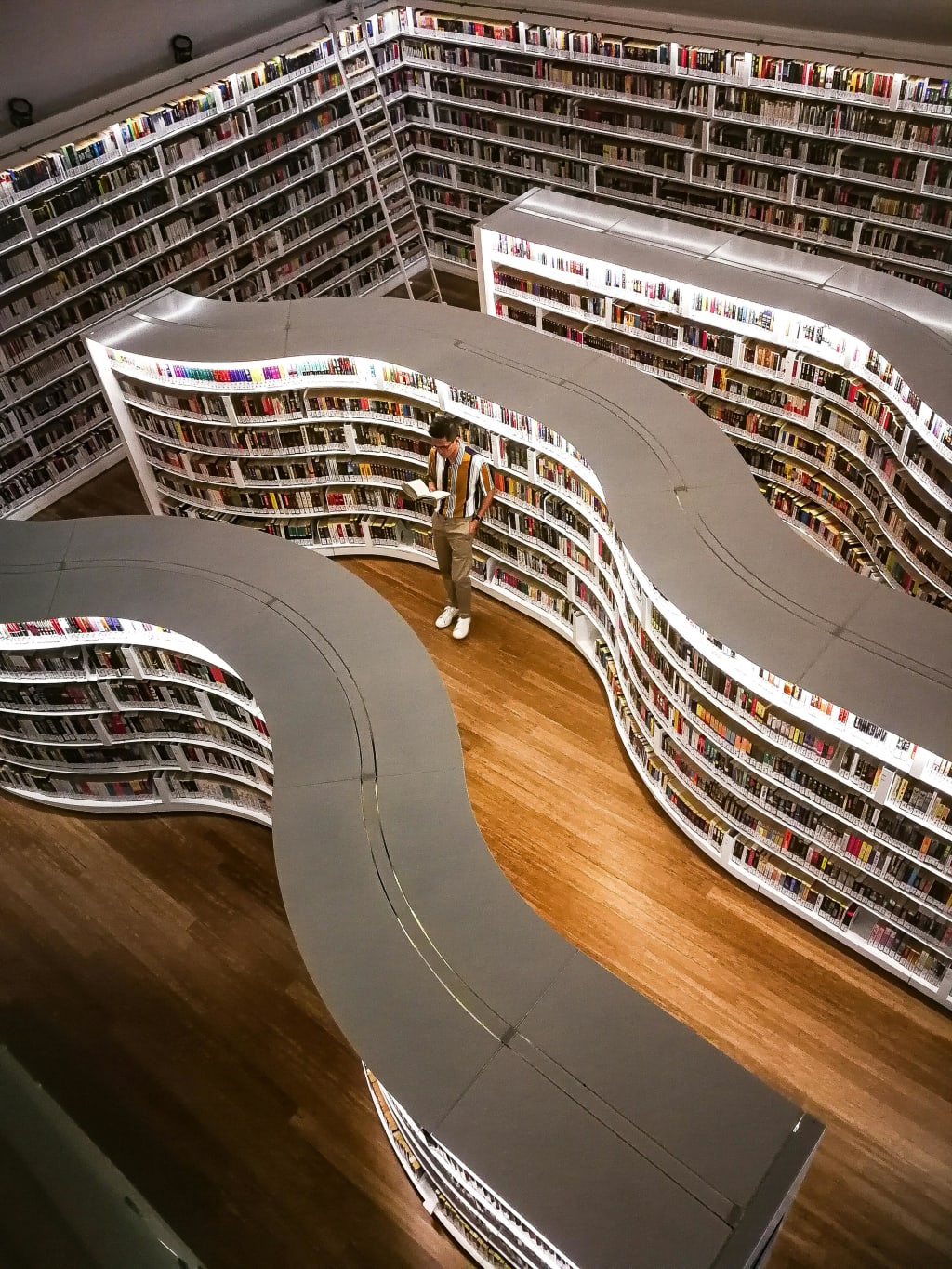
Libraries are at the forefront of promoting digital citizenship and should be the initial venues for implementing cutting-edge technologies. In the modern era, libraries have evolved beyond merely lending books. They serve as innovative spaces for individuals and teams alike, functioning as economic incubators and centers for learning.
Most importantly, libraries act as gateways to the digital realm, facilitating access to technology and preventing digital exclusion. To enhance the technological literacy of local communities, it is essential for libraries to be equipped with appropriate technologies. This article will not cover how to utilize Google Hangouts for meetings or how to use Piktochart for creating infographics. Instead, it aims to explore technologies—some still in the conceptual stage—that could be beneficial in the future.
Rather than discussing broad themes like wearables or augmented reality, this piece will provide concrete examples. While some of these technologies may appear to require budgets far greater than what a public library can sustain, that is not the focus here. The aim is to identify technologies that will be significant and advantageous for libraries as they advance along their digital pathways.
1.. "Library Bookmark and Guide Library Bookmark "
An innovative idea from the Chinese design firm To Out, this small device serves primarily as a standard bookmark. However, it also includes features that could enhance the library experience. Firstly, the device would be an ideal tool for navigating the library, providing step-by-step directions to locate the desired book. Additionally, it could monitor all borrowed books and remind users of upcoming return dates. Easily locating a book without needing to understand the Dewey Decimal Classification system? This concept suggests a promising evolution for library cards.
2.. "libraries inovative reality app"
application designed around image recognition, developed by Pradeep Siddappa. While there has been extensive discussion about incorporating augmented reality in libraries, tangible examples are scarce. The explanatory video detailing librARi’s functionality effectively showcases the potential of AR in libraries, particularly in helping users locate books on shelves and navigate to them. The app will direct users to newly arrived books and can also identify and suggest similar titles. This straightforward yet valuable functionality is highly feasible.
3.. "Book Delivery Drone "
Book Delivery Drone Zookal Flirtey To obtain a book from a library, you can either search for it yourself or allow it to be brought to you. The future is set for unmanned aerial vehicles. Similar to how Amazon drones deliver products to customers, libraries could use drones to deliver books to their users. Library drones are not just a distant concept; they are already in use. The Australian startup Flirtey has partnered with the book rental service Zookal to launch the world's first textbook delivery system. This system utilizes hexacopters, drones equipped with six rotors, to transport ordered textbooks. The innovative feature of this service is that the drone can locate you via your smartphone’s GPS, eliminating the need to provide a fixed address. Picture this: you’re in a reading room at the New York Public Library, working on an essay, and need another book. Remain where you are and use the app to request a book. The drone will arrive, retrieve the book from its compartment, and return any items you no longer need. It will also ensure they are placed back in their proper location. Personally, I would suggest adding an option for the drone to deliver a latte from the library café.
4.. "digital Interface for Print Books"
Those who have experienced eBooks appreciate the convenience of a digital interface and its range of useful tools. Searching within a book (including advanced search features), looking up references online, obtaining instant translations, taking notes, or saving excerpts can all be accomplished on the same device used for reading eBooks. While it's possible to borrow an eBook rather than a print book, a more innovative approach is to combine print books with a digital interface. FingerLink is a project in development by Fujitsu that enables the use of digital tools alongside printed books. It consists of a stand that can be placed on a library desk, featuring two components: a camera that scans physical information and a projector that displays digital content in the real world. Simply position the book on the table under the stand, and you'll see additional options available for that book, as everything FingerLink “observes” can be made accessible and editable in digital format. Now, let’s expand on this idea. Nimble is a concept for an advanced library tool using augmented reality. Created by London-based interactive designer and Google engineer Sures Kumar, Nimble not only enhances print books digitally but also includes the earlier mentioned feature of a turn-by-turn library guide. All these functionalities can be accessed using a smart library card, providing a comprehensive solution that allows users to interact with digital resources and content as they wish.
5.. "library Tools"
Library Tools Implementing a system like FingerLink would significantly exceed the library's annual budget. However, there is a more affordable option. A library could provide patrons with a selection of small tools they can borrow for use in the reading room. The image above showcases Ivy Guide, a conceptual device that attaches to a pen for translating words from printed materials. This serves as an example of how such concepts are being developed. The key is to identify the most beneficial tool for library settings. One potential tool is a simple pen that allows patrons to create digital highlights. The requirement is that it should be as straightforward as possible. The concept is as follows: a real-to-digital highlighter would connect to a computer. As patrons highlight text in a physical book, their selections would instantly appear in a notepad application on the computer. All highlights would be compiled into one text document. Once finished, patrons can easily send this document to their email, which will automatically delete itself when closed. These library tools would be advantageous for less tech-savvy patrons or those who do not utilize advanced applications, such as those with optical character recognition (OCR), on their smartphones.
6.. "Mobile Library Center To connect with local communities or reach individuals in remote areas"
libraries may need to leave their physical buildings. The Ideas Box is an innovative solution created by Librarians Without Borders, designed to serve people in refugee camps and low-income countries, but it can also be utilized anytime a mobile library is needed. One of the most exciting features of this contemporary library center is its ability to be set up in under 20 minutes. The Ideas Box is a portable toolkit that is standardized, easy to transport, and simple to assemble. It consists of six boxes (including library materials and internet access), fits on two pallets, and provides a space of 1,000 square feet. The library box contains 250 physical books, 50 e-readers loaded with thousands of eBooks, and a range of educational applications.
7.. "Print on demand machines Bookless libraries"
hich lack any physical print books, are becoming more common. However, they will not replace traditional libraries, just as ebooks have not replaced printed books. The digital-only model has its drawbacks. Every digital-only library should provide patrons with the option to quickly create a printed version of a book. Setting aside who will cover the costs, the key point is that sometimes a physical book is necessary for its use. The Espresso Book Machine (EBM) is a tangible product made by Xerox and sold by On Demand Books. It can produce a paperback book on the spot, with a printing speed of up to 150 pages per minute. This machine is linked to an online catalog containing more than seven million in-copyright and public domain titles, and institutions using the EBM can also print their own custom titles.
8.. "Accessing the library through a widely used app "
Plymouth District Library on Google Street View This may seem like a straightforward idea, yet it currently doesn't exist, and its future remains uncertain. The previous concepts focused on specialized devices or solutions tailored for library use. Today, to borrow an ebook from a library, you typically need a specific app from a digital content provider, such as OverDrive. However, not all libraries partner with OverDrive, leading to complications. The more specialized an option is, the fewer individuals will engage with it. In contrast, borrowing a physical book from a library requires only a library card. Envision a scenario where many of the features mentioned earlier could be accessed through a simple app—just a browser on your mobile device. This would allow users to explore the library, borrow books, receive due date notifications, and read the borrowed materials. Perhaps it would include a virtual tour of the library. We are on the verge of this, as seen with libraries utilizing Google Street View tours. Additional features could include note-taking and highlighting, or even the capability to recognize printed text and convert it into editable notes. While these functionalities exist, they are provided through specialized apps that are not designed for library use. The ideal (perhaps utopian) vision is for everyone to access the library without requiring additional knowledge or software. Google is paving the way for a unified online experience, eliminating the need for extra sign-ups. All that is necessary is to be logged into your Gmail account on Google Chrome.
About the Creator
Community Engagement as the Engine of Worldwide Sustainability
Sustainable global transformation is often seen as the result of high-level policies, international agreements, and technological breakthroughs. While these elements are essential, true and lasting transformation begins at the community level. Engaged communities play a pivotal role in shaping environmental, economic, and social progress by taking ownership of local challenges and contributing practical solutions. Their actions create momentum that spreads outward, influencing regional policies, national strategies, and global goals. Understanding how engaged communities drive sustainable global transformation reveals that long-term progress is built from the ground up, powered by people who are committed, informed, and united.
By Convoy of Hope3 days ago in Education
Charting Your Own Path: Building a Self-Directed Trading Career Without External Interference
Creating a self-directed trading career offers traders the freedom to make independent decisions, implement personalized strategies, and manage risk in line with their goals. Unlike traders tied to institutional mandates or client obligations, self-directed professionals can focus entirely on performance, analysis, and strategy development. This autonomy enables faster decision-making, adaptation to evolving market conditions, and the cultivation of a trading style aligned with personal strengths. Building a career free from external interference is not only empowering but also increases the likelihood of long-term success.
By Agast Mishra3 days ago in Education



Comments (1)
Give your support and idea ... Then, I will get more motivated by my readers... Be happy be joyful.. Thankyou