
Online Revit Architecture Training Course-BES
Revit Architecture Training Courses in Lahore
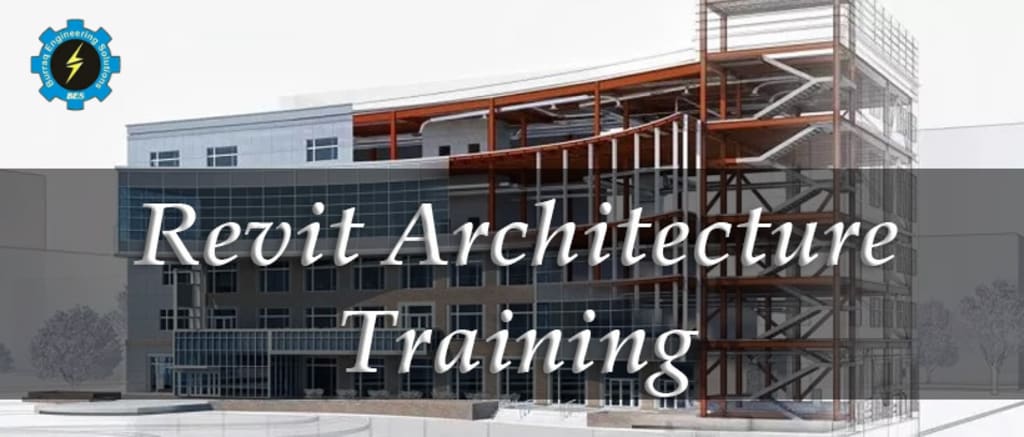
Revit is a Building Information Modelling (BIM) software developed by Autodesk. It enables architects, engineers and construction professionals to design, document and analyse building information in a virtual environment. In this article, we will explore the various aspects of Revit and its capabilities.
If you want to learn Revit Architecture Training Courses, Burraq Engineering Solutions is an Engineering institute that provides best Revit Architecture Course in Lahore Pakistan. You can learn more Engineering Courses from Burraq Engineering Solutions. Online and Physical Classes are available.
Overview of Revit
Revit is a comprehensive software solution that enables architecture, engineering and construction professionals to design, document and analyse building information in a virtual environment. The software uses BIM technology to create 3D models that contain all the necessary data required for a construction project, including architectural, structural and MEP (mechanical, electrical and plumbing) details.
Revit was first released in 2000 and has since become one of the most popular BIM software on the market. The software is known for its accuracy, efficiency and collaboration capabilities. It allows multiple stakeholders to work on a project simultaneously, reducing the time and cost required for construction projects.
Revit Properties
Revit comes with several features that make it a powerful BIM tool for professionals.
Some of the key features of Revit include:
1. Parametric modeling:
Revit allows you to create intelligent 3D models that are parametrically controlled. This means that changes made to the model automatically update all related elements, including drawings, plans and 3D views.
2. Collaboration:
Revit allows multiple stakeholders to work on a project simultaneously. This feature enables teams to collaborate in real time, reduce errors and increase efficiency.
3. Analysis:
Revit enables the analysis of building information, including energy analysis, lighting analysis and static analysis.
4. Customization:
Revit allows users to customize the software to meet their specific needs. Users can create their own families, templates and workflows.
5. Visualization:
Revit allows you to create photorealistic 3D visualizations of the project. This feature allows stakeholders to see what the project will look like before construction begins.
6. Documentation:
Revit allows the creation of detailed construction documentation, including floor plans, views and sections.
7. MEP Modeling:
Revit allows you to create detailed MEP models, including HVAC systems, electrical systems, and plumbing systems.
Benefits of using Revit
Revit offers several advantages for architecture, engineering and construction professionals.
Some of the key benefits of using Revit include:
1. Accuracy:
Revit ensures project accuracy by creating a single source of truth for all project data. This reduces errors and ensures that all stakeholders have access to the same information.
2. Efficiency:
Revit allows teams to work on a project simultaneously, reducing the time required for construction projects. This increases efficiency and reduces costs.
3. Collaboration:
Revit enables real-time multi-stakeholder collaboration, reducing errors and improving project outcomes.
4. Visualization:
Revit allows stakeholders to visualize a project in 3D before construction begins. This allows them to make informed decisions and avoid costly mistakes.
5. Flexibility:
Revit is a flexible software that can be customized to meet specific project needs. This allows professionals to create unique solutions for each project.
Restrictions on the use of Revit
Although Revit offers several advantages, it also has some limitations.
Some of the key limitations of using Revit include:
1. Steep Learning Curve:
Revit has a steep learning curve and new users may take some time to learn how to use the software.
2. Price:
Revit is quite expensive software and may not be accessible to all architecture, engineering and construction professionals.
3. Resource intensive:
Revit requires powerful hardware to run efficiently, which may require additional investment.
4. Price:
Revit is quite expensive software, especially for smaller businesses and independent professionals. The high cost of the software may be a barrier to entry for some users.
5. Limited Customization:
Although Revit is customizable, it may not be flexible enough to meet the specific needs of each user. Users may need to invest in additional software or development resources to customize the software to their specific needs.
6. Limited detailing tools:
Revit's detailing tools are somewhat limited compared to other software programs. Users may need to invest in additional software or plugins to create more detailed drawings and specifications.
7. Limited rendering capabilities:
Although Revit allows 3D visualization, its rendering capabilities are somewhat limited compared to other software programs. Users may need to invest in additional software or plugins to create more realistic visualizations of their designs.
About the Creator
Keep reading
More stories from writers in Education and other communities.
Breaking the Emotion Cycle: How Data-Driven Trading Transforms Investor Behavior
Emotional investing has shaped market behavior for generations, often with costly consequences. Fear drives investors to sell during downturns, while excitement pushes them to buy during euphoric rallies. As a result, many portfolios suffer from poor timing and inconsistent strategy. These emotional reactions feel natural, yet they frequently undermine rational analysis and long-term planning.
By Agast Mishraabout 10 hours ago in Education
The Hidden Magic of Growing Mushrooms at Home: A Step-by-Step Guide
The first time I tried growing mushrooms at home, I didn’t expect much. I assumed it would be complicated, messy, or one of those hobbies that look fun online but never work in real life. Instead, it turned into one of the most surprisingly calming things I’ve done indoors.
By The Shroom Groove3 days ago in Education
Where there's Art there's Heart
Here's a stupid thing: I adore art, but I start to panic whenever I step into a gallery. In the one place I should be at my contented best - surrounded by walls teeming with creative expression - I fall apart. What ought to be an enriching experience, tacitly designed to facilitate the exploration of human empathy and perspective, is for me an overwhelming purgatory of anxiety that compresses me to the point I cannot breathe. At the same time, I experience a sense of extraction, as though my head is being prized open to create a hole so big my sanity could evaporate. Somewhere between these two opposing forces of vice and vortex, I feel myself dissolving in a stream of panic that makes me want to cry; and I feel so daft feeling this way, that all I want to do is run for the hills.
By Caroline Jane2 days ago in Humans




Comments
There are no comments for this story
Be the first to respond and start the conversation.